Hi.
This test are running at Windows 10 Home Single Language
At Chrome 64.0.3282.186 - 64 bits autoPrint is not running.
At Firefox 58.0.2 (64-bit) is running OK.
I'm using 1.3.5 version of jsPDF.
I've install by npm 5.6.0
Tanks.
 LuizLeite
All 24 comments
I tested it right now and it works.
https://jsfiddle.net/a3Lwvkxg/1/
My Chrome opens AcrobatReader and automatically the printing dialog is shown.
Probably your inline PDF-Viewer in your Chrome Browser doesnt support the autoprint-feature.
jsPDF works as expected.
 Uzlopak
on 24 Feb 2018
Uzlopak
on 24 Feb 2018
The Chrome browser appears to support autoprint for me when opened in a new tab
 MrRio
on 24 Feb 2018
MrRio
on 24 Feb 2018

MrRio
on 24 Feb 2018
Well.
When i use yours Live Demo its runs very well.
But, in my web app dont.
And boths side by side (tabs) at chrome.
Any idea?
LuizLeite
on 24 Feb 2018
To be honest autoprint plugin is one of those plugins that can not fail because it is so simple and basic. So ...
Uzlopak
on 24 Feb 2018
Works for me too, can only imagine you are not putting the data into a URL correctly.
 inthegarage
on 26 Feb 2018
inthegarage
on 26 Feb 2018
I modified autoprint plugin. There are two variants to open the print dialog. The variant what we used till now is non conformant and not documented in the pdf 1.7 reference but is parsed by many pdf-readers. The other variation is using javascript and should be parsed by more pdf readers.
https://github.com/MrRio/jsPDF/blob/9c6fd239ba94492af83a956c78ac499d4099eba2/plugins/autoprint.js
Will probably merge the PR #1671 tonight.
Uzlopak
on 1 Mar 2018
alternative version of autoprint.js implemented with #1671
will be part of the next release
Uzlopak
on 2 Mar 2018
Did autoFunction was really fixed I cant use even if I installed jspdf@latest version
 ArthurBugan
on 5 Mar 2018
ArthurBugan
on 5 Mar 2018
@ArthurBugan
Is the version released? No. Sooo...
And it is not "autoFunction" it is autoPrint.
You can do anyway:
var doc = new jsPDF();
doc.addJS('print({});');
the JsFiddle didnt work for me, it just ask to save the file but no printing =/
 pktron
on 24 Apr 2018
pktron
on 24 Apr 2018
I'm experiencing the same problem. It just downloads pdf file. Tried various of combinations like 'non-comform', 'javascript' for autoPrint, tried to add 'print({});', but no luck.
Chrome is not restricted to display popups.
P.S. JsFiddle also doesn't work for me.
 exZStas
on 1 Feb 2019
exZStas
on 1 Feb 2019
@exZStas
with such a vague error reporting you can not expect any help. I mean, I could even guess, that you use an old version of jspdf?!
Or you are not showing the pdf in the browser. Yeah if you are not opening the pdf in the internal pdf viewer, then of course it will not automatically start the printing.
So...
Uzlopak
on 1 Feb 2019
I'm also experiencing this issue. Works beautifully on the https://parall.ax/products/jspdf repl when i add doc.autoPrint()
But with what seems to be functionally the same code on jsfiddle autoPrint() doesn't trigger the pdf viewer. https://jsfiddle.net/cg0djn5t/ -- does this work for others?
autoPrint() also fails when I try to use it in my app.
var doc = new jsPDF('landscape')
      doc.text(20, 20, 'Hello landscape world!')
      doc.autoPrint()
For those who find this and need a work around to move forward. I'm just opening the doc in a new window, and that seems to do the trick
window.open(doc.output('bloburl'), '_blank')
After looking through the issues on this repo, it seems clear that this is a recurring mystery.
Chrome Version 72.0.3626.109 (Official Build) (64-bit)
 citylims
on 21 Feb 2019
citylims
on 21 Feb 2019
There is no mystery at all. You have to open the pdf in a pdf viewer to initiate the autoprinting. You want to directly print the pdf without opening it in a pdf viewer.
No Bug.
Uzlopak
on 21 Feb 2019
@arasabbasi considerable amount of people have such issue, and it doesn't matter you think it's a bug or not.
@citylims i've found workaround how to open print popup. You can create iframe, put data there and print content of this poup.
Here is an example of how i did it in AngularJS. Mb it will be useful.
var doc = $window.jsPDF('landscape');
var iframe = $document[0].createElement('iframe');
iframe.id = "iprint";
iframe.name = "iprint";
iframe.src = doc.output('bloburl');
iframe.setAttribute('style', 'display: none;');
$document[0].body.appendChild(iframe);
iframe.contentWindow.print();
It is not a bug when autoPrint is doing it's job. What you want is printing the PDF without opening it in a PDF viewer.
Uzlopak
on 22 Feb 2019
@arasabbasi hmm maybe you should mention that in your documentation instead of being so defensive about it.
There is no mention of PDF viewer anywhere. Clearly this issue is annoying you, so maybe you can address it in your documentation and just add a line that says autoPrint() requires the user to open the generated pdf in a pdf viewer.
Also your own jsfiddle YOU wrote - doesnt work! But you do you.
citylims
on 22 Feb 2019
You mean like I did clarify it in the source code yesterday?
2287
We will regenerate the docs next release.
And the fiddle from 2018 is working in my Chrome 72.0.3626.109 . The fiddle generates a PDF and when it opens the PDF the print dialog is popping up.
Best Regards
Aras
Uzlopak
on 22 Feb 2019
Hi, Sorry for dropping by late into the conversation.
I have the same confusion. In the demo page ( http://raw.githack.com/MrRio/jsPDF/master/ ), the PDF doesn't get downloaded but directly opens the print dialog.
But when I use the same function in my code.
step:1 The file gets downloaded and on opening it
step:2 the print dialog shows up by default.
As per the demo, the expectation ( unfortunately ) set is that it would jump to step 2. But it seems we have to go through step 1 too!
Did anyone find out why there is such a discrepancy? Enlighten me, please.
 hariprasadr92
on 28 Feb 2020
hariprasadr92
on 28 Feb 2020
@hariprasadr92 this all depends on the browser you are using and the mime type you send to the browser (if using an embed). Downloading suggests you are using the wrong type, or an old browser.
inthegarage
on 2 Mar 2020
Hi! I am using Chrome. Version 80.0.3987.122 (Official Build) (64-bit).
hariprasadr92
on 2 Mar 2020
There's a pattern that people are missing while reading this thread:
In all cases where doc.autoPrint(); works, in all the demos, jsfiddles, et cetera... the pdf is being shown in the window.
In all the cases where doc.autoPrint(); doesn't work, you'll see that what people want to do is skip showing the pdf at all, and go straight to printing.
The final line of code is identical in both cases: doc.autoPrint(); That's not where the issues is, and it's never been the source of the problem. Although browsers have allowed this in the past... no longer. Sorry. Chrome doesn't currently, I'm sure the others will end up in the same spot eventually.
So if you want an "instant print dialog", you need to set up a way to be showing that PDF in-window. Scroll up and you'll see a couple options. 👍
 anders8
on 20 Sep 2020
anders8
on 20 Sep 2020
Hello, I'm working with cordoba/FrameWork 7 (PWA) , Chrome & Safari mobile browser.
Oks, first I have to show in window the PDF file correct?, to do this I have to use the syntax gPdf.output , correct? I tried with some parameteres and none works, doesen't show the PDF file content, could you help me please? ....
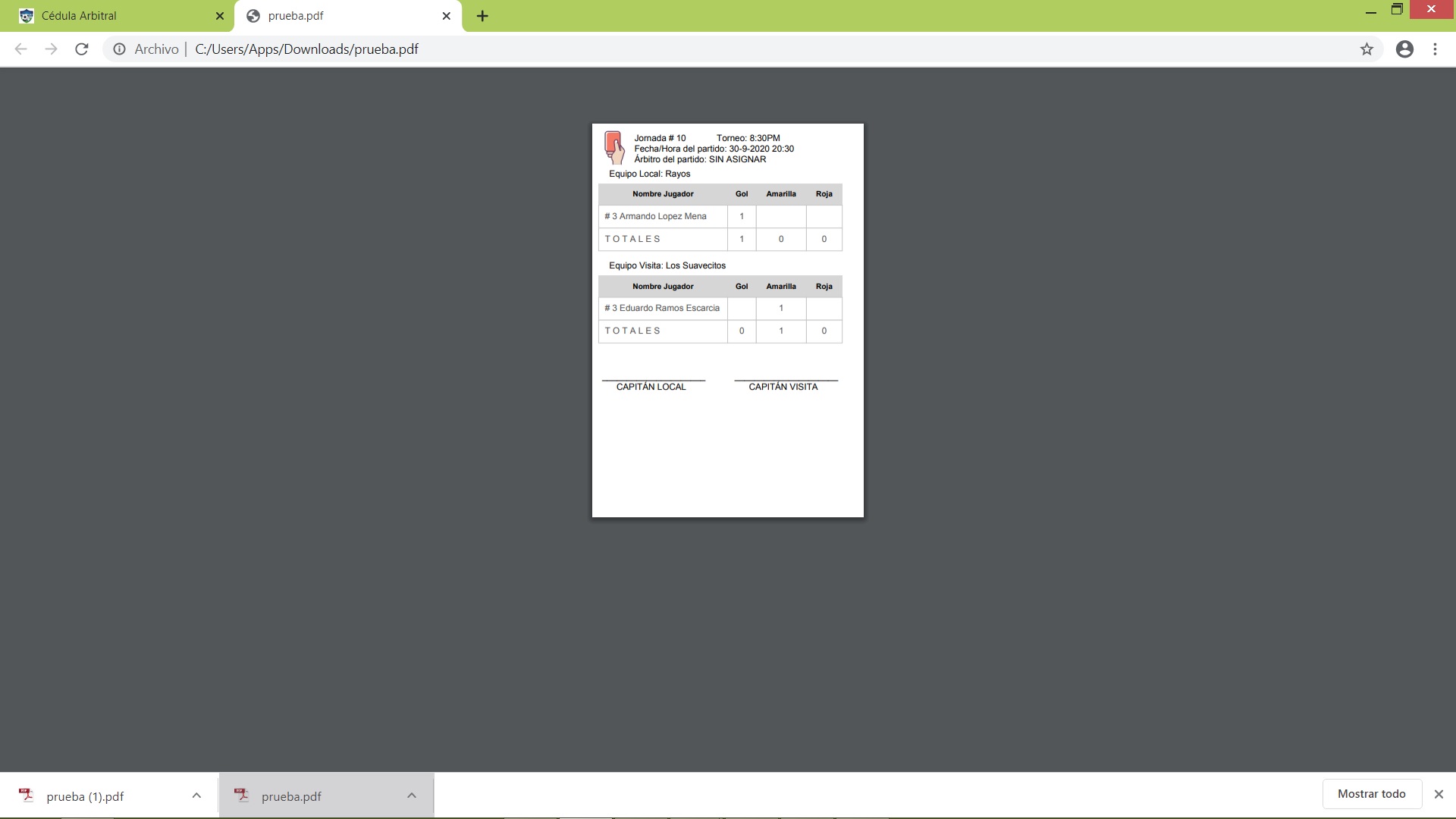
With gPdf.save("prueba.pdf") This is my PDF file data
With gPdf.output('datauri') I have gotten error

With gPdf.output('datauristring') I dont' have any error
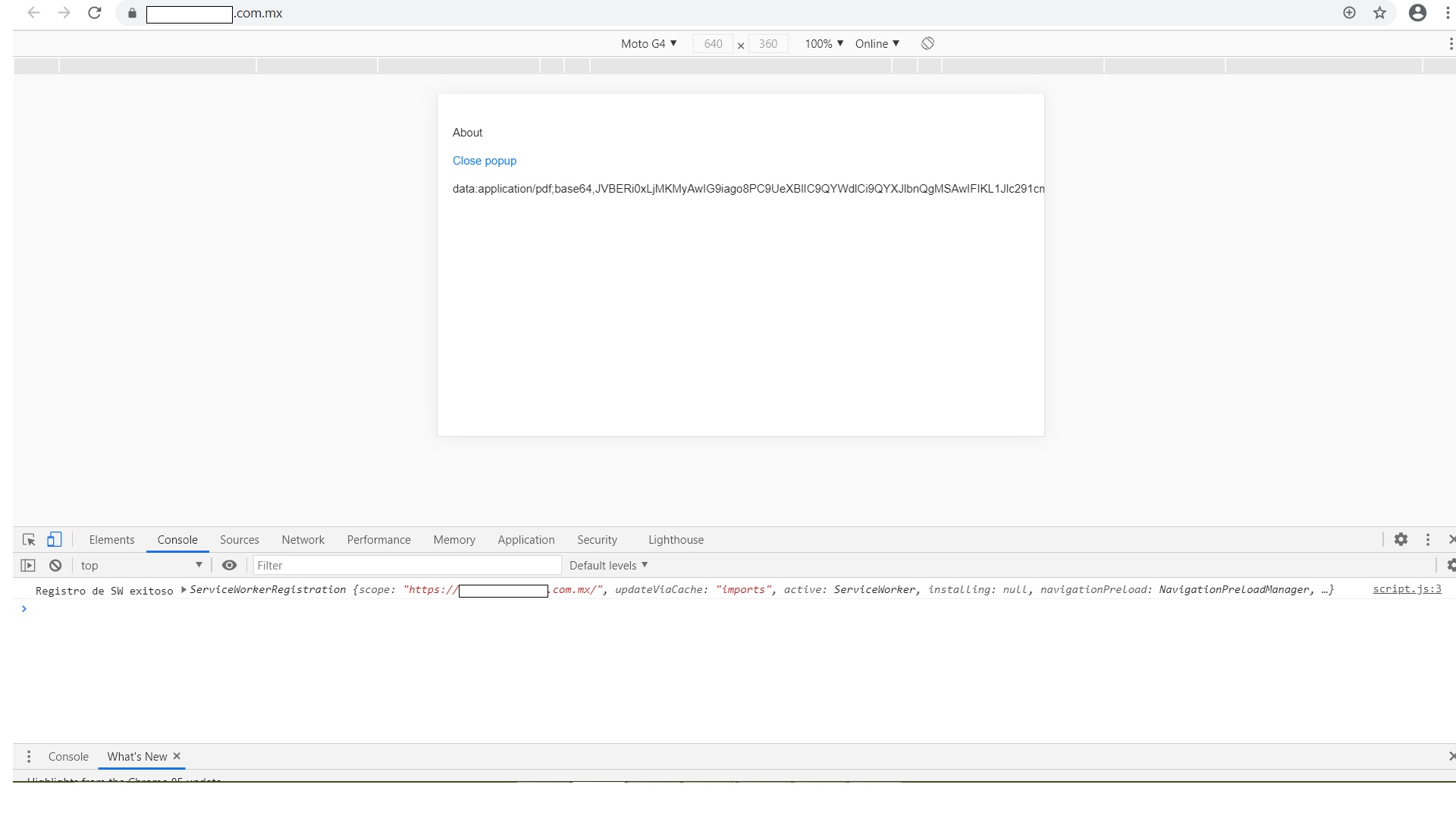
With gPdf.output('bloburl') I dont' have any error

None option show me the PDF data
 JoakFlores
on 1 Oct 2020
JoakFlores
on 1 Oct 2020
Related issues
 sajesh1985
·
5Comments
sajesh1985
·
5Comments
 mellisa0109
·
3Comments
mellisa0109
·
3Comments
 palmoni
·
4Comments
palmoni
·
4Comments
 arulmb0136
·
4Comments
arulmb0136
·
4Comments
 tomkidumbuyo
·
4Comments
tomkidumbuyo
·
4Comments
Most helpful comment
I'm also experiencing this issue. Works beautifully on the https://parall.ax/products/jspdf repl when i add
doc.autoPrint()But with what seems to be functionally the same code on jsfiddle autoPrint() doesn't trigger the pdf viewer. https://jsfiddle.net/cg0djn5t/ -- does this work for others?
autoPrint() also fails when I try to use it in my app.
For those who find this and need a work around to move forward. I'm just opening the doc in a new window, and that seems to do the trick
After looking through the issues on this repo, it seems clear that this is a recurring mystery.
Chrome Version 72.0.3626.109 (Official Build) (64-bit)