Jspdf-autotable: v2.3.4 - Page break - empty row on ends of some pages
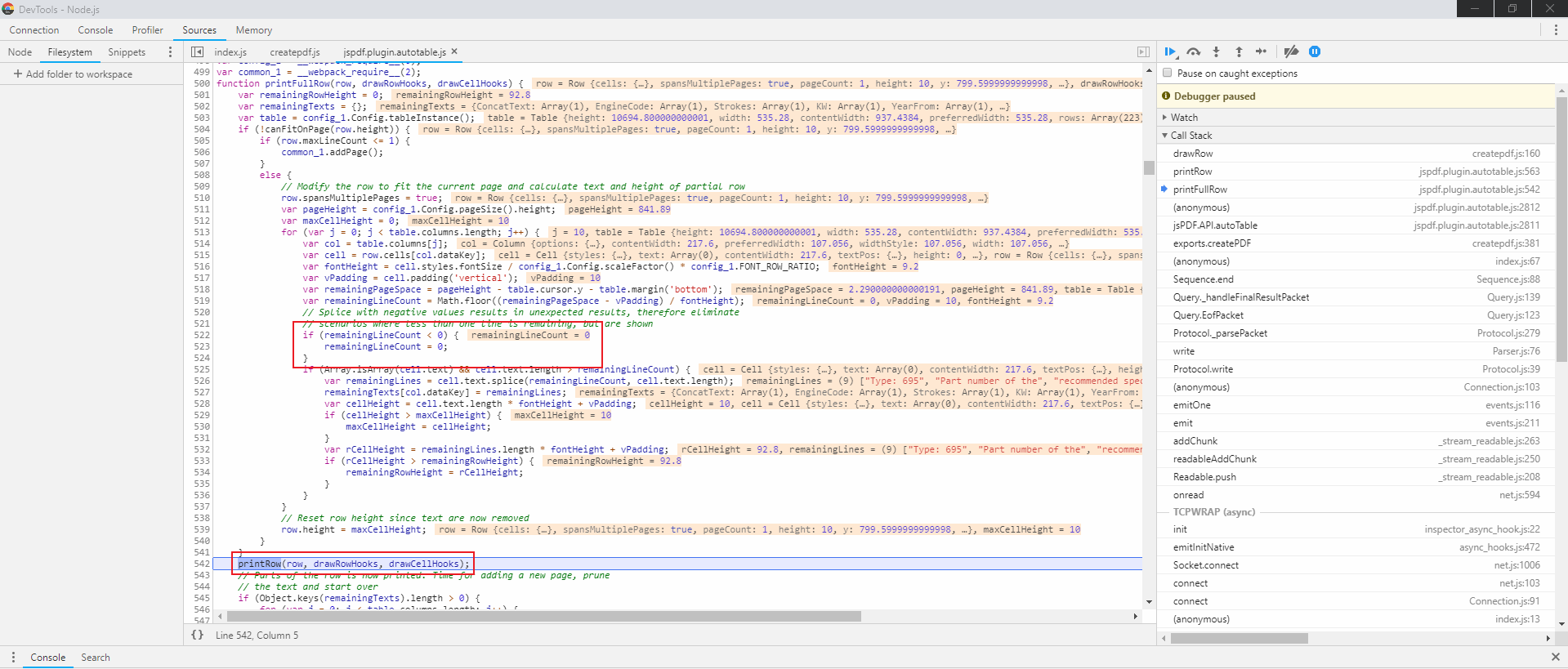
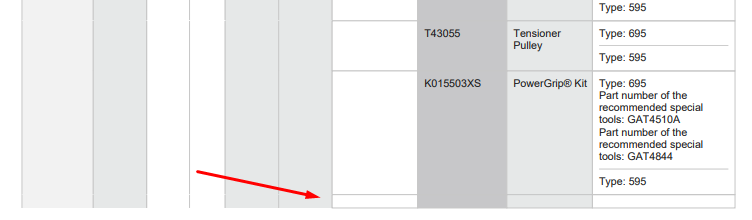
I'm having an issue where empty rows are being added at the ends of certain pages. I noticed this is because the printFullRow function does check whether the row can fit on the page, but it still calls printRow even if there is no space left on the page.
I attached a screenshot of the Chrome devtools showing this problem. I am running this module using Node.js, however I experienced the same issue in browser.
Simply skipping the printRow call if remainingLineCount <= 0 should fix this problem, as far as I can tell.
 SamLeatherdale
All 13 comments
Jsfiddle posted in #362 https://jsfiddle.net/bcnwnucj/ highlighting the issue.
 simonbengtsson
on 4 Aug 2018
simonbengtsson
on 4 Aug 2018
Existis a solution to this problem , I need
 isahsantos
on 9 Aug 2018
isahsantos
on 9 Aug 2018
Try the v3 alpha!
simonbengtsson
on 9 Aug 2018
How I do It ?
isahsantos
on 10 Aug 2018
Npm install lastet version jspdf?
isahsantos
on 10 Aug 2018
I try this version but happened many problems, some dependencies are necessary how my project is ng2 this problems not is possible to refresh, because is a project very big and can affect others functionality. Have a suggestion ?
isahsantos
on 10 Aug 2018
Which dependency was the problem? Angular 2+? What is the error? If you create a new issue with some code that I can replicate it with I'll take a look.
simonbengtsson
on 10 Aug 2018
So, this project is very big, the dependencies that occur problem was commom , forms, core ,eslint-plugin-jsx-a11y and more
isahsantos
on 10 Aug 2018
Try and see if this is solved in v3
simonbengtsson
on 5 Jan 2019
It is not solved yet in v3. I think there should be an option to skip incomplete row from previous page and start it from next page.
 MihirGosai
on 8 Jan 2019
MihirGosai
on 8 Jan 2019
I also encountered the same issue in version 3.0.13, where I think the issue is when there is an incomplete row from previous page.. the next row will have problem in the computation of cell height.
as seen here in the image below:
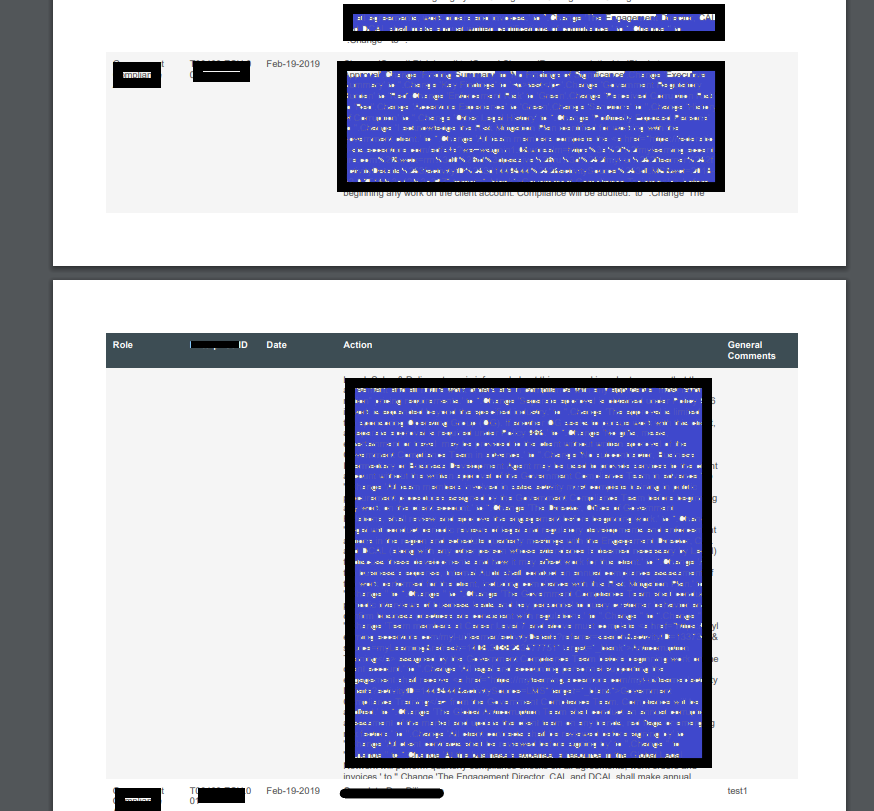
the first row in the second page is being cut because of the incomplete row previous page. Please let us know..how you go on this..
 NewbieHere16
on 14 Mar 2019
NewbieHere16
on 14 Mar 2019
I have the same issue when the last row on page has very long content and extend it to the next page, on the next page it will cutoff some content, I think maybe cell height calculation in this case might have some issue, is there any workaround for this scenario?
 jackiewang5566
on 18 Mar 2019
jackiewang5566
on 18 Mar 2019
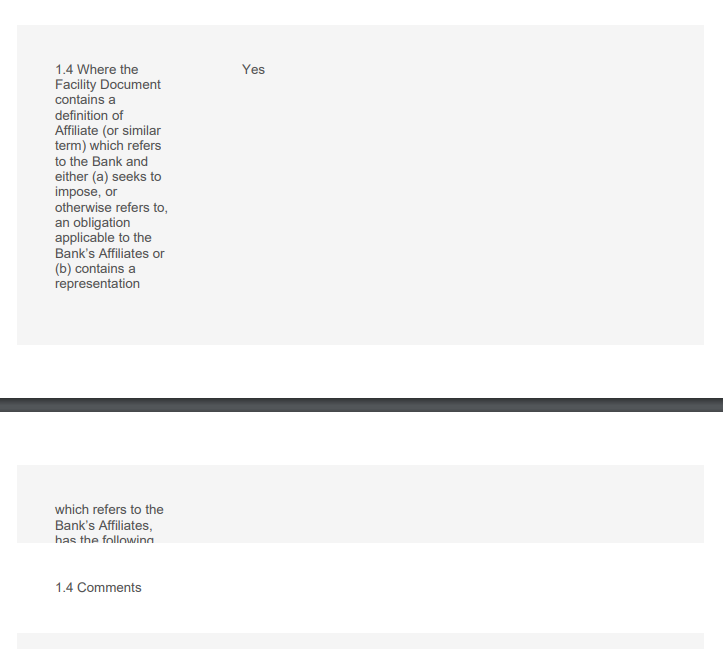
Hi, I am having this issue still
My code for creating the PDF looks as follows:
$j( "#export" ).click(function() {
$j.each(ultraChartData, function(index, value) {
var doc = new jsPDF();
var headers = value[0];
value.shift();
    doc.autoTable({
    head: [headers],
    body: value,

    styles: {
        cellPadding: 10,
    },
    columnStyles: {
        0: {cellWidth: 30},
        1: {cellWidth: 80}}
    });
  doc.save('table.pdf');
  });
});
It is supposed to be printing multiple pdfs
 amgilroy0894
on 14 Feb 2020
amgilroy0894
on 14 Feb 2020
Related issues
 Alorse
·
4Comments
Alorse
·
4Comments
 andrico1234
·
5Comments
andrico1234
·
5Comments
 mmghv
·
4Comments
mmghv
·
4Comments
 cwolcott
·
4Comments
cwolcott
·
4Comments
 JoakFlores
·
3Comments
JoakFlores
·
3Comments
Most helpful comment
It is not solved yet in v3. I think there should be an option to skip incomplete row from previous page and start it from next page.