Js-graphql-intellij-plugin: No syntax highlighting in .graphqls files in IntelliJ IDEA
Hi,
I might probably misconfigured something, but syntax hightlighting doesn't work for me for .graphqls files. Also, even if I write something syntactically incorrect, the green tick - syntactic analysis - is still displayed. I've set up graphql.config.json according to the docs. Version of IntelliJ IDEA: 2016.3. I am attching a screenshot.

 vojtechmasa
All 10 comments
Hi.
Thanks for using the plugin.
Two questions:
- Does the highlighter work in .graphql files?
- What's the output in the Console tab of the GraphQL tool window
 jimkyndemeyer
on 22 May 2017
jimkyndemeyer
on 22 May 2017
Hi,
thanks for your message. Renaming to .graphql didn't help. But here is the output of the console
\...\.IntelliJIdea2016.3\config\plugins\js-graphql-language-service.dist.js:9
let app = require('../src/languageservice');
^^^
SyntaxError: Unexpected strict mode reserved word
    at exports.runInThisContext (vm.js:73:16)
    at Module._compile (module.js:443:25)
    at Object.Module._extensions..js (module.js:478:10)
    at Module.load (module.js:355:32)
    at Function.Module._load (module.js:310:12)
    at Function.Module.runMain (module.js:501:10)
    at startup (node.js:129:16)
    at node.js:814:3
Thanks
vojtechmasa
on 23 May 2017
Which version of Node.js are you using? I've tested on Node 4 and newer versions should also work fine.
Regarding the .graphqlextension, that was simply to narrow down what the problem is. You should write the schema in .graphqls.
jimkyndemeyer
on 23 May 2017
Great work, loving the idea
I am facing the same issue in Intellij on Ubuntu (Apollo), this is my observation so far:
1 - if i copy the generated .graphqls schema to a new file with the same extension inside the project then it will not recognise it ...until...
2 - i press enter/new line ..then it works
 amirhakim
on 24 May 2017
amirhakim
on 24 May 2017
@jimkyndemeyer Sorry, I had some prehistoric version of Node installed (0.12) - I don't use Node, but only java API in GraphQL (in fact originaly I was not even aware that NodeJS is required for this plugin). Unfortunately, the upgrade to node 6.10.3 didn't help, the highlighting still doesn't work. I also tried to uninstall / install the plugin in IntelliJ + restart. Now, when I open a *.graphqls file, I can see only tabs "Current Errors" and "Query Result", both empty.
@amirhakim unfortunately didn't help for me
Thanks a lot (in advance)!
vojtechmasa
on 27 May 2017
Can you check the following:
- In the Node.js settings, that the Node 6 interpreter has been set as the default -- if not, set it and restart IDEA
- In the bottom right, that there's no red blinking error icon -- and if there is, please click it and paste the stacktrace in this issue
Thanks,
Jim.
jimkyndemeyer
on 28 May 2017
Jim, setting the default Node interpreter helped. Thanks a lot for your help!
vojtechmasa
on 28 May 2017
Great. Glad I could help.
jimkyndemeyer
on 29 May 2017
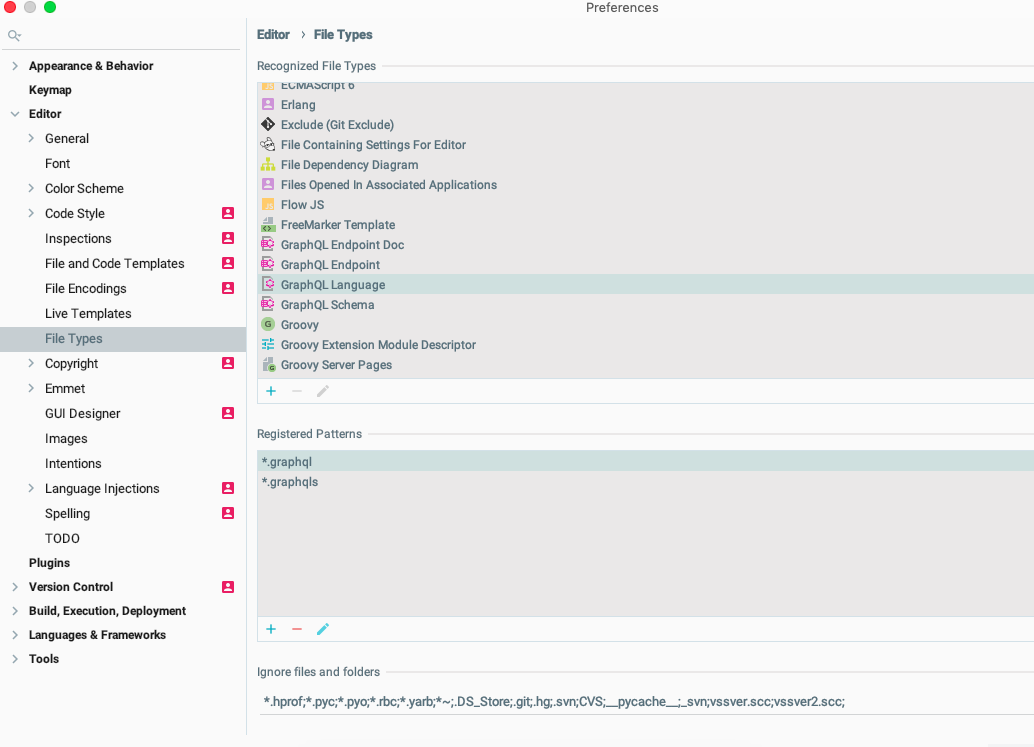
 MehmetNuri
on 15 Dec 2018
MehmetNuri
on 15 Dec 2018
@amirhakim suggestion helped to realise that the plugin won't highlight graphqls file if it's named "schema.graphqls". Rename it to anything else and it will highlight it
 ManolisPapd
on 26 Apr 2020
ManolisPapd
on 26 Apr 2020
Related issues
 MaxmaxmaximusAWS
·
4Comments
MaxmaxmaximusAWS
·
4Comments
 idkjs
·
3Comments
idkjs
·
3Comments
 jamiter
·
3Comments
jamiter
·
3Comments
 vjpr
·
4Comments
vjpr
·
4Comments
 CarsonF
·
5Comments
CarsonF
·
5Comments
Most helpful comment