Seems to not happen some of the time, and resizing the page fixes it, but paper pages usually load to this:
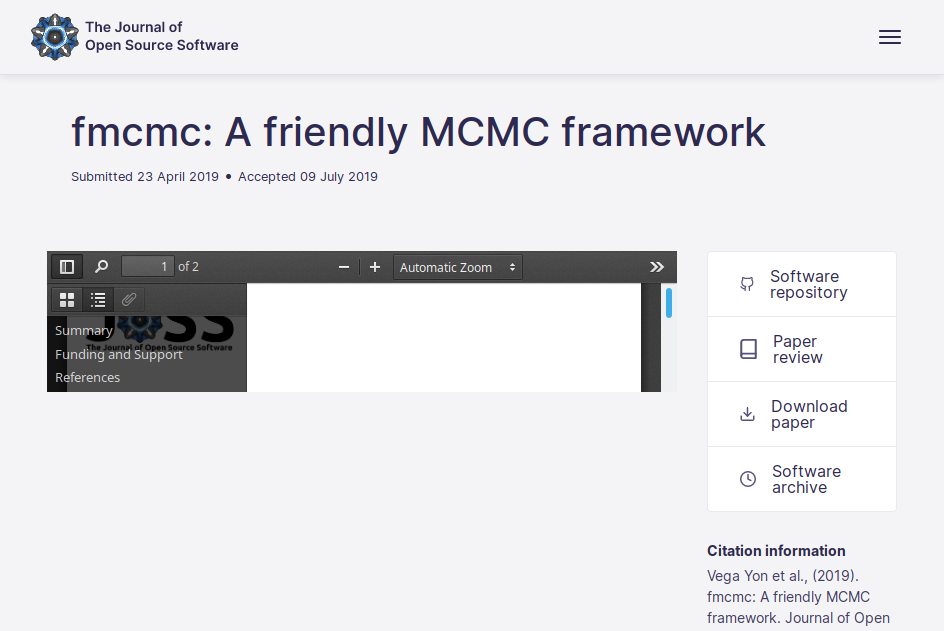
As you can see the embedded PDF's height is wrong (141px).
Firefox desktop 68.0.1, Ubuntu 18.04.
 remram44
All 14 comments
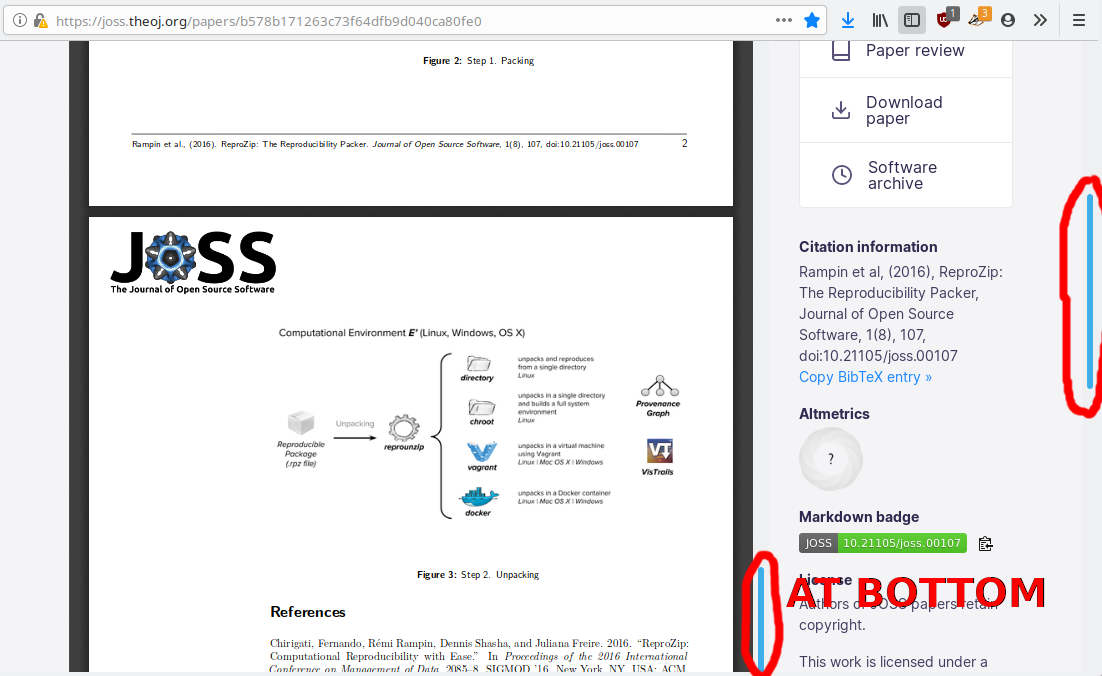
Also when it does expand, it is too big, meaning I have to scroll on the page after scrolling in the embed to see the bottom of the document.
remram44
on 2 Aug 2019
@remram44 @Kevin-Mattheus-Moerman - can you take a look again and see if this issue is now fixed?
 arfon
on 8 Aug 2019
arfon
on 8 Aug 2019
No change for me, sorry
remram44
on 8 Aug 2019
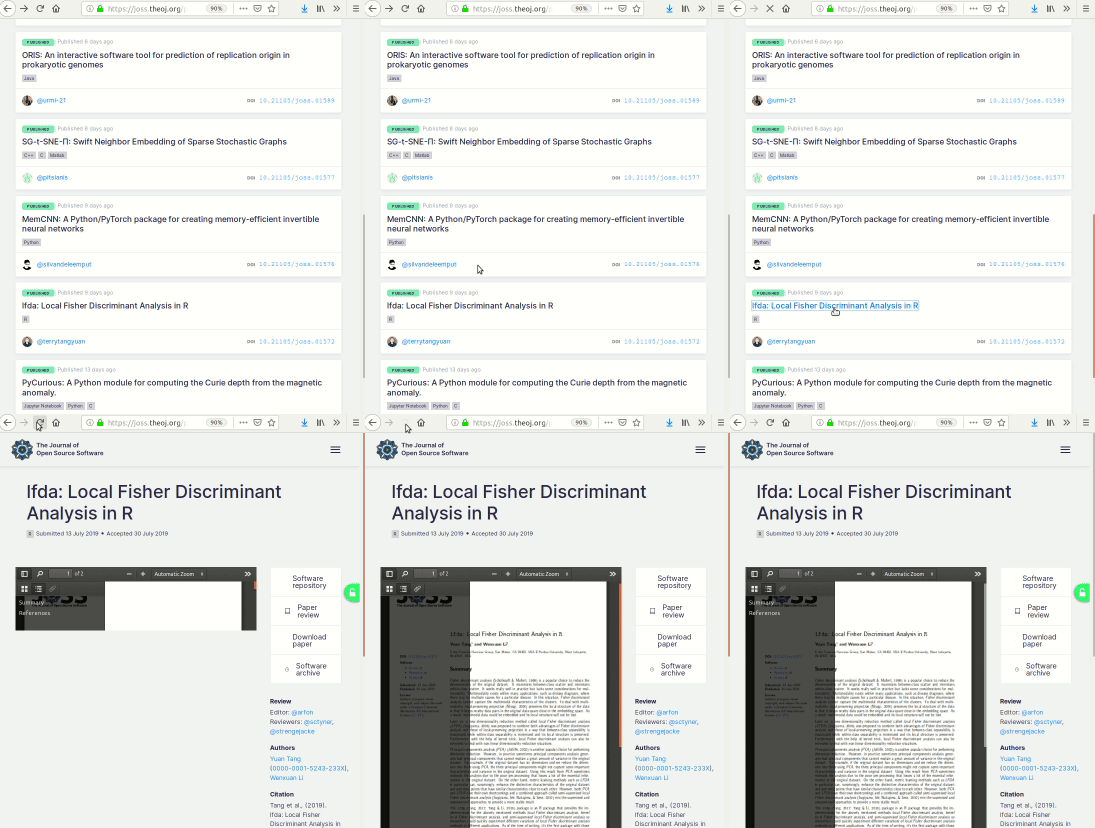
Yeah still tiny. It is fixed if I resize or refresh the page.
 Kevin-Mattheus-Moerman
on 8 Aug 2019
Kevin-Mattheus-Moerman
on 8 Aug 2019
@xuanxu - might changing https://github.com/openjournals/joss/blob/searchkick/app/assets/javascripts/papers.coffee#L27 to $(window.ready) -> help here? I'm wondering if the function to resize the height is being called too soon.
arfon
on 8 Aug 2019
@remram44 @Kevin-Mattheus-Moerman - could you take another quick look? I tried modifying the JavaScript on the page load.
Also, sorry I have to keep pinging you for feedback - I can't replicate this in Firefox locally :grin:
arfon
on 8 Aug 2019
@arfon I’m not sure, $() is a shortcut for $(document).ready() so I’d expect no changes. Maybe we should wait not for the page but for the embed pdf reader to be loaded...
 xuanxu
on 8 Aug 2019
xuanxu
on 8 Aug 2019
Maybe we should wait not for the page but for the embed pdf reader to be loaded..
Right. I'm not sure if that's possible though for <object> embeds like we're doing. I might need to switch to using PDF JS to fix this...
arfon
on 8 Aug 2019
The size is good now (but I changed location and this might be a timing issue, maybe faster internet plays a role?)
remram44
on 8 Aug 2019
I might need to switch to using PDF JS to fix this...
Naah, I'm sure we can fix it with the current object. Let me try a couple things.
xuanxu
on 8 Aug 2019
@arfon it seems fixed for me now. The PDF views are immediately large enough.
Kevin-Mattheus-Moerman
on 9 Aug 2019
@remram44 - @xuanxu made an even better fix in https://github.com/openjournals/joss/pull/577 - can you confirm this fixes things for you?
arfon
on 9 Aug 2019
I can confirm I don't experience the problem anymore! Thank you everyone :smiley:
remram44
on 9 Aug 2019
✨
arfon
on 9 Aug 2019
Related issues
 davclark
·
5Comments
davclark
·
5Comments
 Datseris
·
5Comments
Datseris
·
5Comments
 dpsanders
·
3Comments
dpsanders
·
3Comments
 physicsdavid
·
4Comments
arfon
·
3Comments
physicsdavid
·
4Comments
arfon
·
3Comments
Most helpful comment
@arfon it seems fixed for me now. The PDF views are immediately large enough.