Environment
Joplin version: 10.1.0
Platform: IOS
OS specifics: 14.0
Steps to reproduce
- Update device to IOS 14.
- Edit any note.
- Press back to save.
- See the broken UI.

Describe what you expected to happen
Work normally like in IOS 13.
Logfile
 Jenny54321
All 7 comments
Good to see it’s not an isolated issue.
I have this on iPadOS 14 where iPhone seems to be ok for me.
It was fine upon my upgrade from iPadOS 13 to 14.0.0 and ok with the update 14.0.1, just started after I wiped my iPad and reinstalled OS14.0.1 and Joplin as new.
Happens when you hide the keyboard. Only workaround to clear it is to close the program from dock swipe up to expose all apps running and kill the app.
My first experience with this was when setting up synchronization. Found turning the iPad to portrait mode gave me the submit button
Tried reinstalling Joplin with iPad rebooted between the “reinstalls”, but still get the same results. Perhaps reinstalling OS 14.0.0 and then 14.0.1 update might work, but need a trusted source with getting the 14.0.0 ipsw file, as Apple only supplies 14.0.1 as a restore file now.
Made a short screen recording, attached in the zip file.
Also, but not recorded, if you turn the iPad to portrait mode, if you had notebooks, the expand book icon is present, turn back to landscape notebooks still present, but the expand icons disappear.
Thx!
 duxswhatdux
on 10 Oct 2020
duxswhatdux
on 10 Oct 2020
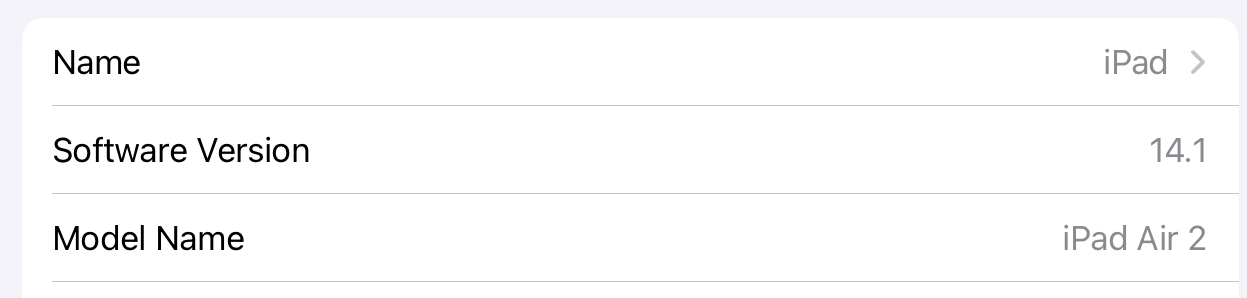
@Jenny54321 Judging from the screenshot it seems you're using an iPad running iPadOS 14.0.0 or 14.0.1, not iOS. Someone better change title soon.
It seems it's also happening in the Configuration menu. I, personally, found this concerning issue when I was trying to paste Nextcloud WebDAV URL & other credentials.
To me (on iPadOS 14.0.1), it seems it's only happening when I'm using split keyboard. Joplin hides the text portion where the keyboard should be if it were not split. As the keyboard is hidden, the huge chunk of black space covers up the screen.
Joplin is, at current state, utterly unusable for iPad users with split keyboard and I'm surprised not many care.
 coughingmouse
on 11 Oct 2020
coughingmouse
on 11 Oct 2020
@Jenny54321 Judging from the screenshot it seems you're using an iPad running iPadOS 14.0.0 or 14.0.1, not iOS. Someone better change title soon.
It seems it's also happening in the Configuration menu. I, personally, found this concerning issue when I was trying to paste Nextcloud WebDAV URL & other credentials.
To me (on iPadOS 14.0.1), it seems it's only happening when I'm using split keyboard. Joplin hides the text portion where the keyboard should be if it were not split. As the keyboard is hidden, the huge chunk of black space covers up the screen.
Joplin is, at current state, utterly unusable for iPad users with split keyboard and I'm surprised not many care.
Here is more info. Fresh 14.0.1 is a problem, where upgrade from 13.x to 14.0.0 then to 14.0.1 was fine also. After a wipe and new download of 14.0.1 from apple causes it to blow
https://github.com/laurent22/joplin/issues/3830#issuecomment-706455786
duxswhatdux
on 11 Oct 2020
@Jenny54321 Judging from the screenshot it seems you're using an iPad running iPadOS 14.0.0 or 14.0.1, not iOS. Someone better change title soon.
It seems it's also happening in the Configuration menu. I, personally, found this concerning issue when I was trying to paste Nextcloud WebDAV URL & other credentials.
To me (on iPadOS 14.0.1), it seems it's only happening when I'm using split keyboard. Joplin hides the text portion where the keyboard should be if it were not split. As the keyboard is hidden, the huge chunk of black space covers up the screen.
Joplin is, at current state, utterly unusable for iPad users with split keyboard and I'm surprised not many care.
Happens with full keyboard for myself.
duxswhatdux
on 11 Oct 2020
I'm wildly guessing that the part of code causing this has something to do with how when writing on my iPhone XR, Joplin hides about a line width of space behind my keyboard.
coughingmouse
on 18 Oct 2020
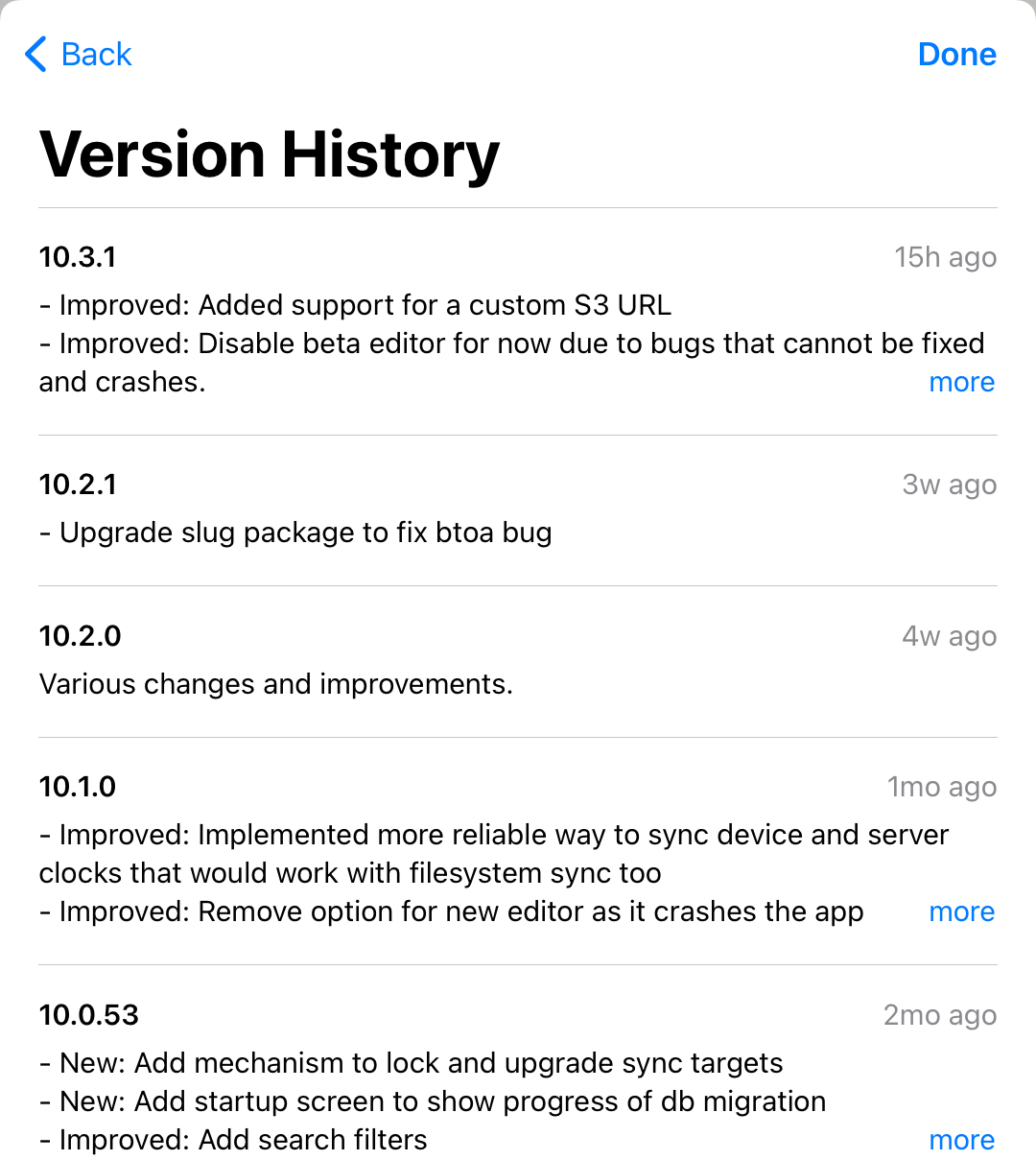
This is still happening, although I just installed Joplin 10.3.1 this morning. Was hoping the next update would be the fix 🙁
duxswhatdux
on 6 Nov 2020
That’s interesting.
On my Mac, using the latest version of Joplin (as of Nov 7, 2020), I made an edit with a note that is shared between the Mac and the iPad.
- Sync the Mac to my cloud share
- Sync my iPad to receive the updated note
First, thought it was just the note updated on the Mac that didn’t Bork out on the iPad, but I created new note on the iPad after the Mac/sync to iPad note edit…
Now the screen issue (video above) no longer happens at all. 🤔
Mind you, this was all taking place since iPad OS 14.0 and wiping my iPad to rebuild. Today, there was an iPad OS update 14.2 which I installed. Unfortunately, testing the note edit on the Mac to cloud to iPad was done after installing iPad OS 14.2, the possibility it was iPad OS 14 all along is quite possible.
duxswhatdux
on 7 Nov 2020
Related issues
 kopfuss
·
3Comments
kopfuss
·
3Comments
 LifeIsAParadox
·
3Comments
LifeIsAParadox
·
3Comments
 okoetter
·
3Comments
okoetter
·
3Comments
 jurgenhaas
·
3Comments
jurgenhaas
·
3Comments
 smhearty
·
3Comments
smhearty
·
3Comments
Most helpful comment
@Jenny54321 Judging from the screenshot it seems you're using an iPad running iPadOS 14.0.0 or 14.0.1, not iOS. Someone better change title soon.
It seems it's also happening in the Configuration menu. I, personally, found this concerning issue when I was trying to paste Nextcloud WebDAV URL & other credentials.
To me (on iPadOS 14.0.1), it seems it's only happening when I'm using split keyboard. Joplin hides the text portion where the keyboard should be if it were not split. As the keyboard is hidden, the huge chunk of black space covers up the screen.
Joplin is, at current state, utterly unusable for iPad users with split keyboard and I'm surprised not many care.