Joplin: Android: Note becomes invisible in edit mode when text has 37 lines and more
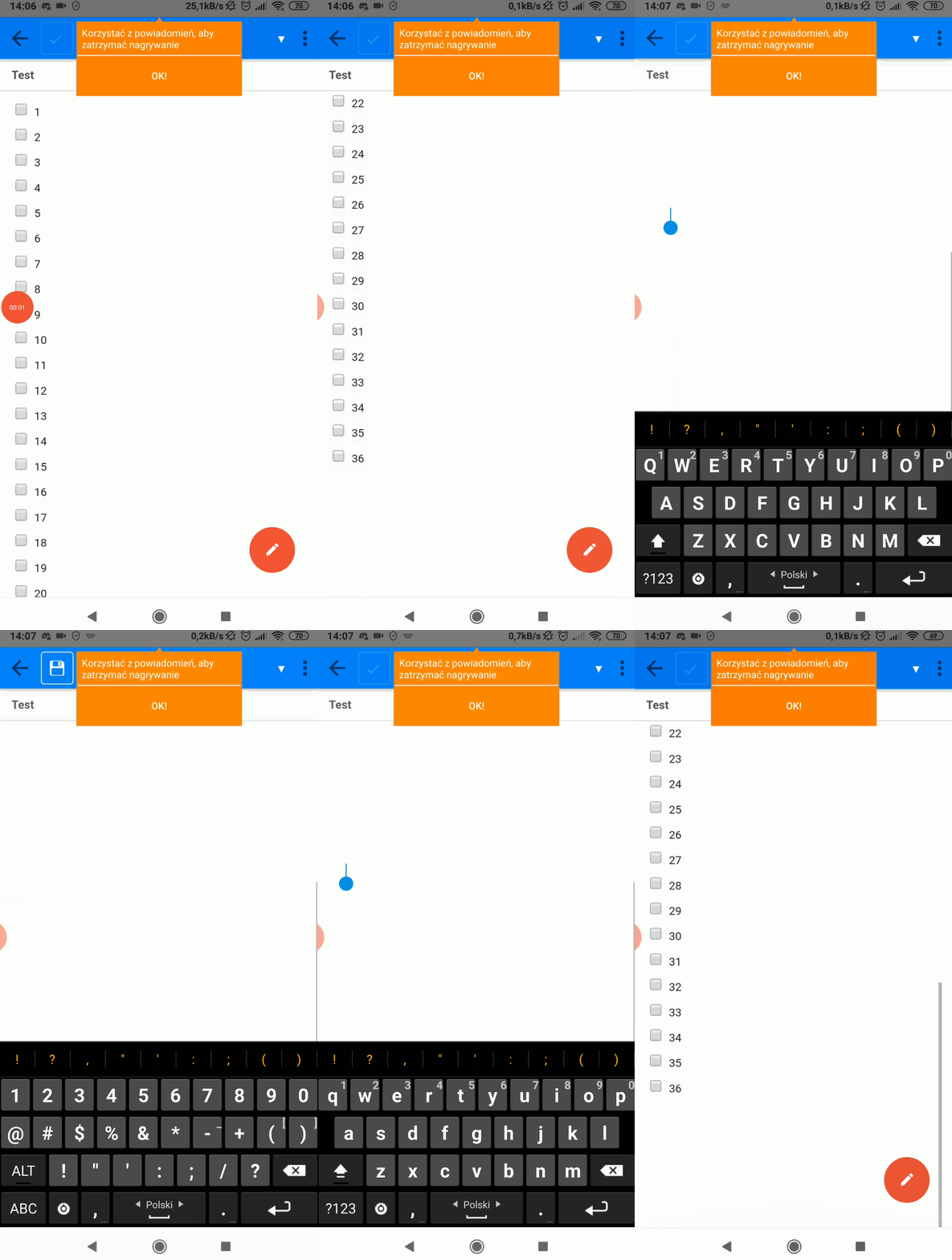
Today I have updated Joplin app from Google Play to the newest version. After that when I try to edit notes containing more than 36 items on lists, text becomes invisible. The text is still there, I can write more text to it, it is just invisible, it synchronizes well, it's visible in Windows and Linux Desktop applications. It didn't happen in previous versions.
Here's an issue in action:
Environment
Joplin version: 1.0.327
Platform: Android
OS specifics: Xiaomi Redmi 5 Plus, Android 8.1.0
Steps to reproduce
- Create new note
- Insert 36 checkboxes (one per line)
- Try to insert 37th checkbox - whole note becomes invisible
- Remove 37th line - text is visible again
Describe what you expected to happen
I excepted the text not to become invisible. This is very annoying for medium and long notes to edit them on Android device.
Logfile
Unfortunately, I can't follow instructions provided on https://joplinapp.org/debugging/ as the Take bug report button is missing in Developer Options. My Xiaomi device is using MIUI Global 11.0.2
 Kiel97
All 11 comments
I have this issue as well, using MIUI 10 eu 8.7.12, on a Xiaomi MiMix2s. I wanted to roll back to the latest version that didn't have this issue, and found that joplin-android version 1.0.324.apk works, but 1.0.325.apk and newer stops working and shows a blank editing screen.
 dttsou
on 17 Apr 2020
dttsou
on 17 Apr 2020
To add to this, it isn't 37 lines speficially for me - it seems to vary by content. For example having lines with just numbers and no checkbox gets me to 27, with the 28th causing the text to appear invisble
If I go into landscape mode, the editor text appears, but in light theme. Once I rotate back into portrait the text disappears again
This is with version 1.0.327 on a Samsung galaxy s7 runninng android 8.0
 Namdrib
on 18 Apr 2020
Namdrib
on 18 Apr 2020
I am experiencing this bug when I try to add a 25th line on my Android phone.
- I make 24 lines (numbers 1-24 on each line).
- A click on Enter to make line 25 makes all the text disappear.
However it seems that the font color becomes transparent or the same as the background, because the cursor can still be placed on those lines, but the text seems to be invisible.
My specs:
Phone model: SM-A520W (Samsung)
Android version: 8.0.0
Joplin 1.0.327
 igoryen
on 18 Apr 2020
igoryen
on 18 Apr 2020
I can't replicate this but I'm thinking it has something to do with the scrolling update we recently made. Could someone give a try to this version and let me know if it works?
https://github.com/laurent22/joplin-android/releases/download/android-v1.0.328/joplin-v1.0.328.apk
 laurent22
on 19 Apr 2020
laurent22
on 19 Apr 2020
I can't replicate this but I'm thinking it has something to do with the scrolling update we recently made. Could someone give a try to this version and let me know if it works?
https://github.com/laurent22/joplin-android/releases/download/android-v1.0.328/joplin-v1.0.328.apk
That fixed it for me
 serendipiddy
on 19 Apr 2020
serendipiddy
on 19 Apr 2020
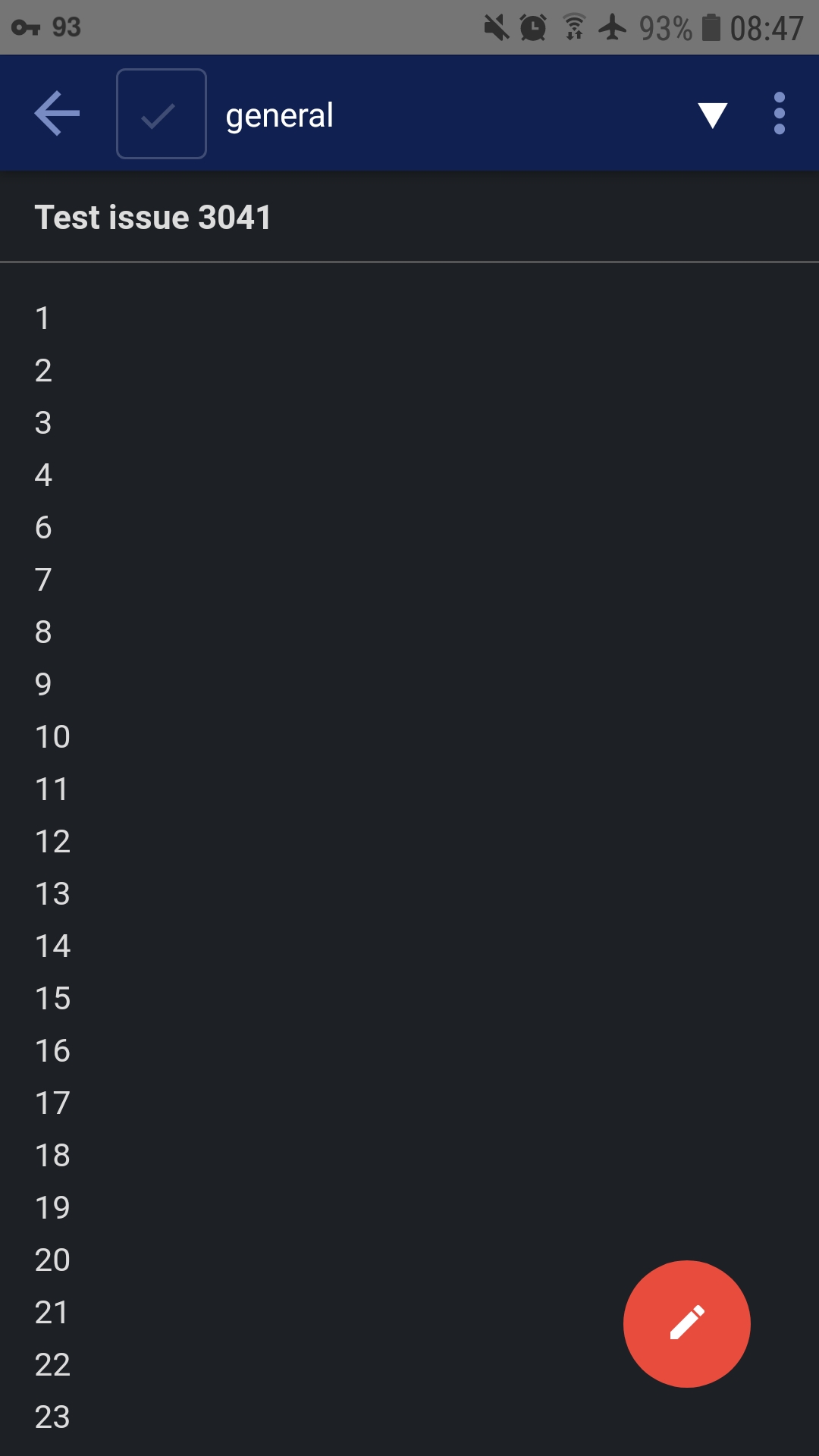
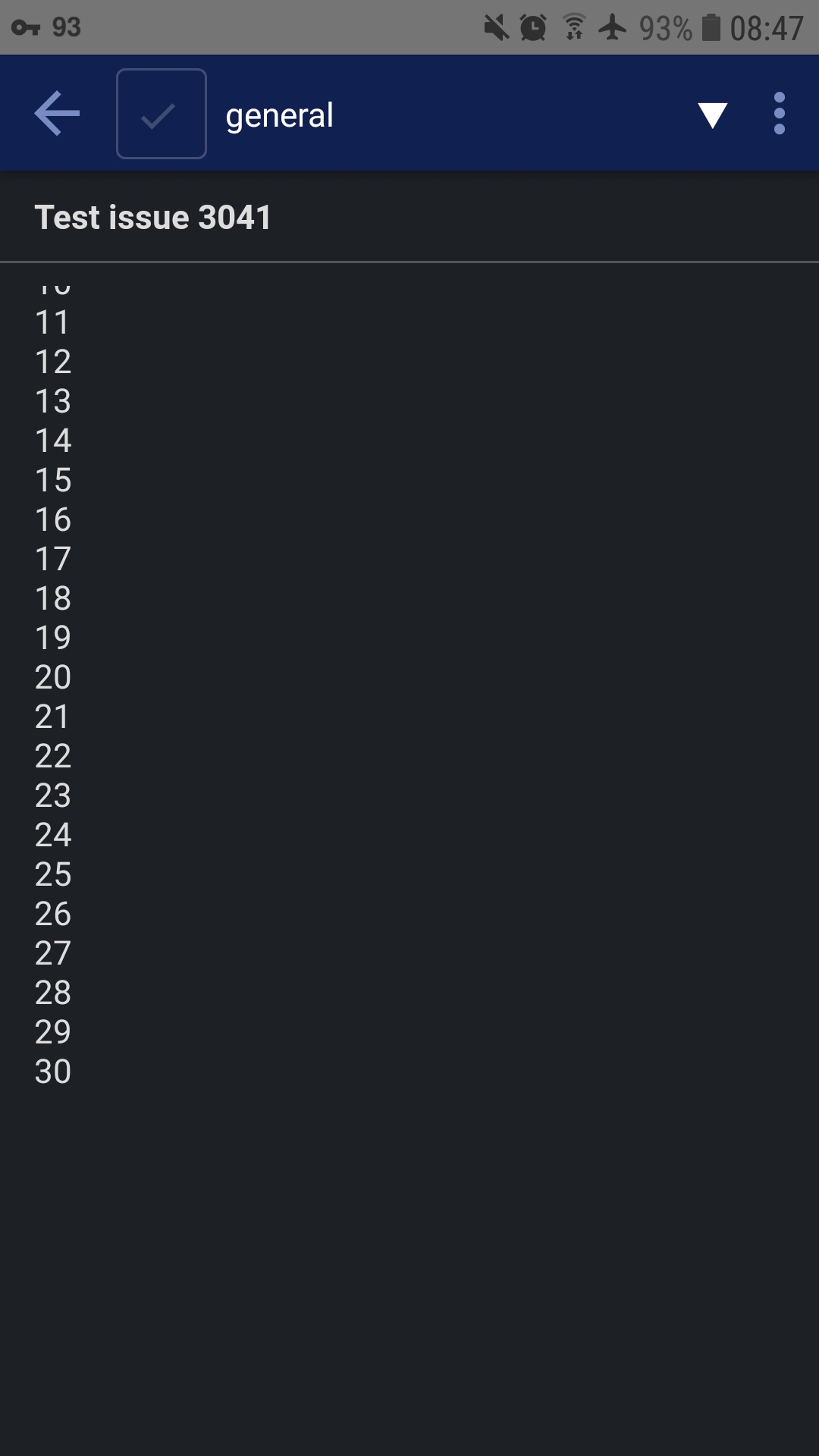
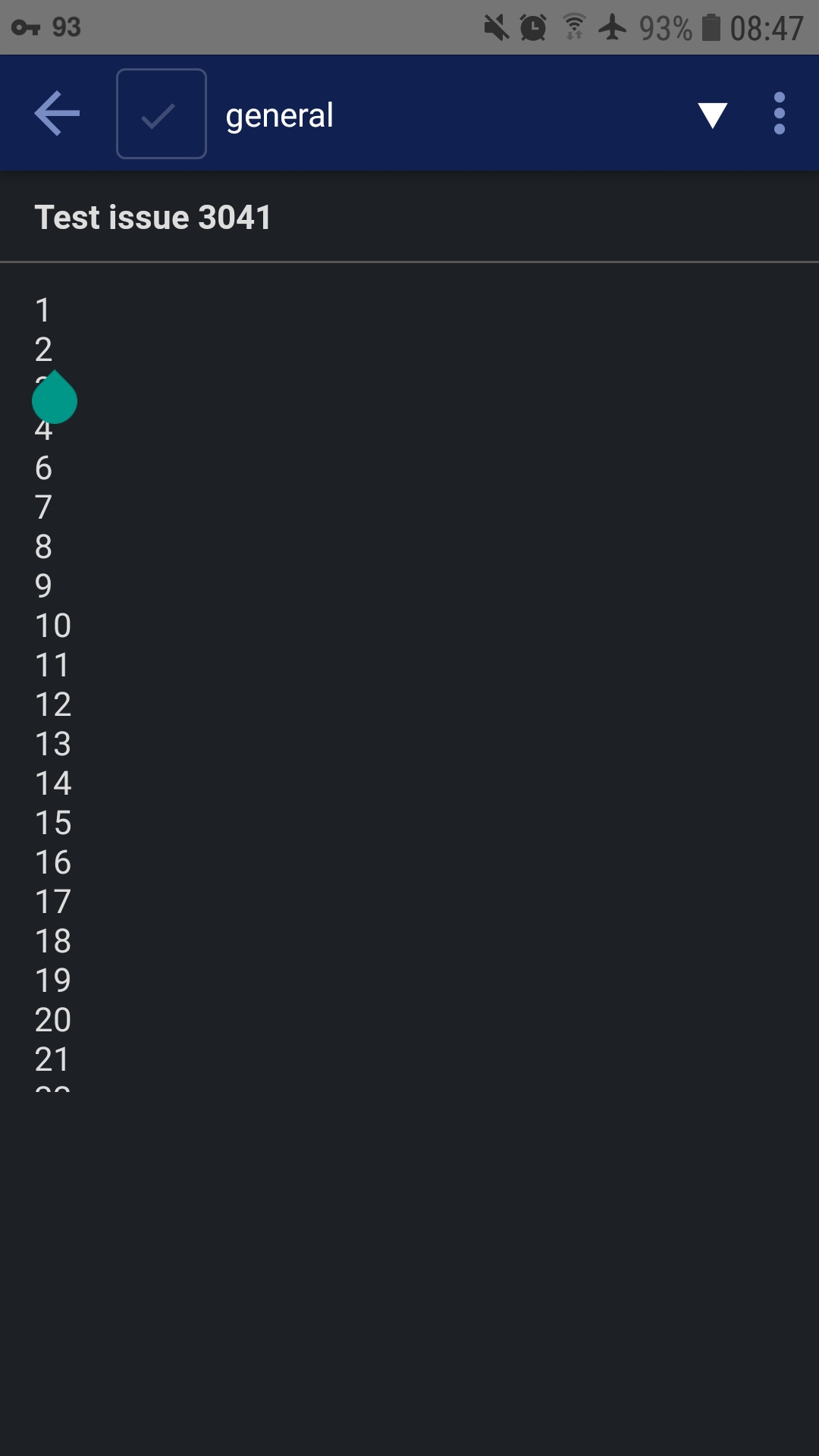
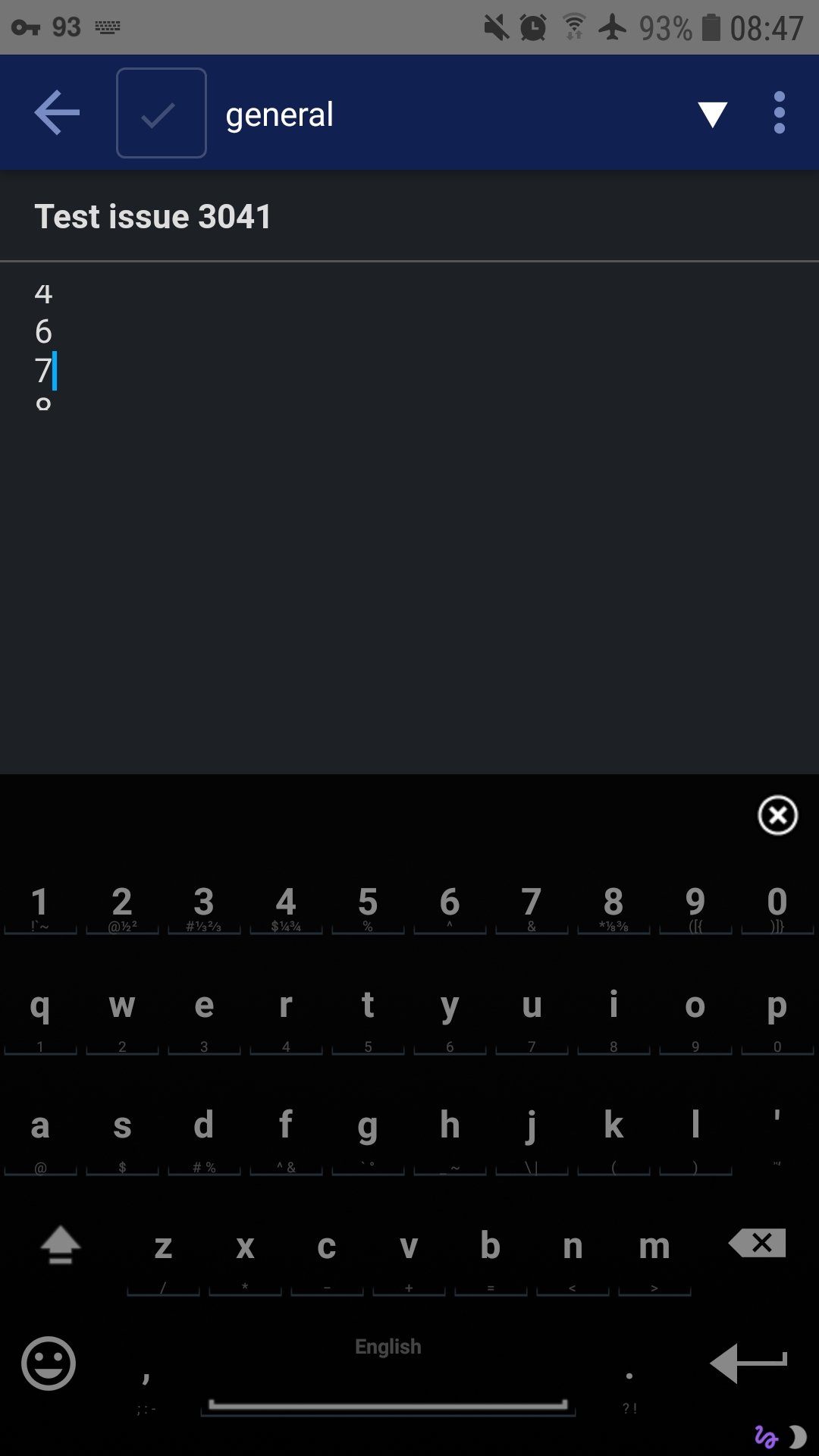
Partially fixed for me
While I can now see some of the text when editing longer notes, the text just cuts off after a bit
I'll try to post screenshots when I get the chance
Edit: added screenshots. All four are of the same text, lines counting from 1 to 30
Namdrib
on 20 Apr 2020
I'm seeing that same text cutoff issue too. Didn't notice it immediately
serendipiddy
on 20 Apr 2020
Yes there's a bug with text field padding, which I'm going to fix. But otherwise does the scrolling work and can you always see the text?
laurent22
on 20 Apr 2020
Yep, scrolling works, with the view of text limited to that area
Scrolling by dragging along the part with no text works fine too
Right now the cutoff happens regardless of amount of text, but for my device anyway is only noticeable after 3 lines
Namdrib
on 20 Apr 2020
Yep, scrolling works, with the view of text limited to that area
Scrolling by dragging along the part with no text works fine tooRight now the cutoff happens regardless of amount of text, but for my device anyway is only noticeable after 3 lines
Same for my Android device, looking forward for the fix
 PetrVladimirov
on 20 Apr 2020
PetrVladimirov
on 20 Apr 2020
Thank you! It is working again!
Kiel97
on 24 Apr 2020
Related issues
 hakim89
·
3Comments
hakim89
·
3Comments
 seagoj
·
3Comments
seagoj
·
3Comments
 GingerPapa
·
3Comments
GingerPapa
·
3Comments
 jurgenhaas
·
3Comments
jurgenhaas
·
3Comments
 christianlupus
·
3Comments
christianlupus
·
3Comments
Most helpful comment
Yes there's a bug with text field padding, which I'm going to fix. But otherwise does the scrolling work and can you always see the text?