Joplin: Desktop: Code markdown syntax component's inappropriate behaviour
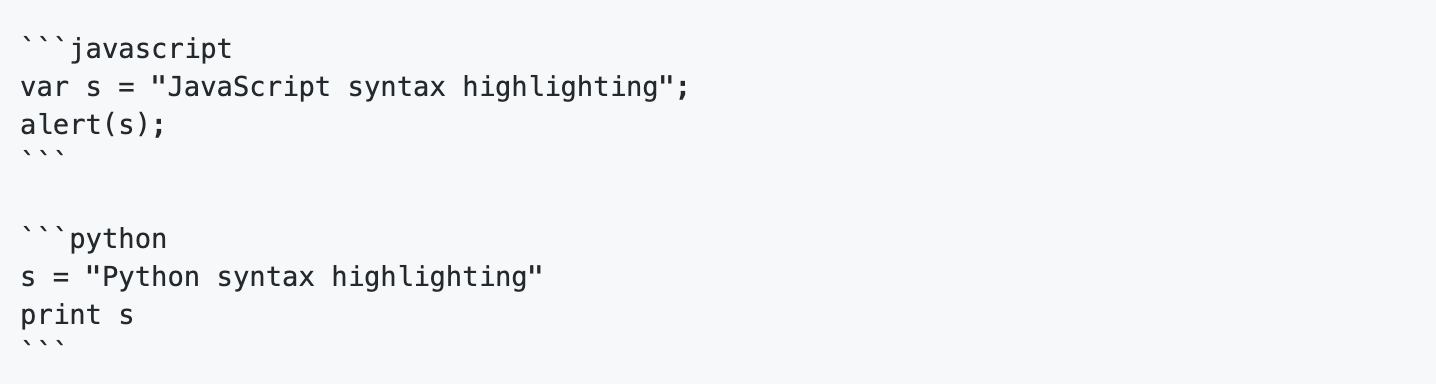
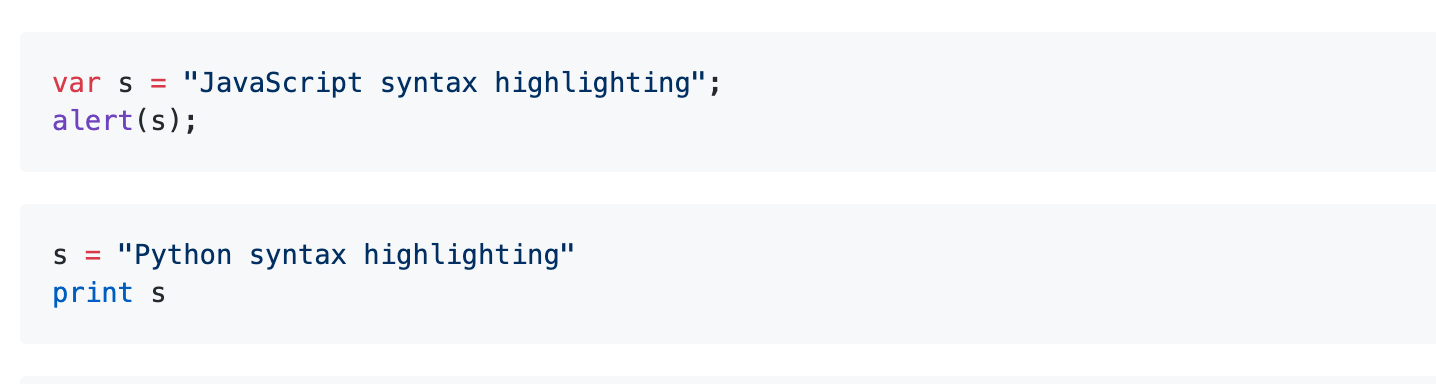
The code in markdown syntax is showing color syntax on both side of layout.

It should behave something like this 👍:
Platform : Desktop (macOS)
 coderrsid
All 14 comments
I don't understand anything, can you clarify?
 laurent22
on 8 Apr 2020
laurent22
on 8 Apr 2020
I am saying.. that it's showing color fir code syntax in editor too .. which it shouldn't i guess.
coderrsid
on 8 Apr 2020
it's showing color fir code syntax in editor too .. which it shouldn't i guess.
I'd say it's a good thing that syntax highlighting works in the editor too, why should we disable this?
laurent22
on 8 Apr 2020
I'd say it's a good thing that syntax highlighting works in the editor too, why should we disable this?
It's because it's an editor as you can try here in github in editor it is plain text and not highlighted markdown which is rather in Preview section.
coderrsid
on 8 Apr 2020
I'm a bit confused about this. There's no syntax highlighting in the editor, except for the language javascript - and only, iff the language is specifically indicated (not auto-detected).
Also, once again: it is great that you post a screenshot of text, which makes it really easy to copy and paste it for testing. I'm sorry, to be harsh but after a few times asking you no to do this: do you have a learning problem or are you just ignorant?
 tessus
on 8 Apr 2020
tessus
on 8 Apr 2020
I understand that you want to show the highlighting, but pasting the text helps people to replicate the problem.
tessus
on 8 Apr 2020
Sorry @tessus, as it was just a matter of line. I didn't think i need to paste the syntax, but i guess you need that so :
var a = "abcd"
alert(a)
and as for the problem. I guess you didn't see that var highlighted in somewhat blue color in the editor and after rendering in view layout too.
coderrsid
on 8 Apr 2020
Sorry I'm just going to close this. It's unclear what the issue is, and if it's so hard to clarify then probably it's not that important.
laurent22
on 8 Apr 2020
@coderrsid No, I actally meant everything in the screenshot. But never mind, I wrote my own js code for the test and used some others I had. But since it's closed, it's not important anymore.
tessus
on 8 Apr 2020
Sorry guys.. i didn't mean to be harsh to anyone and it's not that this issue is not important.
coderrsid
on 8 Apr 2020
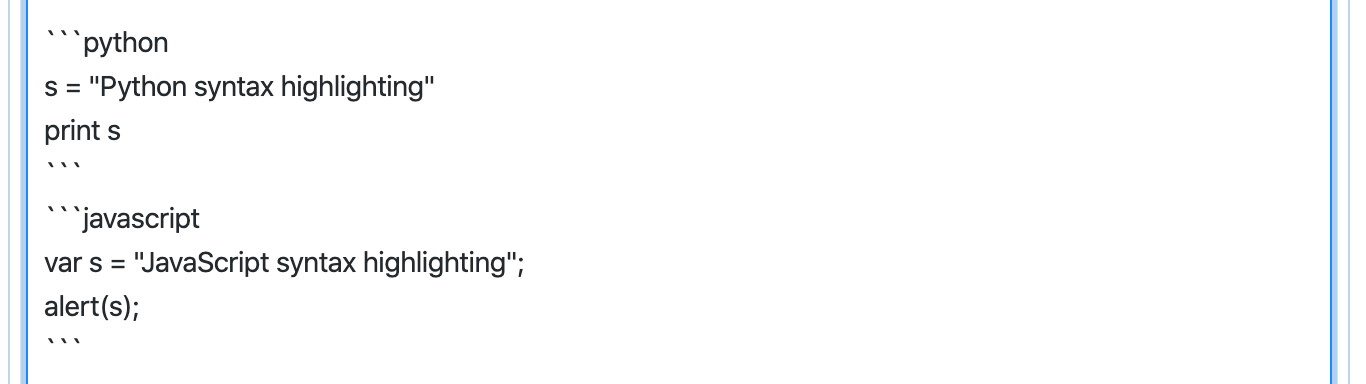
Although what i was trying to say was, as you see in the below screenshot

It's coloring the javascript syntax var and string in editor and viewer both which it shouldn't as it didn't do in python code above it and i. just wanted to know whether this is an issue or not @laurent22 . If it's not, it's perfectly fine. But if it is, i'd like to work on it.
Although this is how it should show as it's a rendered markdown which should be shown in view layout side only
coderrsid
on 9 Apr 2020
this I believe is a feature that was added and I believe its a good thing if the text is distinguished by different colouring, for example, if you bold a text the colour would change to blue and I believe that's a good thing
 Rishabh-malhotraa
on 9 Apr 2020
Rishabh-malhotraa
on 9 Apr 2020
Thanks .. that was all i was asking for.. some info.. 😄
coderrsid
on 9 Apr 2020
Related issues
 jmcastagnetto
·
3Comments
jmcastagnetto
·
3Comments
 smhearty
·
3Comments
smhearty
·
3Comments
 christianlupus
·
3Comments
christianlupus
·
3Comments
 jurgenhaas
·
3Comments
jurgenhaas
·
3Comments
 alexanderadam
·
3Comments
alexanderadam
·
3Comments