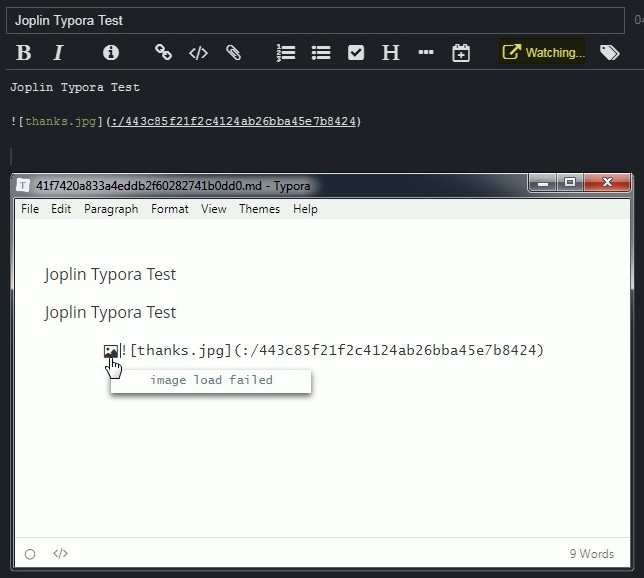
Joplin: Images not showing in external editor
Operating system
- Windows
Application
- Desktop
This is when editing in external editor while "watching" as opposed to an export. Export to Markdown and then opening the .md file works well in the same editor.
 deciacco
All 8 comments
This is not a bug. Joplin uses its own notation to reference its attachments (resources). These cannot be shown in an external editor.
However, if you export the note to an .md file , the resulting file should show the image correctly.
 tessus
on 5 Jan 2019
tessus
on 5 Jan 2019
thanks for the feedback tessus... I understand. That's too bad tho... I would think being able to see the images in an external editor is important. Perhaps we need to convert this topic to a feature request... why not use the same links used in an exported .md file in the file for the external editor...
deciacco
on 5 Jan 2019
Perhaps we need to convert this topic to a feature request...
I doubt this will ever happen. That's basically the same thing as asking to change how Joplin works internally.
why not use the same links used in an exported .md file in the file for the external editor...
Well, think about it. The file you edit won't be the same as the source file. After you save it, the file will be broken, because Joplin does not understand the references anymore.
Using an external editor was a workaround for features like block copying and pasting, multiple text select and change, and other awesome features a real editor might have.
Using an external MD editor is the wrong approach. Joplin is a MD editor.
tessus
on 5 Jan 2019
+1 for this feature request
 bogusred
on 5 Jan 2019
bogusred
on 5 Jan 2019
Perhaps we need to convert this topic to a feature request...
I doubt this will ever happen. That's basically the same thing as asking to change how Joplin works internally.
I think that is what I would like to request as Joplin should be able to allow for external editing with images showing. The best of both worlds would be where Joplin converts the links on the fly so external editing will work and then convert them back to the internal notation or perhaps change how Joplin works internally.
why not use the same links used in an exported .md file in the file for the external editor...
Well, think about it. The file you edit won't be the same as the source file. After you save it, the file will be broken, because Joplin does not understand the references anymore.
Correct. Joplin would have to convert back to internal notation.
Using an external editor was a workaround for features like block copying and pasting, multiple text select and change, and other awesome features a real editor might have.
Using an external MD editor is the wrong approach. Joplin is a MD editor.
Understand completely. Perhaps this is the way it needs to stay. I still would like to see images when using an external editor and perhaps others would as well.
deciacco
on 7 Jan 2019
There's already something to show the images with full paths when exporting to md so maybe it can be added during serialization of the note.
 laurent22
on 7 Jan 2019
laurent22
on 7 Jan 2019
W00t thank you Laurent! Way to go! ♥️
bogusred
on 25 Jan 2019
Thank you so much!!
deciacco
on 28 Jan 2019
Related issues
 kopfuss
·
3Comments
kopfuss
·
3Comments
 hakim89
·
3Comments
hakim89
·
3Comments
 Rahulm2310
·
3Comments
Rahulm2310
·
3Comments
 jurgenhaas
·
3Comments
jurgenhaas
·
3Comments
 deftdawg
·
3Comments
deftdawg
·
3Comments
Most helpful comment
There's already something to show the images with full paths when exporting to md so maybe it can be added during serialization of the note.