Jitsi-meet: interfaceConfigOverwrite whitelist missing options
Specifically I am trying to override SHOW_CHROME_EXTENSION_BANNER, but it looks like the MOBILE_APP_PROMO also does not work, along with many other options.
If it is necessary to include it to encourage use of the extension, I would prefer it to pop up when the feature is requested for use, or allow it to time-out, because for the most part the banners cause confusion with the users who ask why they have to download things to use the chat, and then assume that the chat does not work.
Was working until just recently on meet.jit.si
Description:
Steps to reproduce:
Use interfaceConfigOverwrite option
interfaceConfigOverwrite: {
      MOBILE_APP_PROMO: true,
      SHOW_CHROME_EXTENSION_BANNER: false,
      TOOLBAR_BUTTONS: [
        'microphone', 'camera', 'closedcaptions', 'desktop', 'fullscreen',
        'fodeviceselection', 'hangup', 'profile', '', 'chat', 'recording',
        'livestreaming', 'etherpad', 'sharedvideo', 'settings', 'raisehand',
        'videoquality', 'filmstrip', 'invite', 'feedback', 'stats', 'shortcuts',
        'tileview', 'videobackgroundblur', 'download', 'help', 'mute-everyone',
        'e2ee'
      ],

    }
Expected behavior:
interfaceConfig MOBILE_APP_PROMO and SHOW_CHROME_EXTENSION_BANNER should propagate to interfaceConfig, and disable the Chrome extension banner or allow to enable/disable the mobile app banner.
Actual behavior:

Server information:
latest Jitsi External API
Client information:
Chrome 83 Windows 10
Additional information:
SHOW_CHROME_EXTENSION_BANNER was added to the whitelist a while back, but the recent refactoring of the config code here appears to have reverted it:
https://github.com/jitsi/jitsi-meet/commit/6aed9bc0c88a704a1f49fae79ebea636ee549c2c#diff-c74306a7d7201be3763231c69c660357
The commit message says "by default", but the changes in the code actually enforce never allowing it to be changed.
 jhiswin
All 22 comments
As @jhiswin said, this seems to be a recently introduced change / regression, as it worked a few days back. The PR for the commit is #7025.
 madhavarshney
on 17 Jun 2020
madhavarshney
on 17 Jun 2020
Looks like the PR was shipped but this issue is still showing up when using public Jitsi meet in an iframe even with SHOW_CHROME_EXTENSION_BANNER: false. Is it taking a few days to propagate across Jitsi servers? I'm a huge fan of Jitsi btw and really appreciate how much you all are doing to support it.
 stuckinaboot
on 19 Jun 2020
stuckinaboot
on 19 Jun 2020
That PR prevents the override of the option, yes, but it hasn’t been deployed yet.
I think this I the same problem as https://github.com/jitsi/jitsi-meet/issues/7061 which a bug in not reading the overridden value early enough.
I am not 100% sure though.
 saghul
on 19 Jun 2020
saghul
on 19 Jun 2020
This is the line and function that filters out the options with _.pick based on the whitelist file. The overwrite options are getting discarded before being sent to config:
https://github.com/jitsi/jitsi-meet/blob/0598e7369b2dfac9c11637c3c356cf634466430f/react/features/base/config/functions.any.js#L118-L120
https://github.com/jitsi/jitsi-meet/blob/0598e7369b2dfac9c11637c3c356cf634466430f/react/features/base/config/functions.any.js#L83-L85
https://github.com/jitsi/jitsi-meet/blob/0598e7369b2dfac9c11637c3c356cf634466430f/react/features/base/config/functions.any.js#L93
jhiswin
on 19 Jun 2020
Looks like the issue is affecting all the options right now. Seems as if none of the config options are being read correctly.
jhiswin
on 20 Jun 2020
Looks like the issue is affecting all the options right now. Seems as if none of the config options are being read correctly.
Yes, it definitely looks like it's affecting more options. APP_NAME for example is no longer working either. Some options are still working, but an increasing number are not.
 capcom-r
on 21 Jun 2020
capcom-r
on 21 Jun 2020
Thanks, bumping this up and hoping the fix gets deployed soon.
 johnxie
on 23 Jun 2020
johnxie
on 23 Jun 2020
Let me know if my updating this github issue is annoying you guys.
Appears meet.jit.si has fixed the problems with all config options not being defined or initialized.
However, the filtering of interfaceOverwrite referenced in this issue appears to still be in effect.
jhiswin
on 24 Jun 2020
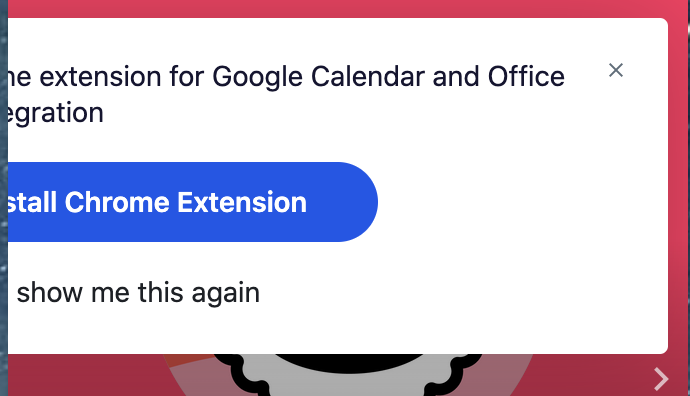
@jhiswin thanks, in particular in our situation we are no longer able to hide/disable the "Install Chrome Extension" warning.
johnxie
on 24 Jun 2020
Same here, any workaround to overcome this?
 diegodorado
on 25 Jun 2020
diegodorado
on 25 Jun 2020
We have the same issue, it's very annoying to our users :(
 RutgerBevers
on 28 Jun 2020
RutgerBevers
on 28 Jun 2020
https://github.com/jitsi/jitsi-meet/pull/7078
An update: It looks like it has been merged, but hasn't hit the pub server yet. Just have to be patient and wait for it to land.
I've done a quick test by intercepting the call to _.pick() locally though the dev console and pushing 'SHOW_CHROME_EXTENSION_BANNER' into the second parameter to _.pick(), and the banner does get disabled, so that patch should definitely allow the banner to be disabled.
jhiswin
on 28 Jun 2020
Yep the next deploy will have the fix.
saghul
on 28 Jun 2020
Will it fix SHOW_JITSI_WATERMARK issue, too?
 finalhit
on 28 Jun 2020
finalhit
on 28 Jun 2020
Note: I am not a maintainer. I do not speak for the Jitsi team. @finalhit No: https://github.com/jitsi/jitsi-meet/issues/7162 It's odd that KiwiIRC chose to by default hide the Jitsi logo, given that it was prominently written on the Iframe API example (before docs were moved to Handbook): "Please don't remove the Jitsi logo". I think the only somewhat reasonable thing to request is to not have Jitsi.org pop up on click or have it warn that it will pop up a window so accidental clicks don't cause issues. Which is a separate issue and one that should be up to their discretion and only if it causes problems for a lot of users. But that's just my opinion. Maybe they implemented after the Handbook update, and missed it. It's not highlighted anymore, so it's easier to miss in the docs now the quote to not remove the logo, but since it's enforced now it probably doesn't matter.
jhiswin
on 28 Jun 2020
When using meet.jit.si deployment the term and service ask not to remove logo and branding https://jitsi.org/meet-jit-si-terms-of-service/, when using self-hosted deployment you can change that in your hosted interface config.
 damencho
on 28 Jun 2020
damencho
on 28 Jun 2020
[...] you shall allow such Branding to be viewed and interacted with by such third-party users for a period of at least 15 seconds from when first presented, and you shall not otherwise remove, obscure, modify, or alter any such Branding.
@damencho
Sorry to drag on this discussion. Mostly out of curiosity:
Does this mean that you guys are actually fine with branding and logos in the style of splash screens, and would be open to having the UI changed in such a way?
(Or my other interpretation would be that banners for advertising other services need to be visible for at least 15 seconds?)
I don't personally find it necessary, but there are probably potential users who would want something like that.
jhiswin
on 28 Jun 2020
SHOW_CHROME_EXTENSION_BANNER seems to be merged to master, but MOBILE_APP_PROMO isn't there, and it is also annoying if you intend to use it web only. can the issue be re opened or should it open a nuew issue about this?
diegodorado
on 28 Jun 2020
It's odd that KiwiIRC chose to by default hide the Jitsi logo, given that it was prominently written on the Iframe API example (before docs were moved to Handbook): "Please don't remove the Jitsi logo".
@jhiswin actually you can use interfaceConfigOverwrite or configOverwrite on that. Based on this configuration https://github.com/jitsi/jitsi-meet/blob/master/interface_config.js but also could be because of the handbook! On my personal private server, I have done this too. Strangely though we all seem to have the common bug, that fix must be here soon I hope!. Patience! :-)
 Shillos
on 28 Jun 2020
Shillos
on 28 Jun 2020
Oh, @Shillos I think you've misunderstood. Not allowing hiding the Jitsi logo on meet.jit.si is intentional. It just wasn't being enforced before. It's expressed in the TOS that you are not allowed to hide Jitsi branding (and at the top of Iframe External API docs, they say "Please do not ...").
Jitsi Meet has been changed now to not let you use Overwrite to change those settings by default now, by removing them from the whitelist.
.
So it looks like KiwiIRC project people did not realize that the meet.jit.si project wants and requires that their logo (branding) is visible to anyone who uses it.
jhiswin
on 28 Jun 2020
SHOW_CHROME_EXTENSION_BANNERseems to be merged to master, butMOBILE_APP_PROMOisn't there, and it is also annoying if you intend to use it web only. can the issue be re opened or should it open a nuew issue about this?
@diegodorado
EDIT: it's not enabled if disableDeepLinking is enabled
It pops up if disableDeepLinking is disabled, MOBILE_APP_PROMO pops up, which is the right thing to do, because it will not work anyways and deep linking requires the App to function.
I've made a PR, but I don't feel strongly about it and am satisfied with it the way it is now. If anyone else wants that config, they should take over the PR and "champion" it (explaining why it's necessary).
If you're talking about it not being actually necessary on Android, and only for iOS, that is actually a different issue related to security restrictions on gUM requiring user interaction to activate. The promo page avoids that, because the button click counts as a user interaction (as does clicking unmute).
I'm currently trying to think of ways to make it so you "virtually" don't need it, but so far I don't think it is a trivial problem to solve. Because it is in an iframe, it won't be possible to wrap gUM calls in a callback to the first user interaction on the page.
The only way I can think of right now, is to somehow refactor the whole embedding API to not require an iframe. Or cheat and create a fake invisible full page iframe that captures the first click on the page and then resizes the iframe after it has captured the stream, which is hacky and most likely problem prone and is too close to click-jacking techniques for comfort.
The best that can be done, is to hook first click inside the iframe itself, and activate on first click, which is really not a big improvement IMO, and is more confusing than just having it be muted and requiring you to unmute it.
For interested parties that want to try to work on a solution, relevant PR for requiring user intervention: https://github.com/jitsi/jitsi-meet/pull/4429/files
I wouldn't try to do anything unless you can think of a clever workaround and PoC it standalone, because trying to activate the stream directly inside a user interaction event and have it propagate to a cross domain iframe is non-trivial and probably not possible, not to mention making it happen transparently. (Specifically in reference to making it work on Safari)
jhiswin
on 30 Jun 2020
Yep the next deploy will have the fix.
Sorry for being a noob @saghul but where can I see deploy history?
I just tested the bug is still present.
RutgerBevers
on 1 Jul 2020
Related issues
 pekubu
·
3Comments
pekubu
·
3Comments
 ralgozino
·
3Comments
ralgozino
·
3Comments
 eceforge
·
3Comments
eceforge
·
3Comments
 jidanni
·
3Comments
jidanni
·
3Comments
 mfts
·
3Comments
mfts
·
3Comments
Most helpful comment
Let me know if my updating this github issue is annoying you guys.
Appears meet.jit.si has fixed the problems with all config options not being defined or initialized.
However, the filtering of interfaceOverwrite referenced in this issue appears to still be in effect.