Jetpack: Eventbrite Block: Default text color of modal button is too dark
Steps to reproduce the issue
- Add an Eventbrite Block while editing a page or post
- Select the "Button & Modal" embed type in the sidebar
What I expected
To be able to see the button text
What happened instead
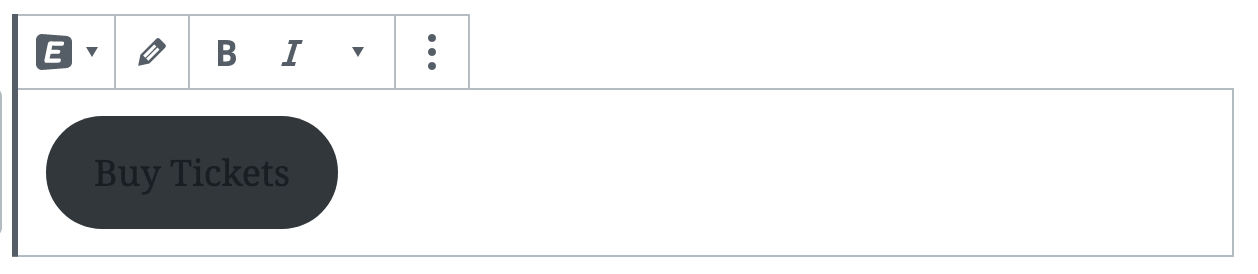
On some themes, the button text defaults to being very dark
Screenshots
If applicable, add screenshots to help explain your problem.
 creativecoder
All 4 comments
👍 Twenty Nineteen is a good example of that.
 jeherve
on 29 Jan 2020
jeherve
on 29 Jan 2020
If it's not going to be a big headache, adding a CSS class wp-block-button to the div.wp-block-jetpack-eventbrite.is-modal-button in the markup might be a quicker solution. Like...
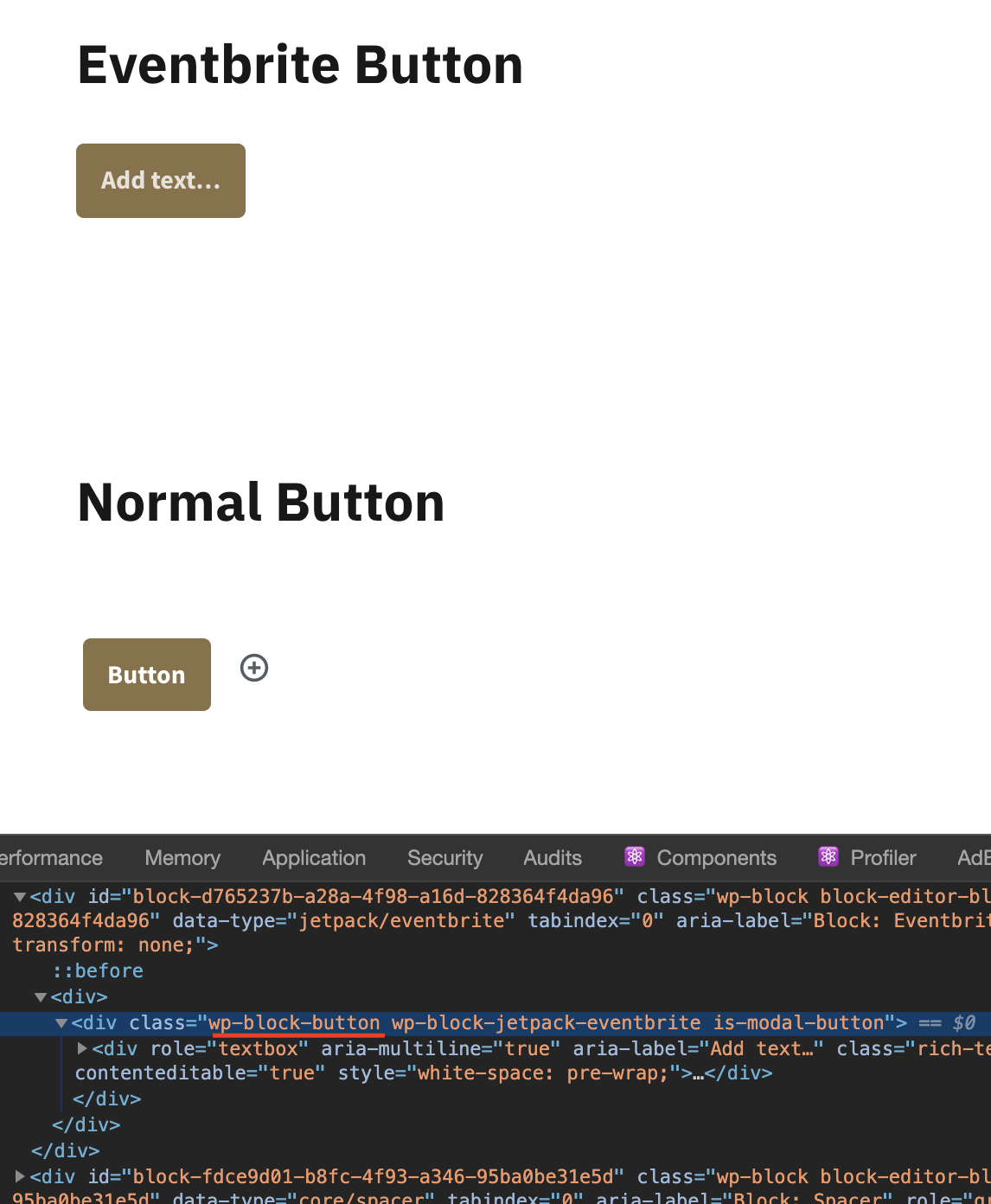
That would make the pill shape button like other buttons in the template-first themes because they override the default button style with .wp-block-button:/ Ideally, this should be fixed in the themes, but I doubt that's going to happen as no one is actively working on the template-first themes at the moment. I think Calendly block does the same workaround. What do you think?
 iamtakashi
on 29 Jan 2020
iamtakashi
on 29 Jan 2020
I think the change proposed by @iamtakashi is not a workaround but the intended behaviour of wp-block-button__link.
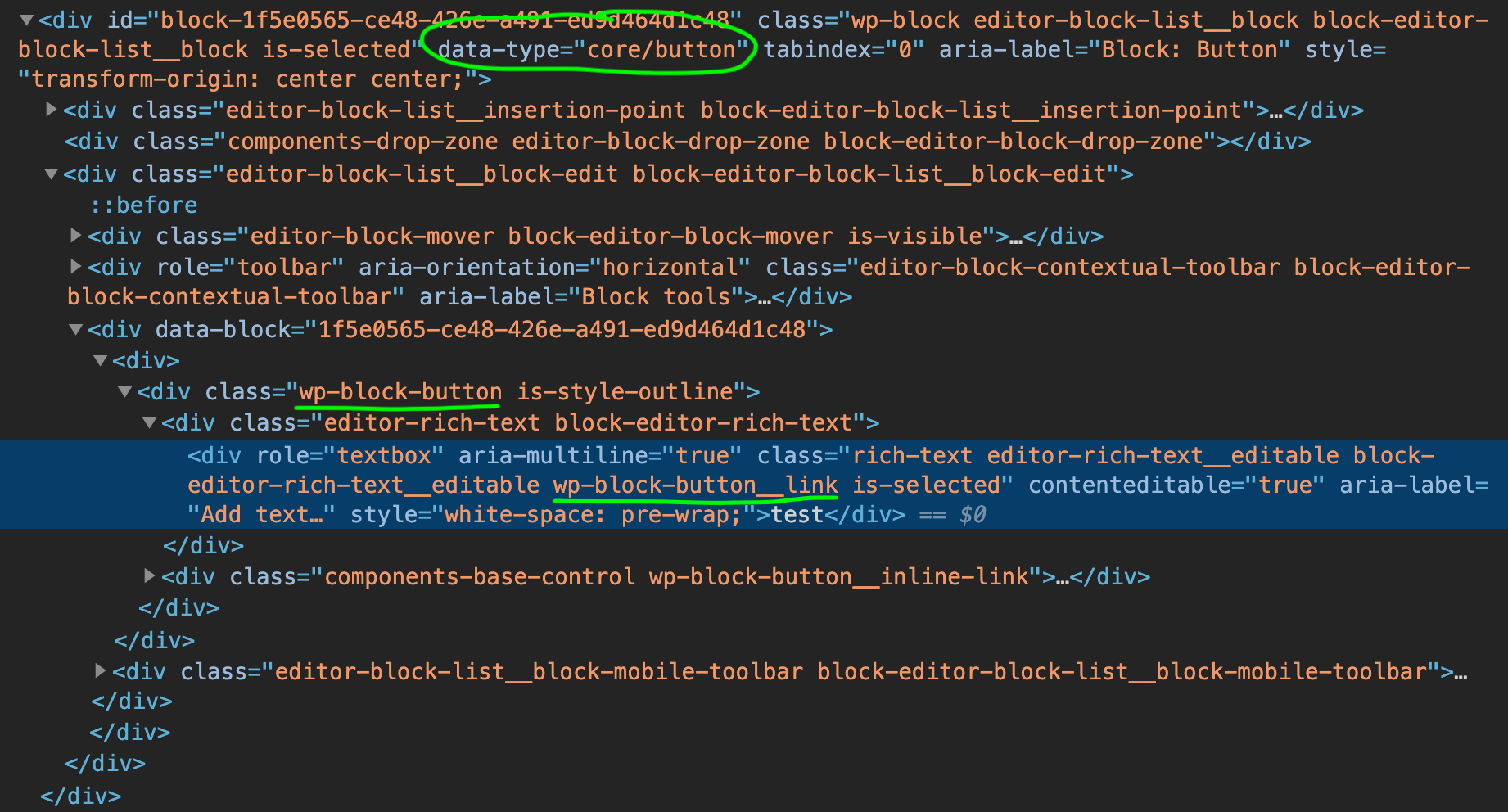
As far as I can see in Core Guten, wp-block-button__link is the inner element inside a wp-block-button.
So, it's to be expected that it malfunctions when used "outside" wp-block-button.
E.g. this is how a normal Button block is rendered in the editor:
 Copons
on 29 Jan 2020
Copons
on 29 Jan 2020
Agreed, not adding the wp-block-button class was an oversight--that seems like the best solution to me because it emulates the Core button block (which was the idea in implementing to modal embed type for Eventbrite).
creativecoder
on 29 Jan 2020
Related issues
 ockham
·
3Comments
ockham
·
3Comments
 dougaitken
·
3Comments
dougaitken
·
3Comments
 crunnells
·
3Comments
crunnells
·
3Comments
 chrisaldrich
·
3Comments
jeherve
·
3Comments
chrisaldrich
·
3Comments
jeherve
·
3Comments
Most helpful comment
I think the change proposed by @iamtakashi is not a workaround but the intended behaviour of
wp-block-button__link.As far as I can see in Core Guten,
wp-block-button__linkis the inner element inside awp-block-button.So, it's to be expected that it malfunctions when used "outside"
wp-block-button.E.g. this is how a normal Button block is rendered in the editor:
