Jetbrainsmono: Missing some Powerline symbols
(Following #189)
In v1.0.6, some Powerline symbols are missing. Here is a screenshot of Alacritty on Arch Linux:
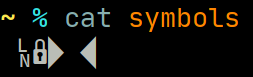
I am using Plasma (Xorg) and have a 200% HiDPI setup.
These symbols are also missing in VTE-based terminals, but not in Konsole:
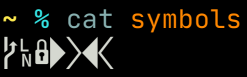
In VSCode, the behavior is somewhat flaky: for me, when the terminal is open and there are no editor tabs, those symbols are missing; but the moment I open an editor tab, they suddenly appear.
The symbols file can be generated with:
python -c "open('symbols', 'wb').write(b'\xee\x82\xa0\xee\x82\xa1\xee\x82\xa2\xee\x82\xb0\xee\x82\xb1\xee\x82\xb2\xee\x82\xb3\n')"
 hexchain
All 17 comments
@hexchain Thanks for the detailed report. We will investigate the problem.
The symbols are there. The problem is with the rendering.
 philippnurullin
on 14 May 2020
philippnurullin
on 14 May 2020
They render in alacritty and gnome-terminal for me.
 trygveaa
on 14 May 2020
trygveaa
on 14 May 2020
I'm using Plasma on Xorg with a 200% HiDPI setup, if that matters.
hexchain
on 14 May 2020
Maybe it has to do something with hinting/subpixel? There should be missing glyphs symbols in alacritty, if those characters were missing. Not rendering could be due to FreeType failing somewhere, I've seen this issue in JetBrains Mono with some hinting/subpixel options IIRC on some other glyphs ( not sure I can repro it myself again).
@hexchain could you send me a test file with those symbols as well as fc-conflist output or if you're willing to test some patches for alacritty with more logging from our font backend, let me know here or on IRC on freenode in #alacritty.
Maybe bringing errors from FreeType(rasterizer) could help here to understand the issue.
 kchibisov
on 18 May 2020
kchibisov
on 18 May 2020
@hexchain could you send me a test file with those symbols as well as
fc-conflistoutput
You can make a test file using the command in the first post:
python -c "open('symbols', 'wb').write(b'\xee\x82\xa0\xee\x82\xa1\xee\x82\xa2\xee\x82\xb0\xee\x82\xb1\xee\x82\xb2\xee\x82\xb3\n')"
This creates a file called symbols containing all Powerline symbols.
And here is the fc-conflist output along with all custom fontconfig (The 49-sansserif.conf under user config directory is just a symlink to the file under /etc/fonts/conf.avail/):
https://gist.github.com/hexchain/80403763b83b9d71cc7672cde2bfd821
This setup works without any problems with JetBrains Mono v1.0.4.
hexchain
on 18 May 2020
Oh, could you try changing hinting from hintfull to hintslight or whatever it's called?
kchibisov
on 18 May 2020
Oh, could you try changing hinting from hintfull to hintslight or whatever it's called?
Changing to hintslight makes those missing symbols appear again, in Alacritty, VTE and VSCode.
hexchain
on 18 May 2020
Sorry I was wrong, I forgot that I was using v1.0.4 at the moment. Will retest soon.
hexchain
on 18 May 2020
Okay, here is the proper result:
With hintnone and hintslight those missing symbols appear. With hintmedium and hintfull they are missing.
The behavior is consistent in both Alacritty and VTE.
hexchain
on 18 May 2020
Changing to hintslight makes those missing symbols appear again, both in Alacritty, VTE and VSCode.
Yeah, hintfull seems to break it (can repro), I'll investigate this issue in alacritty and post why FreeType is failing there at some point, I guess it could be useful. The thing is that hintslight is default on most systems, so that's likely others can't repro it.
kchibisov
on 18 May 2020
But even with hintfull, neither konsole nor kwrite is affected. I would expect them to be affected too, if FreeType is the culprit (unless Qt has some kind of magic, which is likely).
hexchain
on 18 May 2020
But even with hintfull, neither konsole nor kwrite is affected. I would expect them to be affected too, if FreeType is the culprit (unless Qt has some kind of magic, which is likely).
I know that FreeType errors out, because that's the only way alacritty can fail that way rendering them and I can repro. The thing is that there's no direct translation of Fontconfig hintfull to FreeType so apps can do a bit different strategies and supply different loading flags to it.
kchibisov
on 18 May 2020
It seems like FreeType doesn't errors out here, but somehow all Outline points have zero y coordinate, and those the resulting bitmap has zero rows in the end, which leads to the rendering of zero sized bitmap in the end. It happens only when you load with FT_LOAD_TARGET_LCD (ref is here https://www.freetype.org/freetype2/docs/reference/ft2-base_interface.html#ft_load_target_xxx ), this loading option if used in alacritty for Rgb and Bgr subpixel, and if the user uses Hintfull and Hintmedium respectively. Those values seems to affects the points directly and some loader options in FreeType.
I've also noticed that making font bigger could show them at some point, which is pretty strange. I've also noticed that glyphs and doesn't show with 1.0.5 version of the font with the same systems font settings, but they show up with 1.0.6 with the same font size just fine, so maybe the changes to those glyphs could help figuring out that issue.
kchibisov
on 19 May 2020
I am also seeing this issue in Windows Terminal.
 superusercode
on 30 May 2020
superusercode
on 30 May 2020
Yep, getting this on Windows Terminal, and also in VSCode

Zooming in or out fixes it though:
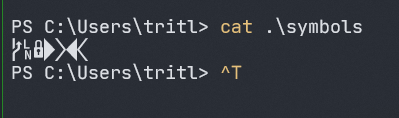
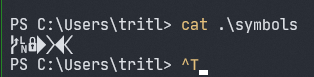
In Windows Terminal, this happens at fontSize 12 and 13, but not at <= 11 or >= 14
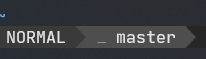
Edit: sorry, my experimental setup was wrong. It works if you open the terminal, and then resize! But it will always be broken on the original size. Unfortunately, resizing also seems to mangle other symbols (see the R here:)

vs the original size:
 Tritlo
on 13 Jun 2020
Tritlo
on 13 Jun 2020
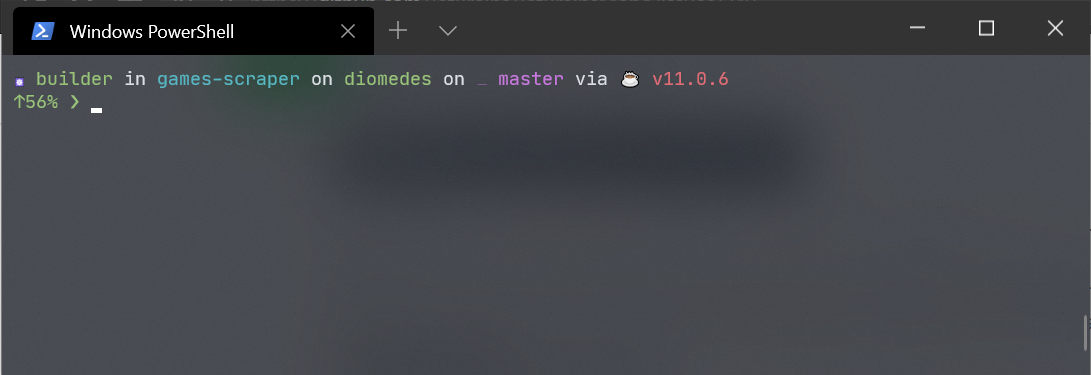
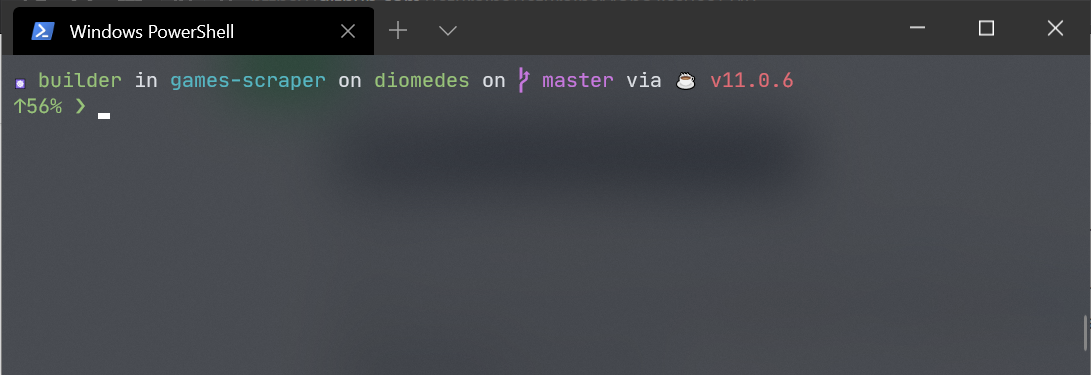
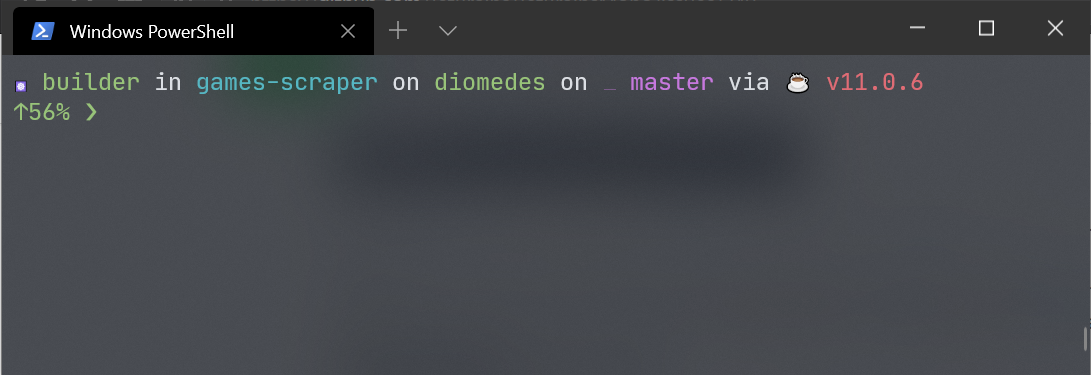
I've got the same issue with the branch symbol, at sizes < 10 points or >= 12 points it does not show up, here are the screenshots from Windows Terminal (using JetBrains Mono 1.0.6):
Size 9 or less
Sizes 10 and 11
Sizes 12 and more
 massix
on 21 Jun 2020
massix
on 21 Jun 2020
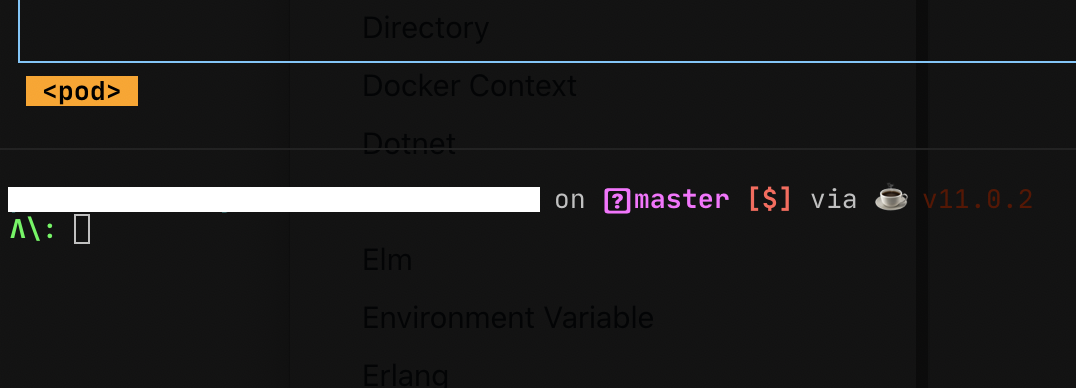
Same thing on macOS, with iTerm2 and https://github.com/starship/starship
I had to switch to FiraCode due to this incompatibility 😓
 davinkevin
on 23 Jun 2020
davinkevin
on 23 Jun 2020
Related issues
 khasbilegt
·
3Comments
khasbilegt
·
3Comments
 haunt98
·
6Comments
haunt98
·
6Comments
 CreamyCookie
·
3Comments
CreamyCookie
·
3Comments
 mehmandarov
·
6Comments
mehmandarov
·
6Comments
 dinhquochan
·
3Comments
dinhquochan
·
3Comments
Most helpful comment
I am also seeing this issue in Windows Terminal.