Jetbrainsmono: 1.0.6 Does not show as monospaced font
Not sure whether this is a font bug or an issue with my DE, but with v1.0.6 all the normal "JetBrains Mono" fonts stopped displaying in font selection dialogs that filter for monospaced fonts (e.g. in the gnome-terminal), only the "JetBrains Mono NL" versions are showing.
This is the font selection window for the gnome-terminal with font version 1.0.5:

And this is the same window with font version 1.0.6 installed (and 1.0.5 uninstalled ofc):
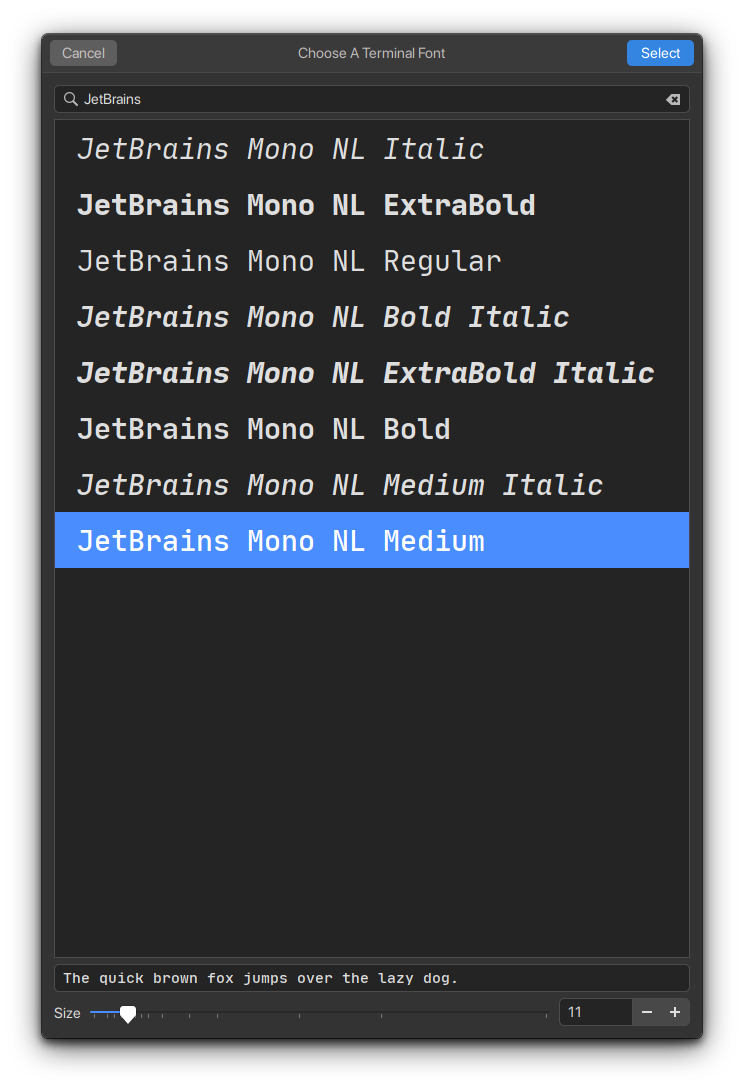
I have no idea whether a font could cause this issue, but i thought since it works with v1.0.5 and the 1.0.6 "NL" fonts, it might be a bug in the font release.
Thanks for all your work, really love the font :)
_edit: just to make that clear, the font does display in "normal" font selection dialogs, just not in ones that filter for monospaced fonts only_
 pohlium
All 3 comments
Possibly related to #227, see https://github.com/JetBrains/JetBrainsMono/issues/227#issuecomment-621785510
Though, for me both normal and NL, regular and medium, show as monospace with 1.0.6, while all the bold and extrabold variants do not. So its strange that you're getting different results. ~Which DE are you on? What is the output of fc-list : family spacing | grep -e spacing=100 -e spacing=90?~
Edit: Hm, strike the questions above. I see the same results in gnome-terminal as you. Wonder how gnome-terminal determines if a font is monospace or not.
To be clear, when I said above that only the bold/extrabold variants don't show as monospace, that is what fontconfig shows with the spacing property.
 trygveaa
on 30 Apr 2020
trygveaa
on 30 Apr 2020
Yeah unfortunately i have 0 experience with fonts so i don't know how it is determined by gnome-terminal :/
Looking into its source it seems like this is the line where it is checked, but so far i was not able to find where that function is implemented. Im guessing its somewhere in a c++ gtk lib, the only hint i found so far is this pygtk documentation entry of a similar method. Will update if i find more.
update: found the implementation, its here.
pohlium
on 30 Apr 2020
Alright, it seems like this is actually because of the spacing issue described in #227 .
If i remove the Bold and ExtraBold weights and reload the font cache, then the font shows up normally (but obviously missing the bold and extra bold weights). So it seems like one weight not having monospaced characters is enough to filter out the whole font family.
pohlium
on 1 May 2020
Related issues
 thlinard
·
6Comments
thlinard
·
6Comments
 eranthis
·
4Comments
eranthis
·
4Comments
 N3tFX
·
4Comments
N3tFX
·
4Comments
 RosaWagner
·
3Comments
RosaWagner
·
3Comments
 dinhquochan
·
3Comments
dinhquochan
·
3Comments
Most helpful comment
Alright, it seems like this is actually because of the spacing issue described in #227 .
If i remove the Bold and ExtraBold weights and reload the font cache, then the font shows up normally (but obviously missing the bold and extra bold weights). So it seems like one weight not having monospaced characters is enough to filter out the whole font family.