Jellyfin-android: Lost all playback ability on 2.0.0
Describe the bug
On a Samsung Galaxy S9 Plus, with Android 10 and current patch level, I am able to log into my server using Jellyfin Android 2.0.0 (obtained from the non-Beta Play store), select media, and click Play. Playback never begins. Skipping ahead will sometimes show a screenshot of the current frame. I have been unable to play any media since the update with either the new native player or the HTML5 player. Before the update, everything worked.
To Reproduce
Click play on any media file.
Expected behavior
Playback begins.
Logs
I do not know where to locate these on Jellyfin Android.
System (please complete the following information):
- App version: 2.0.0 release
- Android version: Android 10
- Device manufacturer and model: Samsung Galaxy S9 Plus
- Jellyfin server version: 10.6.4
- The type of video player implementation used: web and Exo player
Additional context
I also tried removing and reinstalling Jellyfin with the same results. Normal WebUI on PC or Chromebook playback from the same server still functions perfectly, only the Android version is problematic.
 adx442
All 12 comments
Could you try with a newer version of Jellyfin? Possibly the latest, 10.6.4? Also, here's a tutorial on how to dump logs: https://wiki.lineageos.org/logcat.html
 Maxr1998
on 6 Oct 2020
Maxr1998
on 6 Oct 2020
Could you try with a newer version of Jellyfin? Possibly the latest, 10.6.4? Also, here's a tutorial on how to dump logs: https://wiki.lineageos.org/logcat.html
Sorry, I typo'd, I am on 10.6.4.
adx442
on 6 Oct 2020
No idea why this would be, but rebooting the phone resolved it, and both players are working.
adx442
on 6 Oct 2020
No idea why this would be, but rebooting the phone resolved it, and both players are working.
Wonderful, glad it got sorted out 😊
Maxr1998
on 6 Oct 2020
I have this issue on a phone with android 6. Restarting doesn't help. On another phone with android 8, it works just fine.
 Prn-Ice
on 12 Dec 2020
Prn-Ice
on 12 Dec 2020
Could you check what WebView implementation the device uses?
Maxr1998
on 12 Dec 2020
How do I check that?
Prn-Ice
on 12 Dec 2020
There should be a section for that in the Android settings, but the easiest alternative would be checking if this app is up-to-date for you.
Maxr1998
on 12 Dec 2020
I just installed that.
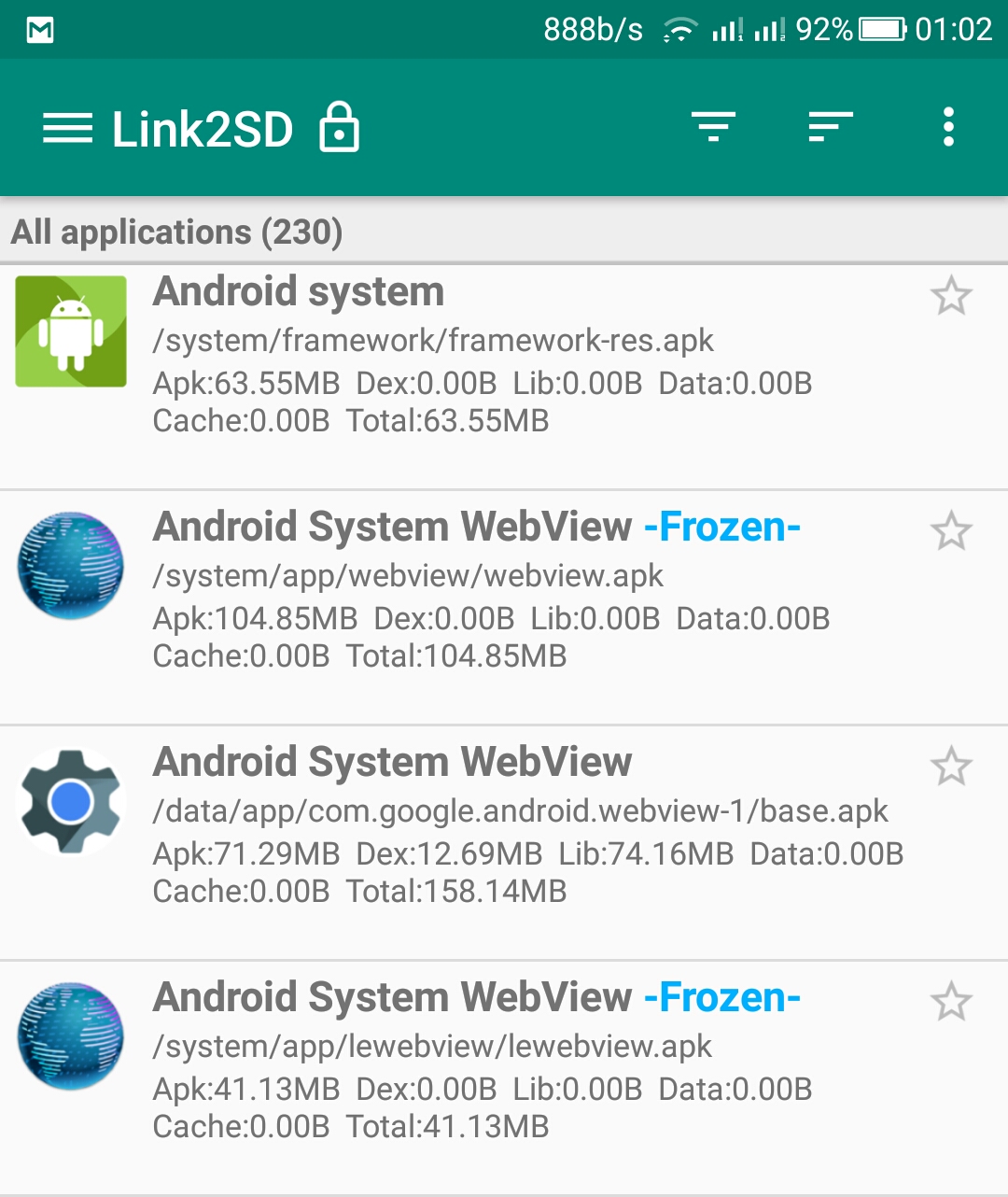
I had the two that are frozen in the picture above. I froze them and installed the one from the playstore.
Prn-Ice
on 13 Dec 2020
Interesting, never seen multiple of these being installed at the same time. Does it work now, or is playback still broken? If yes, could you upload some logs? See here for information on how to do that: https://wiki.lineageos.org/logcat.html
Maxr1998
on 13 Dec 2020
It doesn't. Log is here.
Prn-Ice
on 13 Dec 2020
hi there! :)
i just built the debug version, i had the same issue with both libre and proprietary apk's, and according this thread i enabled the previously blocked webview, that didnt help, and then i updated it in the droid market and now it works
btw it is talking about libleak that the webview got detached, but thats probably a different issue... (note that i have never developed anything for android, this is the 1st project i compiled for it, and as a developer, i avoid java, and i have no experience with kotlin, but im cool enough to do basics based on my wide knowledge, so i may assist further, just dont expect me to be an expert :D )
 hippi777
on 16 Dec 2020
hippi777
on 16 Dec 2020
Related issues
 tuxrinku
·
5Comments
tuxrinku
·
5Comments
 SteveDinn
·
4Comments
SteveDinn
·
4Comments
 jorritsmit
·
7Comments
jorritsmit
·
7Comments
 Orybon
·
4Comments
Orybon
·
4Comments
 sheckandar
·
3Comments
sheckandar
·
3Comments
Most helpful comment
No idea why this would be, but rebooting the phone resolved it, and both players are working.