Javascriptservices: Add new Angular CLI-based template
The Angular template shipped with .NET Core 2.0 originated well before @angular/cli came on to the scene. Even when @angular/cli was first shipped, it was unclear whether it would become the de facto standard way to build real-world Angular apps. But now it seems the Angular community largely sees the CLI as the preferred approach, and it has stabilised and matured into something you actually can use in real-world development scenarios.
So, even though the ASP.NET Core Angular template has pretty much all the same features as @angular/cli such as HMR, AoT on publish, Karma tests, etc. (and in fact even some features that the CLI lacks, such as out-of-the-box server-side prerendering), it would be advantageous if our template achieved that stuff using @angular/cli rather than having its own implementation. The key benefit is that developers will have an even more typical project setup, so basically all online tutorials, StackOverflow posts, etc., will apply without any modification.
Approach
The idea is for an updated dotnet new angular template to use a new SpaServices feature called Angular CLI middleware instead of the existing Webpack middleware. So it will still be a single ASP.NET Core project with the Angular part in a subdirectory called ClientApp, but now when the browser makes requests for content under /dist, we will pass through the request to an instance of @angular/cli's ng serve process. As such, the output and behaviour will be identical to what you'd get if you ran ng serve directly, and all the same config and features apply. If you wanted, you could even take your ClientApp directory out of your project and run it manually with ng serve, since it's literally just a standard @angular/cli project. Likewise you can ng eject it if you don't want to use the Angular CLI for some reason (and then use Webpack middleware like before if you want).
Of course, because you then have a standard Angular CLI project, you can use all other CLI features such as ng generate, ng lint, etc., without anything being different just because you're also using ASP.NET.
We would also integrate with Angular CLI when you publish your app. That is, a single dotnet publish command (or the Visual Studio equivalent option) would not only publish the .NET part but would also automate the process of using ng build -prod, putting the output in the right places to be served in production. Likewise, server-side prerendering would also be achieved by a call into Angular CLI.
Note: This would not be a breaking change. The SpaServices package will continue to work exactly the same with existing applications created using the .NET Core 2.0.0 template - this scenario remains fully supported.
Tasks
- [x] Add
BuildServerSideRendererflag in csproj - [x] Add new API for supplying custom data to prerenderer
- [x] Support "proxy only" mode for AngularCliMiddleware, so you can have an
ng serveprocess running separately and not restarted on each C# code change. Ideally, decouple the proxying from the Angular CLI-specific bits so it can be reused with other SPA frameworks. - [x] Consider whether it's practical to proxy the HMR endpoint. If not, this will be difficult to use from inside a Docker container (or at least requires extra configuration). Update: it does now proxy, so should work fine in Docker.
- [x] Try to get CLI's progress display reflected in the console.
- [x] Ensure that any errors occurring in angular-cli-middleware.js are passed back upstream. This also includes the CLI writing to stderr.
- [x] Stop hard-coding CLI options in angular-cli-middleware.js. Either have a .NET API for configuring them, or better, call a
scriptinpackage.json(in which case, make the task name appear explicitly in the C# source so people can discover what it does). - [x] Make sure the
npmchild processes aren't left behind on exit, including when usingdotnet watch, including on Mac/Linux - [x] Get SSR working with publish by default. Waiting on https://github.com/angular/angular-cli/issues/7903
- [x] Consider whether it's desirable to have
package.jsonandnode_modulesat project root (is this necessary for VS to do auto-restore?). If so, need to support findingnode_modulesin ancestor directories usingrequire-from-string-type approach (#154), since Angular app will be in subdirectory. Update: Not doing this - it's impractical. Angular CLI is hardcoded to assumenode_modulesis in the project root (e.g., seegetBrowserConfiginmodels\webpack-configs\browser.jsline 25), so we'd need to have the .NET project root as the Angular CLI project root, which means merging the folder structures (super ugly, and violates the intended separation), or having an extremely nonstandard Angular CLI config to have it fetch all sorts of things from a special subdirectory (violates the idea of it being a standard Angular CLI project). Instead, we'll rely on the.csprojcontaining instructions to do the applicablenpm installin theClientAppsubdir during build when necessary. - [x] Figure out how the APIs would look if someone wanted
index.htmlto be a server-rendered cshtml page instead. Update: Not supporting this. Doesn't really make sense. - [ ] See if it's possible to detect efficiently whether the
<base href>matches thePathBaseof the incoming request, and if not, fail with a clear message. Alternatives include rewritingindex.htmldynamically to inject a<base href>based on the per-requestPathBase, or just rely on people reading docs to know they have to configure this manually before publishing. - [x] Ensure the right set of files are appearing in VS's Solution Explorer (e.g.,
package.jsonshould be there) - [x] Add shrinkwrap
- [x] Fix the bootstrap nav button in the Angular templates (and check it works in the others)
- [x] Ship preview
Pre-preview (try it)
You can now try this out. For instructions, please see https://github.com/aspnet/JavaScriptServices/issues/1288#issuecomment-346003334
 SteveSandersonMS
All 148 comments
Totally agree! I've been quite annoyed lately, fighting some CORS-related issues, I still cannot find a solution to (due to having both back- and front-end separated).
I would have loved to have them combined, for server-side-rendering too, but it was an intentional decision (which may seem detrimental now), to utilize the "mainstream" @angular/cli for boilerplate generation.
My "risk assessment" on trying to predict the future, says @angular/cli is likely a safer dependency in the long run.
I think the perfect scenario would be if dotnet new angular relied on the @angular/cli, as suggested, in such a way that you could at any time extract only the Angular project and continue using it only with @angular/cli. Is that feasible?
Google's Angular already relies on Microsoft's TypeScript - can the teams coordinate it so @angular/cli won't make unnecessary breaking changes so it's safe-ish to be embedded in JavaScriptServices :-) ? Or does it not work like that, lol. In any case, please take @SteveSandersonMS post very serious!
Of course, because you then have a standard Angular CLI project, you can use all other CLI features such as ng generate, ng lint, etc., without anything being different just because you're also using ASP.NET.
This would simply be amazing...
 binaryPUNCH
on 19 Sep 2017
binaryPUNCH
on 19 Sep 2017
@amivit I don't have my back- and front-end in separate projects anymore but when I did, if I recall it was just a case of having:
  services.AddCors(options => options.AddPolicy("MyPolicy", p => p.AllowAnyOrigin()
                                                                      .AllowAnyMethod()
                                                                      .AllowAnyHeader()
                                                                    ));
.. in the right place in ConfigureServices() and:
app.UseCors("MyPolicy");
...in Configure()
 peterdobson
on 20 Sep 2017
peterdobson
on 20 Sep 2017
@SteveSandersonMS We also have Universal support in the CLI now, but I'm wondering if we will be able to pipe that into aspnet somehow as well? Let me know if we can meet up again when you have some time I'd love to help anyway I can to merge the two processes, or help add any hooks Aspnet would need from the CLI.
This would be ideal in letting the CLI community handle all upcoming Angular aspects of the template as well, improvements, etc 👍
Exciting times!
 MarkPieszak
on 20 Sep 2017
MarkPieszak
on 20 Sep 2017
@peterdobson that works for anything except POST. POST is special since the Access-Control-Allow-Origin NEEDS an explicit reference to the requests Origin. So I made an explicit Origin which works fine for everything, except POST.
The issue occurs because browsers by design, strip the initial OPTIONS request of all headers (such as authorize).
For some stupid reason, my app when deployed to IIS, expects the Authorize even on the OPTIONS, and returns 401 unauthorized. If I enable anonymous access globally on the ng frontend, the problem goes away. Which is fine for this internal tool, when the API is still secure.
I guess it's more of an IIS issue, and I don't want to hijack this thread, which I'm already in the process of doing :/
aspnetcore-angular2-universal seems cool, but way too bleeding edge for me to dare use for anything production. I'd prefer relying on @angular/cli with asp.net/JavaScriptServices
binaryPUNCH
on 20 Sep 2017
@SteveSandersonMS Is this a plan feature or already release? Because choosing the angular template today would get the webpack middleware, which has many bug. Upgrading to bootstrap 4 took me the whole afternoon without success. Npm will not install bootstrap 4 in visual studio 2017 enterprise. So went to command line and did it, then SpaService would not webpack the bootstrap 4 into the bundle.
Just gave up in the end.
 wangkanai
on 21 Sep 2017
wangkanai
on 21 Sep 2017
@wangkanai it is not already released
 jrmcdona
on 24 Sep 2017
jrmcdona
on 24 Sep 2017
@SteveSandersonMS this is that i've been waiting for :)
nice 👍
 chencingyen
on 27 Sep 2017
chencingyen
on 27 Sep 2017
This also solves questions around using environment variables/settings for client-side code.
https://github.com/angular/angular-cli/wiki/stories-application-environments
 spboyer
on 28 Sep 2017
spboyer
on 28 Sep 2017
In case anyone wants to see, I'm working on this here: https://github.com/aspnet/templating/tree/stevesa/angular-cli-template. Don't ask for support with getting or using it yet though - it's not ready 😄
SteveSandersonMS
on 28 Sep 2017
This would be awesome! The production builds through angular cli are also very well optimized and also includes features such as hash file name.
 naveedahmed1
on 29 Sep 2017
naveedahmed1
on 29 Sep 2017
@spboyer I could use that too. Had trouble getting it working well using the Angular CLI built in enviornments configs.
jrmcdona
on 29 Sep 2017
Fantastic news. For the last year, I've been avoiding javascript services since as Steve notes at top of this issue, many of us prefer the angular cli. I have been building my angular 2/4 with angular CLI in its own project and writing to an asp.net core wwwroot directory for production. But this missed all the tooling you've developed around javascript services, made integrated testing slow and split the angular app from my development process for the Api/MVC and IdentityServer projects.
Looking forward to seeing what you do with exposing angular cli, while maintaining other javascript services tooling (outside webpack),and config for the enclosing asp.net core project. My greatest concern would be to not interfere with the angular upgrade process - i.e. when I update the package.json with angular 5..6..7, that the coupling to asp.net core and javascript services stays loose enough, that the breaks I need to fix are angular specific.
 smoses2
on 11 Oct 2017
smoses2
on 11 Oct 2017
Just saw a demo first look of this @Angularmix and it was simply awesome!! This is would definitely deliver great value to many developers who want to get into Angular using Asp.net Core but often struggle with the complicated processes of getting both technologies to coordinate. Thank you @SteveSanderson and Asp.net Team!
 Alex-Torres
on 13 Oct 2017
Alex-Torres
on 13 Oct 2017
@SteveSandersonMS where can I find a sample project? Looks like the URL feed you provided above is no longer available: Link
Alex-Torres
on 13 Oct 2017
It seemed to have moved here:
https://github.com/aspnet/templating/tree/feature/stevesa/angular-cli-template
@SteveSandersonMS is ALWAYS amazing, and this feature is going to be SO BIG!
 Meligy
on 13 Oct 2017
Meligy
on 13 Oct 2017
Thank you @Meligy.
Alex-Torres
on 13 Oct 2017
Agreed. Recently blogged about how to make existing .NET Core SPA templates to support Angular-cli https://programmium.wordpress.com/2017/10/02/ng-add-angular-cli-to-net-core-angular-template/ but this project is going to be a great benefit..
 IshamMohamed
on 23 Oct 2017
IshamMohamed
on 23 Oct 2017
Thanks @SteveSandersonMS for the heads up! Digging into this now.
 mpalmer-sps
on 26 Oct 2017
mpalmer-sps
on 26 Oct 2017
@SteveSandersonMS please target Angular 5 and aspnetcore-engine 5.
Angular 5 is currently in Rc6 and aspnetcore-engine 5 is currently in 5.0.0-beta.4 hopefully by the time this template is released Angular 5 and aspnetcore-engine 5 would be production ready.
naveedahmed1
on 26 Oct 2017
Really excited to hear about Angular-cli integration.

 asadsahi
on 31 Oct 2017
asadsahi
on 31 Oct 2017
@SteveSandersonMS Angular CLI now has support for Lazy Loading routes for Server-side rendering, I hope its support can also bee added to the template.
naveedahmed1
on 2 Nov 2017
@SteveSandersonMS -- Shawn Wildermuth posted a blog about doing this with ASP .Net Core, Entity Framework Core and the Angular CLI [https://wildermuth.com/2017/07/10/ASP-NET-Core-2-VS2017-Angular-CLI ]. There is also a corresponding PluralSight course for this as well.
mpalmer-sps
on 4 Nov 2017
Anyone got a chance to try https://marketplace.visualstudio.com/items?itemName=AndreyFomin.AngularCLIProjectTemplate#review-details
naveedahmed1
on 4 Nov 2017
Hi guys, I am wondering how to try the branch that Steve mentioned for cli integration. I have downloaded the source but when I navigate into directory, there is no csproj file "Angular-CSharp". I believe there is a different way to run these template? :)
asadsahi
on 8 Nov 2017
@asadsahi may be this is what you are looking for https://github.com/aspnet/Templates/wiki/Building-and-Running
naveedahmed1
on 9 Nov 2017
@naveedahmed1 thanks, will give it a shot.
asadsahi
on 9 Nov 2017
Hi all,
I have a small application developed from angular spa template ("dotnet new angular") and I would like to use the new template that @SteveSandersonMS has created, or at least to start a new application using the template. Can someone guide me how to do it?
 AkherDev
on 9 Nov 2017
AkherDev
on 9 Nov 2017
@asadsahi Please let us know if you get it to work. I followed the steps at https://github.com/aspnet/Templates/wiki/Building-and-Running but I do not get an "intermediate" folder with the test projects mentioned in the documentation. I'm still trying to figure out how to test this.
 jxvalenz
on 9 Nov 2017
jxvalenz
on 9 Nov 2017
Tried it,
dev branch:
build it
takes ages
ended up with some failing tests
lost hope
Waiting for some ultimate thingy to run. :)
asadsahi
on 9 Nov 2017
Steve isn't done with it. Microsoft is still working on the PRs just yesterday
It is not released yet
@asadsahi @jxvalenz
jrmcdona
on 9 Nov 2017
@jrmcdona I know, was just saying :)
asadsahi
on 9 Nov 2017
FYI https://github.com/aspnet/JavaScriptServices/issues/1258#issuecomment-339652427
There isn't a specific ETA for release, but hopefully we will have a preview out in about a month.
naveedahmed1
on 9 Nov 2017
Got checked both node vs dotnet core - last one seams to be faster and more stable, so will be nice to have out of the box working template just to run it in production environment
 mac2000
on 17 Nov 2017
mac2000
on 17 Nov 2017
@mac2000 what are you referring here? the spa services cli template?
asadsahi
on 17 Nov 2017
@asadsahi yep, now the challenge is marry spa services template with angular cli, so went here, just wanted to share what we was able to achieve in case of anyone will need to check that also, seems that dotnet core utilizing more resources than single threaded node so out of the box dotnet core works better under load and to us seems like a preferable way to host apps
mac2000
on 17 Nov 2017
On the note of performance I just want to briefly mention that my F5 experience to run the current SPA service angular template (not the cli based) is extreeeeeeeeeeeeeeeeeeeeemly slow. Not sure what others are experiencing overall. If more people are having slow performance, then I can raise another issue on this?
asadsahi
on 17 Nov 2017
slow perf on F5
I noticed it too. I then worked on a project that used the Angular CLI and it seemed to startup much quicker.
What I eventually noticed is the Angular CLI build is running the webpack build so when I opened the browser everything is ready to go. With the .Net solution, it does the webpack build after VS has attached itself so the browser load time is really slow.
If I measured it, I would think I would see something like this:
Type | Build Time | Initial Browser Load Time | Total Time
----- | ------------ | --------------------------- | ------------
.Net | 15secs | 1min | 1min 15secs
.Angular CLI | 1 min 12 secs | 3 secs | 1min 15secs
@asadsahi is that what you mean but extremely slow?
 spottedmahn
on 17 Nov 2017
spottedmahn
on 17 Nov 2017
What I mention is that using dotnet core for production only purposes, there is no need to run it localy why not just use cli? So I'm looking for a way to use cli for local development and use dotnet core as a platform to run application on production with server side rendering nothing more. Only one thing is left is how to marry cli with core
mac2000
on 17 Nov 2017
@mac2000: I do what you describe (use asp.net core just for production). I would hope for something similar from a Javascript Services Template.
I have an angular-cli frontend project, and an asp.net core backend project.
The frontend is developed/tested in VS Code, and with the angular-cli commands (ng serve. ng test).
To generate the production code into the backend project wwwroot, I use the following command:
ng build --prod --extract-css=false --output-hashing=none --delete-output-path=false --output-path="../backend/wwwroot/"
The backend project has an index.cshtml file (with asp.net core 2.0 - I'd use a Razor Page) that references the angular files written to wwwroot.
smoses2
on 17 Nov 2017
@mac2000 is it something like that you want : https://medium.com/@levifuller/building-an-angular-application-with-asp-net-core-in-visual-studio-2017-visualized-f4b163830eaa?
 paddyfink
on 17 Nov 2017
paddyfink
on 17 Nov 2017
@paddyfink nope what I looking for is to marry results of ng new acme and dotnet new angular - second one has build in server side rendering but luck of cli features
mac2000
on 17 Nov 2017
@mac2000 That's exactly what the updated template here does.
SteveSandersonMS
on 17 Nov 2017
@SteveSanderson I'm sorry but after looking on all links in this thread I did not managed where is it, e.g. is it in pull request somewhere or in separate repository, will be so nice to have link somewhere in initial post if possible so people like me wont bother with such questions again and again
mac2000
on 17 Nov 2017
@mac2000 It's not released yet. https://github.com/aspnet/JavaScriptServices/issues/1288#issuecomment-343210705
SteveSandersonMS
on 17 Nov 2017
@SteveSanderson is it possible to try it whatever the state it is in. Last time I tried building the templates project, but couldn't build it on my machine. Anything which allows to just run it easily.
asadsahi
on 17 Nov 2017
How to try it
- Make sure you have .NET Core 2.0.0+ SDK installed. Check this by running
dotnet --versionin a command prompt. Also you need Node.js installed (check by runningnode -v). In your command prompt, run:
dotnet new --install Microsoft.DotNet.Web.Spa.ProjectTemplates::2.0.0-preview1-finalNow you can create projects with it:
- Run
mkdir my-new-app - Run
cd my-new-app - Run
dotnet new angularordotnet new reactordotnet new reactredux - Verify you really have got the updated template output. If the generated project does not have a
Viewsdirectory, and itsStartup.cscontains a call toapp.UseSpa, then you do have the new template. - Run
dotnet build(note: on the first run, this will do the NPM restore, which can take a few minutes) - Set the environment variable
ASPNETCORE_EnvironmenttoDevelopment(e.g.,set ASPNETCORE_Environment=Developmentin Windows (non-Powershell prompt) orexport ASPNETCORE_Environment=Developmenton macOS/Linux) - Run
dotnet run
- Run
- Optionally, if you're on Windows, you can open the generated
.csprojin Visual Studio 2017 and run the project from there.
Note that these new SPA templates work by running the SPA framework's development server in the background (instead of Webpack dev middleware). So for the Angular template, it runs the Angular CLI server in the background, and for the React templates, it runs the dev server configured by create-react-app. If you run your app from a command prompt (i.e., not launching in IISExpress from VS), then you'll see it display the compilation progress.
Other features
There are various other things you can do:
- In the Angular template, you can enable server-side rendering (SSR) by following the instructions in the help doc linked from
Startup.cs. In the React/ReactRedux templates, SSR is not a built-in feature because create-react-app itself does not have that feature. - If you publish the application (e.g.,
dotnet publish -c Release, or use VS's "Publish" UI) then it will internally build a production-ready version of the client app too, so you'll be serving fully optimised code. - If you open a command prompt in the
ClientAppsubdirectory, you can run whatever commands are applicable to your SPA framework. For example, for Angular, you can run things likeng test,ng e2e,ng lint, or for React/ReactRedux you can runnpm testetc.
- If you want to install additional NPM packages, you must do that inside the
ClientAppsubdirectory, not at the ASP.NET project root, because the entire client-side app exists inClientApp. - If you want to keep the SPA development server running independently of the ASP.NET host app (e.g., so that when you make C# code changes, it doesn't also reset the Angular/React dev server and force a SPA rebuild), then you can manually launch the SPA dev server yourself (e.g.,
cd ClientAppthen runnpm start), and change yourStartup.csso that instead of callingspa.UseAngularCliServerorspa.UseReactDevelopmentServer, you instead callspa.UseProxyToSpaDevelopmentServer("http://localhost:4200");(update the port number as appropriate). Then you won't need to wait for the Angular/React/etc app to rebuild each time you restart the ASP.NET app. - If you want to "eject" from having a server backend, you can simply move the
ClientAppsubdirectory out of the project to another location. Then you can run things likeng serveornpm startand it will be a pure SPA with no ASP.NET.
- If you want to install additional NPM packages, you must do that inside the
Reverting to the previous template
If you want to go back to the existing RTM SPA template, then you can delete the directory .templateengine which is at the root of your user directory. For example, on Windows, that might be at c:\Users\yourname\.templateengine. Then next time you run dotnet new it will reset the templates to the default ones shipped in the SDK.
Feedback
If you discover any glaring bugs, please let us know. Equally important, if you don't discover any bugs and in fact it appears to work nicely, then please post to say that too, as it gives us extra confidence to ship this soon.
SteveSandersonMS
on 21 Nov 2017
Genius work, thanks @SteveSandersonMS
Just ran first application with this template, and it works like a charm. First thing I have noticed in console is this error:

It isnt' affecting anything in first observation. Client rebuilds fine, server side code works fine. Not sure if this is something specific on my machine or anything else.
here is my environment info:
dotnet --info
.NET Command Line Tools (2.0.0)

Product Information:
 Version:            2.0.0
 Commit SHA-1 hash:  cdcd1928c9

Runtime Environment:
 OS Name:     Windows
 OS Version:  6.1.7601
 OS Platform: Windows
 RID:         win7-x64
 Base Path:   C:\Program Files\dotnet\sdk\2.0.0\

Microsoft .NET Core Shared Framework Host

  Version  : 2.0.0
  Build    : e8b8861ac7faf042c87a5c2f9f2d04c98b69f28d
Here is debug log related to this error from console:
   at Microsoft.AspNetCore.Builder.RouterMiddleware.<Invoke>d__4.MoveNext()
--- End of stack trace from previous location where exception was thrown ---
   at System.Runtime.ExceptionServices.ExceptionDispatchInfo.Throw()
   at System.Runtime.CompilerServices.TaskAwaiter.HandleNonSuccessAndDebuggerNotification(Task task)
   at Microsoft.AspNetCore.Diagnostics.DeveloperExceptionPageMiddleware.<Invoke>d__7.MoveNext()
Microsoft.AspNetCore.Diagnostics.DeveloperExceptionPageMiddleware:Error: An unhandled exception has occurred while executing the request

System.PlatformNotSupportedException: The WebSocket protocol is not supported on this platform.
   at System.Net.WebSockets.WebSocketValidate.ThrowPlatformNotSupportedException()
   at System.Net.WebSockets.WebSocketHandle.CheckPlatformSupport()
   at System.Net.WebSockets.ClientWebSocket..ctor()
   at Microsoft.AspNetCore.SpaServices.Extensions.Proxy.SpaProxy.<AcceptProxyWebSocketRequest>d__8.MoveNext()
--- End of stack trace from previous location where exception was thrown ---
   at System.Runtime.ExceptionServices.ExceptionDispatchInfo.Throw()
   at System.Runtime.CompilerServices.TaskAwaiter.HandleNonSuccessAndDebuggerNotification(Task task)
   at Microsoft.AspNetCore.SpaServices.Extensions.Proxy.SpaProxy.<PerformProxyRequest>d__4.MoveNext()
--- End of stack trace from previous location where exception was thrown ---
   at System.Runtime.ExceptionServices.ExceptionDispatchInfo.Throw()
   at System.Runtime.CompilerServices.TaskAwaiter.HandleNonSuccessAndDebuggerNotification(Task task)
   at Microsoft.AspNetCore.Builder.SpaProxyingExtensions.<>c__DisplayClass2_0.<<UseProxyToSpaDevelopmentServer>b__0>d.MoveNext()
--- End of stack trace from previous location where exception was thrown ---
   at System.Runtime.ExceptionServices.ExceptionDispatchInfo.Throw()
   at System.Runtime.CompilerServices.TaskAwaiter.HandleNonSuccessAndDebuggerNotification(Task task)
   at Microsoft.AspNetCore.Builder.RouterMiddleware.<Invoke>d__4.MoveNext()
--- End of stack trace from previous location where exception was thrown ---
   at System.Runtime.ExceptionServices.ExceptionDispatchInfo.Throw()
   at System.Runtime.CompilerServices.TaskAwaiter.HandleNonSuccessAndDebuggerNotification(Task task)
   at Microsoft.AspNetCore.Diagnostics.DeveloperExceptionPageMiddleware.<Invoke>d__7.MoveNext()
info: Microsoft.AspNetCore.Hosting.Internal.WebHost[1]
Microsoft.AspNetCore.Hosting.Internal.WebHost:Information: Request starting HTTP/1.1 POST http://localhost:5000/sockjs-node/637/osh1d2ij/xhr_streaming?t=1511269032941  0
      Request starting HTTP/1.1 POST http://localhost:5000/sockjs-node/637/osh1d2ij/xhr_streaming?t=1511269032941  0
Microsoft.AspNetCore.Hosting.Internal.WebHost:Information: Request finished in 209.7994ms 500 text/html; charset=utf-8
info: Microsoft.AspNetCore.Hosting.Internal.WebHost[2]
      Request finished in 209.7994ms 500 text/html; charset=utf-8
Awesome work @SteveSandersonMS ! Just some quick feedback.
I enabled SSR, by uncommenting the code in startup file and by setting <BuildServerSideRenderer> property value to 'true' in my_new_app.csproj
And then tried to publish, but when I deploy it, its throwing 500 error. Below is the log file:
Hosting environment: Production
Content root path: C:\inetpub\wwwroot
Now listening on: http://localhost:28163
Application started. Press Ctrl+C to shut down.
fail: Microsoft.AspNetCore.Diagnostics.ExceptionHandlerMiddleware[0]
      An unhandled exception has occurred: Can't resolve all parameters for e: (?, [object Object]).
      Error: Can't resolve all parameters for e: (?, [object Object]).
    at u (C:\inetpub\wwwroot\ClientApp\dist-server\main.bundle.js:1:322479)
    at e.Nw2y.e._getDependenciesMetadata (C:\inetpub\wwwroot\ClientApp\dist-server\main.bundle.js:1:496723)
    at e.Nw2y.e._getTypeMetadata (C:\inetpub\wwwroot\ClientApp\dist-server\main.bundle.js:1:494503)
    at e.Nw2y.e.getNonNormalizedDirectiveMetadata (C:\inetpub\wwwroot\ClientApp\dist-server\main.bundle.js:1:487640)
    at e.Nw2y.e._getEntryComponentMetadata (C:\inetpub\wwwroot\ClientApp\dist-server\main.bundle.js:1:498828)
    at C:\inetpub\wwwroot\ClientApp\dist-server\main.bundle.js:1:498583
    at Array.forEach (<anonymous>)
    at e.Nw2y.e._getEntryComponentsFromProvider (C:\inetpub\wwwroot\ClientApp\dist-server\main.bundle.js:1:498555)
    at C:\inetpub\wwwroot\ClientApp\dist-server\main.bundle.js:1:497797
    at Array.forEach (<anonymous>)
Microsoft.AspNetCore.NodeServices.HostingModels.NodeInvocationException: Can't resolve all parameters for e: (?, [object Object]).
Error: Can't resolve all parameters for e: (?, [object Object]).
    at u (C:\inetpub\wwwroot\ClientApp\dist-server\main.bundle.js:1:322479)
    at e.Nw2y.e._getDependenciesMetadata (C:\inetpub\wwwroot\ClientApp\dist-server\main.bundle.js:1:496723)
    at e.Nw2y.e._getTypeMetadata (C:\inetpub\wwwroot\ClientApp\dist-server\main.bundle.js:1:494503)
    at e.Nw2y.e.getNonNormalizedDirectiveMetadata (C:\inetpub\wwwroot\ClientApp\dist-server\main.bundle.js:1:487640)
    at e.Nw2y.e._getEntryComponentMetadata (C:\inetpub\wwwroot\ClientApp\dist-server\main.bundle.js:1:498828)
    at C:\inetpub\wwwroot\ClientApp\dist-server\main.bundle.js:1:498583
    at Array.forEach (<anonymous>)
    at e.Nw2y.e._getEntryComponentsFromProvider (C:\inetpub\wwwroot\ClientApp\dist-server\main.bundle.js:1:498555)
    at C:\inetpub\wwwroot\ClientApp\dist-server\main.bundle.js:1:497797
    at Array.forEach (<anonymous>)
   at Microsoft.AspNetCore.NodeServices.HostingModels.HttpNodeInstance.<InvokeExportAsync>d__7`1.MoveNext()
--- End of stack trace from previous location where exception was thrown ---
   at System.Runtime.ExceptionServices.ExceptionDispatchInfo.Throw()
   at System.Runtime.CompilerServices.TaskAwaiter.HandleNonSuccessAndDebuggerNotification(Task task)
   at System.Runtime.CompilerServices.TaskAwaiter`1.GetResult()
   at Microsoft.AspNetCore.NodeServices.HostingModels.OutOfProcessNodeInstance.<InvokeExportAsync>d__13`1.MoveNext()
--- End of stack trace from previous location where exception was thrown ---
   at System.Runtime.ExceptionServices.ExceptionDispatchInfo.Throw()
   at System.Runtime.CompilerServices.TaskAwaiter.HandleNonSuccessAndDebuggerNotification(Task task)
   at System.Runtime.CompilerServices.TaskAwaiter`1.GetResult()
   at Microsoft.AspNetCore.NodeServices.NodeServicesImpl.<InvokeExportWithPossibleRetryAsync>d__10`1.MoveNext()
--- End of stack trace from previous location where exception was thrown ---
   at System.Runtime.ExceptionServices.ExceptionDispatchInfo.Throw()
   at Microsoft.AspNetCore.NodeServices.NodeServicesImpl.<InvokeExportWithPossibleRetryAsync>d__10`1.MoveNext()
--- End of stack trace from previous location where exception was thrown ---
   at System.Runtime.ExceptionServices.ExceptionDispatchInfo.Throw()
   at System.Runtime.CompilerServices.TaskAwaiter.HandleNonSuccessAndDebuggerNotification(Task task)
   at Microsoft.AspNetCore.Builder.SpaPrerenderingExtensions.<>c__DisplayClass0_0.<<UseSpaPrerendering>b__1>d.MoveNext()
--- End of stack trace from previous location where exception was thrown ---
   at System.Runtime.ExceptionServices.ExceptionDispatchInfo.Throw()
   at System.Runtime.CompilerServices.TaskAwaiter.HandleNonSuccessAndDebuggerNotification(Task task)
   at Microsoft.AspNetCore.Builder.RouterMiddleware.<Invoke>d__4.MoveNext()
--- End of stack trace from previous location where exception was thrown ---
   at System.Runtime.ExceptionServices.ExceptionDispatchInfo.Throw()
   at System.Runtime.CompilerServices.TaskAwaiter.HandleNonSuccessAndDebuggerNotification(Task task)
   at Microsoft.AspNetCore.Diagnostics.ExceptionHandlerMiddleware.<Invoke>d__6.MoveNext()
fail: Microsoft.AspNetCore.Diagnostics.ExceptionHandlerMiddleware[0]
      An exception was thrown attempting to execute the error handler.
Microsoft.AspNetCore.NodeServices.HostingModels.NodeInvocationException: Can't resolve all parameters for e: (?, [object Object]).
Error: Can't resolve all parameters for e: (?, [object Object]).
    at u (C:\inetpub\wwwroot\ClientApp\dist-server\main.bundle.js:1:322479)
    at e.Nw2y.e._getDependenciesMetadata (C:\inetpub\wwwroot\ClientApp\dist-server\main.bundle.js:1:496723)
    at e.Nw2y.e._getTypeMetadata (C:\inetpub\wwwroot\ClientApp\dist-server\main.bundle.js:1:494503)
    at e.Nw2y.e.getNonNormalizedDirectiveMetadata (C:\inetpub\wwwroot\ClientApp\dist-server\main.bundle.js:1:487640)
    at e.Nw2y.e._getEntryComponentMetadata (C:\inetpub\wwwroot\ClientApp\dist-server\main.bundle.js:1:498828)
    at C:\inetpub\wwwroot\ClientApp\dist-server\main.bundle.js:1:498583
    at Array.forEach (<anonymous>)
    at e.Nw2y.e._getEntryComponentsFromProvider (C:\inetpub\wwwroot\ClientApp\dist-server\main.bundle.js:1:498555)
    at C:\inetpub\wwwroot\ClientApp\dist-server\main.bundle.js:1:497797
    at Array.forEach (<anonymous>)
   at Microsoft.AspNetCore.NodeServices.HostingModels.HttpNodeInstance.<InvokeExportAsync>d__7`1.MoveNext()
--- End of stack trace from previous location where exception was thrown ---
   at System.Runtime.ExceptionServices.ExceptionDispatchInfo.Throw()
   at System.Runtime.CompilerServices.TaskAwaiter.HandleNonSuccessAndDebuggerNotification(Task task)
   at System.Runtime.CompilerServices.TaskAwaiter`1.GetResult()
   at Microsoft.AspNetCore.NodeServices.HostingModels.OutOfProcessNodeInstance.<InvokeExportAsync>d__13`1.MoveNext()
--- End of stack trace from previous location where exception was thrown ---
   at System.Runtime.ExceptionServices.ExceptionDispatchInfo.Throw()
   at System.Runtime.CompilerServices.TaskAwaiter.HandleNonSuccessAndDebuggerNotification(Task task)
   at System.Runtime.CompilerServices.TaskAwaiter`1.GetResult()
   at Microsoft.AspNetCore.NodeServices.NodeServicesImpl.<InvokeExportWithPossibleRetryAsync>d__10`1.MoveNext()
--- End of stack trace from previous location where exception was thrown ---
   at System.Runtime.ExceptionServices.ExceptionDispatchInfo.Throw()
   at Microsoft.AspNetCore.NodeServices.NodeServicesImpl.<InvokeExportWithPossibleRetryAsync>d__10`1.MoveNext()
--- End of stack trace from previous location where exception was thrown ---
   at System.Runtime.ExceptionServices.ExceptionDispatchInfo.Throw()
   at System.Runtime.CompilerServices.TaskAwaiter.HandleNonSuccessAndDebuggerNotification(Task task)
   at Microsoft.AspNetCore.Builder.SpaPrerenderingExtensions.<>c__DisplayClass0_0.<<UseSpaPrerendering>b__1>d.MoveNext()
--- End of stack trace from previous location where exception was thrown ---
   at System.Runtime.ExceptionServices.ExceptionDispatchInfo.Throw()
   at System.Runtime.CompilerServices.TaskAwaiter.HandleNonSuccessAndDebuggerNotification(Task task)
   at Microsoft.AspNetCore.Builder.RouterMiddleware.<Invoke>d__4.MoveNext()
--- End of stack trace from previous location where exception was thrown ---
   at System.Runtime.ExceptionServices.ExceptionDispatchInfo.Throw()
   at System.Runtime.CompilerServices.TaskAwaiter.HandleNonSuccessAndDebuggerNotification(Task task)
   at Microsoft.AspNetCore.Diagnostics.ExceptionHandlerMiddleware.<Invoke>d__6.MoveNext()
fail: Microsoft.AspNetCore.Server.Kestrel[13]
      Connection id "0HL9GUBPQSO55", Request id "0HL9GUBPQSO55:00000001": An unhandled exception was thrown by the application.
Microsoft.AspNetCore.NodeServices.HostingModels.NodeInvocationException: Can't resolve all parameters for e: (?, [object Object]).
Error: Can't resolve all parameters for e: (?, [object Object]).
    at u (C:\inetpub\wwwroot\ClientApp\dist-server\main.bundle.js:1:322479)
    at e.Nw2y.e._getDependenciesMetadata (C:\inetpub\wwwroot\ClientApp\dist-server\main.bundle.js:1:496723)
    at e.Nw2y.e._getTypeMetadata (C:\inetpub\wwwroot\ClientApp\dist-server\main.bundle.js:1:494503)
    at e.Nw2y.e.getNonNormalizedDirectiveMetadata (C:\inetpub\wwwroot\ClientApp\dist-server\main.bundle.js:1:487640)
    at e.Nw2y.e._getEntryComponentMetadata (C:\inetpub\wwwroot\ClientApp\dist-server\main.bundle.js:1:498828)
    at C:\inetpub\wwwroot\ClientApp\dist-server\main.bundle.js:1:498583
    at Array.forEach (<anonymous>)
    at e.Nw2y.e._getEntryComponentsFromProvider (C:\inetpub\wwwroot\ClientApp\dist-server\main.bundle.js:1:498555)
    at C:\inetpub\wwwroot\ClientApp\dist-server\main.bundle.js:1:497797
    at Array.forEach (<anonymous>)
   at Microsoft.AspNetCore.NodeServices.HostingModels.HttpNodeInstance.<InvokeExportAsync>d__7`1.MoveNext()
--- End of stack trace from previous location where exception was thrown ---
   at System.Runtime.ExceptionServices.ExceptionDispatchInfo.Throw()
   at System.Runtime.CompilerServices.TaskAwaiter.HandleNonSuccessAndDebuggerNotification(Task task)
   at System.Runtime.CompilerServices.TaskAwaiter`1.GetResult()
   at Microsoft.AspNetCore.NodeServices.HostingModels.OutOfProcessNodeInstance.<InvokeExportAsync>d__13`1.MoveNext()
--- End of stack trace from previous location where exception was thrown ---
   at System.Runtime.ExceptionServices.ExceptionDispatchInfo.Throw()
   at System.Runtime.CompilerServices.TaskAwaiter.HandleNonSuccessAndDebuggerNotification(Task task)
   at System.Runtime.CompilerServices.TaskAwaiter`1.GetResult()
   at Microsoft.AspNetCore.NodeServices.NodeServicesImpl.<InvokeExportWithPossibleRetryAsync>d__10`1.MoveNext()
--- End of stack trace from previous location where exception was thrown ---
   at System.Runtime.ExceptionServices.ExceptionDispatchInfo.Throw()
   at Microsoft.AspNetCore.NodeServices.NodeServicesImpl.<InvokeExportWithPossibleRetryAsync>d__10`1.MoveNext()
--- End of stack trace from previous location where exception was thrown ---
   at System.Runtime.ExceptionServices.ExceptionDispatchInfo.Throw()
   at System.Runtime.CompilerServices.TaskAwaiter.HandleNonSuccessAndDebuggerNotification(Task task)
   at Microsoft.AspNetCore.Builder.SpaPrerenderingExtensions.<>c__DisplayClass0_0.<<UseSpaPrerendering>b__1>d.MoveNext()
--- End of stack trace from previous location where exception was thrown ---
   at System.Runtime.ExceptionServices.ExceptionDispatchInfo.Throw()
   at System.Runtime.CompilerServices.TaskAwaiter.HandleNonSuccessAndDebuggerNotification(Task task)
   at Microsoft.AspNetCore.Builder.RouterMiddleware.<Invoke>d__4.MoveNext()
--- End of stack trace from previous location where exception was thrown ---
   at System.Runtime.ExceptionServices.ExceptionDispatchInfo.Throw()
   at System.Runtime.CompilerServices.TaskAwaiter.HandleNonSuccessAndDebuggerNotification(Task task)
   at Microsoft.AspNetCore.Diagnostics.ExceptionHandlerMiddleware.<Invoke>d__6.MoveNext()
--- End of stack trace from previous location where exception was thrown ---
   at System.Runtime.ExceptionServices.ExceptionDispatchInfo.Throw()
   at Microsoft.AspNetCore.Diagnostics.ExceptionHandlerMiddleware.<Invoke>d__6.MoveNext()
--- End of stack trace from previous location where exception was thrown ---
   at System.Runtime.ExceptionServices.ExceptionDispatchInfo.Throw()
   at System.Runtime.CompilerServices.TaskAwaiter.HandleNonSuccessAndDebuggerNotification(Task task)
   at Microsoft.AspNetCore.Server.IISIntegration.IISMiddleware.<Invoke>d__11.MoveNext()
--- End of stack trace from previous location where exception was thrown ---
   at System.Runtime.ExceptionServices.ExceptionDispatchInfo.Throw()
   at System.Runtime.CompilerServices.TaskAwaiter.HandleNonSuccessAndDebuggerNotification(Task task)
   at Microsoft.AspNetCore.Hosting.Internal.RequestServicesContainerMiddleware.<Invoke>d__3.MoveNext()
--- End of stack trace from previous location where exception was thrown ---
   at System.Runtime.ExceptionServices.ExceptionDispatchInfo.Throw()
   at System.Runtime.CompilerServices.TaskAwaiter.HandleNonSuccessAndDebuggerNotification(Task task)
   at Microsoft.AspNetCore.Server.Kestrel.Core.Internal.Http.Frame`1.<ProcessRequestsAsync>d__2.MoveNext()
Application is shutting down...
@asadsahi I am not seeing any error in console, so it could be system specific.
.NET Command Line Tools (2.0.3)

Product Information:
 Version:            2.0.3
 Commit SHA-1 hash:  12f0c7efcc

Runtime Environment:
 OS Name:     Windows
 OS Version:  10.0.15063
 OS Platform: Windows
 RID:         win10-x64
 Base Path:   C:\Program Files\dotnet\sdk\2.0.3\

Microsoft .NET Core Shared Framework Host

  Version  : 2.0.3
  Build    : a9190d4a75f4a982ae4b4fa8d1a24526566c69df
Great work!!! I can't wait! Loved reading the "other features". Everything looks perfect - the mindset is on point. Proper integration with low-coupling. Beautiful 👍
Microsoft.DotNet.Web.Spa.ProjectTemplates.2.0.0-preview0-t0056f783d.nupkg, Core 2.0.3 SDK, node 9.1.0. Builds and runs perfectly fine for me. Both from commandline & Visual Studio 2017 - without @asadsahi's websocket console error.
I have the same SSR issue as @naveedahmed1, when building for production. The site cannot load with SSR enabled at all. Works fine in development mode, however.
binaryPUNCH
on 21 Nov 2017
@naveedahmed1 you might be right, will try on win 10 this afternoon as well. @SteveSandersonMS I can confirm I am having exact error as @naveedahmed1 's under SSR deployed on IIS.
asadsahi
on 21 Nov 2017
@SteveSandersonMS can you please also guide which approach should be followed to generate meta tags (Title, description etc). With older version we were able to use official aspnetcore-engine (https://github.com/angular/universal/tree/master/modules/aspnetcore-engine) for this purpose.
Edit: It seems we wont need it now, please correct me if I am wrong.
Tried below and its working perfectly :)
import { Meta, Title } from '@angular/platform-browser';
.....
     this.title.setTitle("Hello world!");
    this.meta.addTag({ name: 'description', content: "Hello world description" });
Kind of similar question as @naveedahmed1 , but I am using _layout.cshtml and index.cshtml for meta tags and some initial server side data to be rendered on intial load. There is no index.html file currently. But is the idea with angular cli template to abandon the concept of cshtml files?
asadsahi
on 21 Nov 2017
@asadsahi have a look at my updated comment.
naveedahmed1
on 21 Nov 2017
Thanks for trying it out.
@asadsahi The websockets error is because you're on Windows 7, and .NET Core doesn't support Websockets on Win7. This is awkward because Angular CLI always tries to connect via a websocket first, and there isn't any way (that I know of) to configure it not to. Fortunately if that connection fails it falls back on a different connection strategy so everything will still work - you'll just have to ignore the warning.
@naveedahmed1 Thanks for reporting this. I can repro it and am investigating.
which approach should be followed to generate meta tags (Title, description etc)
Since the ClientApp subdirectory is a standard Angular CLI app, you can use any approach that works with Angular (so, see Angular docs). Once SSR is working then whatever meta tags you generate will show up in the server-rendered page too.
I am using _layout.cshtml and index.cshtml for meta tags and some initial server side data to be rendered on intial load
With the Angular CLI-based template, the Angular app produces the entire HTML page. So it's no longer applicable to use any Razor pages for that HTML generation. Any markup that you want in the server-rendered HTML page needs to come from the Angular app being rendered on the server.
SteveSandersonMS
on 21 Nov 2017
@SteveSandersonMS thanks for explaining this. I couldn't implement SSR so far in on of my project and have turned off for a while. The reason being few external libraries used in the project are not SSR friendly and I am guessing that will always be the case in real world applications. Angular cli template still has SSR as an optional feature, which is good. I will try to transform the same project now with angular cli template and see how far I could go and will share any blockers I may face.
asadsahi
on 21 Nov 2017
@SteveSandersonMS Thank you so much for everything you do, and for letting us try things that are not officially complete yet. I followed your instructions and everything worked as expected in my case. Brilliant work!
jxvalenz
on 21 Nov 2017
@SteveSandersonMS I really appreciate your work on this; thank you! I have also seen success in serving a non-published version of the application but I too am seeing the same error as @naveedahmed1.
I had a (perhaps not-so-quick) question on the default scripts in the generated package.json. What is the reasoning behind utilizing ng build --deploy-url=/dist/ --output-hashing=media --extract-css as opposed to a more simple ng build --deploy-url=/dist/? According to the CLI documentation, the --dev meta-flag default will automatically apply --output-hashing=media and the --prod meta-flag default will automatically apply --extract-css.
I ask because --extract-css will introduce a performance overhead during development and not setting --output-hashing=all (which is automatically set as part of --prod) will preclude the cache-busting benefit on generated assets that output hashing affords in production.
Of course, there may be perfectly valid architectural reasons why these flags must exist as-is. I think that, ideally, a development script could look like ng serve --deploy-url=/dist/ and a production script could look like ng build --deploy-url=/dist/ --prod. That way we can leverage the Angular CLI defaults for the (implicit) --dev meta-flag and the --prod meta-flag.
 mhheise
on 21 Nov 2017
mhheise
on 21 Nov 2017
For anyone who will discover this: in my setup after trying to run published app, dotnet complains that it does not see antiforgery dll, after upgrading dotnet to latest 2.0.3 from 2.0.0 problem goes away
mac2000
on 22 Nov 2017
@mac2000 I had this issue while deploying on IIS first time round. I wasn't sure whether I had old hosting bundle (.net core 1.x one), but got same error for antiforgery dll after deploying cli template published app. Therefore upgrading hosting bundle for asp.net core to 2.0.3 (latest as of now), problem solved for me as well.
asadsahi
on 22 Nov 2017
@SteveSandersonMS
angular-cli assets requests aren't resolved. Do we need to handle differently?
Example:
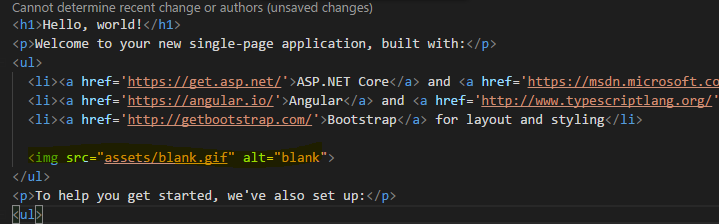
Error:

asadsahi
on 22 Nov 2017
Here is the first gotcha I have come across replacing Home/Index razor view with index.html. I have been using OAuth i.e after external login authentication I redirect to action using:
return RedirectToAction("Index", "Home", new { externalLoginStatus = (int)status });
Note: I have a query string parameter (externalLoginStatus) to pass to client. That works using MVC razor view rendering and query strings persist in browser. Trying to find an equivalent way with angular-cli template.
I have tried this assuming its the same path being use in UseSpa middleware as well, but that ended up in error:
return File("/dist/index.html", "text/html");
FileNotFoundException: Could not find file: /dist/index.html
Can anybody guess how to render index.html with query strings persisted in cli template?
asadsahi
on 22 Nov 2017
In fact this works for now.
return LocalRedirect($"~/?externalLoginStatus={(int)status}");
asadsahi
on 22 Nov 2017
Thanks everyone for the additional feedback.
There's now an updated build t005710d1d of the preview0 template, if you want to try it. I'll update the instructions above to point to this one too. The preview0-t005710d1d version fixes these issues:
- Fixed server-side rendering in published Angular apps
- Fixed the error about AntiForgery.dll in published apps for people on the .NET Core 2.0.0 SDK
@mhheise The --extract-css build flag is required in development builds (not just prod) for anyone using SSR, otherwise you get a flash of unstyled content in between when the prerendered HTML is loaded and when the client-side JS performs the first render. Anyone who knows they definitely won't ever use SSR could remove that flag from their package.json if they wanted though. However you are totally correct about --output-hashing=media - AFAICT that's no longer required in any situation, so I'll remove that from the template shortly. Thanks for pointing this out!
angular-cli assets requests aren't resolved
@asadsahi The default --deploy-url is dist so the URL to assets items is dist/assets/<filename> (not just assets/<filename>. For example, <img src="dist/assets/blank.gif" />.
SteveSandersonMS
on 22 Nov 2017
@SteveSandersonMS how can we be sure that new template is installed using this new package? trying to spot the difference after installing this :)
asadsahi
on 22 Nov 2017
Now app is not crashing, home page rendering is ok, for those who is wondering why fetch-data sample page not being rendered server side - just move ajax calls from components contructor to ngOnInit
mac2000
on 22 Nov 2017
@SteveSandersonMS Thank you for the explanation! That makes sense :) You may already be aware, but it would be wise to remove the output-hashing=media on the start and build scripts but keep --output-hashing=media on the build:ssr script because of this line in Startup.cs.
options.BootModulePath = $"{spa.Options.SourcePath}/dist-server/main.bundle.js";
Otherwise one would be forced to update the boot module path to main.{hash}.bundle.js after each build.
mhheise
on 22 Nov 2017
Just for further discussion: will be nice if bundles with hashed names will be used - it will allow to set cache control to forever which will be better for end users
mac2000
on 22 Nov 2017
@SteveSandersonMS thank you once again for the quick update and fixes :)
Little more feedback, for Publish please enable the hashed names for client bundles (i.e. wwwrootdist), whereas for server side bundles i.e. ClientAppdist-server , keep the hashed names off, since we don't need cache bursting in that case.
Angular 5 introduced ServerTransferStateModule, I think this could also be added to the template. We would need an http interceptor for this; when on server side it would put response of the http request in cache and when on client side it would first check if there is any cached response, it would serve response from cache otherwise make http call.
Ref: https://blog.angular.io/version-5-0-0-of-angular-now-available-37e414935ced
In 5.0.0, the team has added ServerTransferStateModule and the corresponding BrowserTransferStateModule. This module allows you to generate information as part of your rendering with platform-server, and then transfer it to the client side so that this information does not need to be regenerated. This is useful for cases such as when your application fetches data over HTTP. By transferring state from the server, this means developers do not need to make a second HTTP request once the application makes it to the client. Documentation for state transfer is forthcoming in the next few weeks.
naveedahmed1
on 22 Nov 2017
You may already be aware, but it would be wise to remove the output-hashing=media on the start and build scripts but keep --output-hashing=media on the build:ssr script
@mhheise Can you clarify under what circumstances this change would be needed? When I try it using the t005710d1d template, as it is by default without any Update: since updating to Angular CLI 1.5.4, I'm seeing the hash appear in the --output-hashing option on build:ssr, it's producing a bundle named main.bundle.js (i.e., without a hash in its filename) which it exactly what is needed. If you have repro steps for getting the wrong bundle name please let me know!main.server bundle too, so I am now adding --output-hashing=media to build:ssr. Thanks for pointing this out!
for those who is wondering why fetch-data sample page not being rendered server side - just move ajax calls from components contructor to ngOnInit
@mac2000 Can you provide repro steps for this not working? When I try it, it correctly does server-side rendering on the fetch-data sample page without any code changes (besides uncommenting the lines in Startup.cs that enables SSR).
how can we be sure that new template is installed using this new package?
@asadsahi To verify, check that main.server.ts contains a call to renderModuleFactory (which is a new thing, not called at all in the previous version of the template).
Just for further discussion: will be nice if bundles with hashed names will be used
Little more feedback, for Publish please enable the hashed names for client bundles
@mac2000 @naveedahmed1 I recognise the benefit in that configuration, but it's not the default for Angular CLI, and the goal is to be as close as possible to that default (so that whatever tutorials people find online will work just the same here). We have added --deploy-url=/dist/ --extract-css only because they are strictly necessary, but --output-hashing is something developers can make their own choice about when their project is already created.
Angular 5 introduced ServerTransferStateModule, I think this could also be added to the template
@naveedahmed1 The ideal situation would be that whatever tutorials tell people how to apply ServerTransferStateModule to their Angular apps would work the same with this template. So ideally, since it's not the default for all Angular CLI apps, it would not be the default here either, but you'd be able to add it by following the same steps. If it turns out that additional or modified steps are needed then we will have to investigate, but we'll have to wait until they publish docs so we know what the official steps are meant to be.
SteveSandersonMS
on 23 Nov 2017
Thanks @SteveSandersonMS I also spotted new package version (2.0.1-preview1-10006) in csproj file as well. What I was missing while installing was one of your instructions "to install package we need to give full path to nupkg file". I was using relative and it wasn't installing. Spent few hours figuring that out. But finally, got it installed. :)
In fact I am trying this in one of my project which as alot of features and dependencies. I have also upgraded to @angular/[email protected] which has service worker support and everything works since the idea is really great to have angular cli working indpended of .net core. The only thing I am struggling right now is SSR. But will see how far I can get.
asadsahi
on 23 Nov 2017
Update: There now a newer build available, preview0-t00572323b.
The changes in this build are all in the Angular template:
- Update to
@angular/cliversion 1.5.4 - Stop emitting build output to
../wwwroot/dist. Now it just builds toClientApp/dist(and at runtime serves the static files from there), as per the default for Angular CLI. This change was mandatory due to a new rule in CLI 1.5.4. - Removed the
--deploy-urlcustomisation (so now static files are served from/instead of/dist) - Put back the
--output-hashing=mediasetting on the SSR build - Fixed the expanding/collapsing nav button that appears on small screens (e.g., mobiles)
After installing, to verify you have the update, check that the @angular/cli version in your ClientApp/package.json is 1.5.4.
Can anybody please let me know if they have tried the new React/ReactRedux templates from these updated packages, and if so how it went?
SteveSandersonMS
on 23 Nov 2017
Thanks @SteveSandersonMS I have just raised an issue with cli since I have upgraded to cli v1.6.0-rc.0, I was getting:
An asset cannot be written to a location outside the project.
Is this related to 3rd point you mentioned above?
asadsahi
on 23 Nov 2017
@asadsahi Yes (well, it's related to the 2nd point above, not the 3rd). That new rule was introduced in 1.5.4. Your bug report might confuse them a bit since the issue is not with your --deploy-url value, but rather with your outDir setting in .angular-cli.json.
SteveSandersonMS
on 23 Nov 2017
Ahhh I see. I'll remove my comments before someone reads it then :)
asadsahi
on 23 Nov 2017
@SteveSandersonMS once again it work, just managed to publish an app with SSR on IIS. One thing I couldn't figure out what is making node_modules to be installed inside publish folder even I have taken out npm install bit from csproj file. Is it angular-cli doing under the hood?
It is quite painful to deploy on windows environment as you have already mentioned here. Do you have a plan to make it work without node_modules being production dependency and combining these dependencies in one SSR bundle during publish?
asadsahi
on 23 Nov 2017
@asadsahi It's done in your .csproj, where it builds the list of <DistFiles>. I don't like having to deploy node_modules either, but it's currently necessary because Angular CLI 1.5+'s --bundle-dependencies=all doesn't work in AoT builds far as I can tell. I'll report this issue to Angular CLI but can't promise anything is going to change with this any time soon.
SteveSandersonMS
on 23 Nov 2017
Another reason what makes SSR a BIG thing :)
asadsahi
on 23 Nov 2017
@SteveSandersonMS Thanks...
The CLI integration works awesome, though the HMR seems to refresh the page slower compared to previous custom webpack config (which was instant).
_Small change/suggestion:_ The styles added to style.css or styles.scss is currently appearing before bootstrap.css in the CSS bundle. As the result, custom written styles are currently overwritten by bootstrap CSS.
Would it be feasible to switch the orders like below in .angular-cli.json
"styles": [
        "../node_modules/bootstrap/dist/css/bootstrap.min.css",
        "styles.scss"
      ],
Thanks,
David.
 davidsekar
on 24 Nov 2017
davidsekar
on 24 Nov 2017
@SteveSanderson Sorry for my question, but why have you decided to use single quotes into html templates? e.g. <div class='col-sm-3'>
 NorDroN
on 24 Nov 2017
NorDroN
on 24 Nov 2017
Thanks, @SteveSandersonMS. Everything works fine, in the prod mode too.
I also wonder why you use single quotes?
 NazirTemirov
on 24 Nov 2017
NazirTemirov
on 24 Nov 2017
@SteveSandersonMS Since the last couple of days I am struggling with a DI runtime issue during SSR, which is totally misleading. Is there a way to debug the prerendering code?
Here is the error:

DataService accepts HttpClient and HttpClientModule is imported, so I have no idea what angular is on about?
asadsahi
on 24 Nov 2017
Just finished porting a rather big app from the "Classic" template to this new CLI based one, and i have to say it's looking very good, especially helpfull for using the Angular CLI tools for localization.
Keep up the good work.
Only issue i have is publishing and hosting on IIS.
Error Message:
System.InvalidOperationException: The NPM script 'start' exited without indicating that the Angular CLI was listening for requests. The error output was:  ---> System.IO.EndOfStreamException: Attempted to read past the end of the stream.
   at System.Runtime.ExceptionServices.ExceptionDispatchInfo.Throw()
   at System.Runtime.CompilerServices.TaskAwaiter.HandleNonSuccessAndDebuggerNotification(Task task)
   at Microsoft.AspNetCore.SpaServices.AngularCli.AngularCliMiddleware.<StartAngularCliServerAsync>d__4.MoveNext()
   --- End of inner exception stack trace ---
   at Microsoft.AspNetCore.SpaServices.AngularCli.AngularCliMiddleware.<StartAngularCliServerAsync>d__4.MoveNext()
I tried to run dotnet myapp.dll and got the following message:
Now listening on: http://127.0.0.1:8080
Now listening on: https://127.0.0.1:5000
Application started. Press Ctrl+C to shut down.
npmfail: Microsoft.AspNetCore.SpaServices[0]
      npm ERR! path D:\Publish\MyApp\ClientApp\package.json

npm fail: Microsoft.AspNetCore.SpaServices[0]
      npm ERR! code ENOENT
npm ERR! errno -4058
npm ERR! syscall open
npm ERR! enoent ENOENT: no such file or directory, open 'D:\Publish\MyApp\ClientApp\package.json'
npm ERR! enoent This is related to npm not being able to find a file.
npm ERR! enoent


fail: Microsoft.AspNetCore.SpaServices[0]
      npm ERR! A complete log of this run can be found in:
Update:
After reinstalling .net core and Node, published version to IIS works, i guess it was an issue with npm packgaces or something.
 boban984
on 25 Nov 2017
boban984
on 25 Nov 2017
@SteveSandersonMS I tried TransferState Module with this template but it doesn't seem to work.
What I did was, added ServerTransferStateModule to AppServerModule and BrowserTransferStateModule to AppModule as suggested here https://next.angular.io/api/platform-browser/TransferState
Then I added below interceptor, which intercepts each http request and:
- when on server, executes request and stores response in cache.
- when on client, check the cache if cached response exists, it returns it otherwise executes request.
import { Injectable, Inject, PLATFORM_ID } from '@angular/core';
import { isPlatformServer } from '@angular/common';
import { TransferState, makeStateKey } from '@angular/platform-browser';
import { HttpEvent, HttpInterceptor, HttpHandler, HttpRequest, HttpResponse, HttpErrorResponse } from '@angular/common/http';

import { Observable } from 'rxjs/Observable';
import { of } from "rxjs/observable/of";
import { catchError, tap } from 'rxjs/operators';

const CACHE_KEY = makeStateKey('httpCacheKey');

@Injectable()
export class MyInterceptor implements HttpInterceptor {

  private isServer = isPlatformServer(this.platformId);

  constructor(
    @Inject(PLATFORM_ID) private platformId,
    private transferState: TransferState,
    @Inject('BASE_URL') private baseUrl: string) { }

  intercept(req: HttpRequest<any>, next: HttpHandler): Observable<HttpEvent<any>> {

    let modifiedRequest: any;

    let isLocalRequest: boolean = !req.url.startsWith('http');

    if (isLocalRequest) {

      //skip cache check if the request method isn't GET.
      if (req.method == 'GET') {
        // check and serve cached response, if it exists
        const cachedResponse = this.transferState.get(CACHE_KEY, null as any);

        if (cachedResponse) {
          let modifiedResponse = new HttpResponse<any>({ headers: cachedResponse.headers, body: cachedResponse.body, status: cachedResponse.status, statusText: cachedResponse.statusText, url: cachedResponse.url });
          return of(modifiedResponse);
        }
      }

      // Clone the request to add the new header.
      modifiedRequest = req.clone({ headers: req.headers, url: this.baseUrl + req.url, body: req.body });
    }

    return next.handle(isLocalRequest ? modifiedRequest : req)
      .pipe(tap((event: HttpEvent<any>) => {
        if (event instanceof HttpResponse) {
          if (this.isServer && isLocalRequest) {
            this.transferState.set(CACHE_KEY, event as any);
          }
        }
      }));
  }
}
I do see the response being cached and transferred to client, I see below script tag in the markup returned from server:
<script id="ng-cli-universal-state" type="application/json">{&q;httpCacheKey&q;:{&q;headers&q;:{&q;normalizedNames&q;:{},&q;lazyUpdate&q;:null},&q;status&q;:200,&q;statusText&q;:&q;OK&q;,&q;url&q;:&q;http://localhost:49805/api/SampleData/WeatherForecasts&q;,&q;ok&q;:true,&q;type&q;:4,&q;body&q;:[{&q;dateFormatted&q;:&q;11/28/2017&q;,&q;temperatureC&q;:28,&q;summary&q;:&q;Mild&q;,&q;temperatureF&q;:82},{&q;dateFormatted&q;:&q;11/29/2017&q;,&q;temperatureC&q;:-15,&q;summary&q;:&q;Balmy&q;,&q;temperatureF&q;:6},{&q;dateFormatted&q;:&q;11/30/2017&q;,&q;temperatureC&q;:51,&q;summary&q;:&q;Freezing&q;,&q;temperatureF&q;:123},{&q;dateFormatted&q;:&q;12/1/2017&q;,&q;temperatureC&q;:45,&q;summary&q;:&q;Mild&q;,&q;temperatureF&q;:112},{&q;dateFormatted&q;:&q;12/2/2017&q;,&q;temperatureC&q;:1,&q;summary&q;:&q;Mild&q;,&q;temperatureF&q;:33}]}}</script>
But the http requests are executed twice, once on server and again in browser.
naveedahmed1
on 26 Nov 2017
@SteveSandersonMS since there is no pre-renderer tag concept in new template, what is the best way to pass .net server side data to browser lets say as a window object?
asadsahi
on 27 Nov 2017
@asadsahi with new ServerTransferStateModule in Angular 5 you don't need pre-renderer tag. You can use it to transfer state/data from server to client. Read my above comment, I am using same to cache http response on server. The data is received on client but somehow, its not working as expected.
naveedahmed1
on 27 Nov 2017
@naveedahmed1 If the state is being transferred from server to client, then the problem must be on the client. This is not something we have any control over! If you manage to track this down and believe there's something wrong in this template, please let us know what it is.
@asadsahi Use the SupplyData property inside UseSpaPrerendering's configuration block. This lets you assign a callback that runs on each prerendering to let you set additional data that will be passed as params.data to your TypeScript/JavaScript boot module code.
SteveSandersonMS
on 27 Nov 2017
@naveedahmed1 thanks for pointing out. I thought about that initially, but just wanted to check if that option is still available as for some developers that mechanism is more suitable.
@SteveSandersonMS thanks for that. will that data be available as a property on params object in main.server.ts ? (found the answer in above comments :)) Also, Just wanted to ping you on earlier question if there is a way to debug pre rendering code since all I get in browser is an error, but have no idea what is causing this error.
asadsahi
on 27 Nov 2017
Hi guys, I though it to be a simple issue, but cannot identify why any provider in the app isn't being resolved during SSR. It works with no-SSR though. I have an app.module.ts and a app.server.module.ts. As shown in angular-cli template and angular universal starter project, that we import our AppModule in AppServerModule. Thats all I am doing in my project as well, but the error I got is for any provider injected in the constructor of any component. This includes any provider from any 3rd party library e.g ng-bootstrap, ngx-translate or any of my own providers in this application. Can anyone have a quick look to see if I am missing anything obvious in this project. e.g the error I get:

But when I take out ngx-translate from application then I get error for next provider being used in the application.
asadsahi
on 27 Nov 2017
@SteveSandersonMS I tried my interceptor as well as this http transfer service ( https://github.com/Angular-RU/angular-universal-starter/blob/master/src/modules/transfer-http/transfer-http.ts) with this template but having same issue.
It seems that ASP.Net is encoding the transfer state json object, quotes are being converted to &q;, which apparently prevent the BrowserTransferStateModule from reading the transferred response when in browser.
<script id="ng-cli-universal-state" type="application/json">{&q;http://localhost:63783/api/SampleData/WeatherForecasts&q;:[{&q;dateFormatted&q;:&q;11/29/2017&q;,&q;temperatureC&q;:40,&q;summary&q;:&q;Cool&q;,&q;temperatureF&q;:103},{&q;dateFormatted&q;:&q;11/30/2017&q;,&q;temperatureC&q;:18,&q;summary&q;:&q;Chilly&q;,&q;temperatureF&q;:64},{&q;dateFormatted&q;:&q;12/1/2017&q;,&q;temperatureC&q;:-9,&q;summary&q;:&q;Cool&q;,&q;temperatureF&q;:16},{&q;dateFormatted&q;:&q;12/2/2017&q;,&q;temperatureC&q;:28,&q;summary&q;:&q;Mild&q;,&q;temperatureF&q;:82},{&q;dateFormatted&q;:&q;12/3/2017&q;,&q;temperatureC&q;:18,&q;summary&q;:&q;Cool&q;,&q;temperatureF&q;:64}]}</script>
Can you please take a look?
naveedahmed1
on 28 Nov 2017
I can publish a regular dotnet app on my local machine just fine, but when I run publish on this with the default setup I get the following error when trying to run, dotnet redroom.dll
https://puu.sh/yvirX/c181132e98.png
I noticed it creates a dll file for the project in both the publish directory and the netcoreapp2.0 directory, which one should I be running? Sorry if these are basic question I'm pretty new to this and trying to learn how it all works.
Perhaps there is some documentation somewhere I missed.
Sorry, it looks like if your environment variable is still in development it doesn't build what you need to run the published dll. When I switched my variable back to Production it worked fine.
 secondcircle
on 28 Nov 2017
secondcircle
on 28 Nov 2017
@SteveSandersonMS in template AppServerModule bootstraps AppComponent and imports AppModule which also bootstraps AppComponent. Does this look okay? I mean on server it bootstraps AppComponent twice?
naveedahmed1
on 28 Nov 2017
@naveedahmed1 doesn't this starter do the similar thing?
asadsahi
on 28 Nov 2017
Yes you're rite, just found this in comments that the bootstrapped component isn't inherited from imported AppModule, so it needs to be repeated in AppServerModule.
naveedahmed1
on 29 Nov 2017
It seems that ASP.Net is encoding the transfer state json object, quotes are being converted to &q;
@naveedahmed1 ASP.NET isn't changing the HTML string that gets returned by your boot module in any way as far as I know. I just checked that manually making it return some markup like the one in your comment comes through normally without any change of representation. And I've never seen the convention of replacing " with &q; before, so I've no idea where that's coming from. Do you have a minimal repro of this happening? If so I'd like to have a look.
SteveSandersonMS
on 29 Nov 2017
if there is a way to debug pre rendering code
@asadsahi Please see https://github.com/aspnet/JavaScriptServices/tree/dev/src/Microsoft.AspNetCore.SpaServices#debugging-your-javascripttypescript-code-when-it-runs-on-the-server
SteveSandersonMS
on 29 Nov 2017
@SteveSandersonMS I am also having the same issue as @asadsahi is having with SSR:
NodeInvocationException: Can't resolve all parameters for MyService: (?, ?, ?, ?, [object Object]).
Please also share your views about https://github.com/aspnet/JavaScriptServices/issues/1288#issuecomment-347592905
naveedahmed1
on 29 Nov 2017
I am also having the same issue as @asadsahi is having with SSR
Could you provide a minimal repro? It's difficult to keep track of what's being asked in this long thread!
Please also share your views about #1288 (comment)
I did - that was my comment here, or are you asking about something else?
SteveSandersonMS
on 29 Nov 2017
@SteveSandersonMS thank you so much for your quick reply, I am so sorry I missed that comment.
Regarding the first issue, I think @asadsahi already have a repo at https://github.com/asadsahi/AspNetCoreSpa/tree/angularcli as mentioned https://github.com/aspnet/JavaScriptServices/issues/1288#issuecomment-347213170
Regarding
It seems that ASP.Net is encoding the transfer state json object, quotes are being converted to &q;
To reproduce the issue, generate a new project from template, and add below interceptor to the imports of AppModule. Then, run project and go to page that makes http call, refresh it so that I has server generated markup and check the source of that page. You will see the encoded json object.
import { Injectable, Inject, PLATFORM_ID } from '@angular/core';
import { isPlatformServer } from '@angular/common';
import { TransferState, makeStateKey } from '@angular/platform-browser';
import { HttpEvent, HttpInterceptor, HttpHandler, HttpRequest, HttpResponse } from '@angular/common/http';

import { Observable } from 'rxjs/Observable';
import { of } from "rxjs/observable/of";
import { catchError, tap } from 'rxjs/operators';

const CACHE_KEY = makeStateKey('httpCacheKey');

@Injectable()
export class MyInterceptor implements HttpInterceptor {

  private isServer = isPlatformServer(this.platformId);

  constructor(
    @Inject(PLATFORM_ID) private platformId,
    private transferState: TransferState) { }

  intercept(req: HttpRequest<any>, next: HttpHandler): Observable<HttpEvent<any>> {

    // check and serve cached response, if it exists
    const cachedResponse = this.transferState.get(CACHE_KEY, null as any);

    if (cachedResponse) {
      let modifiedResponse = new HttpResponse<any>({ headers: cachedResponse.headers, body: cachedResponse.body, status: cachedResponse.status, statusText: cachedResponse.statusText, url: cachedResponse.url });
      return of(modifiedResponse);
    }


    return next.handle(req)
      .pipe(tap((event: HttpEvent<any>) => {
        if (event instanceof HttpResponse) {
          if (this.isServer) {
            this.transferState.set(CACHE_KEY, event as any);
          }
        }
      }));
  }
}
@naveedahmed1 I checked Angular's sources, and it's Angular that chooses to encode the " as &q;. You can see the code they use to decode it here: https://github.com/angular/angular/blob/6e1896b3338563374df40e15445f6feee0ea66d6/packages/platform-browser/src/browser/transfer_state.ts#L23 So, this is not the reason why state transfer isn't working. There must be some other steps needed to make the client-side code receive the state correctly.
Regarding the first issue, I think @asadsahi already have a repo at https://github.com/asadsahi/AspNetCoreSpa/tree/angularcli
Indeed, but that project is giant, so I can't be sure I'll be looking for the right bug. @asadsahi mentioned here that it repros with "any of my own providers". Plus you also mention you're hitting it, so I'm hoping someone can offer a minimal repro (just adding one service to the stock application).
SteveSandersonMS
on 29 Nov 2017
@SteveSandersonMS as per instructions of debugging, I have added this code in ConfigureServices section of startup:
 services.AddNodeServices(options =>
                {
                    options.LaunchWithDebugging = true;
                    options.DebuggingPort = 9229;
                });
But cannot find debug url in debug console. Is there something else I need to do?
I remeber in old spa template we had webpack dev middleware added as well, but we don't have any additioanl middleware in cli template.
asadsahi
on 29 Nov 2017
@SteveSandersonMS perhaps not the minimal one, but I have managed to bring the same project I have mentioned before, created a new branch and set it up with only app component being loaded under SSR. Structure is exactly based on angular-cli template.
Quick way to run the project:
- Clone the repo and switch to ssrerror branch
- cd into ClientApp and npm install (usual stuff)
- F5 if you are using VS code or studio
At this point if you start un-commenting out any of the custom providers in AppModule, you can see the error.
It may be down to angular compile that it isn't helping with the exact area of failure, hence wanted to try with some sort of debugging while pre-rendering.
asadsahi
on 29 Nov 2017
@SteveSandersonMS , Is the angular CLI based template stable for us to start using? Apologies If you already mentioned it somewhere on the top.
 gursin87
on 29 Nov 2017
gursin87
on 29 Nov 2017
@asadsahi I'm afraid I really will need a genuinely minimal repro to investigate this further. I tried to use your sample project, but it wasn't clear how your config differs from the default. For example, trying to use DI to resolve a Router instance leads to an SSR error in your project, whereas in the stock template doing the same doesn't lead to an error. If you believe there is something wrong in the default project, could you provide a small repro based on the default project? Thanks!
@gursin87 Yes, please see https://github.com/aspnet/JavaScriptServices/issues/1288#issuecomment-346003334
SteveSandersonMS
on 30 Nov 2017
@SteveSandersonMS thanks for trying. I will try to reproduce it in default template. Do you know why I can't see the debug URL as mentioned here
asadsahi
on 30 Nov 2017
Do you know why I can't see the debug URL as mentioned here
It gets logged to the console when the Node instance starts up, which is when the first prerendering process starts. So make sure you've made at least one request to your server - that's when it starts prerendering.
SteveSandersonMS
on 30 Nov 2017
@SteveSandersonMS still can't see the debug url in console. Can this be because of the pre-rendering error that I am having?
I can see the debug in url in default cli template though.
asadsahi
on 30 Nov 2017
@SteveSandersonMS thank you so much for your response.
Unfortunately, I am still unable to use Transfer State Module with this template.
There is a cli based repo https://github.com/Angular-RU/angular-universal-starter , with Transfer State Module which works fine (demo here http://master-ssr.gorniv.com/back). But when we port this code to the .NetCore Angular template this no longer works and requests are rendered twice once on server and once on client.
You are rite, the &q is not an issue, because when adding transfer state and manually adding below script tag to index.html file, it is able to pick it from markup. So apparently, the issue is when script tag is added to markup.
<script id="ng-cli-universal-state" type="application/json">{&q;http://localhost:63783/api/SampleData/WeatherForecasts&q;:[{&q;dateFormatted&q;:&q;11/29/2017&q;,&q;temperatureC&q;:40,&q;summary&q;:&q;Cool&q;,&q;temperatureF&q;:103},{&q;dateFormatted&q;:&q;11/30/2017&q;,&q;temperatureC&q;:18,&q;summary&q;:&q;Chilly&q;,&q;temperatureF&q;:64},{&q;dateFormatted&q;:&q;12/1/2017&q;,&q;temperatureC&q;:-9,&q;summary&q;:&q;Cool&q;,&q;temperatureF&q;:16},{&q;dateFormatted&q;:&q;12/2/2017&q;,&q;temperatureC&q;:28,&q;summary&q;:&q;Mild&q;,&q;temperatureF&q;:82},{&q;dateFormatted&q;:&q;12/3/2017&q;,&q;temperatureC&q;:18,&q;summary&q;:&q;Cool&q;,&q;temperatureF&q;:64}]}</script>
@naveedahmed1 can you check if you can see debug URL while an error during prerendering. Thanks
asadsahi
on 30 Nov 2017
@SteveSandersonMS quick one, in order to access params.data.myCustomData on client side is there an any other way or we have to use ngAspnetCoreEngine?
asadsahi
on 1 Dec 2017
@asadsahi I tried it by following the instructions at https://github.com/aspnet/JavaScriptServices/tree/dev/src/Microsoft.AspNetCore.SpaServices#debugging-your-javascripttypescript-code-when-it-runs-on-the-server
I do see this in command prompt after I open the app in browser http://localhost:64543:
Debugger listening on ws://127.0.0.1:9229/5dba19b9-c0b0-4d85-b089-851b63c712e5
But opening that link directly doesn't work. What works is:
Open chrome://inspect and from Target list click Inspect for the desired instance.
Click Sources tab and from there you can debug desired script.
naveedahmed1
on 1 Dec 2017
@SteveSandersonMS I started experimenting with the new template, in order to update our existing project to support Angular 5 with SSR working (as we had to disable SSR after the update).
I honestly used to quite like how it used to work as I found it more "flexible" from a .NET point of view, or perhaps its because I don't know how to handle stuff with the new way.
I have the following questions:
- From my understanding, the Razor initial view it's not possible anymore, correct? So the previous tag helper
asp-prendereris it deprecated or?
With razor view we used to: - do conditional rendering e.g.
@ifsuch as load a style sheet for prod only or load service worker for prod only HTML binding such as add
langattribute e.g.<html lang="@Model.LanguageCode">(we used to do this as the page needs a full refresh for language switching)Passing data from .NET > Node server > Client
- To pass from .NET to Node server there's the
SupplyData"middleware' action which can be used to do so, which is quite ok. - To pass data from Node Server to the Client, since the
globalswas removed, what should be used?
- To pass from .NET to Node server there's the
I hacked the following quickly and it worked, but well, not too happy with it. We used to pass some initial bootstrapping/configuration from the server with it.
  return renderPromise.then(html => {
      const startupContextScript = setData({
      device: params.data.device
    });

    html = html.replace('$$script$$', startupContextScript);
    return {
      html
    };
  });
  // globals: {
  //   appName: 'chiko',
  //   device: params.data.device
  // }
});

function setData(data) {
  return `<script type="text/javascript">window.startupContext = ${JSON.stringify(data)}</script>`;
}
 stephenlautier
on 1 Dec 2017
stephenlautier
on 1 Dec 2017
@stephenlautier I can see some of your pain points as I am in the same boat as you are. I was in favour of having the only razor page to be served from server to provide shell of SPA with initial config/data on window context. Applying cache tag helper was another easy built in feature in asp.net. Not sure about the performance of razor initial load vs angular pre-rendering yet. But overall index page setup was really easy.
But when I look at the changes and enhancements that angular eco-system brings through angular-cli, I tend to think that this new cli template model of having angular-cli working independently of .net is quite beneficial by keeping two best worlds of .net and angular isolated while keeping developers productive.
Thanks for sharing your hack of initial data passing to client, I was looking for something similar until there is a builtin way to pass this data to some angular provider directly or something similar.
For web worker registration, I have got something like this:
environment.production ? ServiceWorkerModule.register('/ngsw-worker.js') : [],
asadsahi
on 2 Dec 2017
@naveedahmed1 thanks for confirming about debug url. something wrong in my setup then as I am still unable to see the debug url. Not sure if there is some other service in the pipeline which is interfering with this or something else.
asadsahi
on 2 Dec 2017
@SteveSandersonMS Had to explicitly add bootstrap.js to the cli config file. since bootstrap is part of the template, shouldn't this be already added?
gursin87
on 2 Dec 2017
@SteveSandersonMS I am quite sure there is something wrong either with this template or with aspnet-prerendering that prevents TransferState to work properly. There is another module from Universal (TransferHttpCacheModule), that automatically handles the http request caching on server which underneath uses TransferStateModule. Even that module doesn't work with this template. Here is the link to that package https://www.npmjs.com/package/@nguniversal/common
naveedahmed1
on 2 Dec 2017
@MarkPieszak in one of our conversations in mid Nov, you mentioned about some change in AngularCompilerPlugin, which was preventing TransferState to work with https://github.com/MarkPieszak/aspnetcore-angular2-universal 5.x . Should that issue affect this new .Net Core Angular template as well?
You mentioned:
It is something happening at the AngularCompilerPlugin level that's not able to handle things (for our aspnet use-case) the way the previous AoTPlugin for 4.x was.
I talked with some of the guys from the CLI team and will hopefully circle back with them early next week to get it all ironed out!
naveedahmed1
on 2 Dec 2017
I'm just thinking out loud, if we are trying to keep angular and dotnet core separately, what are the benefits we will get by doing all of these rather than having angular CLI application and dotnet core API application separately,
we already loose the razor and also using ng serve instead of IIS for angular
 chamikasandamal
on 2 Dec 2017
chamikasandamal
on 2 Dec 2017
@SteveSandersonMS I am really sorry I have got no clue to why is causing "Cannot resolve all parameters error".
Angular-cli spa template or universal-starter proves SSR with minimalistic setup. But in real world application we have a reasonable number of components and their dependencies and angular universal doesn't seem to be helping in identifying this errors. What I am getting is totally misleading and unclear. All I have done so far is spent a lot of time working based on guesses and almost re-written the same project I have been working on in few different way.
Here are few things I have tried:
- Was using a newer version of typescript, so I have tried with same version matching with angular-cli template. (doesn't work)
- Was using typescript paths in my project. Tried without them, even there isn't any evidence I could find that these aren't supported in SSR (doesn't work)
- Was using barrels in my project and based on discussion here and here, Tried taking out all barrels from project. (doesn't work)
- Was using CoreModule and SharedModule as best practice of organising code. But I have tried flattening them out into list of components/services at the root of the project giving no reason to angular not to find any missing dependency since all the modules and their providers were registered at AppModule level. (doesn't work)
One things is very difficult to explain again is that I managed to run something last night when I tried Option 4, but the same project when I am running now is ending up with same error, which has left me clueless again.
If anyone can find anything around this error, I would really appreciate that as I really wanted to have SSR working and sleep in peace. :)
asadsahi
on 2 Dec 2017
@chamikasandamal .net is and will be used as backend in this particular setup of spa templates (like any other backend we need for angular application) and IIS isn't gone, that will still be recommended proxy server at this moment for production. But I agree that we have lost some benefits of razor for sure.
asadsahi
on 2 Dec 2017
@asadsahi : if you understood my point clearly, if we use separate web api project using dotnet core, still back-end will be .net.
I don't see any benefit(compared to angular 4 version) of going for this over having two different projects for front end and backend other that cross domain issues.
chamikasandamal
on 2 Dec 2017
@chamikasandamal @asadsahi
This repository is for those that want to combine them. I had one instance where I had to combine them due to the way my Header and Footer was being generated through a serviec at work. I had to boostrap through .NET and pass the into a model into Razor, I never got it to work otherwise. So this template was great for me for that specific project.
If I didnt have that requiement. I like to decouple my Angular website from my .NET Web Api and deploy on separate servers, as @chamikasandamal mentioned
jrmcdona
on 3 Dec 2017
Just wondering two questions:
- Should this be splited, guys who are using React may never found this thread, also while Angular stuff not done, React waiting for release.
- Might it be in depend of Angular CLI / Create React App, e.g. this utilities are moving very fast and it might be never ending race.
For second question to work we need kind of reverse engineer this template and compare it with original Angular CLI to find what is changed, did not found anything, in repository there is already generated application unfortunatelly
mac2000
on 3 Dec 2017
Steve,
I've developed (and am maintaining) apps using AngularJS, and am eager to get up to speed on Angular2 (AngularIO) for future projects.
I've managed to get a project generated and running, from the Angular SPA templates, but was interested in bypassing the whole webpack process, as it seems overly complicated, TBH.
I am, however, having issues installing Microsoft.DotNet.Web.Spa.ProjectTemplates.2.0.0-preview0-t00572323b.nupkg
When attempting to install this (via Powershell or Command prompt) I get the following...
`Templates Short Name Language Tags
Console Application console [C#], F#, VB Common/Console
Class library classlib [C#], F#, VB Common/Library
Unit Test Project mstest [C#], F#, VB Test/MSTest
xUnit Test Project xunit [C#], F#, VB Test/xUnit
ASP.NET Core Empty web [C#], F# Web/Empty
ASP.NET Core Web App (Model-View-Controller) mvc [C#], F# Web/MVC
ASP.NET Core Web App razor [C#] Web/MVC/Razor Pages
ASP.NET Core with Angular angular [C#] Web/MVC/SPA
ASP.NET Core with React.js react [C#] Web/MVC/SPA
ASP.NET Core with React.js and Redux reactredux [C#] Web/MVC/SPA
ASP.NET Core Web API webapi [C#], F# Web/WebAPI
global.json file globaljson Config
Nuget Config nugetconfig Config
Web Config webconfig Config
Solution File sln Solution
Razor Page page Web/ASP.NET
MVC ViewImports viewimports Web/ASP.NET
MVC ViewStart viewstart Web/ASP.NET
Examples:
dotnet new mvc --auth Individual
dotnet new xunit
dotnet new --help
`
Having seen several of your technical presentations, I have every confidence on your ability, so am willing to accept that I'm being a bit of a Klutz, and the fact that I work in a team of one, I'm definitely behind the curve on the whole npm ecosystem.
What am I missing?
I have NPM V5.5.1, DotNet 2.0.2 & Node 8.9.0, BTW.
 belugabob
on 3 Dec 2017
belugabob
on 3 Dec 2017
@belugabob : you have already done the installation just calldotnet new angular to create angular template
chamikasandamal
on 3 Dec 2017
@chamikasandamal - that's what I'd hoped, but the response was instantaneous, suggesting that it did nothing.
It turns out that I've become too accustomed to operations taking some time (and giving some kind of definite feedback as to whether they succeeded or not) - getting cynical, in my old age, I guess.
Project generated, and running in VS2017 (CE) - pleasantly surprised by the speed of operation and, having had a very nice Sunday meal, prepared by my lovely wife, I'm getting on with my investigations - which include reading Steve's post more closely ;)
Looking forward to seeing how this progresses, and the fact that the 'burger' menu now works correctly (i.e. menu disappear, when an item is selected) may mean that I stick with Bootstrap instead of trying to convince the project to use Angular Material.
Will attempt to keep you posted with my progress.
Thanks very much.
belugabob
on 3 Dec 2017
@mac2000 Every issue that anyone is finding should be a different thread. Steve already asked that because it is too hard to track everything that is going on in this one thread.
 RobCannon
on 3 Dec 2017
RobCannon
on 3 Dec 2017
Sure thing, Rob. Pretty new to the thread/issue format, so will make efforts to get to grips with patterns of behaviour.
On 3 Dec 2017 21:29, at 21:29, Rob Cannon notifications@github.com wrote:
@mac2000 Every issue that anyone is finding should be a different
thread. Steve already asked that because it is too hard to track
everything that is going on in this one thread.--
You are receiving this because you were mentioned.
Reply to this email directly or view it on GitHub:
https://github.com/aspnet/JavaScriptServices/issues/1288#issuecomment-348816378
belugabob
on 3 Dec 2017
@SteveSandersonMS :
Consider whether it's desirable to have package.json and node_modules at project root
I would prefer to have both(angular cli and dotnet core) in the root level rather than clientapp folder. so node_modules and strtup.cs will be in same root level
chamikasandamal
on 4 Dec 2017
Is there a way to have certain routes/modules not get put into the bundle that is created for Server Side Rendering? I'm using TinyMCE and getting errors because it tries to access a dom element.
secondcircle
on 7 Dec 2017
@secondcircle you might check if you are rendering inside browser or not before instantiating TinyMCE, e.g.:
ngOnInit() {
    if (isPlatformBrowser(this.platformId)) {
      this.cities = this.service.getCities()
    }
}
so from backend you will receive page without tinymce, but after application is being bootstraped ngOnInit will still run and will go insade if check and instantiate TinyMCE
hope that helps
mac2000
on 7 Dec 2017
Here is what I were talking about, CLI 1.6.0 released - from now on there is a "right" way to create universal apps, e.g.:
ng new my
cd my
ng g universal ssr
npm i
ng b -prod
ng b -prod --app ssr
but still you are required to provide your simple server.js file which will serve generated dist files
it will be never ending race condition, will be nice if there will be instructions how to setup dotnet core or may be template without app itself, e.g. generated dotnet core app is expecting that there is dist-server folder and serves app from it
mac2000
on 7 Dec 2017
Has anyone tried to translate an old project into a new template? Can you provide a detailed description of how to do this?
Thanks.
NazirTemirov
on 7 Dec 2017
@NazirTemirov I've tried to upgrade old project into a new template (and also from ng 4 to ng 5). After few unsuccessful attempts to migrate, I've already understood that the best way to upgrade project is to move each of your components separately (especially if you project is really big and has a lot of dependencies). Maybe this approach is not the best and very fast, but it helps you to better understand what is wrong with your code and easily fix it.
 svoychik
on 7 Dec 2017
svoychik
on 7 Dec 2017
I have been able to migrate a major portion of a relatively large project to this template without any major issues.
If you are migrating an Angular CLI based project, I believe the migration should be more smooth than if you are migrating an old .Net Core Angular template based project.
For issue @secondcircle is having (or even for few of the other issues as well) take a look at
https://github.com/angular/angular-cli/issues/8749 , these issues are not due to this template rather its how Angular CLI works.
Two major issues, which I think still exists in this template are:
Lazy Loading doesn't with with SSR and I already have an open issue about it https://github.com/aspnet/JavaScriptServices/issues/1413.
Secondly, when we publish it also deploys node_modules folder. See https://github.com/aspnet/JavaScriptServices/issues/1288#issuecomment-346648687
@SteveSandersonMS since Angular CLI 1.6 is released, can you please update the template and also take a look at the above two issues since with these issue, its difficult to use a project based on this template in production.
naveedahmed1
on 7 Dec 2017
Thanks @svoychik and @naveedahmed1. I migrated the old .Net Core Angular template based project. It seems everything works well!
NazirTemirov
on 7 Dec 2017
@naveedahmed1 @mac2000 Thanks for the advice but unfortunately it doesn't fix the issue.
I'm not receiving an exception when I try to load that specific component, It's actually throwing an exception when the first request is sent to the server, even on a page that works fine with server-side rendering. Because the TinyMCE JS file that references a dom element is bundled in the file that gets generated when you compile the server side rendered bundle. I think, I'm still pretty new at this.
Again this only happens when you publish the app, using webpack on the development side everything works as expected with no errors.
I basically have a front end of the site that I need to work for SEO and a back-end admin side where there is a login and some admin related stuff that I don't need SEO for, and I seem unable to find a way to set this admin section to not even bother with anything related to SSR because it is such a hassle.
In this specific example, I have only added the Module and Import statement, I'm not even using the module anywhere in the project and it still throws the exception.
I've attached the error log.
secondcircle
on 7 Dec 2017
@secondcircle I understood your issue at first place since I also faced this.
As I suggested, the solution is in the discussion at https://github.com/angular/angular-cli/issues/8749 . And there isn't anything wrong in this template that should cause this issue.
You need to add exclude array to tsconfig.server.json which include files that breaks SSR. Like https://github.com/angular/angular-cli/issues/8749#issuecomment-349647355
naveedahmed1
on 7 Dec 2017
I see what you're saying, I just can't seem to make that work. I tried excluding every single file I could find related to TinyMCE and I still get the error. I may just end up splitting it up into two angular apps.
secondcircle
on 7 Dec 2017
The preview1 version of this new template is now published. For installation instructions, please see https://github.com/aspnet/JavaScriptServices/issues/1288#issuecomment-346003334. Full docs on this will appear on https://docs.microsoft.com/en-us/aspnet/core/index soon - hopefully in the next day or so. We aim to release the final released version of the new SPA templates in January, depending on feedback.
Now seems like a good time to mark this giant issue as closed. For any further issues discovered with the new templates, please post separate issues. Thanks for all the feedback so far!
SteveSandersonMS
on 8 Dec 2017
@SteveSandersonMS that's awesome. Any update on node_modules folder that is copied to deployment folder when we published?
naveedahmed1
on 8 Dec 2017
@naveedahmed1 Please see https://github.com/angular/angular-cli/issues/8616 for any updates on that. If this is important to you, please consider helping the Angular CLI team find a fix for that and submit a PR to that repo.
SteveSandersonMS
on 8 Dec 2017
@SteveSandersonMS isn't it fixed as per https://github.com/angular/angular-cli/issues/7903
naveedahmed1
on 8 Dec 2017
Hello everyone. How about to add StaticFileOptions to UseSpaStaticFiles() for response caching? May be, I did it wrong, but this approach does not working and I think. problem is in UseSpaStaticFiles method:
app.UseStaticFiles(new StaticFileOptions
            {
                OnPrepareResponse = (context) =>
                {
                    var headers = context.Context.Response.GetTypedHeaders();
                    headers.CacheControl = new Microsoft.Net.Http.Headers.CacheControlHeaderValue
                    {
                        Public = true,
                        MaxAge = TimeSpan.FromDays(365)
                    };
                }
            });
 ridicoulous
on 8 Dec 2017
ridicoulous
on 8 Dec 2017
@ridicoulous can you please open a new issue at https://github.com/aspnet/JavaScriptServices/issues
its a giant thread and already marked as closed after release of preview1.
naveedahmed1
on 8 Dec 2017
I may have found a regression with the newest template Microsoft.DotNet.Web.Spa.ProjectTemplates::2.0.0-preview1-final.
In older templates, the Program class had a method IWebHost BuildWebHost which has been replaced with IWebHostBuilder CreateWebHostBuilder.
The problem occurs when attempting to run EF migrations dotnet ef migrations add Migration1. The new template causes the following error to appear
Unable to create an object of type 'DbContext'. Add an implementation of 'IDesignTimeDbContextFactory<DbContext>' to the project, or see https://go.microsoft.com/fwlink/?linkid=851728 for additional patterns supported at design time.
Some digging about shows that BuildWebHost is a convention expected by Entity Framework Core Design Tools. see https://github.com/aspnet/Hosting/blob/cda9ec6fe416eaa4fdc8f72276c7b16941d9761c/shared/Microsoft.AspNetCore.Hosting.WebHostBuilderFactory.Sources/WebHostFactoryResolver.cs
There is a solution - which is to expose the IDesignTimeDbContextFactory<DbContext> as suggested in the error message - but it would be easier for everybody if EF Design tools work out of the box.
As general feedback, the template works well and feels more natural to use than previous webpack-based one. However the requirement to copy node_modules folder when using SSR is kind of a big drawback as has been mentioned by others.
Also, for my use case which had dependencies on ng-bootstrap, I ran into problems where node could not compile their .js files with ES6 import statements. This was not a problem with the previous template where webpack would remove these statements.
 andrewjsaid
on 12 Dec 2017
andrewjsaid
on 12 Dec 2017
@andrewjsaid it's super awesome that you tracked down the root cause for this. Can you please open a new issue for it? This is the suggested action a few comments back.
As much as I hate saying this, but it might be time to lock / limit this contributors of this thread in favor of new issues.
Meligy
on 12 Dec 2017
OK, thanks for the suggestion @Meligy. I will lock this thread now, only so that people will post any further issues as separate issues and we don't keep spamming everyone who's ever commented here :)
SteveSandersonMS
on 13 Dec 2017
Related issues
 caesay
·
3Comments
asadsahi
·
3Comments
caesay
·
3Comments
asadsahi
·
3Comments
 mounthorse-slns
·
3Comments
mounthorse-slns
·
3Comments
 LovedByTheLord
·
3Comments
LovedByTheLord
·
3Comments
 justinyoo
·
3Comments
justinyoo
·
3Comments
Most helpful comment
How to try it
dotnet --versionin a command prompt. Also you need Node.js installed (check by runningnode -v).In your command prompt, run:
Now you can create projects with it:
mkdir my-new-appcd my-new-appdotnet new angularordotnet new reactordotnet new reactreduxViewsdirectory, and itsStartup.cscontains a call toapp.UseSpa, then you do have the new template.dotnet build(note: on the first run, this will do the NPM restore, which can take a few minutes)ASPNETCORE_EnvironmenttoDevelopment(e.g.,set ASPNETCORE_Environment=Developmentin Windows (non-Powershell prompt) orexport ASPNETCORE_Environment=Developmenton macOS/Linux)dotnet run.csprojin Visual Studio 2017 and run the project from there.Note that these new SPA templates work by running the SPA framework's development server in the background (instead of Webpack dev middleware). So for the Angular template, it runs the Angular CLI server in the background, and for the React templates, it runs the dev server configured by create-react-app. If you run your app from a command prompt (i.e., not launching in IISExpress from VS), then you'll see it display the compilation progress.
Other features
There are various other things you can do:
Startup.cs. In the React/ReactRedux templates, SSR is not a built-in feature because create-react-app itself does not have that feature.dotnet publish -c Release, or use VS's "Publish" UI) then it will internally build a production-ready version of the client app too, so you'll be serving fully optimised code.ClientAppsubdirectory, you can run whatever commands are applicable to your SPA framework. For example, for Angular, you can run things likeng test,ng e2e,ng lint, or for React/ReactRedux you can runnpm testetc.ClientAppsubdirectory, not at the ASP.NET project root, because the entire client-side app exists inClientApp.cd ClientAppthen runnpm start), and change yourStartup.csso that instead of callingspa.UseAngularCliServerorspa.UseReactDevelopmentServer, you instead callspa.UseProxyToSpaDevelopmentServer("http://localhost:4200");(update the port number as appropriate). Then you won't need to wait for the Angular/React/etc app to rebuild each time you restart the ASP.NET app.ClientAppsubdirectory out of the project to another location. Then you can run things likeng serveornpm startand it will be a pure SPA with no ASP.NET.Reverting to the previous template
If you want to go back to the existing RTM SPA template, then you can delete the directory
.templateenginewhich is at the root of your user directory. For example, on Windows, that might be atc:\Users\yourname\.templateengine. Then next time you rundotnet newit will reset the templates to the default ones shipped in the SDK.Feedback
If you discover any glaring bugs, please let us know. Equally important, if you don't discover any bugs and in fact it appears to work nicely, then please post to say that too, as it gives us extra confidence to ship this soon.