How to I setup javalin with SSL support with browser said it is safe freely?
 LoSunny
All 8 comments
Hi @LoYungSum. SSL is handled by Jetty, there's an example at io.javalin.examples.HelloWorldSecure.
 tipsy
on 19 Apr 2019
tipsy
on 19 Apr 2019
I know. But it didn't said how to make it become "secure"
LoSunny
on 19 Apr 2019
tipsy
on 19 Apr 2019
After reading it. I still don't know what should I do.
First, I create a file which contains the private key which is named cert.cer.
Then I execute this command
openssl crl2pkcs7 -nocrl -certfile cert.cer -out certificate.p7b
Then I insert the p7b to my keyfile
keytool -import -alias example -trustcacerts -file certificate.p7b -keystore keystroke.jks
But I got this error
keytool error: java.lang.Exception: Input not an X.509 certificate
LoSunny
on 19 Apr 2019
@LoYungSum This isn't really related to Javalin. Maybe you can post on stack overflow?
tipsy
on 19 Apr 2019
Ok.
LoSunny
on 19 Apr 2019
@LoYungSum this article may help you https://examples.javacodegeeks.com/enterprise-java/jetty/jetty-ssl-configuration-example/ (there's dedicated section on how to configure ssl for embedded jetty which is used by javalin).
 ernestas2k
on 19 Apr 2019
ernestas2k
on 19 Apr 2019
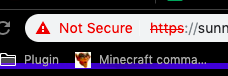
But the example still haven't solve the problem for "secure"
http://examples.javacodegeeks.com/wp-content/uploads/2015/06/ssl_im1.jpg
LoSunny
on 21 Apr 2019
Related issues
 gane5h
·
3Comments
gane5h
·
3Comments
 TobiasWalle
·
3Comments
TobiasWalle
·
3Comments
 joshdurbin
·
3Comments
joshdurbin
·
3Comments
 accron-1
·
4Comments
accron-1
·
4Comments
 maxemann96
·
5Comments
maxemann96
·
5Comments