Hi,
I know there is straightforward way to crop an horizontal rectangle. I need to crop a set of rectangles (up to 100). These rectangles are in the same image, are not horizontal and not necessarily have the same angle with the horizontal axis. As a consequence, rotating the image 100 times to crop 100 horizontal rectangles is not efficient.
Do you know a simple way to do that? Does it exist a method like "crop ( new Point(x1, y1), new Point(x2, y2), new Point(x3, y3), new Point(x4, y4) )"?
 nlebreton
All 15 comments
We can apply the reverse transformation directly into an image of the right
size to avoid the cropping.
 saudet
on 26 Jun 2018
saudet
on 26 Jun 2018
Great! Do you an example or the key methods to be used?
nlebreton
on 26 Jun 2018
Just warpAffine() will do that:
https://docs.opencv.org/3.4.1/d4/d61/tutorial_warp_affine.html
saudet
on 26 Jun 2018
Though if you have 4 points, you probably have a perspective transformation instead, and you'd use getPerspectiveTransform() instead of getAffineTransform() and warpPerspective() instead of warpAffine(). If you have any issues translating that to Java, let me know!
saudet
on 27 Jun 2018
Hi,
Yesterday, I followed your recommandations and started with warpAffine(srcMat,outMat,rotMat,size) and the following data:
<center x="753" y="203" />
<size w="43" h="36" />
<angle d="-88" />
The image rotates around the center of the leaning rectangle but I have not yet understood how to use the "size" argument of the method warpAffine(...) to "crop" the resulting horizontal rectangle based on its center, its width and its height.
nlebreton
on 27 Jun 2018
I can also have the following data for each leaning rectangle:
<point x="736" y="182" />
<point x="772" y="183" />
<point x="769" y="223" />
<point x="735" y="225" />
Based on what I already did and the data I have, which approach seems to you finally to be the best?
nlebreton
on 27 Jun 2018
Like I said, if you have 4 points, I'd just use a perspective transform.
saudet
on 27 Jun 2018
Ok. Thanks. I will work in this direction and keep you informed.
nlebreton
on 27 Jun 2018
I have tried to use both getPerspectiveTransform() and warpPerspective() based on few examples I found. The resulting image has the good size but is completly dark.
https://gist.github.com/nlebreton/21ce05a0078fa2b0f86f5d1b213b8ba7
nlebreton
on 27 Jun 2018
You'll need to call it that way:
getPerspectiveTransform(srcPts.position(0), dstPts.position(0))
saudet
on 28 Jun 2018
I have already tried that but the result is the same: an image with the good size but completly dark.
For information,
- in srcPts and dstPts, the points are in the following order.
        1st-------2nd
         |                |
         |                |
         |                |
        3rd-------4th
- I have check that the coordinates of the corners are correct by drawing lines on the source image
I'm pretty sure that works. You're just forgetting the calls to postition(0).
saudet
on 28 Jun 2018
Unfortunately, there still is the same issue after adding position(0).
nlebreton
on 28 Jun 2018
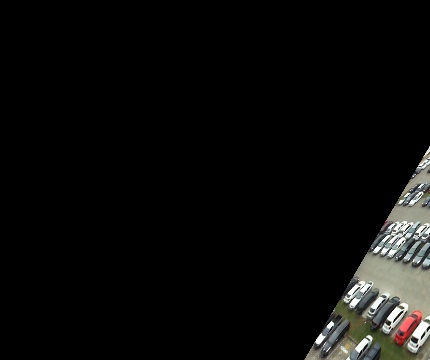
When I increase de size parameter of warpPerspective(), I can see a part of the rotated image at the bottom right corner. It explains the black rectangle.
nlebreton
on 28 Jun 2018
Our last exchange helped me to understand that the issue comes from bad coordinates for the destination:
BAD:
dstPts.position(0).x(x1).y(y1);
dstPts.position(1).x(x1+srcWidth).y(y1);
dstPts.position(2).x(x1).y(y1+srcLength);
dstPts.position(3).x(x1+srcWidth).y(y1+srcLength);
GOOD:
    dstPts.position(0).x(0).y(0);
    dstPts.position(1).x(srcWidth).y(0);
    dstPts.position(2).x(0).y(srcHeight);
    dstPts.position(3).x(srcWidth).y(srcHeight);
Thx for your help.
nlebreton
on 29 Jun 2018
Related issues
 chenhl05
·
4Comments
chenhl05
·
4Comments
 cansik
·
4Comments
cansik
·
4Comments
 kongqw
·
4Comments
kongqw
·
4Comments
 The-Crocop
·
5Comments
The-Crocop
·
5Comments
 eldhosengeorge
·
3Comments
eldhosengeorge
·
3Comments