Jackett: [720pier] Login fails and brings to a weird page
So whenever I try to add 720pier as indexer and hit Okay, instead of successfully login (or being thrown an error) I'm brought to a blank page where the only element is a button on the top-left corner linking to http://www.liveinternet.ru/click for some reason. The url of the blank page is: /UI/Dashboard#search
I deleted the json files for 720pier but that didn't help. Also I thought this was my problem because just yesterday I changed my 720pier password to a more elaborate one, but going back to a simpler password doesn't seem to fix the issue either.
 whitesnakeftw
All 11 comments
I cant replicate this. Works for me.
Please provide the full enhanced log file.
- scroll down to the bottom of the Jackett Dashboard and tick the enhanced Logging checkbox
- scroll up a bit and click on the apply server settings button
- repeat the test
- find the log.txt file (linux
~/.config/Jackett/, windows%ProgramData%\Jackett) - edit it with a plain text editor, redacting any personal details, usernames, passwords, passkeys, hashes etc.
- save, then drag-drop it here for us to take a look at.
Thanks.
 garfield69
on 1 Feb 2019
garfield69
on 1 Feb 2019
I closed the program and deleted the old log, so the new one should contain only the relevant info. Only thing that seemed to need redacting was the sid
Thanks for the help
whitesnakeftw
on 3 Feb 2019
Hmmm. does your username and/or password contain Cyrillic characters by any chance?
the log frustratingly hides all the non-English characters with ? so I can be sure, but it seems that there might be a login error message there, as the html structure looks similar to that I get if I deliberately use an invalid username during a direct login via the browser.
I've seen tickets where this is a problem on other non-English sites.
garfield69
on 3 Feb 2019
Actually no, both username and password are simple ASCII strings. And I confirm all the ? were already there
whitesnakeftw
on 3 Feb 2019
I can replicate your results if I deliberately put an invalid username in the 720pier config. then after clicking the OKAY i get this page instead of an error message
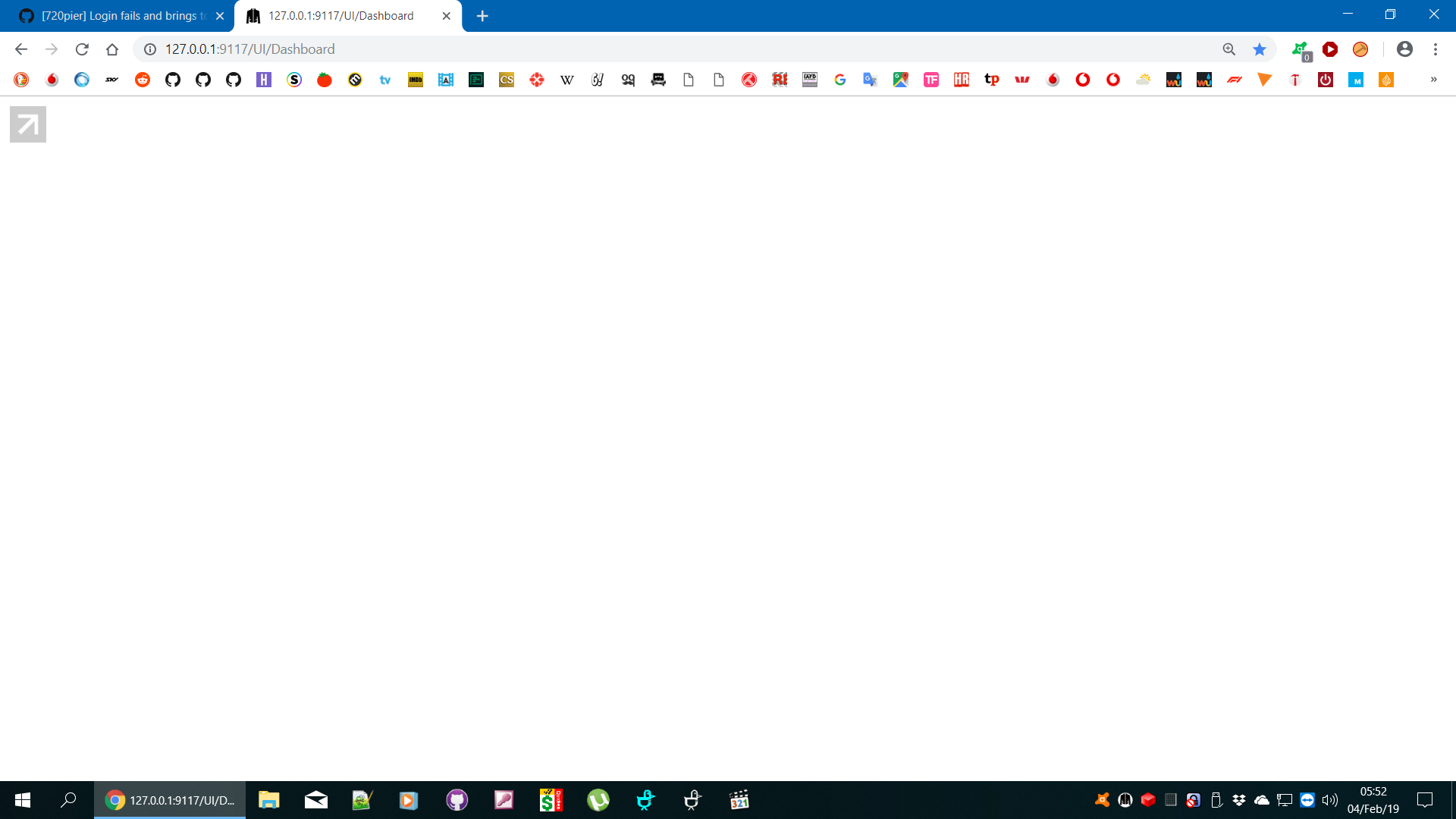
@kaso17 this is one for you to sort out please, can you fix so that we get an error message please? Thanks.
garfield69
on 3 Feb 2019
So weird, my username is really really basic [A-z] and I've had it for years. So is my password but it's also got numbers, really nothing fancy. I'm wondering if that password change triggered anything (I have not changed any settings onsite btw).
Also, for further reference, I was using Chrome before, so I also tried on an incognito Firefox session and the exact same thing happens.
whitesnakeftw
on 3 Feb 2019
it'll be something obvious, once we can actually get to read the error message.
garfield69
on 3 Feb 2019
Okay I was actually able to fix it. I went on the site, logged off, logged back in, deleted the .json files, restarted Jackett, and successfully added the indexer (even though it took it quite some time, like 10-15 seconds).
So I'm guessing the problem is in fact related to my password change. Maybe due to the fact that when you perform a password change on the site it doesn't really log you off and back in, so possibly some cookies fail to regenerate? Anyway this should be easy to reproduce by changing one's password.
whitesnakeftw
on 3 Feb 2019
glad you sorted it out.
we will leave this ticket open to chase the error message display failure which hopefully @kaso17 can sort out when he is available.
garfield69
on 3 Feb 2019
Is this bug still present after the changes I made in #6670 ?
 cadatoiva
on 13 Jan 2020
cadatoiva
on 13 Jan 2020
no, I can no longer replicate this error.
starting with 720pier from the add-an-indexer page, entering an invalid password generates
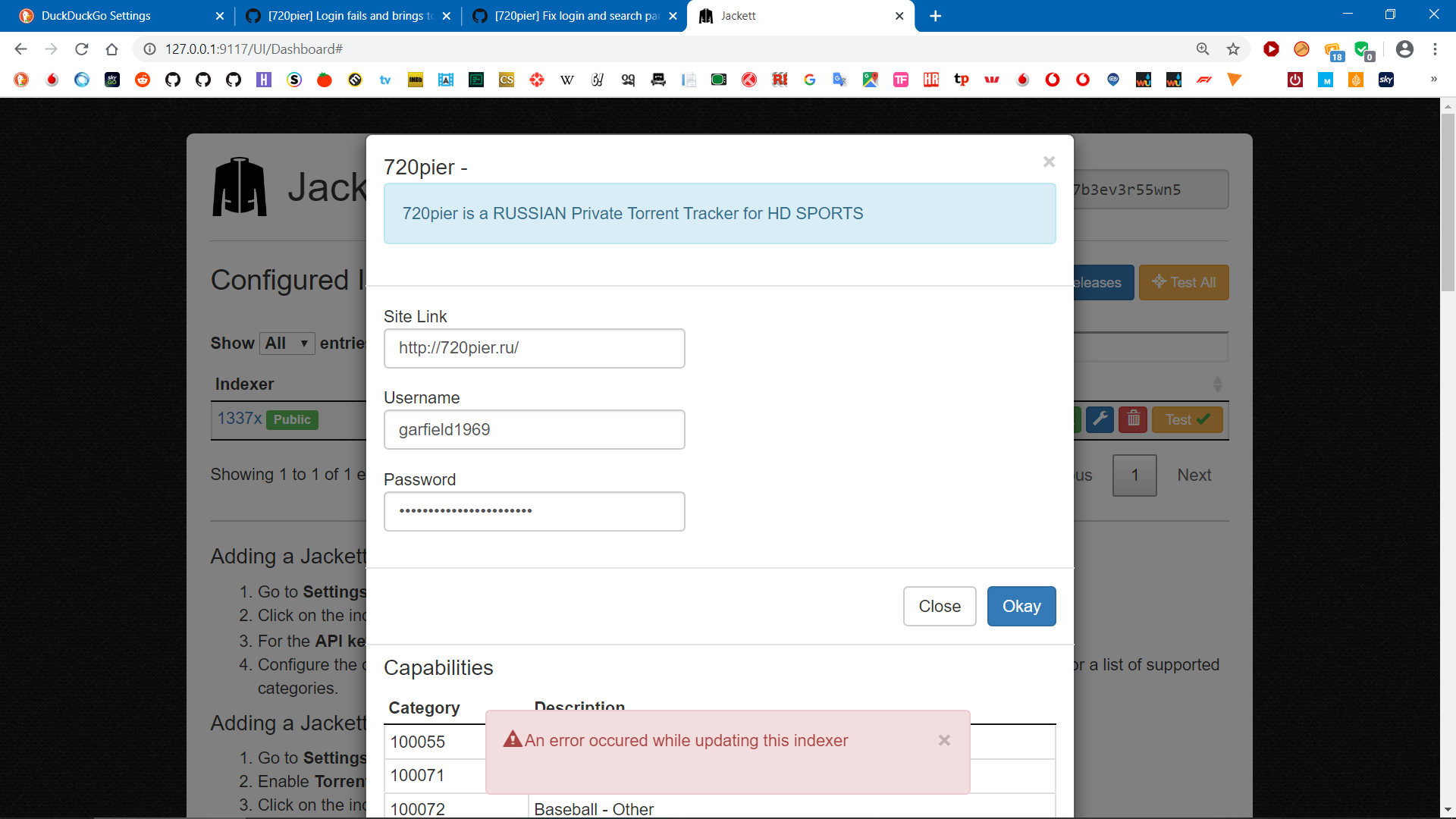
closing.
garfield69
on 13 Jan 2020
Related issues
 Eisa01
·
3Comments
Eisa01
·
3Comments
 annomatik
·
3Comments
annomatik
·
3Comments
 Loky31
·
4Comments
Loky31
·
4Comments
 ade05fr
·
3Comments
ade05fr
·
3Comments
 STX2k
·
3Comments
STX2k
·
3Comments