Jabref: Disabled Entry preview still shows up
Hi all,
I disabled the entry preview but it continues to show up at any time.
- [ ] I have tested the latest master version from http://builds.jabref.org/master/ and the problem persists
JabRef 4.3.1
Linux 4.14.48-2-manjaro amd64
Java 1.8.0_172
Steps to reproduce:
- Disabled the Entry preview
- Select randomly an entry
 mcspritz
All 5 comments
@mcspritz
Hi,
I have tested it on both Ubuntu and Windows, and it seems like a platform-specified issue.
| |
| |
|
|:--:|:--:|
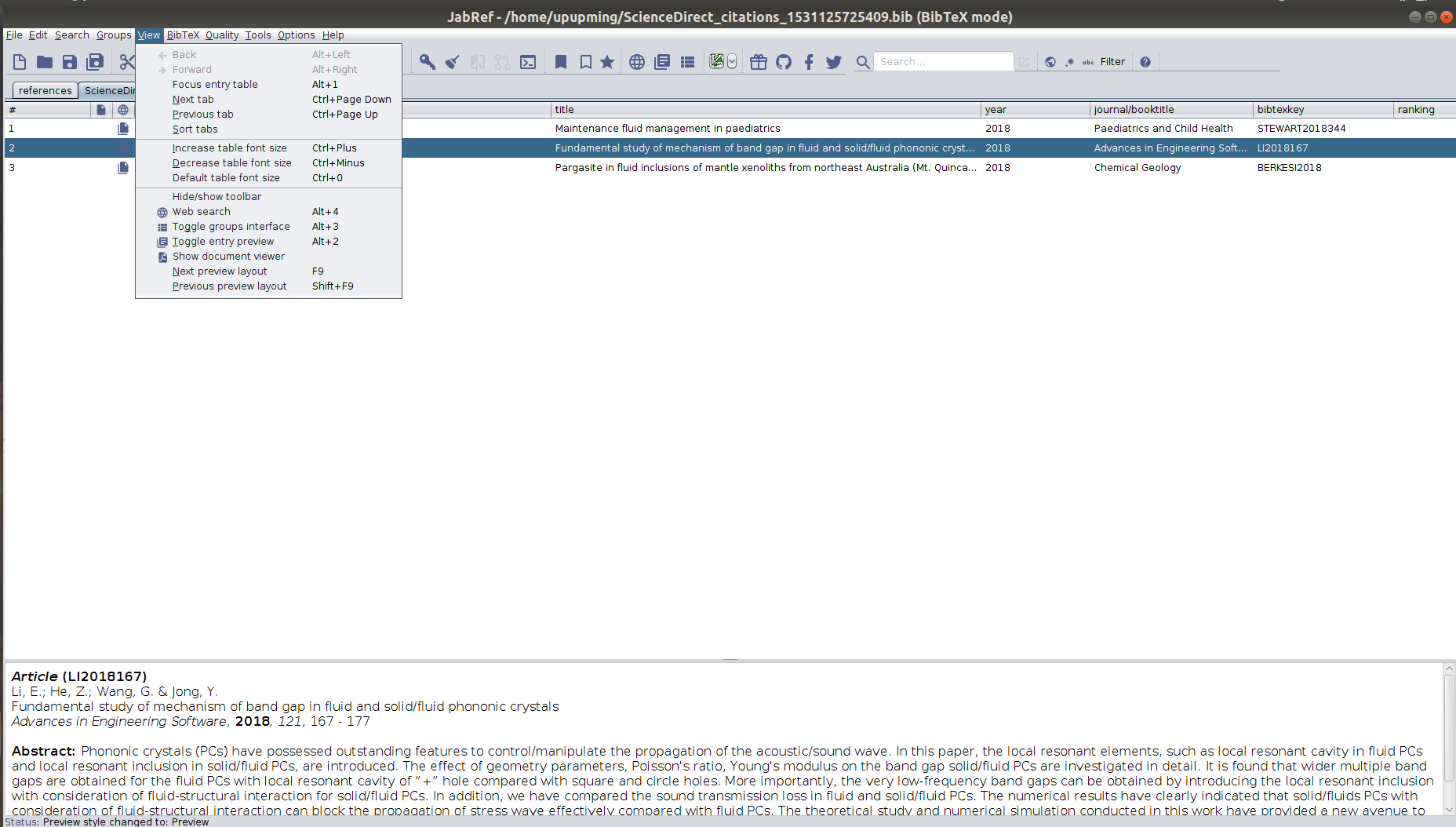
|When "View -> Toggle entry preview" is selected, the entry preview in the bottom shows properly.|If I deselect the "View -> Toggle entry preview", the entry preview in the bottom will disappear.|
| |
| |
|
|:--:|:--:|
|JabRef 4.3.1
Linux 4.15.0-24-generic amd64
Java 1.8.0_172
However, when I select another entry, the bug comes out. The entry preview shows when "View -> Toggle entry preview" is not selected.|JabRef 4.3.1
Windows 10 10.0 amd64
Java 1.8.0_172
After deselecting, there will be no entry preview any more no matter whether the "View -> Toggle entry preview" is selected or not.
Update: it's actually minimized! |
If possible, I will try to fix this bug!
 upupming
on 10 Jul 2018
upupming
on 10 Jul 2018
It seems the latest build on the master branch doesn't have this bug.
Also, the UI of 5.0 version has been changed a lot. There is no selected dot on the left anymore.
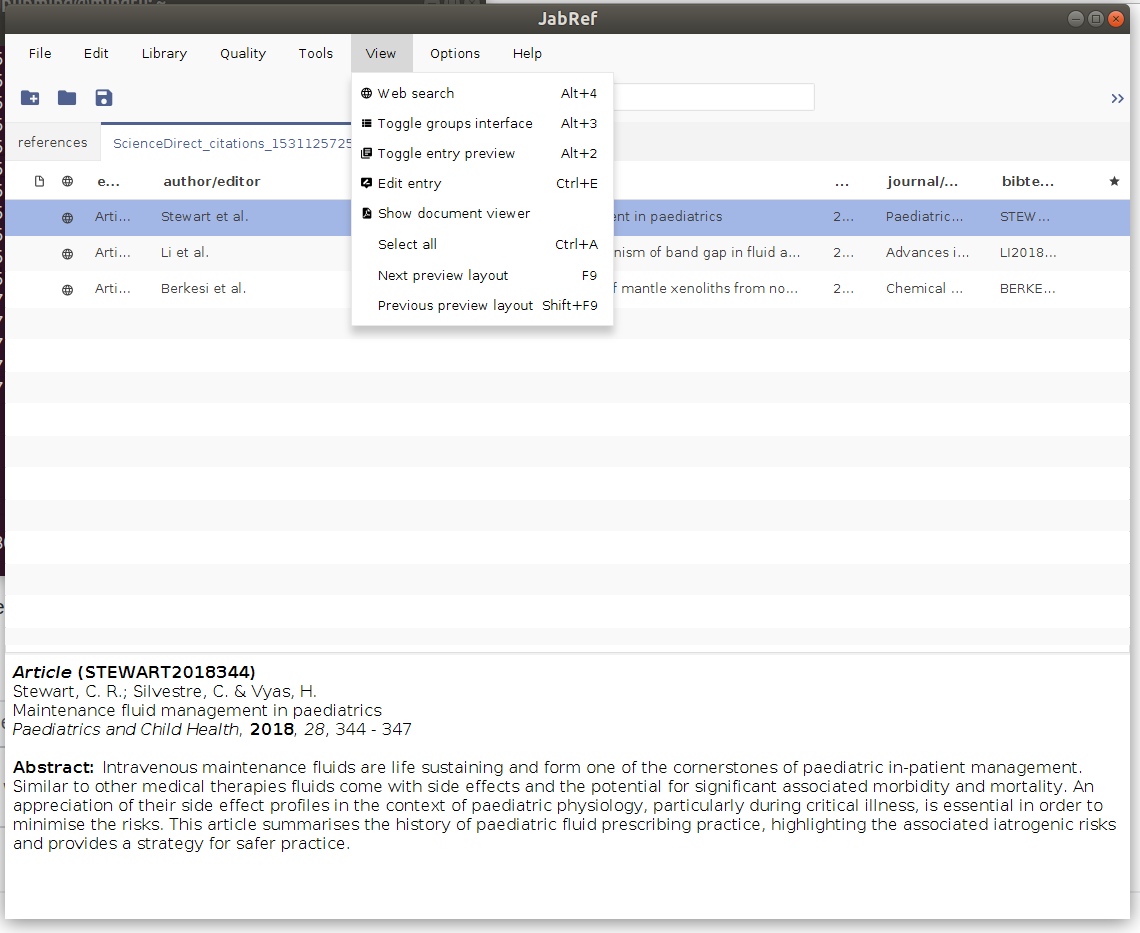
I have also tested on https://github.com/JabRef/jabref/commit/9b2fedc238d1ba64875c96cf8f59645f36a65635 (the branch point of master branch and v4.x branch), the bug exists there.
So the bug must have been fixed somewhere on the master branch. I will figure it out.
update
Now I am sure that this bug disappeared after the three commits following the branch point of the master and v4.x branch. This is because a989aa4 (merge from maintable-beta branch) changed the GUI a lot.
upupming
on 17 Jul 2018
Sometimes it can happen that the entry preview is minimized, the window is there, but it is minimized at the bottom.
 Siedlerchr
on 17 Jul 2018
Siedlerchr
on 17 Jul 2018
Yes, I find that on Windows 4.3.1 version, the entry preview is minimized actually.
upupming
on 17 Jul 2018
So this appears to be fixed in the latest development version. Thanks @upupming for your investigation. Could you please check the build from http://builds.jabref.org/master/. Thanks! Please remember to make a backup of your library before trying-out this version.
 tobiasdiez
on 17 Jul 2018
tobiasdiez
on 17 Jul 2018
Related issues
tobiasdiez
·
4Comments
 AEgit
·
4Comments
AEgit
·
4Comments
 oscargus
·
3Comments
oscargus
·
3Comments
 simonharrer
·
3Comments
simonharrer
·
3Comments
 a-torgovitsky
·
3Comments
a-torgovitsky
·
3Comments
Most helpful comment
@mcspritz
Hi,
I have tested it on both Ubuntu and Windows, and it seems like a platform-specified issue.
| |
| |
|
|:--:|:--:|
|When "View -> Toggle entry preview" is selected, the entry preview in the bottom shows properly.|If I deselect the "View -> Toggle entry preview", the entry preview in the bottom will disappear.|
| |
| |
|
|:--:|:--:|
|JabRef 4.3.1
Linux 4.15.0-24-generic amd64
Java 1.8.0_172
However, when I select another entry, the bug comes out. The entry preview shows when "View -> Toggle entry preview" is not selected.|JabRef 4.3.1
Windows 10 10.0 amd64
Java 1.8.0_172
After deselecting, there will be no entry preview any more no matter whether the "View -> Toggle entry preview" is selected or not.
Update: it's actually minimized! |
If possible, I will try to fix this bug!