Iridium: Most of Iridium features broken since this morning
software details:
manifestVersion: 1.2.5
cookieEnabled: true
doNotTrack: unspecified
language: lt
buildID: 20200309095159
name: Firefox
vendor: Mozilla
version: 74.0
arch: x86-64
os: linux
Most Iridium features are broken since this morning, possibly an update on YouTube made it unusable, as auto-play can not be disabled, also no controls in page whatsoever. Screenshots:

Iridium just installed in new fresh profile, with icon missing in page.
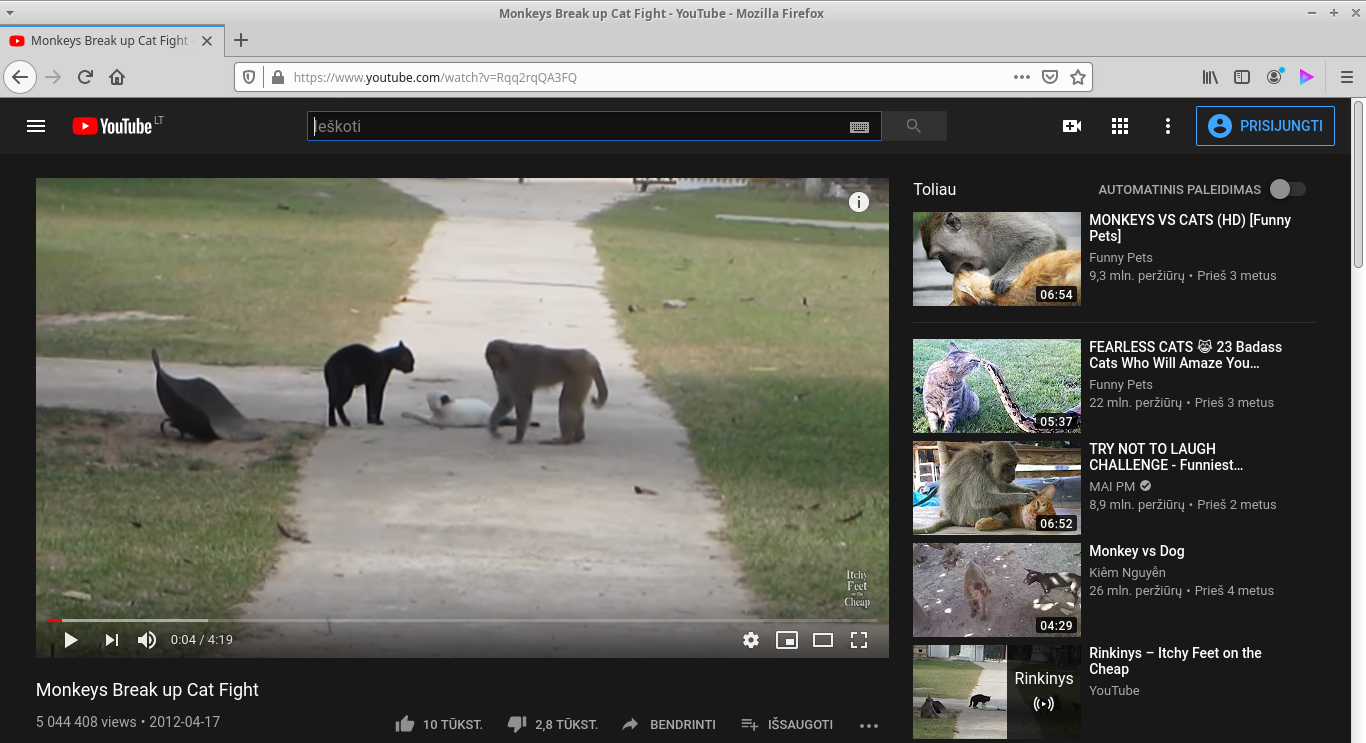
No quick controls below player too :\
steps to recreate the problem:
- (optionally) Create new Firefox profile and load it using about:profiles page
- Install iridium, make sure all settings are default, no other addons are installed
- Open YouTube, observe that iridium icon is missing
- Open any video page, notice Iridium does not prevent auto-play when such option is enabled, with video auto-play with audio enabled for YouTube, also notice quick controls are missing too.
additional information that could be helpful:
Ubuntu Linux 18.04 LTS, Xfce desktop.
 juozaspo
All 3 comments
I can see the same thing on my end, YouTube changed something, will see what is going on.
 ParticleCore
on 31 Mar 2020
ParticleCore
on 31 Mar 2020
Initial assessment confirms changes on YouTube side. A script name was changed from:
desktop_polymer_sel_auto_svg_home_v2.js
to
desktop_polymer_inlined_html_polymer_flags_v2.js
Simply adding that new URL in https://github.com/ParticleCore/Iridium/blob/master/src/js/background.js#L503-L509 will make the remaining features work again, with the exception of the missing UI elements which I am still checking.
ParticleCore
on 31 Mar 2020
Along with the previously mentioned change, the contents of the UI elements have also migrated, this time into an inline in the previous script. The fix is to adjust the injection point of these elements for them to be displayed correctly.
ParticleCore
on 31 Mar 2020
Related issues
 windowlicker79
·
4Comments
windowlicker79
·
4Comments
 thegranddesign
·
3Comments
thegranddesign
·
3Comments
 Ash258
·
3Comments
Ash258
·
3Comments
 Keith94
·
6Comments
ParticleCore
·
5Comments
Keith94
·
6Comments
ParticleCore
·
5Comments
Most helpful comment
Along with the previously mentioned change, the contents of the UI elements have also migrated, this time into an inline in the previous script. The fix is to adjust the injection point of these elements for them to be displayed correctly.