Ipfs-desktop: "Merkle Forest" link in Overview page changes the window content to Youtube
Description
Open IPFS Desktop. Click on the "arrow" icon in top right corner, you are shown a "overview" page. You see a text "Connected to IPFS" and in a paragraph under this title you see text "Now, it's time to explore your node..."
There is a link "Merkle Forest" - a link to Youtube. The problem is that this link is opened directly in app window instead of opening Youtube in browser / separate window.
You have to restart the app to get back to main app window.
Screenshot
https://pasteboard.co/HSV1J9U.png
https://pasteboard.co/HSV1WON.png
Expected behaviour
Youtube is opened in default browser or separate window.
Actual behaviour
Youtube is opened directly in IPFS Desktop window.
OS: MacOS 10.14 Mojave
IPFS Desktop: 0.6.0, rev. fc83688
 svitekpavel
All 4 comments
Thanks @svitekpavel! It will be fixed by #769
 hacdias
on 23 Dec 2018
hacdias
on 23 Dec 2018
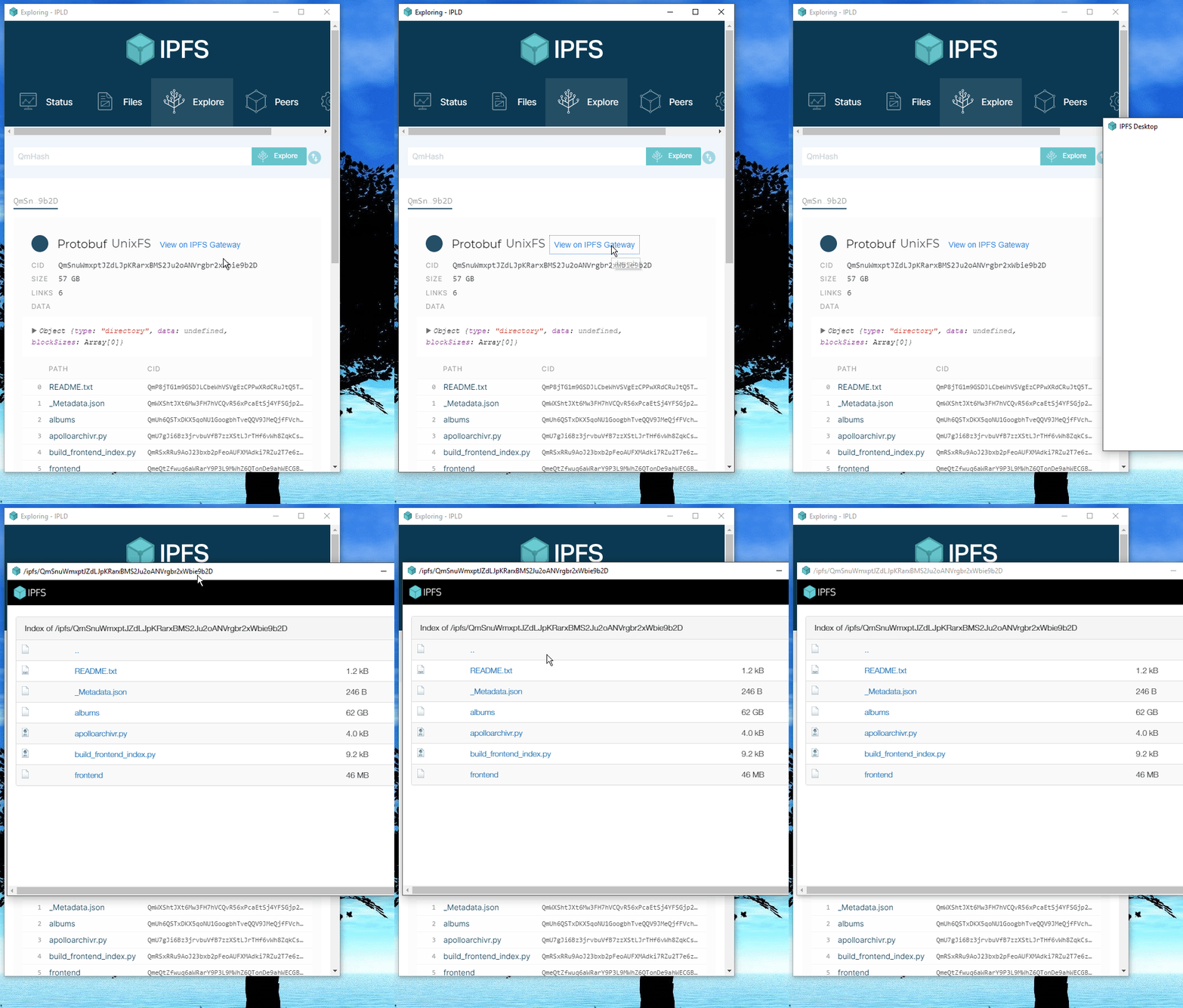
I just installed the 0.6.0 pre-release, and all my preview gateway links still open up inside the IPFS Desktop application instead of opening instead my browser. I'm running on Windows 10. The merkel forest link also does the exact same thing.
 TheChiefMeat
on 24 Dec 2018
TheChiefMeat
on 24 Dec 2018
This was fixed on master. We didn't release a new version yet. Sorry for the inconvenience.
hacdias
on 24 Dec 2018
@hacdias Ahh okay, no worries then. I think I'll install from source and try to find any bugs I can.
TheChiefMeat
on 25 Dec 2018
Related issues
 dignifiedquire
·
4Comments
dignifiedquire
·
4Comments
 Evanito
·
4Comments
Evanito
·
4Comments
 Luflosi
·
5Comments
hacdias
·
6Comments
Luflosi
·
5Comments
hacdias
·
6Comments
 lidel
·
6Comments
lidel
·
6Comments
Most helpful comment
This was fixed on master. We didn't release a new version yet. Sorry for the inconvenience.