Ipfs-companion: Pin, Copy canonical address, and Copy gateway url, are no longer in context menu
In an older version, while you were looking at IPFS content, you had the option to pin the hash or copy the locations of it from the context menu, it seems like this has disappeared. It still remains in the panel for the extension but not in the context menu.
Here's an image of me looking at an image of the old context menu with the new context menu on the right.
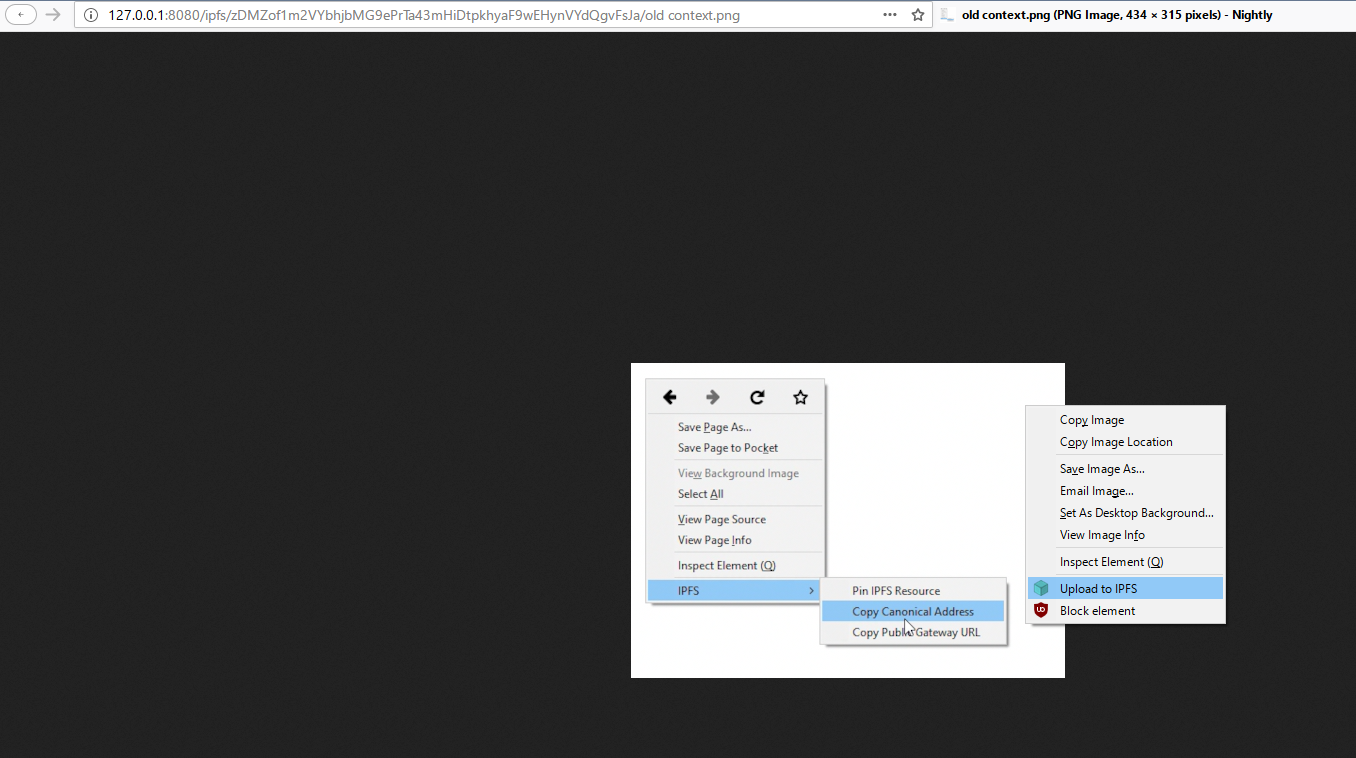
I'm curious if this was removed intentionally or if it is something else. I used this feature quite a bit.
 djdv
djdv
All 5 comments
Thank you for reporting this, I agree it was a useful feature.
It was done intentionally, had to make compromises due to limitations of WebExtension APIs and cross-browser compatibility at a time. It was not possible to programmatically add/remove items depending on tab context in a way that works in both Firefox and Chrome.
In effort to keep the feature alive and working in both browsers I moved mentioned items from right-click context menu to the popup menu under browser action:

That being said, I revisited documentation and we might be able to restore old behavior, at least under Firefox.
Let's keep this ticket open until I find time to play with APIs supported by Firefox 57.
 lidel
on 14 Oct 2017
lidel
on 14 Oct 2017
@djdv I was able to restore right-click tab-aware options for copying address to clipboard:

What is the most important: I've found a way to make it work under both Chrome and Firefox.
Pinning is more complex, I'll look into adding it later this week.
If you want to test it right now, you can install v2.0.14beta1 from beta channel.
lidel
on 15 Oct 2017
@lidel
Perfect, thanks!
djdv
on 15 Oct 2017
However, I suppose I should leave this open until the Pin feature is decided on. (The important one for me personally was just the gateway url)
djdv
on 15 Oct 2017
Related issues
lidel
·
5Comments
lidel
·
3Comments
 SignpostMarv
·
4Comments
lidel
·
5Comments
lidel
·
3Comments
SignpostMarv
·
4Comments
lidel
·
5Comments
lidel
·
3Comments