Iotedge: Upload large video to Azure storage using edge module
Device (Host) Operating System
Virtual VM Windows Enterprise
Architecture
amd64
Container Operating System
Linux containers
Runtime Versions
iotedged
Run iotedge version - 1.0.6.1
Edge Agent
Image tag (1.0.6.1) --
Edge Hub
Docker
< Run docker version 3.0.2>
I have to upload large video files to IoT hub, Which we are receiving from various robots. which will act child proxy device.
Can you please help me how can i implement that in Azure Edge custom modules. I didn't find any suitable article in Edge documentation.
Thanks,
Prateek
 pratson20
All 22 comments
Hi Prateek,
Are you referring to the File upload feature of IoTHub? In that case, it is currently not supported for Edge modules.
So you will have to upload the file directly to Azure Blob storage from your module (using the Azure Storage SDK). The token/credentials to the storage can be passed in via the module twin, or via a method invocation.
 varunpuranik
on 7 Mar 2019
varunpuranik
on 7 Mar 2019
Or, you could also leverage the Blob store module which just announced tiering support!
 veyalla
on 7 Mar 2019
veyalla
on 7 Mar 2019
Thanks @varunpuranik @veyalla Above link will fit my requirement.
We are getting video files from robot. Do we require transparent gateway implementation for file transfer to local storage on robotics OS.
In above link file upload to local storage is done through Azure blob storage explorer.
pratson20
on 8 Mar 2019
In this scenario, I don't think transparent gateway buys us much. Blob store module can make its endpoint available on the host port of the Edge device, then you can use the Blob Storage SDK of your choice to initiate upload from the downstream device directly to the module endpoint on the host.
veyalla
on 8 Mar 2019
@veyalla
I have gone through below link for to upload video using auto tiering in azure edge-
https://blogs.technet.microsoft.com/filecab/2019/03/07/azure-blob-storage-on-iot-edge-now-includes-auto-tiering-and-auto-expiration-functionalities/
In this Azure blob storage explorer tool is used to send data to custom module and then it's getting handled at edge device. But i also want to implement the logic to use custom code to send data to edge module instead of using azure blob storage explorer. Is there any sdk support for azure blob storage explorer to upload files to edge.
pratson20
on 5 Apr 2019
Hi,
I have tried this url for development-
I have completed all the setup for blob storage docker point of view and module is started running on linux machine. But i faced issue while using azure storage explorer and not able to connect with edge local db and couldn't create folder cont1, cont2.
Here are details for the Azure Storage Explorer issue-
Issue in Accessing Local Storage File and creation of containers in the blob (Local)
Unable to connect to the local file storage (Located in Ubuntu OS setup in the Oracle Virtual Machine Box).
Connection String Being Used in the Explorer app to connect the above folder:
DefaultEndpointsProtocol=http;BlobEndpoint=http://mukulvirtualbox:11002/localstorage1;AccountName=localstorage1;AccountKey=
Once connection established, following error pop occurs on clicking the ‘Blob Storage’
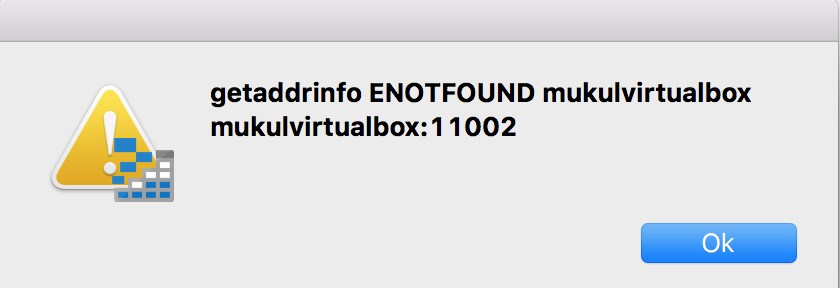
On trying to create a container in the blob storage, following error popup appears
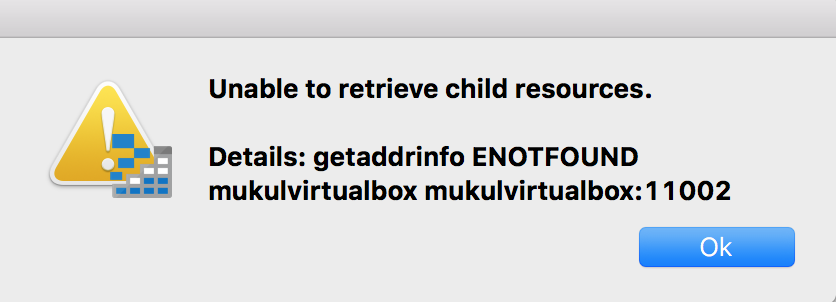
Could you please let me know, how can i resolve this issue. This is very critical requirement of project.
Thanks
pratson20
on 15 Apr 2019
@varunpuranik are token/credentials passed via the module twin secure? I have recently wondered how best to manage secrets within Azure IoT Edge - would you recommend module twins/direct method calls for this?
 jackt-moran
on 16 Apr 2019
jackt-moran
on 16 Apr 2019
@jackt-moran - Passing creds and other secrets via the Twin is secure in the sense that they come down over a secure channel. The only place where they are exposed is in the deployment (which needs service connect credentials), and possibly with root access on the device (depending on how the module uses the secrets). We are looking at supporting other more secure channels for passing secrets to the device, but I don't have a timeline on that yet.
varunpuranik
on 16 Apr 2019
@pratson20 --- You can try accessing the blob end point using any of the quickstart samples developed using Azure Storage SDK: https://docs.microsoft.com/en-us/azure/iot-edge/how-to-store-data-blob#try-it-out
Also for Azure Storage Explorer:- make sure you are using 1.5.0 version. Try refreshing when you encounter error: https://docs.microsoft.com/en-us/azure/iot-edge/how-to-store-data-blob#azure-storage-explorer
Questions:
- Did the module successfully deployed?
- Can you access mukulvirtualbox from the machine where your Azure Storage Explorer is installed?
- Can you access your local storage using any of the quickstart samples?
- See if your configuration falls under any of the mentioned setup and change the connection string accordingly: https://docs.microsoft.com/en-us/azure/iot-edge/how-to-store-data-blob#connect-to-your-blob-storage-module
Let us know if this helped
 arduppal
on 16 Apr 2019
arduppal
on 16 Apr 2019
@pratson20 It looks like a networking issue. Can the machine running Storage Explorer resolve the name "mukulvirtualbox", e.g. using nslookup?
 mbialecka
on 16 Apr 2019
mbialecka
on 16 Apr 2019
@veyalla
I have gone through below link for to upload video using auto tiering in azure edge-
https://blogs.technet.microsoft.com/filecab/2019/03/07/azure-blob-storage-on-iot-edge-now-includes-auto-tiering-and-auto-expiration-functionalities/
In this Azure blob storage explorer tool is used to send data to custom module and then it's getting handled at edge device. But i also want to implement the logic to use custom code to send data to edge module instead of using azure blob storage explorer. Is there any sdk support for azure blob storage explorer to upload files to edge.
@pratson20
For Blob Storage SDK please see https://docs.microsoft.com/en-us/azure/storage/blobs/storage-blobs-overview
Please follow the links in that page from this section.
Users or client applications can access objects in Blob storage via HTTP/HTTPS, from anywhere in the world. Objects in Blob storage are accessible via the Azure Storage REST API, Azure PowerShell, Azure CLI, or an Azure Storage client library. Client libraries are available for a variety of languages, including .NET, Java, Node.js, Python, Go, PHP, and Ruby.
 sudhirap
on 16 Apr 2019
sudhirap
on 16 Apr 2019
In reference to @pratson20 query, can running Ubuntu OS in Virtual Machine where the IoT Edge is running might be a reason of the error (Not able to access child resources) ? Should we explicitly setup the edge on a dedicated Ubuntu Machine (Non-VM) to solve this issue ?
 MukulGoyalS
on 19 Apr 2019
MukulGoyalS
on 19 Apr 2019
@MukulGoyalS No, I have it in a VM and it works fine. Are you using Storage Explorer 1.5? Can you nslookup your VM name from your host?
mbialecka
on 19 Apr 2019
@mbialecka, I tried using both 1.5 & 1.7 but no luck. When I did a nslookup in my Mac, this is what I got,
;; Got SERVFAIL reply from 10.161.14.7, trying next server
Server: 10.161.14.8
Address: 10.161.14.8#53
** server can't find mukulvirtualbox: SERVFAIL
I'm running the explorer app in Mac and Ubuntu (IoT Edge) in Oracle VM.
Is is possible for you to share the Connection String format with which you are able to connect it successfully. ?
MukulGoyalS
on 19 Apr 2019
@MukulGoyalS I don't think it's an issue with the connection string, but rather your network setup. You need to either register your VM name with a DNS or use IP address of the VM. You can check if it is a networking issue by trying other networking tasks, like ping or ssh.
mbialecka
on 19 Apr 2019
@mbialecka I'm able to connect to the local storage by using IP in the connection string used in explorer. However, I have done my setup in a Ubuntu Machine (Not in VM) and it runs fine.
Thank you for your support. Appreciate it.
All,
Now I want to replace storage explorer app with a script/code which can do the same functionality in production version. If you have come across any mechanism which can help on this, do share. This means a downstream device should be able to put a video file in the Edge local storage from where the auto-tiering takes it forward.
MukulGoyalS
on 23 Apr 2019
You can try accessing the blob end point using any of the quickstart samples developed using Azure Storage SDK: https://docs.microsoft.com/en-us/azure/iot-edge/how-to-store-data-blob#try-it-out
Also, checkout the sudhirap's comment.
arduppal
on 24 Apr 2019
@arduppal I want to send data via the Edge to Blob. I'm able to send data to blob end point in the cloud directly with normal Blob SDK. But I need to send data to Local Blob storage (Located in the Edge Device) from here, the auto-tiering module will do its work to send it to the cloud blob end point.
MukulGoyalS
on 25 Apr 2019
@MukulGoyalS - Change the connection string to point to the local blob Storage, and it should work.
https://docs.microsoft.com/en-us/azure/iot-edge/how-to-store-data-blob#try-it-out

arduppal
on 25 Apr 2019
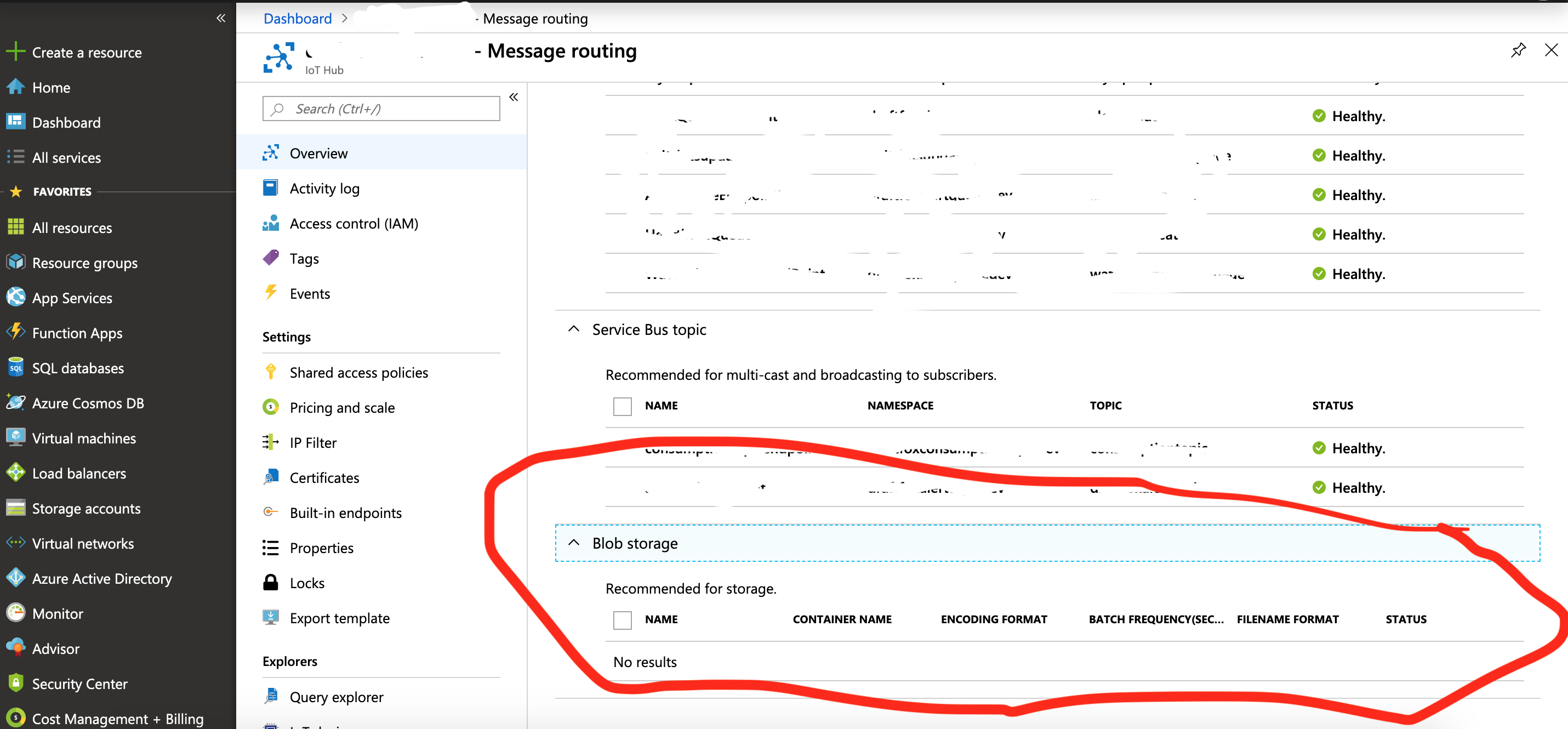
Using auto-tiering solution for azure blob module from marketplace. Can we do routing of files through IoTHub for blob storage using this link-
https://blogs.technet.microsoft.com/filecab/2019/03/07/azure-blob-storage-on-iot-edge-now-includes-auto-tiering-and-auto-expiration-functionalities/
pratson20
on 25 Apr 2019
Hi,Can anyone tell me If the auto-tiering is multithreaded or single threaded?
We are getting multiple files from multiple robots in the common Edge Gateway Local Blob Storage. I see there is an option for setting the upload type as LIFO or FIFO, does this mean Its single threaded/Sequential?
If yes then the common gateway will be a single point of blockage as It would be receiving the files at a faster rate.
If we use a new container in blob for each upload, Will that trigger auto-tiering for each container? (Kind of multithreading?)
Let me know If the question is not clear.
 sarweshs
on 11 May 2019
sarweshs
on 11 May 2019
@sarweshs - Can you please create a new issue for your query and tag me, @mbialecka, and @sudhirap
arduppal
on 14 May 2019
Related issues
 mill5james
·
3Comments
mill5james
·
3Comments
 alaendle
·
5Comments
alaendle
·
5Comments
 pierrickcurt
·
4Comments
pierrickcurt
·
4Comments
 lakshmisivareddy
·
3Comments
lakshmisivareddy
·
3Comments
 Lexmark-pcarey
·
4Comments
Lexmark-pcarey
·
4Comments
Most helpful comment
@MukulGoyalS - Change the connection string to point to the local blob Storage, and it should work.

https://docs.microsoft.com/en-us/azure/iot-edge/how-to-store-data-blob#try-it-out