Ios: iOS text darkmode white cursor on white background
Expected behaviour
While editing a text doc ( markdown )
My cursor should be black even do i am in dark mode so that I can see were i'm typing,
Actual behaviour
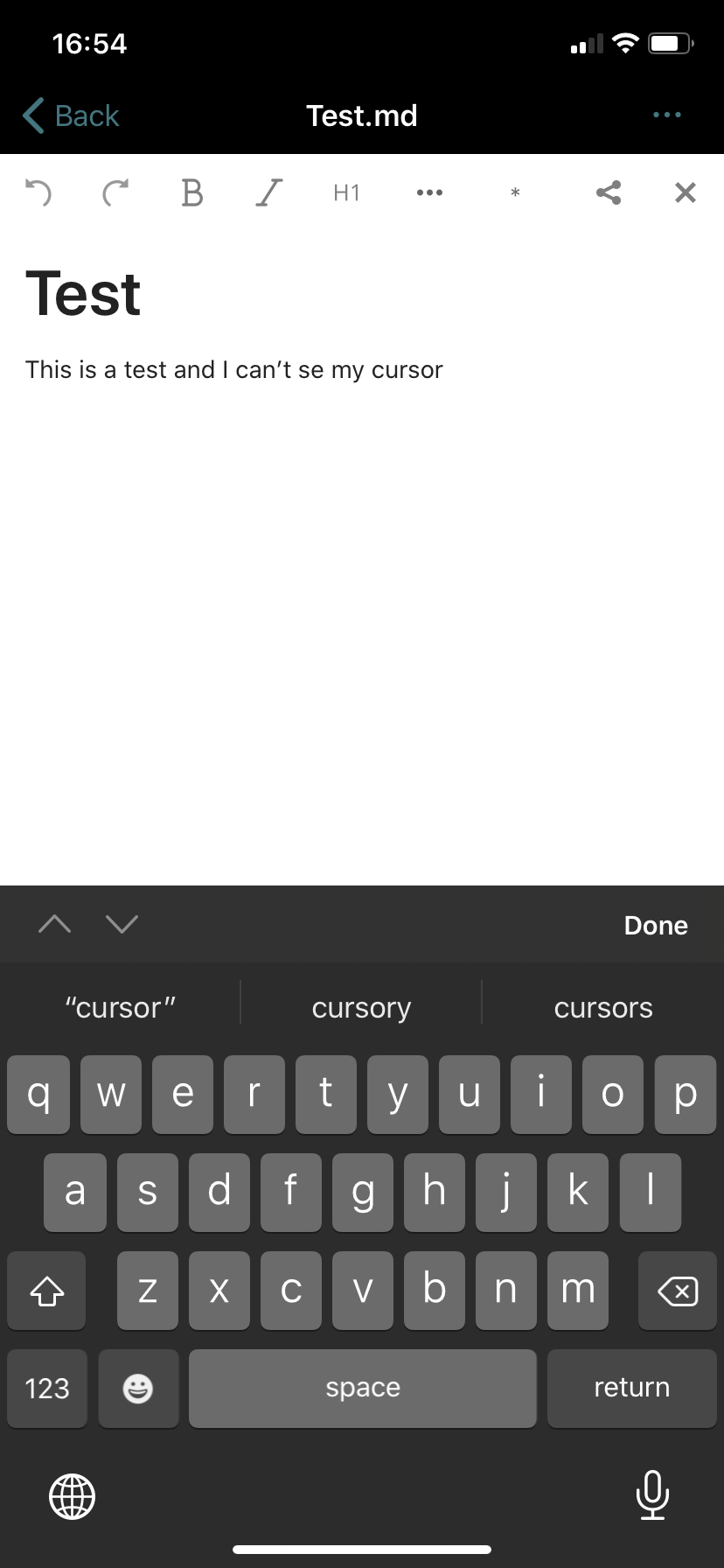
I can see my cursor if I'm in light mode but not in dark mode. The cursor is white due to dark mod but the background is still white so we get a white cursor on white background.
Steps to reproduce
Activate iOS dark mode in the general settings and edit any markdown file using the default markdown editor text.
Your cursor should be white and the background will be white so we now get a invisabel cursor.
Reasoning or why should it be changed/implemented?
You want to know were you are typing.
iOS version
iOS 13.6
App version
3.0.1.18
Server configuration
Docker-compose default from official nextcloud
Operating system:
Ubuntu Server 20.04, Linux 5.4.0-40-generic x86_64
Web server:
nginx
Database:
pgsql, PostgreSQL 12.3 on x86_64-pc-linux-musl, compiled by gcc (Alpine 9.3.0) 9.3.0, 64-bit
PHP version:
7.4.7
Nextcloud version: (see Nextcloud admin page)
Nextcloud 19.0.0
 AxelGard
All 4 comments
I spouse that you could do a dark background as well
AxelGard
on 5 Aug 2020
+1. Same is for iPhone and iPad.
 recurved
on 18 Aug 2020
recurved
on 18 Aug 2020
I believe this is a duplicate of #1136
 dbolton
on 11 Nov 2020
dbolton
on 11 Nov 2020
@dbolton hmmm, yes looks like it's a duplicate. thanks!
AxelGard
on 14 Nov 2020
Related issues
 Alphakilo
·
3Comments
Alphakilo
·
3Comments
 MorrisJobke
·
4Comments
MorrisJobke
·
4Comments
 sakthi-d
·
4Comments
MorrisJobke
·
4Comments
sakthi-d
·
4Comments
MorrisJobke
·
4Comments
 helmut72
·
4Comments
helmut72
·
4Comments
Most helpful comment
I spouse that you could do a dark background as well