@immortal79 Ipad pro 11"
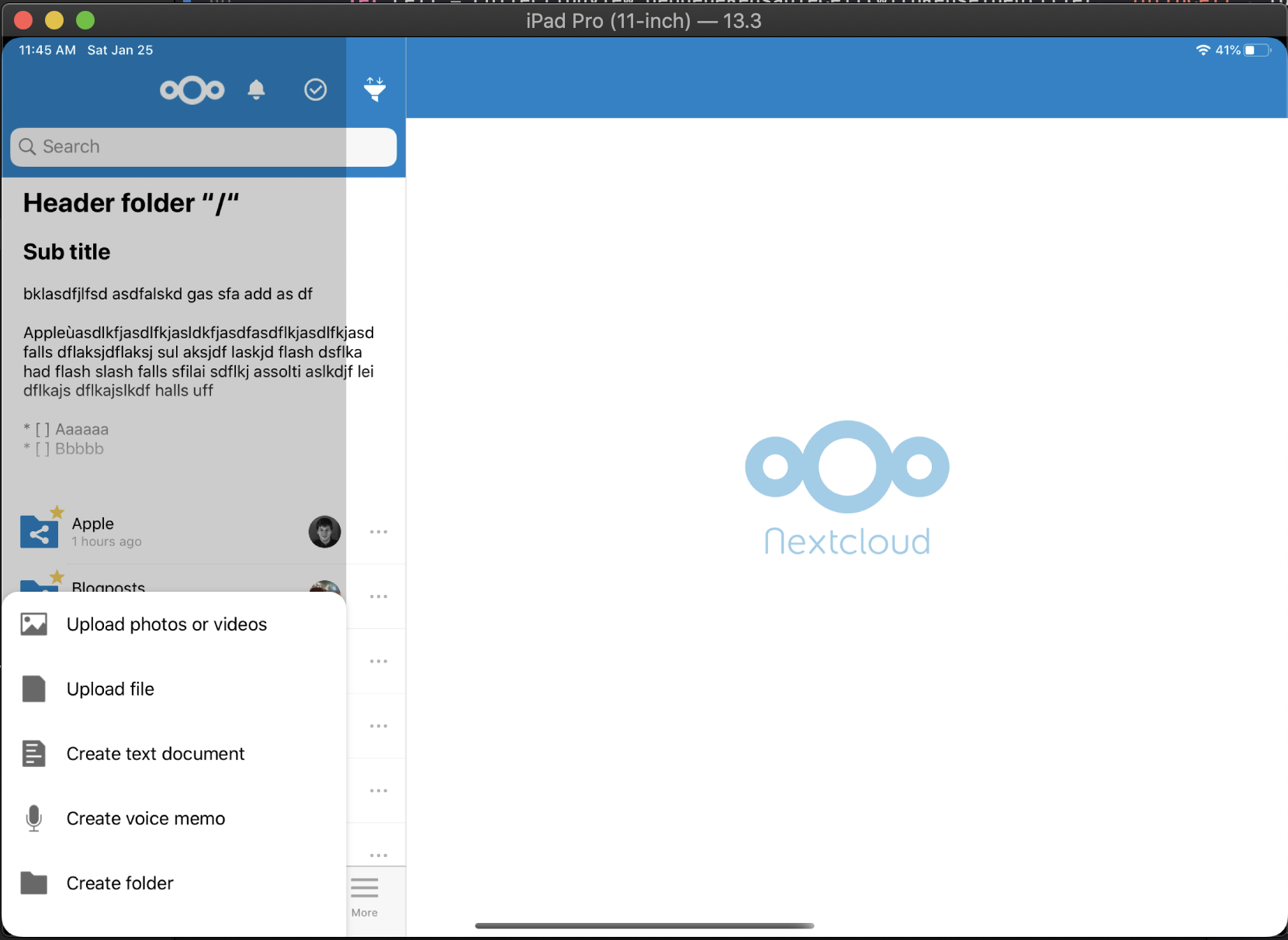
 marinofaggiana
All 24 comments
And strange effect with iPhone 11 landscape <> portrait and I think that is better hide the scroolbar in the tableview menu...
marinofaggiana
on 25 Jan 2020
No good with small iPhone 6s iOS 10 (landscape <> portrait), and issue after delete a record with swipe.
@immortal79
Before the PR please try with iPad, old device with iOS 10 and with "Max" device in landscape <> portrait. thx
marinofaggiana
on 26 Jan 2020
iPhone 11 from portrait to landscape
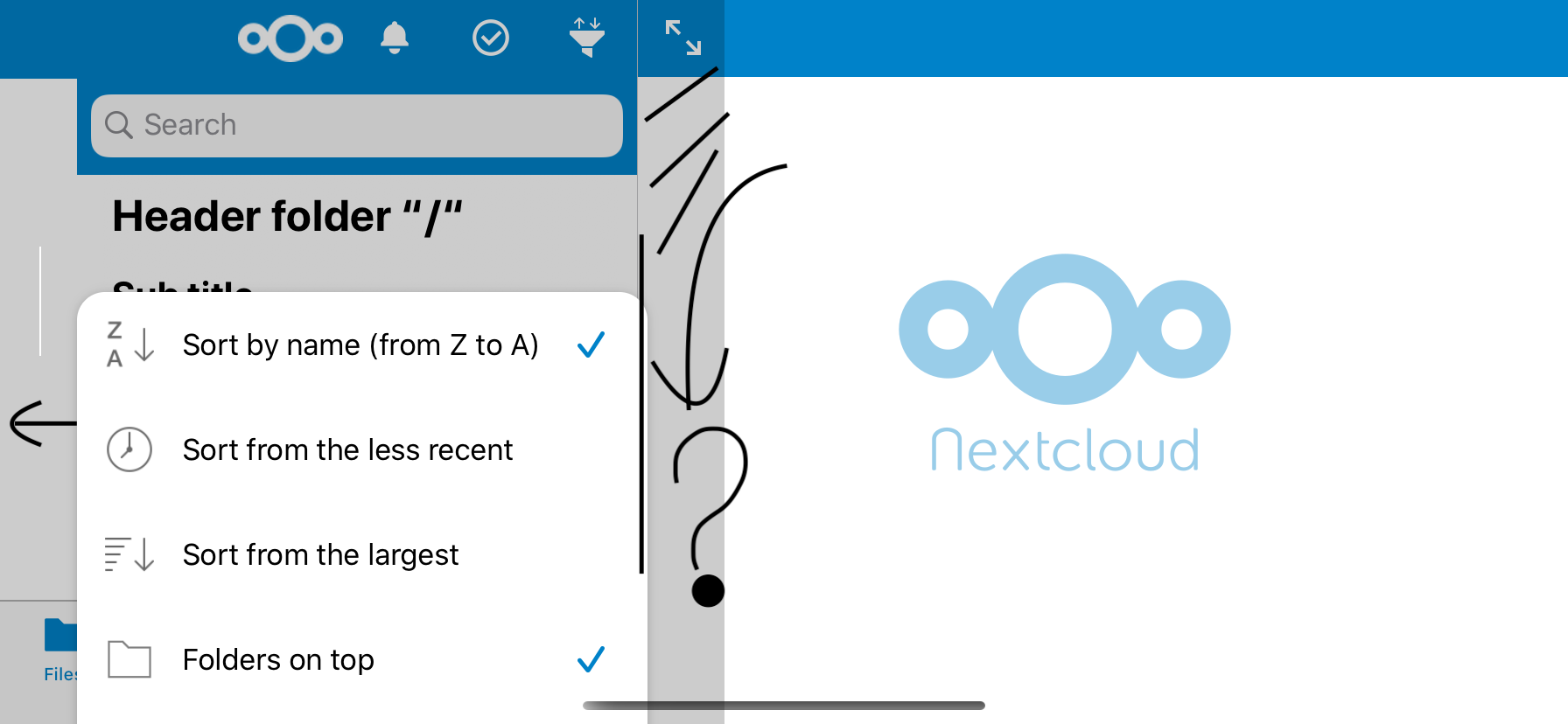
marinofaggiana
on 26 Jan 2020
Will fix ASAP
 immortal79
on 27 Jan 2020
immortal79
on 27 Jan 2020
@immortal79 look:
the menu must cover the entire surface (window) and the color of background view must be clear (see for example Dropbox)
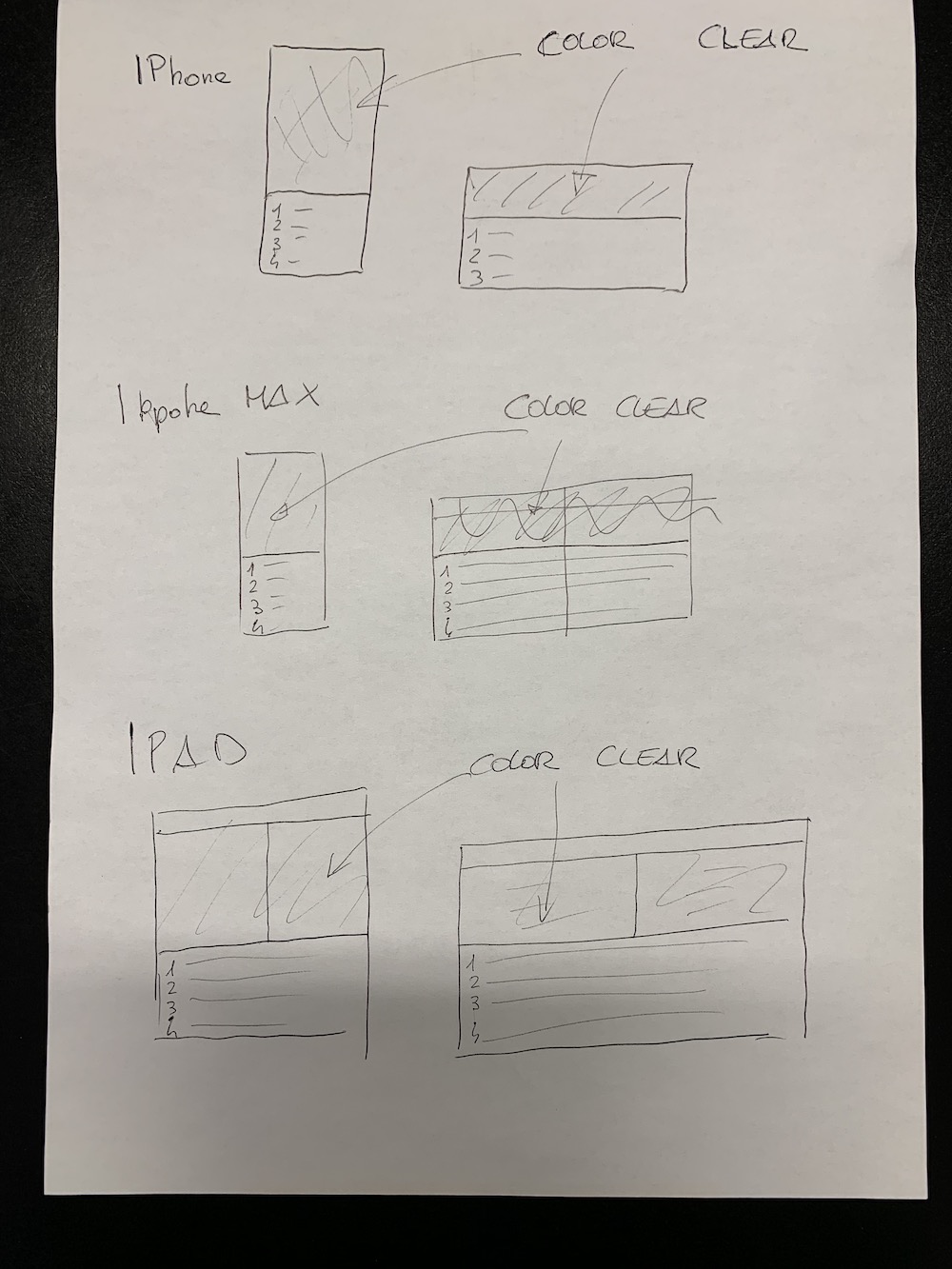
marinofaggiana
on 28 Jan 2020
Is this what you want or what it looks like in your simulator ?
If this is what you want the view to look like, it's actually a very simple solution to implement and I can do it right now.
Edit: didn't see your edit, I can do this 👍
immortal79
on 28 Jan 2020
Yes, for me this is better (simply) and will adapt to the next bar for iPad with the [+] on center of TabBar
marinofaggiana
on 28 Jan 2020
Is this what you want or what it looks like in your simulator ?
If this is what you want the view to look like, it's actually a very simple solution to implement and I can do it right now.Edit: didn't see your edit, I can do this 👍
yes, look dropbox
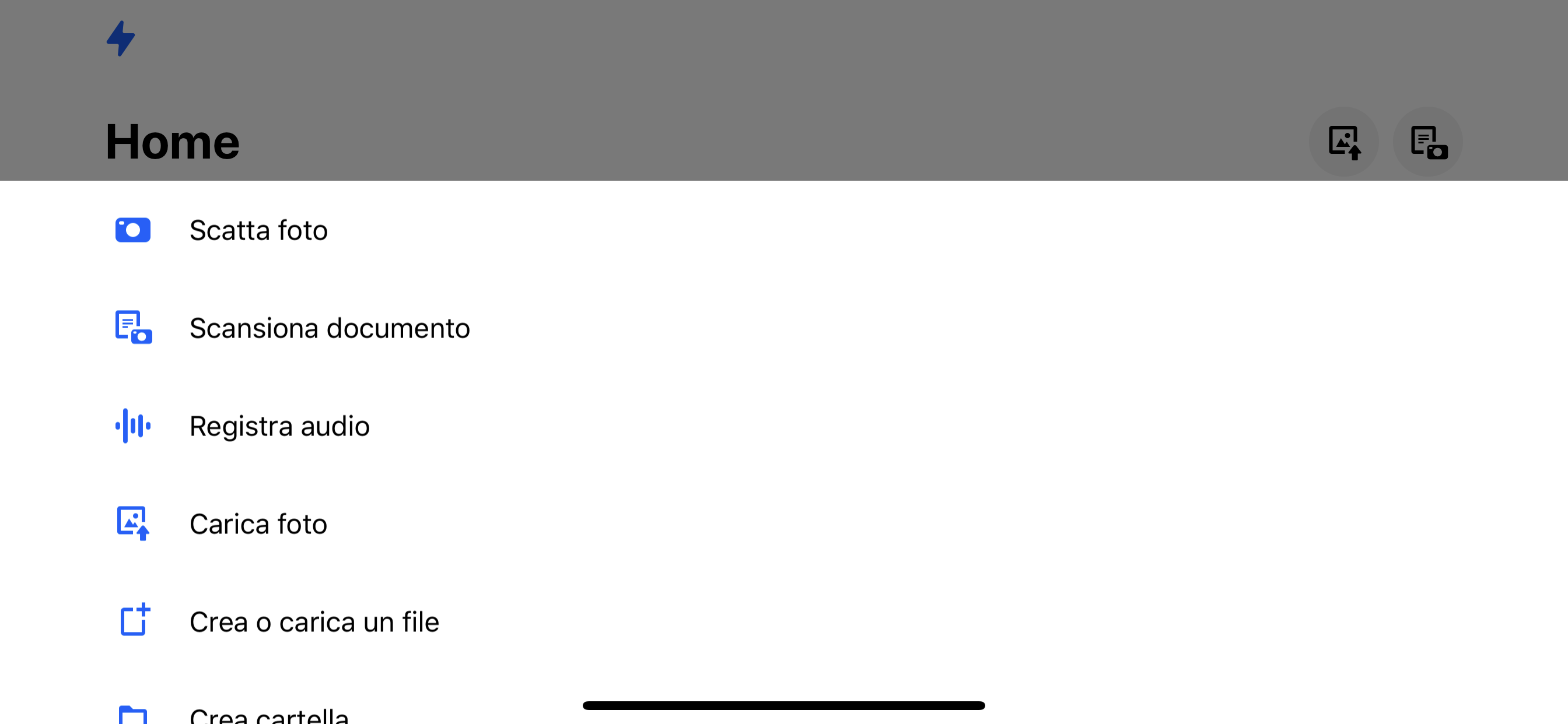
marinofaggiana
on 28 Jan 2020
Whats do you think?
marinofaggiana
on 28 Jan 2020
Ok for me, I start working on it :)
immortal79
on 28 Jan 2020
After https://github.com/nextcloud/ios/pull/1116:
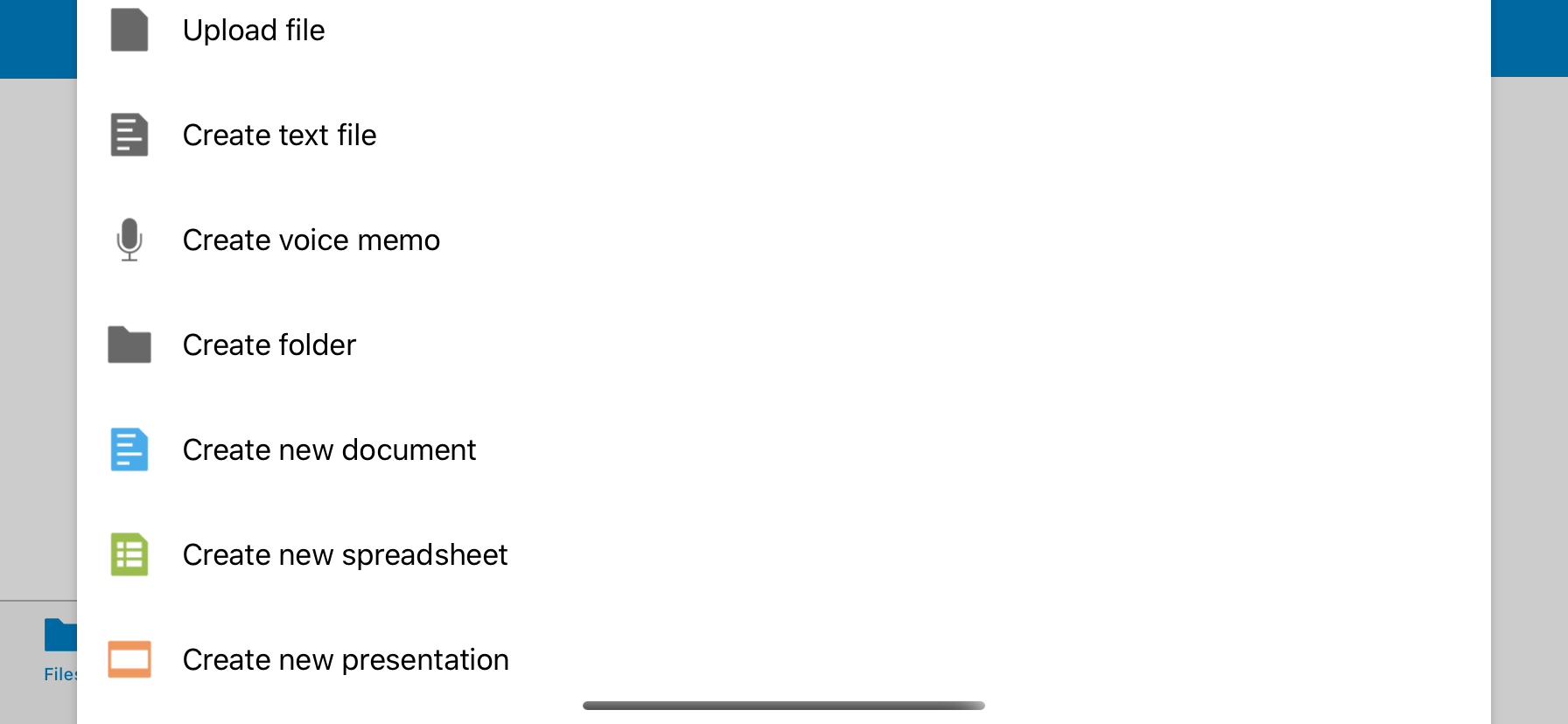
bug : from portrait to landscape with several item is not possible move to te first item ... test it
design : I don't like the margin on safe area ... left right
marinofaggiana
on 28 Jan 2020
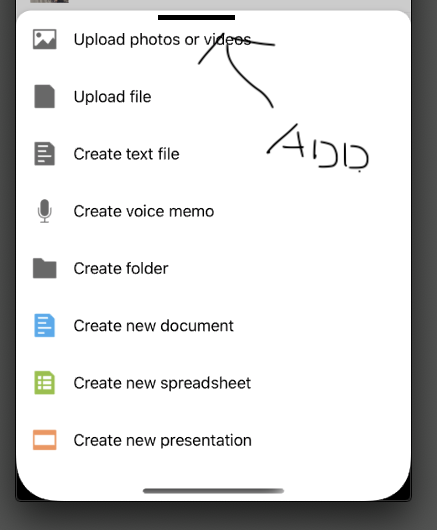
@immortal79 it would be nice to add :
marinofaggiana
on 28 Jan 2020
Whats do you think? ( do we do a test? )
marinofaggiana
on 28 Jan 2020
After #1116:
bug : from portrait to landscape with several item is not possible move to te first item ... test it
design : I don't like the margin on safe area ... left right
I can add the top grabber.
But I don't know about the margin I do a test + screenshot and come back to you.
immortal79
on 28 Jan 2020
https://github.com/nextcloud/ios/pull/1118
Great ! What's do you think?
@immortal79 Bug: iPhone open menu in Portrait, move in landscape, with the below gesture for close it, it does not close
marinofaggiana
on 29 Jan 2020
#1119 should fix it
immortal79
on 29 Jan 2020
Bug with iOS 10.3.1 the gesture do not works
marinofaggiana
on 29 Jan 2020
@immortal79 I think that you can replace the other menu sheeeeeet
marinofaggiana
on 29 Jan 2020
BUG: open menu, move with finger a little down and then move up, compare a line white below (dark mode).
BUG: order for size do not works
marinofaggiana
on 30 Jan 2020
Will look into the first bug.
Didn't understand the second one ?
immortal79
on 30 Jan 2020
The menu "order A/Z, Date, size": Order for size do not works :-)
marinofaggiana
on 30 Jan 2020
Oh ok now I get you, will fix that too.
immortal79
on 30 Jan 2020
@immortal79 Bug: Main menu: Open in... crashed
marinofaggiana
on 31 Jan 2020
@immortal79 in AppDelegate.m/ - (void)handleTouchTabbarCenter:(id)sender
UIViewController *vc = _activeMain.splitViewController.viewControllers[0];
now this vc is a NavigationController ... it can be a problem ?
marinofaggiana
on 31 Jan 2020
Related issues
 khlschrnk
·
5Comments
immortal79
·
4Comments
khlschrnk
·
5Comments
immortal79
·
4Comments
 notmgsk
·
4Comments
notmgsk
·
4Comments
 MorrisJobke
·
4Comments
MorrisJobke
·
4Comments
 k-matti
·
4Comments
k-matti
·
4Comments