Ios: Status bar doesn’t match theme if rgb() values are used instead of hex values
Hi,
When changing themes, the status bar change to a white-ish color and I can't seem to change it. Any advise would be appreciated :)

 vandalon
All 8 comments
Hi Vandalon,
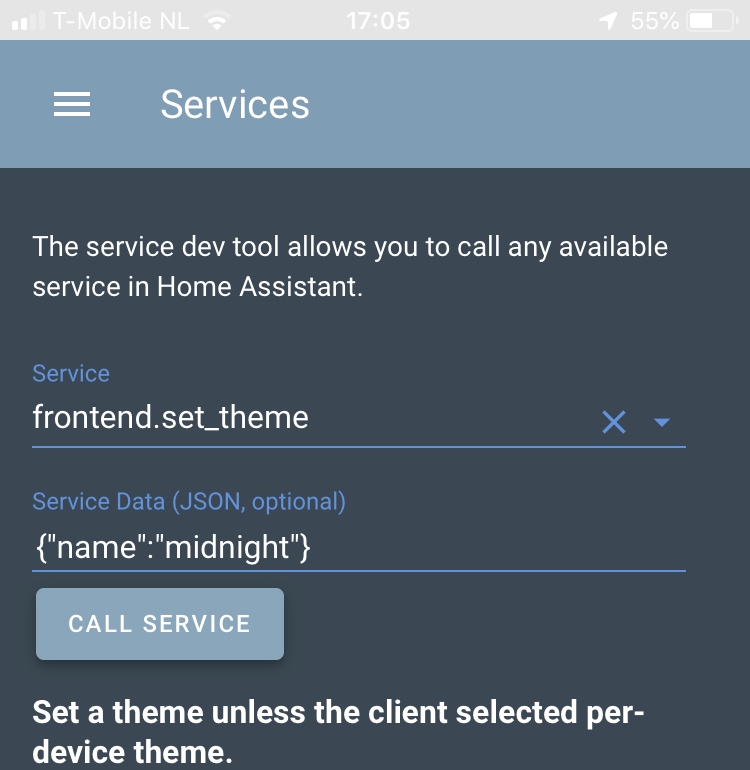
You need to use frontend.set_theme have a look at the instructions here. I’m going to close this for now. If that doesn’t work just post back on this issue and I’ll re open.
 TomBrien
on 30 Jun 2019
TomBrien
on 30 Jun 2019
This is what I do :)
vandalon
on 30 Jun 2019
This is after execution:
vandalon
on 30 Jun 2019
First I would recommend pulling down to refresh after setting the theme. In some very rare cases it doesn't update everything in real-time until you refresh first. You could also try force quitting the app after setting the theme to force it to update.
The iOS app status bar is themed using the primary-color value of your Home Assistant theme. From the screenshot you've posted, it does not appear to be the correct color values for Midnight. Is it a customized version? Can you copy and paste the primary-color line from it? For example:
midnight:
  # Main colors
  primary-color: '#5294E2'
The other thing that might possibly be interfering, it appears that you're using Compact Custom Header to minimize the height of the status bar. If none of the above things work, you could try temporarily disabling Compact Custom Header to see if that was causing the issue.
 SeanPM5
on 30 Jun 2019
SeanPM5
on 30 Jun 2019
Hi,
I figured it out.
Indeed, i altered the midnight theme, the reason it did not work, I used rgb(x,y,z) instead of #aabbcc. The app doesn't seem to understand this, so chaning back to #something everything is working again.
Cheers, and thanks for the help!
vandalon
on 30 Jun 2019
Thanks for working that out. I think I’d call that a bug to be honest. So let’s leave this here for now. Cheers again
TomBrien
on 30 Jun 2019
Just a note that this is still true in 2020.2
TomBrien
on 16 Jun 2020
There exist a huge number of variations that need to be parsed:
rgbwith integer (0-255) valuesrgbwith percentile (0-100%) valuesrgbawith integer (0-255) valuesrgbawith percentile (0-100%) valueshslhslacolorwith transforms of the colors which is coming up in CSS
Ideally, now that we pull the color from the style in JavaScript, we could use some kind of built-in mechanism that's able to canonicalize the color. But…it really doesn't seem like there is one.
 zacwest
on 21 Jun 2020
zacwest
on 21 Jun 2020
Related issues
 mynameisdaniel32
·
9Comments
mynameisdaniel32
·
9Comments
 wilfredsmit
·
5Comments
wilfredsmit
·
5Comments
 TacoRocket
·
8Comments
TacoRocket
·
8Comments
 jjpeet
·
15Comments
jjpeet
·
15Comments
 vmcosco
·
8Comments
vmcosco
·
8Comments
Most helpful comment
Hi,
I figured it out.
Indeed, i altered the midnight theme, the reason it did not work, I used rgb(x,y,z) instead of #aabbcc. The app doesn't seem to understand this, so chaning back to #something everything is working again.
Cheers, and thanks for the help!