Ios: Share Link after Enforce Password Protection Not Working
Server 12
iOS Version: 2.18.0 (6)
Steps to reproduce:
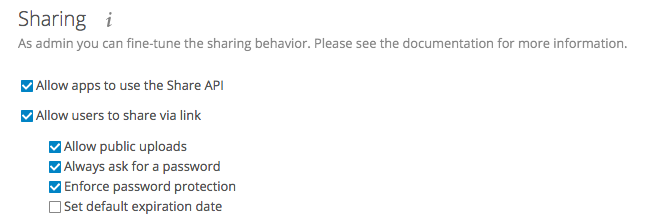
Enable "Enforce Password Protection" in admin pannel
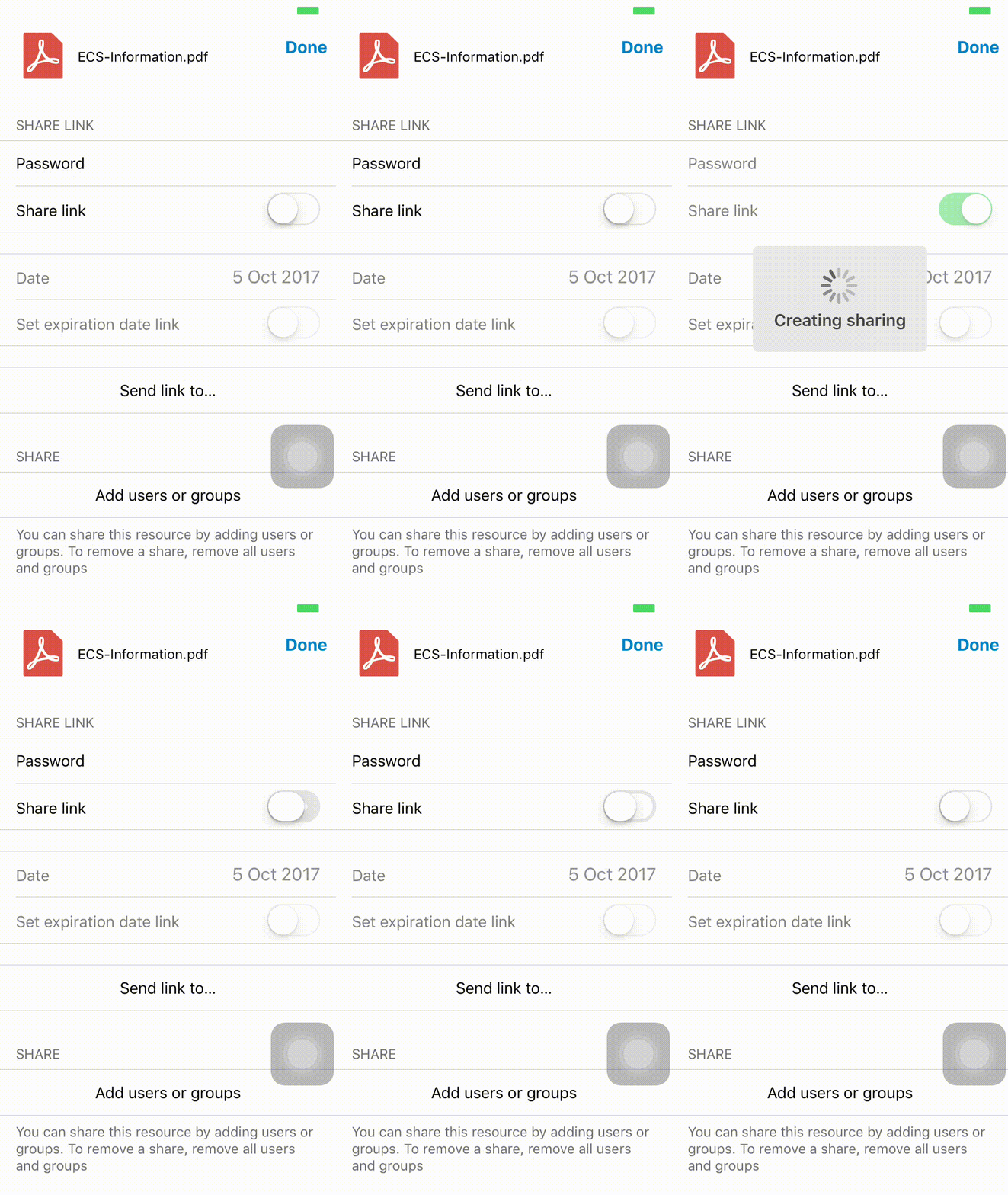
Open the iOS App, and try to share a file. The option will not work.
 togglecode
All 6 comments
Did you try positiv test. Disable "enforce password protection" and share link? Does this work?
 rakekniven
on 5 Oct 2017
rakekniven
on 5 Oct 2017
@rakekniven Yes of course, it works like that.
As a matter of fact it also works in this case if you type in a password in the password field above (in the gif I didn't type a password)
So basically what the App needs in future is just the error "Please type in a password", and also if the password needs a certain security. (This feature already exists on Android Version)
togglecode
on 10 Oct 2017
Related to issue 1089 on android.
togglecode
on 10 Oct 2017
Hello,
I go back on this problem opened in 2017 because this bug seems still existing in 2019.
Moreover, the workaround found in 2017 (to type password before enabling the share button) doesn't seem to work anymore because in app version NextCloud for iOS v 2.23.0.0, you cannot enter any password until enabling the share button... which doesn't work. Thus, we cannot share.
Do you reproduce also same behaviour ?
Thank you very much for your feedback.
 medcloud
on 20 Feb 2019
medcloud
on 20 Feb 2019
Sadly, but this bug still exists. Is there any workaround or fix patch coming soon?
 lostmap
on 26 Sep 2019
lostmap
on 26 Sep 2019
Will be fixed in the next version on TestFlight
 marinofaggiana
on 28 Sep 2019
marinofaggiana
on 28 Sep 2019
Related issues
 MarkusKepert
·
4Comments
MarkusKepert
·
4Comments
 Alphakilo
·
3Comments
Alphakilo
·
3Comments
 oxivanisher
·
4Comments
oxivanisher
·
4Comments
 helmut72
·
4Comments
helmut72
·
4Comments
 k-matti
·
4Comments
k-matti
·
4Comments