Ionide-vscode-fsharp: Ionide removes LangVersion preview from project file upon loading solution
Describe the bug
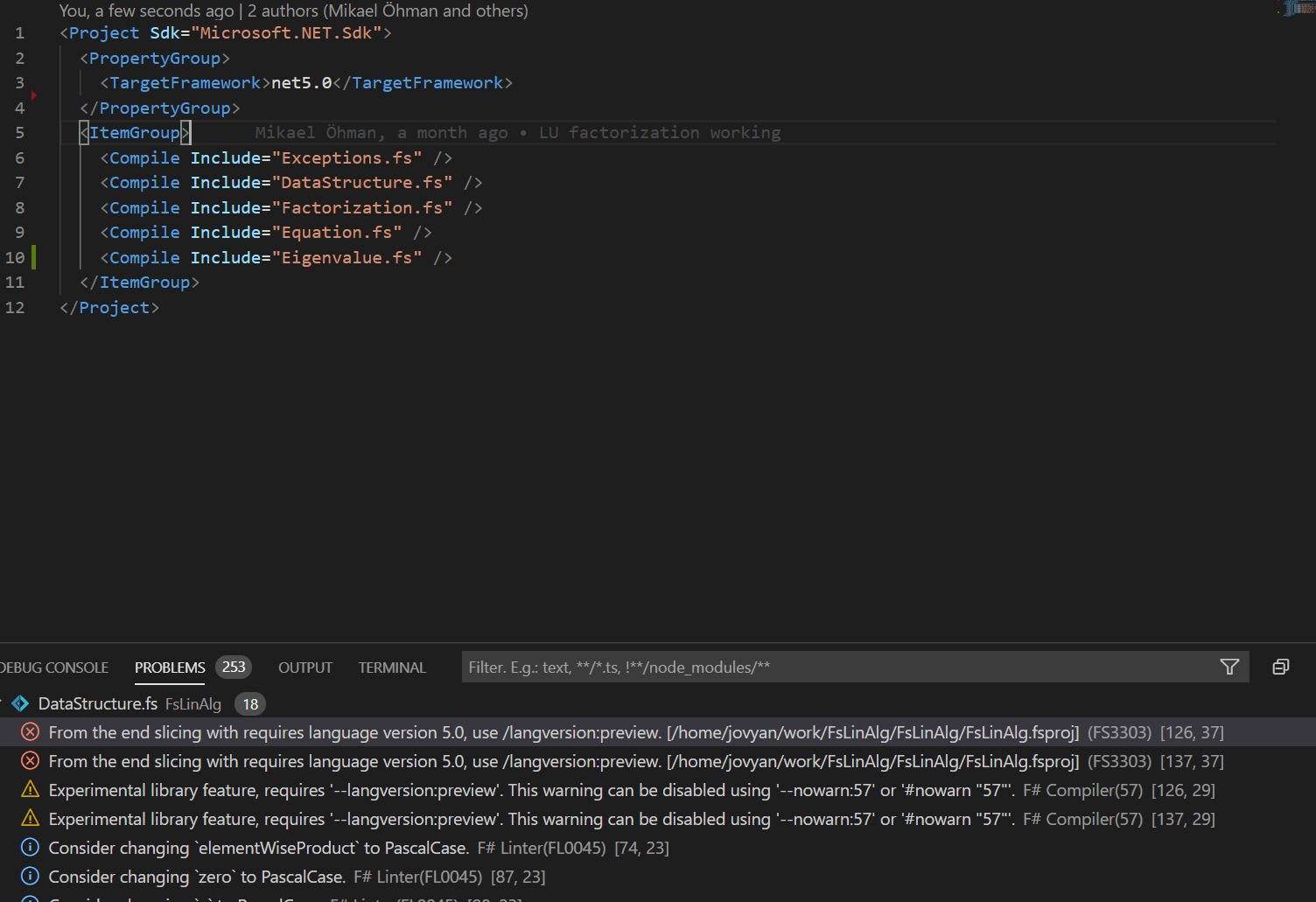
Ionide removes LangVersion preview from project file upon loading solution
To Reproduce
Steps to reproduce the behaviour:
- Create project using net 5 preview sdk
- Add
<Project Sdk="Microsoft.NET.Sdk">
  <PropertyGroup>
    <TargetFramework>net5.0</TargetFramework>
    <LangVersion>preview</LangVersion>
  </PropertyGroup>
- Reload solution/project
- Try to compile/run
Expected behaviour
A clear and concise description of what you expected to happen.
Screenshots
If applicable, add screenshots to help explain your problem.
Environment (please complete the following information):
- OS: Linux container running using WSL2 in Windows
- Ionide version: 4.16.0
- VSCode version: 1.48.2
- dotnet SDK version: dotnet sdk 5 preview 8
Additional context
Not a huge problem, but I imagine it is an easy fix.
 MikaelUmaN
All 5 comments
Hey @MikaelUmaN :wave:,
Thank you for opening an issue. We will get back to you as
soon as we can. Also, check out our OpenCollective and consider
backing us.
https://opencollective.com/ionide
PS.: We offer
backersupport for all backers. Don't forget to addbackerlabel when you start backing us :smile:
![open-collective-bot[bot] picture](https://avatars.githubusercontent.com/in/23739?v=4&s=40) open-collective-bot[bot]
on 5 Sep 2020
open-collective-bot[bot]
on 5 Sep 2020
I have the same issue, but not when loading project, but when I add new source file using GUI (_AddFileAbove_/_AddFileBelow_). It adds the file AND removes the <LangVersion>preview</LangVersion> from the fsproj.
 witoldsz
on 14 Oct 2020
witoldsz
on 14 Oct 2020
It doesn't just remove LangPreview ... it removes _everything_ except the Compile and TargetFramework XML tags.
Before:
<?xml version="1.0" encoding="utf-8"?>
<Project Sdk="Microsoft.NET.Sdk">
  <PropertyGroup>
    <TargetFramework>netstandard2.0</TargetFramework>
    <DefineConstants>CLIENT</DefineConstants>
    <RestorePackagesWithLockFile>true</RestorePackagesWithLockFile>
    <TreatWarningsAsErrors>true</TreatWarningsAsErrors>
    <WarningLevel>5</WarningLevel>
    <OtherFlags>$(OtherFlags) --warnon:1182</OtherFlags>
    <NoWarn>FS0052</NoWarn>
  </PropertyGroup>
  <ItemGroup>
    <Compile Include="../../shared/shared.fs" />
    <Compile Include="api.fs" />
    <Compile Include="model.fs" />
    <Compile Include="view.fs" />
  </ItemGroup>
  <Import Project="..\..\.paket\Paket.Restore.targets" />
</Project>
After adding test.fs via right-click menu:
<Project Sdk="Microsoft.NET.Sdk">
  <PropertyGroup>
    <TargetFramework>netstandard2.0</TargetFramework>
  </PropertyGroup>
  <ItemGroup>
    <Compile Include="../../shared/shared.fs" />
    <Compile Include="api.fs" />
    <Compile Include="model.fs" />
    <Compile Include="view.fs" />
    <Compile Include="test.fs" />
  </ItemGroup>
  <Import Project="..\..\.paket\Paket.Restore.targets" />
</Project>
 piaste
on 4 Nov 2020
piaste
on 4 Nov 2020
IIRC this is because of how the forge tool changes the project files. ionide 5 isn't planning on using forge so this issue will just go away naturally.
 baronfel
on 4 Nov 2020
baronfel
on 4 Nov 2020
Should be fixed with 5.0
 Krzysztof-Cieslak
on 21 Dec 2020
Krzysztof-Cieslak
on 21 Dec 2020
Related issues
 isaacabraham
·
4Comments
isaacabraham
·
4Comments
 cloudRoutine
·
5Comments
isaacabraham
·
5Comments
cloudRoutine
·
5Comments
isaacabraham
·
5Comments
 yuhr
·
3Comments
yuhr
·
3Comments
 alfonsogarciacaro
·
5Comments
alfonsogarciacaro
·
5Comments