Ionic-framework: feat: Expose transform properties for IonTitle
Feature Request
Ionic version:
[x] 4.x
Describe the Feature Request
For the IonTitle inside of IonContent when using collapse='condense' the .toolbar-title class forces transform-origin: left center; however when I set the title text-align: center; the overscroll looks really strange since its transforming left and not centered. So i would like to have transform-origin: center;
Describe Preferred Solution
Some feature or way to change transform-origin on .toolbar-title
 TylerAHolden
All 7 comments
Thanks for the feature request. Can you please describe the problem you are trying to solve? The toolbar-title class is structural, and we try not to expose these kinds of elements to the user.
 liamdebeasi
on 16 Jul 2020
liamdebeasi
on 16 Jul 2020
Hi Liam,
Here's a gif that shows the strangeness I'm experiencing.
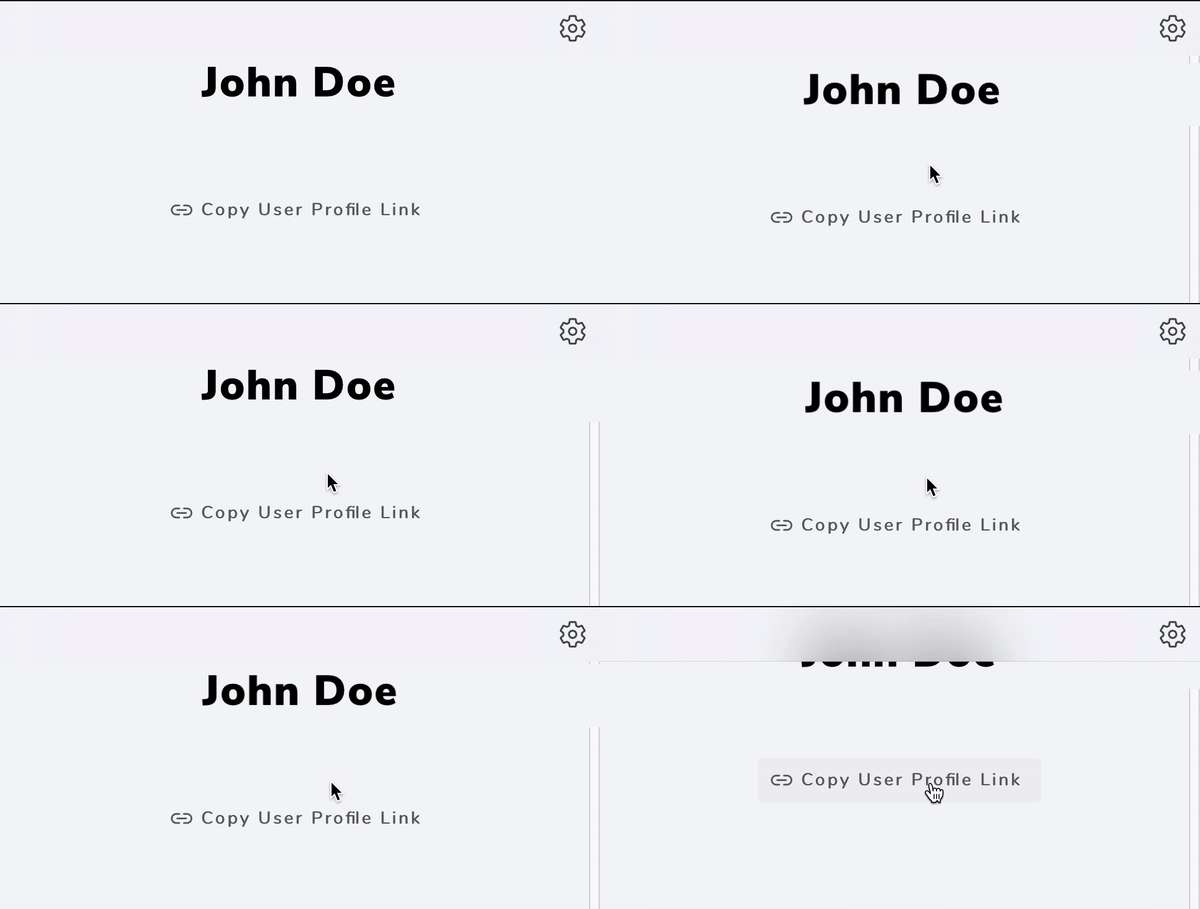
It looks like transform-origin is being applied via JS every time a scroll event fires. I did a quick search in the core repo last night, I believe https://github.com/ionic-team/ionic-framework/blob/24cfdc308f63b7a55969ac58806eafd67116b017/core/src/utils/transition/ios.transition.ts#L190 is the line in question. I don't know much about how you guys want to keep things structured under the hood so I understand you need to be careful whats exposed and whats not. Is there a different way I should approach this situation to apply a custom transform-origin style? I know I'm going against the grain by centering the title but I do like the overflow and collapse transitions if it can be centered. If there is anything I can do to help let me know - I'm happy to take stab at some sort of fix but I wouldn't know where to start in terms of how you guys want things to be exposed like you said.
TylerAHolden
on 16 Jul 2020
Ok I think I can change it so that the transform-origin is set on the host ion-title, and the inner .toolbar-title class inherits it. That way, you can override transform-origin by doing:
ion-title {
  transform-origin: center top;
}
Can you try the following dev build, and let me know if it resolves the issue?
Ionic Angular:
npm i @ionic/[email protected]
Ionic React
npm i @ionic/[email protected]
Ionic Core
npm i @ionic/[email protected]
liamdebeasi
on 17 Jul 2020
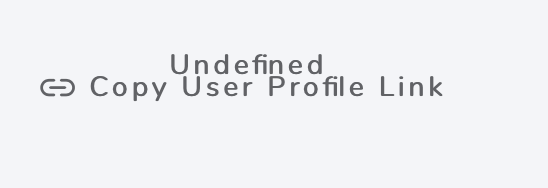
@liamdebeasi Works great!! one thing, not sure if its known or specific to this, every button has "Undefined" printed in it. I checked your PR, I don't see how your changes could've caused it tho.
TylerAHolden
on 20 Jul 2020
You might need to do a full reload of your application (stop the server, restart it). It's likely a temporary glitch.
liamdebeasi
on 20 Jul 2020
Thanks for the issue. This has been resolved via https://github.com/ionic-team/ionic-framework/pull/21770, and a fix will be available in an upcoming release of Ionic Framework.
liamdebeasi
on 20 Jul 2020
Thanks for the issue! This issue is being locked to prevent comments that are not relevant to the original issue. If this is still an issue with the latest version of Ionic, please create a new issue and ensure the template is fully filled out.
![ionitron-bot[bot] picture](https://avatars1.githubusercontent.com/in/8640?v=4&s=40) ionitron-bot[bot]
on 19 Aug 2020
ionitron-bot[bot]
on 19 Aug 2020
Related issues
 danbucholtz
·
3Comments
danbucholtz
·
3Comments
 vswarte
·
3Comments
vswarte
·
3Comments
 giammaleoni
·
3Comments
giammaleoni
·
3Comments
 GeorgeAnanthSoosai
·
3Comments
GeorgeAnanthSoosai
·
3Comments
 aslamj
·
3Comments
aslamj
·
3Comments