Ionic-framework: bug: large header causes type error / race condition
Bug Report
Ionic version:
[x] 4.x
Current behavior:
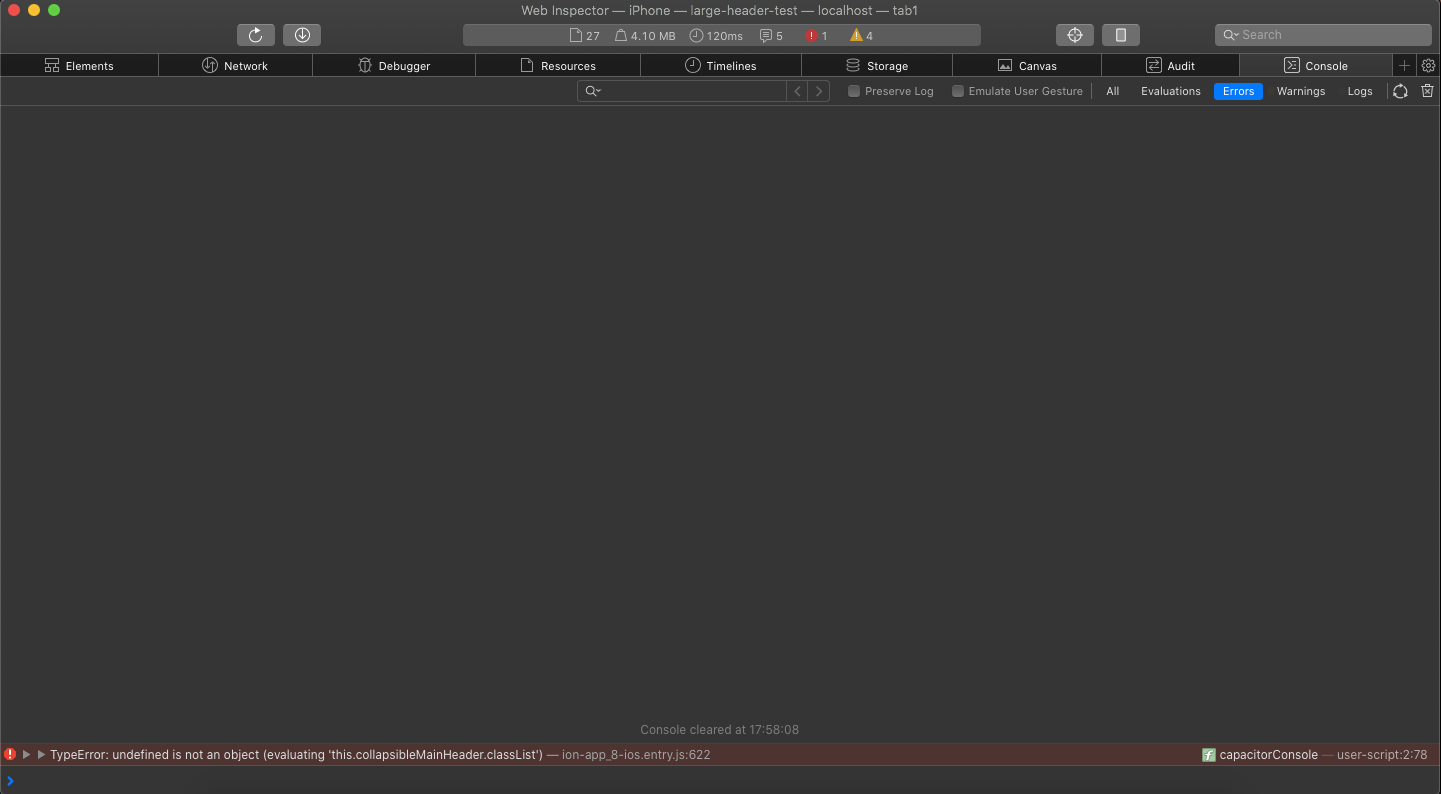
Sometimes when navigating/scrolling between various pages relatively fast I see an error in console:
TypeError: undefined is not an object (evaluating 'this.collapsibleMainHeader.classList')
Expected behavior:
No error is thrown, large header also works in rare situations where this.collapsibleMainHeader may be undefined for whatever reason.
Steps to reproduce:
Navigate and scroll around an app that uses large headers, sooner or later the bug appears. Not very consistent but yeah that's the problem with race conditions et al.
Related code:
The error is caused by this line of code:
https://github.com/ionic-team/ionic/blob/215d55f1ebeb93988b513c5869faae14d1d51919/core/src/components/header/header.tsx#L132
Possible fix: use optional-changing instead of non-null assertion.
Ionic info:
Ionic:

   Ionic CLI                     : 6.2.0 (/usr/local/lib/node_modules/@ionic/cli)
   Ionic Framework               : @ionic/angular 5.0.4
   @angular-devkit/build-angular : 0.900.5
   @angular-devkit/schematics    : 9.0.5
   @angular/cli                  : 9.0.5
   @ionic/angular-toolkit        : 2.2.0

Cordova:

   Cordova CLI       : 9.0.0 ([email protected])
   Cordova Platforms : ios 5.0.1
   Cordova Plugins   : cordova-plugin-ionic-keyboard 2.2.0, cordova-plugin-ionic-webview 4.1.2, (and 27 other plugins)

Utility:

   cordova-res : not installed
   native-run  : not installed

System:

   ios-deploy : 1.9.2
   ios-sim    : 8.0.2
   NodeJS     : v12.4.0 (/usr/local/bin/node)
   npm        : 6.11.3
   OS         : macOS Catalina
   Xcode      : Xcode 11.3.1 Build version 11C504
 DavidStrausz
All 15 comments
Thanks for the issue. Can you provide a repo with the code required to reproduce this issue or some steps to reproduce?
 liamdebeasi
on 9 Mar 2020
liamdebeasi
on 9 Mar 2020
@liamdebeasi Give me a few minutes, but I doubt that it will be of much use as it only occurs rarely and it does not really matter which application it is, it just has to use large headers.
The problem is if the user navigates fast this.collapsibleMainHeader may already be undefined again, this happens here:
But the classList of this object is modified via writeTask() which is an async queue for modifiying the DOM efficiently if I understand correctly and when the queue reaches the task the object is already destroyed.
DavidStrausz
on 9 Mar 2020
@liamdebeasi You can find an example application here.
I also added a gif that show how I was able to reproduce the issue (towards the end you can see how suddenly both, main and large title, are visible on the page with the large title and then the main title of the tab page is entirely gone):

This is also the moment when this error is logged to the console:
DavidStrausz
on 9 Mar 2020
Thanks for the follow up. Can you try the following dev build and let me know if it resolves the issue?
npm i @ionic/[email protected]
liamdebeasi
on 9 Mar 2020
@liamdebeasi I will, first thing tomorrow when I‘m back at the office! Thanks for the quick fix, I think it‘ll do the trick :)
DavidStrausz
on 9 Mar 2020
@liamdebeasi As expected the exception is gone now and the app stays useable. _But_ the symptom of reading/writing something async still shows i.e. sometimes both headers a visible, or if a page has no collapsible header the main header stays hidden. Especially in a larger app where the queue may be larger this shows more often.
But I'm not quite sure if this is something that can be resolved easily.
DavidStrausz
on 10 Mar 2020
Thanks for the follow up. Can you give this dev build a try? 5.1.0-dev.202003101448.145e2ab
liamdebeasi
on 10 Mar 2020
@liamdebeasi Hm I'm still able to produce the inconsistent state where the main header has the header-collapse-condense-inactive class although it shouldn't have.
This is how the DOM of the header looks like right after it breaks (Tab 1 page of the example repo with the new dev build):
<ion-header
  _ngcontent-fuj-c136=""
  ng-reflect-translucent="true"
  role="banner"
  class="ios header-ios header-translucent header-collapse-none header-translucent-ios hydrated header-collapse-condense-inactive"
  ><!---->
  <div class="header-background"></div>
  <ion-toolbar
    _ngcontent-fuj-c136=""
    class="in-toolbar ios toolbar-title-default hydrated"
  >
    <ion-title _ngcontent-fuj-c136="" class="ios title-default hydrated">
      Tab 1
    </ion-title>
  </ion-toolbar>
</ion-header>
And this is how the page looks like:

Its just a feeling but I think it this method which gets into some race condition and adds the class to the title of the wrong page:
https://github.com/ionic-team/ionic/blob/215d55f1ebeb93988b513c5869faae14d1d51919/core/src/components/header/header.utils.ts#L139
DavidStrausz
on 10 Mar 2020
Hmm ok. What device are you testing this on? I'm actually unable to reproduce the issue, but the issue itself makes sense.
liamdebeasi
on 10 Mar 2020
@liamdebeasi On an iPhone 11 Pro
DavidStrausz
on 10 Mar 2020
Also it's not that much of a big deal as you have to navigate _really_ fast to break the UI, the important thing is that the exception is gone and the app keeps working IMHO.
DavidStrausz
on 10 Mar 2020
Hmm that's strange. I'll merge in the change that keeps the app working, but will dig into the other visual glitch some more.
liamdebeasi
on 10 Mar 2020
Thank you very much Liam, your help is much appreciated! :)
DavidStrausz
on 10 Mar 2020
Thanks for the issue. This has been resolved via https://github.com/ionic-team/ionic/pull/20728 and will be available in an upcoming release of Ionic Framework.
liamdebeasi
on 11 Mar 2020
Thanks for the issue! This issue is being locked to prevent comments that are not relevant to the original issue. If this is still an issue with the latest version of Ionic, please create a new issue and ensure the template is fully filled out.
![ionitron-bot[bot] picture](https://avatars1.githubusercontent.com/in/8640?v=4&s=40) ionitron-bot[bot]
on 10 Apr 2020
ionitron-bot[bot]
on 10 Apr 2020
Related issues
 manucorporat
·
3Comments
manucorporat
·
3Comments
 daveshirman
·
3Comments
daveshirman
·
3Comments
 MrBokeh
·
3Comments
MrBokeh
·
3Comments
 GeorgeAnanthSoosai
·
3Comments
GeorgeAnanthSoosai
·
3Comments
 brandyscarney
·
3Comments
brandyscarney
·
3Comments