Ionic-framework: bug: wrong margin in slotted ion-label in RTL and ios and Ionic angular 5.0
Bug Report
Ionic version:
[x] 5.x
Current behavior:
ion-label has left margin=8px and right margin=0
Expected behavior:
ion-label should have right margin=8px to seperate it from the ion-icon next to it
Steps to reproduce:
1- generate a new project using the default 'list' template
2- add this to index.html <html lang="ar" dir="rtl">
3- run project in ios mode
Related code:
<ion-list lines="none">
    <ion-list-header>
      <ion-label>Resources</ion-label>
    </ion-list-header>
    <ion-item>
      <ion-icon slot="start" color="medium" name="book"></ion-icon>
      <ion-label>Ionic Documentation</ion-label>
    </ion-item>
</ion-list>
Other information:
Ionic info:
Ionic:
   Ionic CLI                     : 6.1.0 (/usr/local/lib/node_modules/@ionic/cli)
   Ionic Framework               : @ionic/angular 5.0.1
   @angular-devkit/build-angular : 0.900.3
   @angular-devkit/schematics    : 9.0.3
   @angular/cli                  : 9.0.3
   @ionic/angular-toolkit        : 2.1.2

Cordova:
   Cordova CLI       : 9.0.0 ([email protected])
   Cordova Platforms : android 8.1.0, ios 5.1.1
   Cordova Plugins   : cordova-plugin-ionic-keyboard 2.2.0, cordova-plugin-ionic-webview 4.1.3, (and 12 other plugins)

Utility:
   cordova-res : 0.9.0
   native-run  : 0.3.0

System:
   ios-deploy : 1.10.0
   ios-sim    : 8.0.2
   NodeJS     : v12.14.1 (/usr/local/bin/node)
   npm        : 6.13.4
   OS         : macOS Mojave
   Xcode      : Xcode 11.3 Build version 11C29

 MuhAssar
All 5 comments
I tried to override the margin as a workaround using:
::slotted(ion-label){
    -webkit-margin-start: 8px !important;
    margin-inline-start: 8px !important;
    -webkit-margin-end: 0 !important;
    margin-inline-end: 0 !important;
}
but it had no effect, please guide me how to fix the margins manually till you release a proper solution.
MuhAssar
on 29 Feb 2020
Thanks for the issue. I was able to confirm this behavior -- looks like it is only happening in Safari.
 liamdebeasi
on 2 Mar 2020
liamdebeasi
on 2 Mar 2020
I was able to reproduce this in Chrome, it seems like it only happens in ios mode. The issue is with the margin on the icon:
LTR
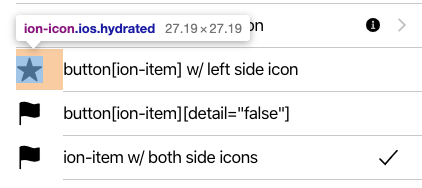
RTL

For some reason the CSS for margin-inline-end is not working unless I add !important, but there's nothing overriding it that I can see:
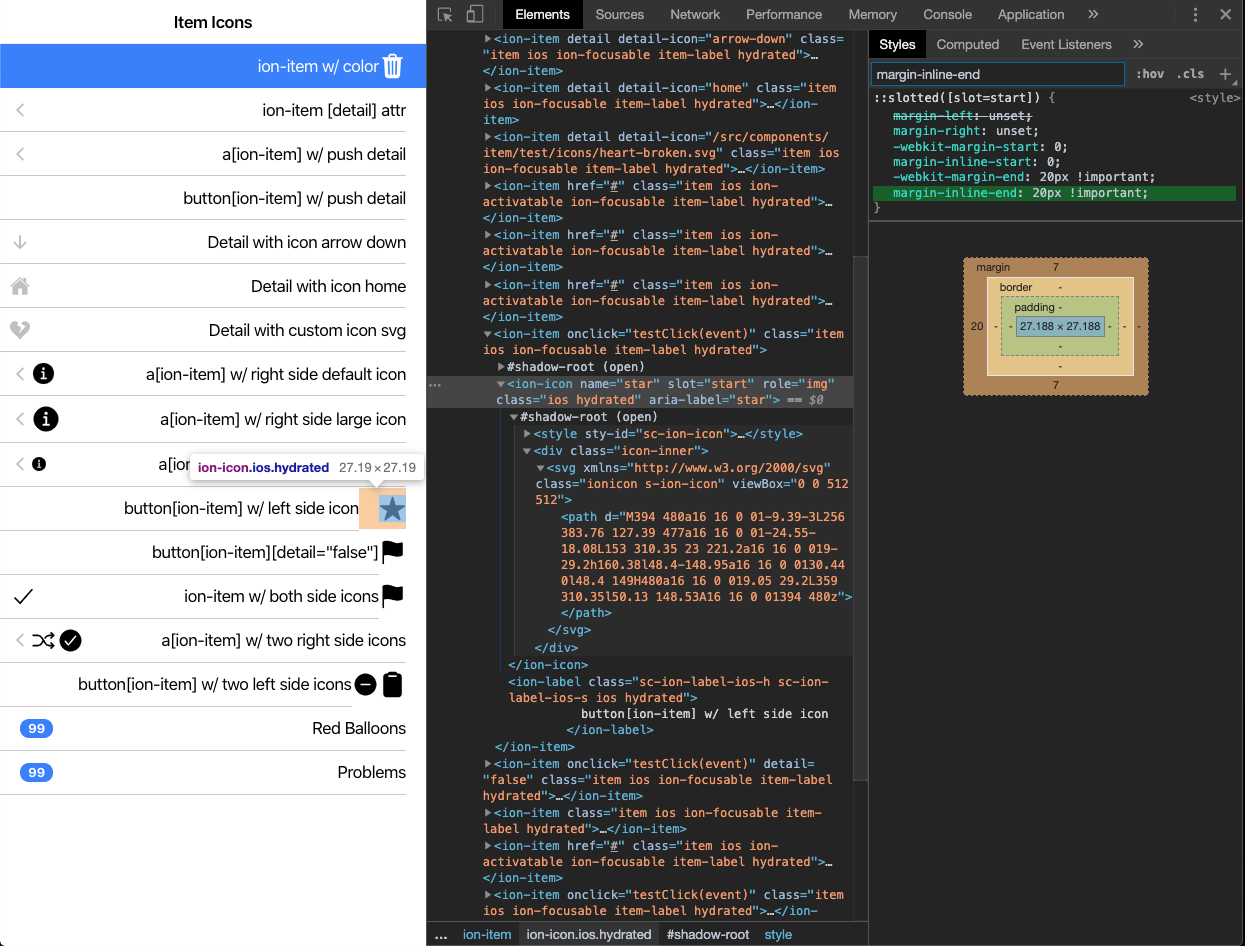
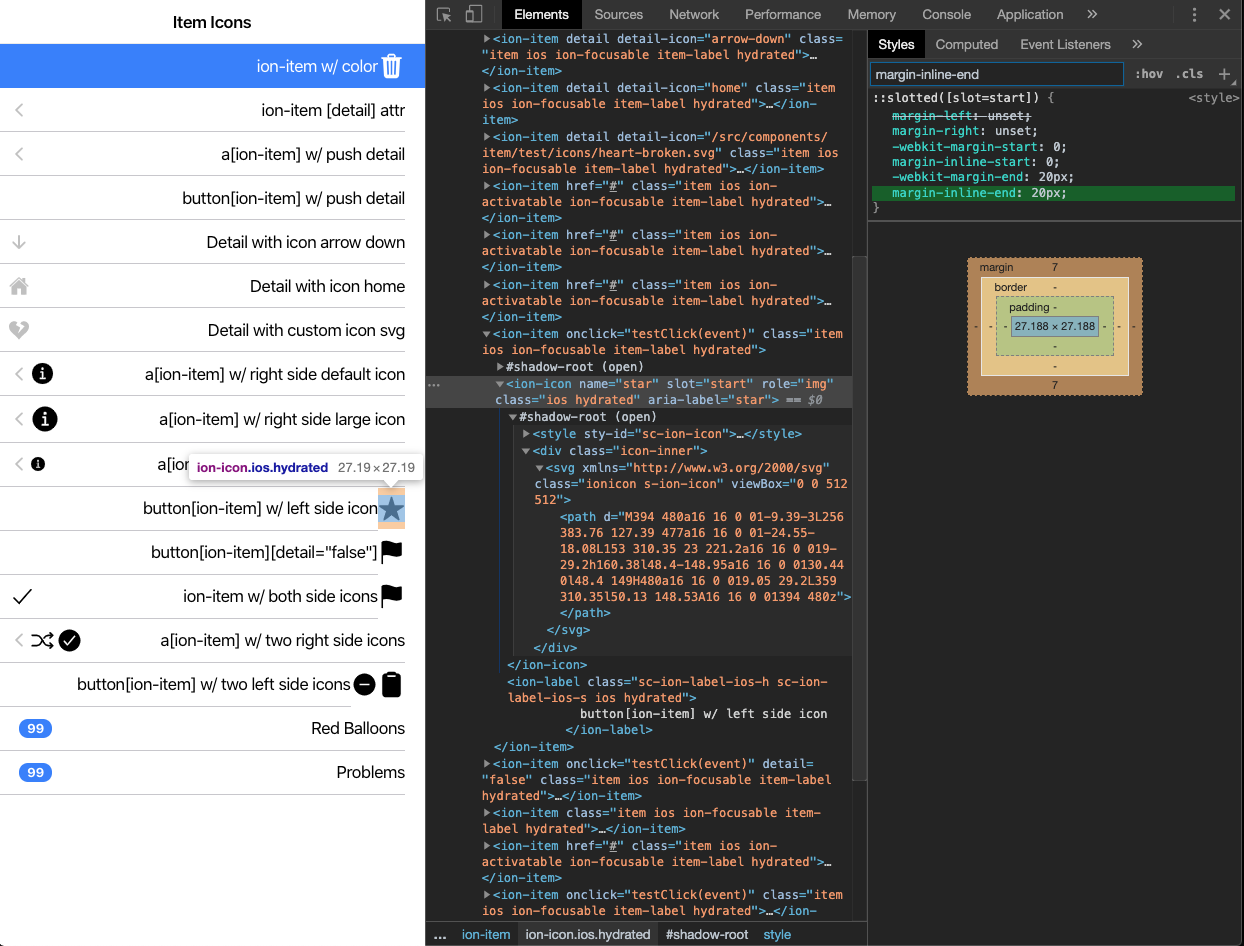
@abennouna Have you seen anything like this?
 brandyscarney
on 3 Mar 2020
brandyscarney
on 3 Mar 2020
More digging has shown me that this is due to the way we set the defaults:
/// @prop - Margin top for an icon in the start/end slot
$item-ios-icon-slot-margin-top:              7px !default;

/// @prop - Margin end for an icon in the start/end slot
$item-ios-icon-slot-margin-end:              null !default;

/// @prop - Margin bottom for an icon in the start/end slot
$item-ios-icon-slot-margin-bottom:           7px !default;

/// @prop - Margin start for an icon in the start/end slot
$item-ios-icon-slot-margin-start:            0 !default;
The margin-left being set to 0 is the reason it is breaking in RTL.
brandyscarney
on 3 Mar 2020
Thanks for the issue! This issue is being locked to prevent comments that are not relevant to the original issue. If this is still an issue with the latest version of Ionic, please create a new issue and ensure the template is fully filled out.
![ionitron-bot[bot] picture](https://avatars1.githubusercontent.com/in/8640?v=4&s=40) ionitron-bot[bot]
on 10 Apr 2020
ionitron-bot[bot]
on 10 Apr 2020
Related issues
 SebastianGiro
·
3Comments
SebastianGiro
·
3Comments
 GeorgeAnanthSoosai
·
3Comments
GeorgeAnanthSoosai
·
3Comments
 alan-agius4
·
3Comments
alan-agius4
·
3Comments
 vswarte
·
3Comments
vswarte
·
3Comments
 aslamj
·
3Comments
aslamj
·
3Comments