Ionic-framework: bug: Blank screen when fast clicking on ion-back-button
Bug Report
Ionic version:
[x] 4.3.0
Steps to reproduce:
Try fast click on ion-back-button when you have some pages in route history
Related code:
HTML
<ion-header>
  <ion-toolbar>
    <ion-buttons slot="start">
      <ion-back-button></ion-back-button>
    </ion-buttons>
    <ion-title>
      HEADER 2
    </ion-title>
  </ion-toolbar>
</ion-header>

<ion-content>
  CONTENT 2
</ion-content>

<ion-footer>
  <ion-button
    (click)="openTest3()">
    <ion-label>OPEN 3</ion-label>
  </ion-button>
</ion-footer>
TS
import { Component } from '@angular/core';
import { Router } from '@angular/router';

@Component({
  templateUrl: './test.component.html',
  styleUrls: ['./test.component.scss'],
})
export class Test2Component {

  constructor(private router: Router) {
  }

  openTest3() {
    this.router.navigateByUrl(`index/test3`);
  }

}
ROUTES
export const testRoutes: Routes = [
  {
    path: 'test',
    component: TestComponent,
  },
  {
    path: 'test2',
    component: Test2Component,
  },
  {
    path: 'test3',
    component: Test3Component,
  },
  {
    path: 'test4',
    component: Test4Component,
  }
];
Video with this bug:
https://gyazo.com/fef073d8480218bc79180e7216c34e11
Page in stack invisible:

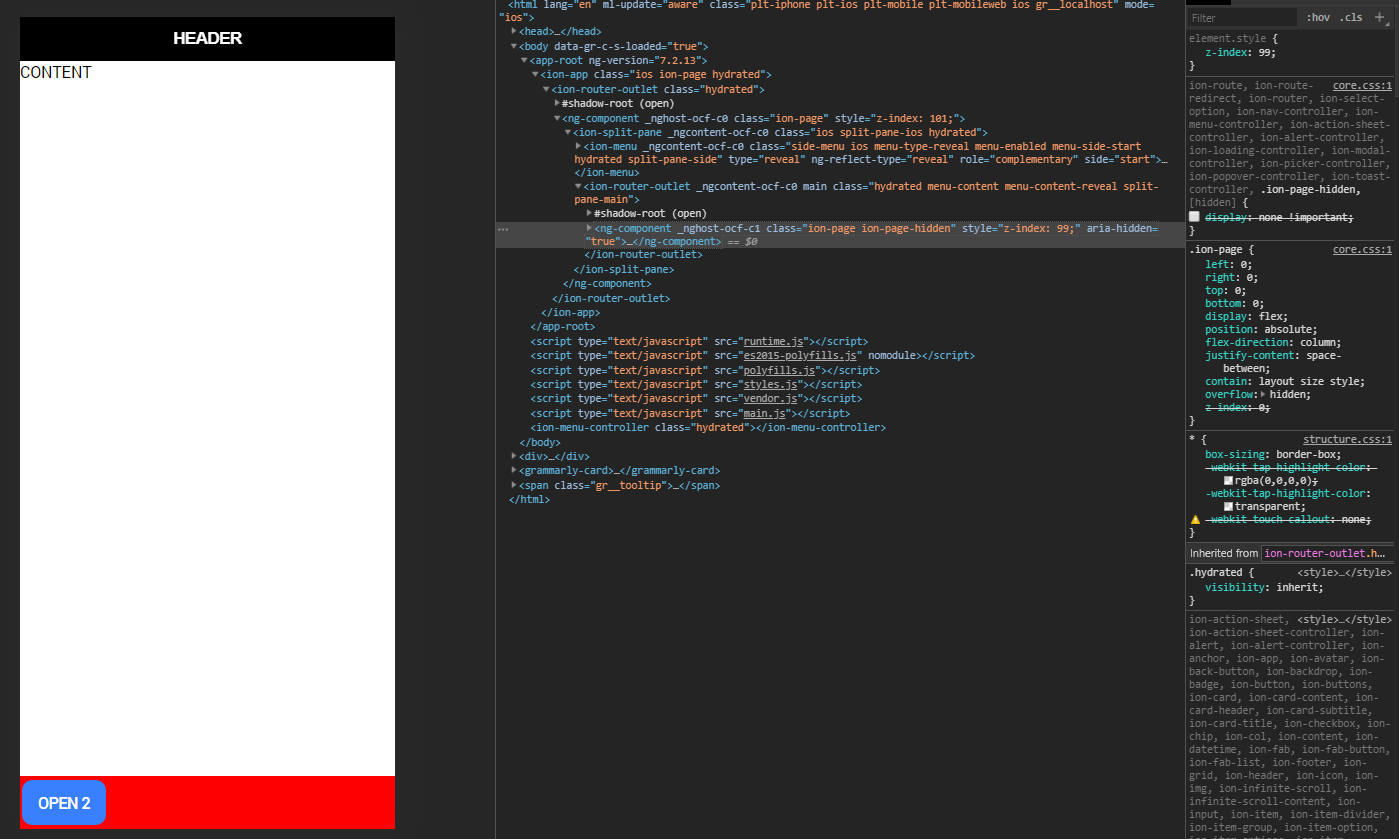
 SerhiDi
All 3 comments
This is shockingly easy to reproduce. I found that clicking an ion-item with a routerLink and then clicking the back button twice would consistently produce a blank page.
 dansiemens
on 30 Apr 2019
dansiemens
on 30 Apr 2019
Thanks for the issue! Closing as a duplicate of #18455. I'm not able to reproduce this and I've commented on that issue asking for more information. If anyone could please give us more details into how this is reproduced that would be helpful. Thanks.
 brandyscarney
on 12 Jun 2019
brandyscarney
on 12 Jun 2019
Thanks for the issue! This issue is being locked to prevent comments that are not relevant to the original issue. If this is still an issue with the latest version of Ionic, please create a new issue and ensure the template is fully filled out.
![ionitron-bot[bot] picture](https://avatars1.githubusercontent.com/in/8640?v=4&s=40) ionitron-bot[bot]
on 12 Jul 2019
ionitron-bot[bot]
on 12 Jul 2019
Related issues
 fdnhkj
·
3Comments
fdnhkj
·
3Comments
 daveshirman
·
3Comments
daveshirman
·
3Comments
 RobFerguson
·
3Comments
RobFerguson
·
3Comments
 MrBokeh
·
3Comments
brandyscarney
·
3Comments
MrBokeh
·
3Comments
brandyscarney
·
3Comments
Most helpful comment
This is shockingly easy to reproduce. I found that clicking an
ion-itemwith arouterLinkand then clicking the back button twice would consistently produce a blank page.