Ionic-framework: tabbarPlacement: 'top' not working in Ionic v4
Hello Team,
I am using ionic v4-beta13 version. In this last beta ionic tabbarPlacement:'top' not working in IonicConfig. Here I have attached the details.
Ionic version: (check one with "x")
[ ] 4.x
Current behavior:
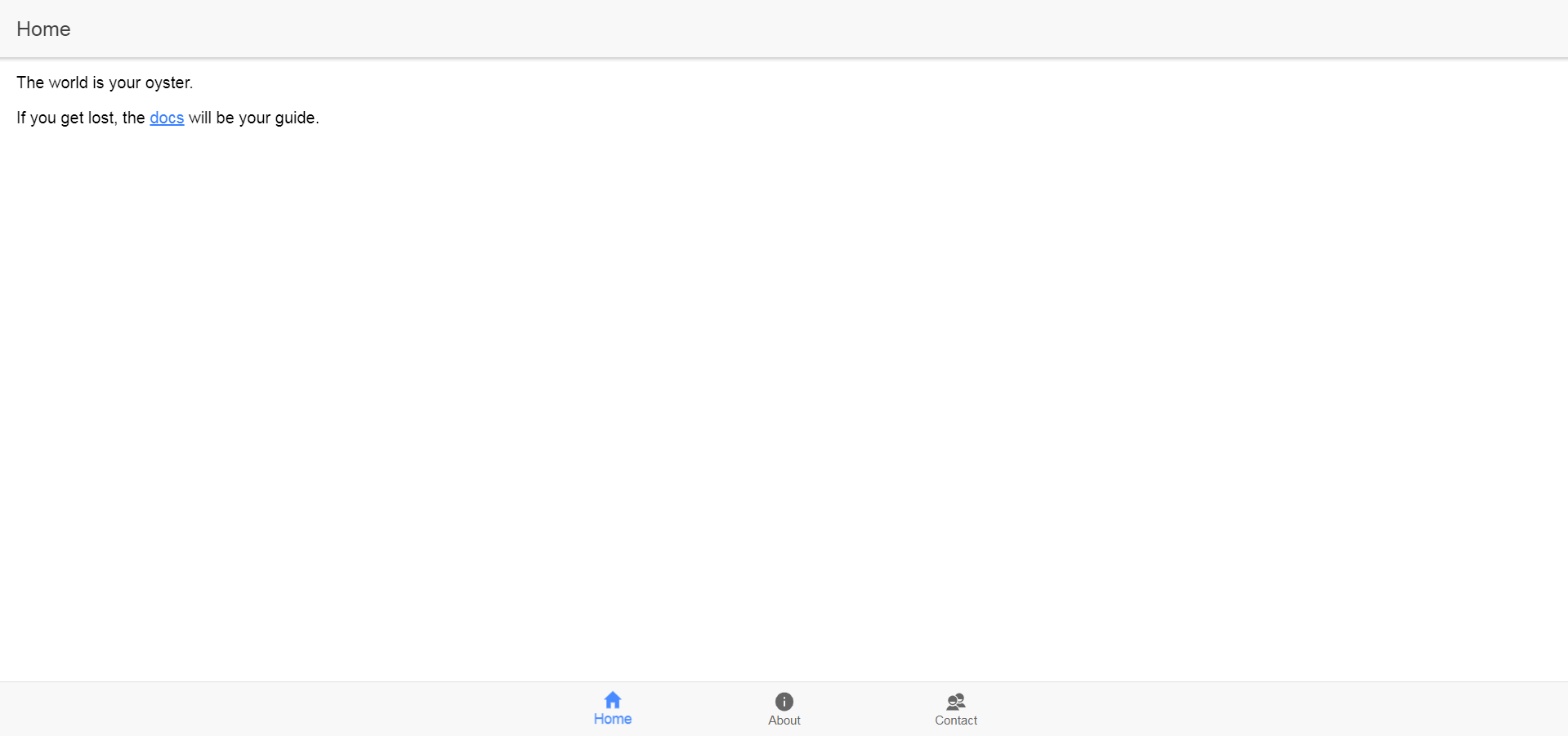
Expected behavior:
The tabbarPlacement should be positioned in TOP
Steps to reproduce:
Here am declare IonicConfig in app.module.ts. I am attached with my code for more details.
import { NgModule } from '@angular/core';
import { BrowserModule } from '@angular/platform-browser';
import { RouteReuseStrategy } from '@angular/router';

import { IonicModule, IonicRouteStrategy } from '@ionic/angular';
import { SplashScreen } from '@ionic-native/splash-screen/ngx';
import { StatusBar } from '@ionic-native/status-bar/ngx';

import { AppRoutingModule } from './app-routing.module';
import { AppComponent } from './app.component';
import { IonicConfig } from '../../node_modules/@ionic/core';


const ionAppConfig: IonicConfig = {
  tabbarPlacement: 'top'
}
@NgModule({
  declarations: [AppComponent],
  entryComponents: [],
  imports: [BrowserModule, IonicModule.forRoot(ionAppConfig), AppRoutingModule],
  providers: [
    StatusBar,
    SplashScreen,
    { provide: RouteReuseStrategy, useClass: IonicRouteStrategy }
  ],
  bootstrap: [AppComponent]
})
export class AppModule {}
Related code:
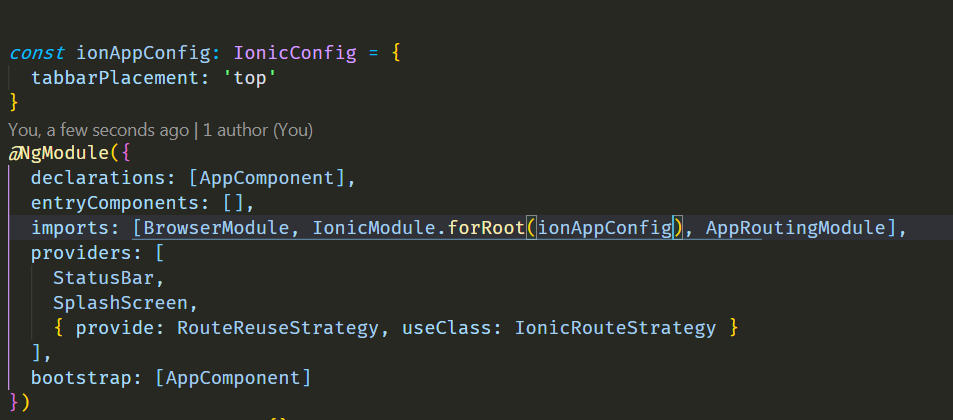
insert short code snippets here
 Manivannandurairaj
All 11 comments
experiencing same issue - The tabbarHighlight property doesn't work either.
<ion-tabs tabbar-placement="top" tabbar-highlight="true">
 VectraSA
on 19 Oct 2018
VectraSA
on 19 Oct 2018
Same issue here, plus adding a color to the ion-tabs isn't working either
 Tochukwuibe
on 19 Oct 2018
Tochukwuibe
on 19 Oct 2018
Same issue as @Tochukwuibe
 OAnouman
on 20 Oct 2018
OAnouman
on 20 Oct 2018
Same issue here with "@ionic/angular": "4.0.0-beta.13" and <ion-tabs tabbar-placement="top" tabbar-highlight="true">
 yuricamara
on 22 Oct 2018
yuricamara
on 22 Oct 2018
yuricamara
on 22 Oct 2018
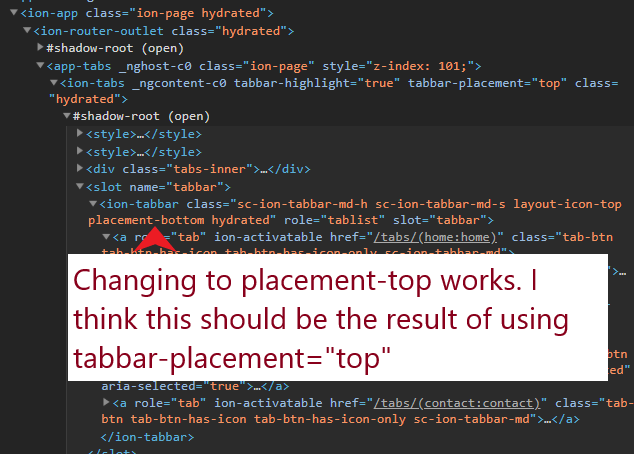
A workaround, until the problem is not solved:
export class TabsPage implements AfterViewChecked {
  ngAfterViewChecked() {
    const ionTabsEl = document.querySelector('ion-tabs');
    const ionTabbarEl = ionTabsEl.shadowRoot.querySelector('ion-tabbar');

    if(ionTabbarEl){
      ionTabbarEl.placement = 'top';
    }
  }
}
Heard there is some refactoring occurring with the tabs for Vue and React compatibility. Suspect that might have caused this to break. Did this work in earlier betas?
 chrisgriffith
on 24 Oct 2018
chrisgriffith
on 24 Oct 2018
@FdezRomero actually it worked fine in every beta and just broke in 4.0.0.beta13. At least for me anyways.
Tochukwuibe
on 24 Oct 2018
Sorry! I meant alpha.7 🙏😅 Here is the original issue I opened at the time, albeit not exactly the same: https://github.com/ionic-team/ionic/issues/14610
 FdezRomero
on 25 Oct 2018
FdezRomero
on 25 Oct 2018
We have take the decition to make ion-tab-bar a "bottom" only component, since it models the tabs of iOS (bottom only) and the Bottom Bar navigation of material design.
There are important technical limitations that makes it impossible to project the tab-bar behind the tab's toolbar.
However, we are investing to make ion-segment more powerful and integrate better with navigation, so developers could implement a top navigation like MD. Stay tuned! Thanks!
 manucorporat
on 2 Nov 2018
manucorporat
on 2 Nov 2018
Thanks for the issue! This issue is being locked to prevent comments that are not relevant to the original issue. If this is still an issue with the latest version of Ionic, please create a new issue and ensure the template is fully filled out.
![ionitron-bot[bot] picture](https://avatars1.githubusercontent.com/in/8640?v=4&s=40) ionitron-bot[bot]
on 2 Dec 2018
ionitron-bot[bot]
on 2 Dec 2018
Related issues
 SebastianGiro
·
3Comments
SebastianGiro
·
3Comments
 alan-agius4
·
3Comments
alan-agius4
·
3Comments
 GeorgeAnanthSoosai
·
3Comments
GeorgeAnanthSoosai
·
3Comments
 brandyscarney
·
3Comments
brandyscarney
·
3Comments
 daveshirman
·
3Comments
daveshirman
·
3Comments
Most helpful comment
Same issue here, plus adding a color to the ion-tabs isn't working either