Ionic-framework: bug: dividing lines in ion-list are different lengths
Type: bug
Ionic Version: 2.x
Platform: all
The dividing line under the last ion-item in an ion-list extends all the way to the left edge of the screen. All other dividing lines stop short of the left edge.
This occurs on Android and Chrome, as well as on the Ionic 2 docs pages themselves.
I'm not sure if this is a feature rather than a bug, but it makes lists (especially lists of input items, and short lists) look unbalanced. Maybe there's another way to do lists of input items?
The examples for input from the Ionic 2 docs are:
<ion-list>

  <ion-item>
    <ion-label>Username</ion-label>
    <ion-input type="text"></ion-input>
  </ion-item>

  <ion-item>
    <ion-label>Password</ion-label>
    <ion-input type="password"></ion-input>
  </ion-item>

</ion-list>

<div padding>
  <button block>Sign In</button>
</div>
 omyen
omyen
All 6 comments
Removing the <ion-list> from the examples makes the dividing lines match (not extending to the left edge).
<ion-item>
<ion-label>Username</ion-label>
<ion-input type="text"></ion-input>
</ion-item>
<ion-item>
<ion-label>Password</ion-label>
<ion-input type="password"></ion-input>
</ion-item>
<div padding>
<button block>Sign In</button>
</div>
This is by design to match the iOS list, see the settings:

However, I think we need to add something to make this easier to customize. Going to leave this open to think about how this can be done.
 brandyscarney
on 21 Feb 2016
brandyscarney
on 21 Feb 2016
I was also surprised by this, especially coming from Ionic 1 where lists are edge-to-edge by default. FWIW I'm using the following SASS to revert back to edge-to-edge behaviour.
.list-md .item-block {
  border-bottom: 1px solid $list-md-border-color;
}
.list-md .item-block .item-inner {
  border-bottom: 0;
}
 fiznool
on 7 Oct 2016
fiznool
on 7 Oct 2016
.item { border-style: none }
 muhammedMoussa
on 12 Jun 2017
muhammedMoussa
on 12 Jun 2017
Just chipping in on a super old bug here with some hopefully helpful observations :)
I see how it matches their border style in the picture you gave there but it looks like they also add a grey border to the list element itself to draw more attention to there being an end to the list.
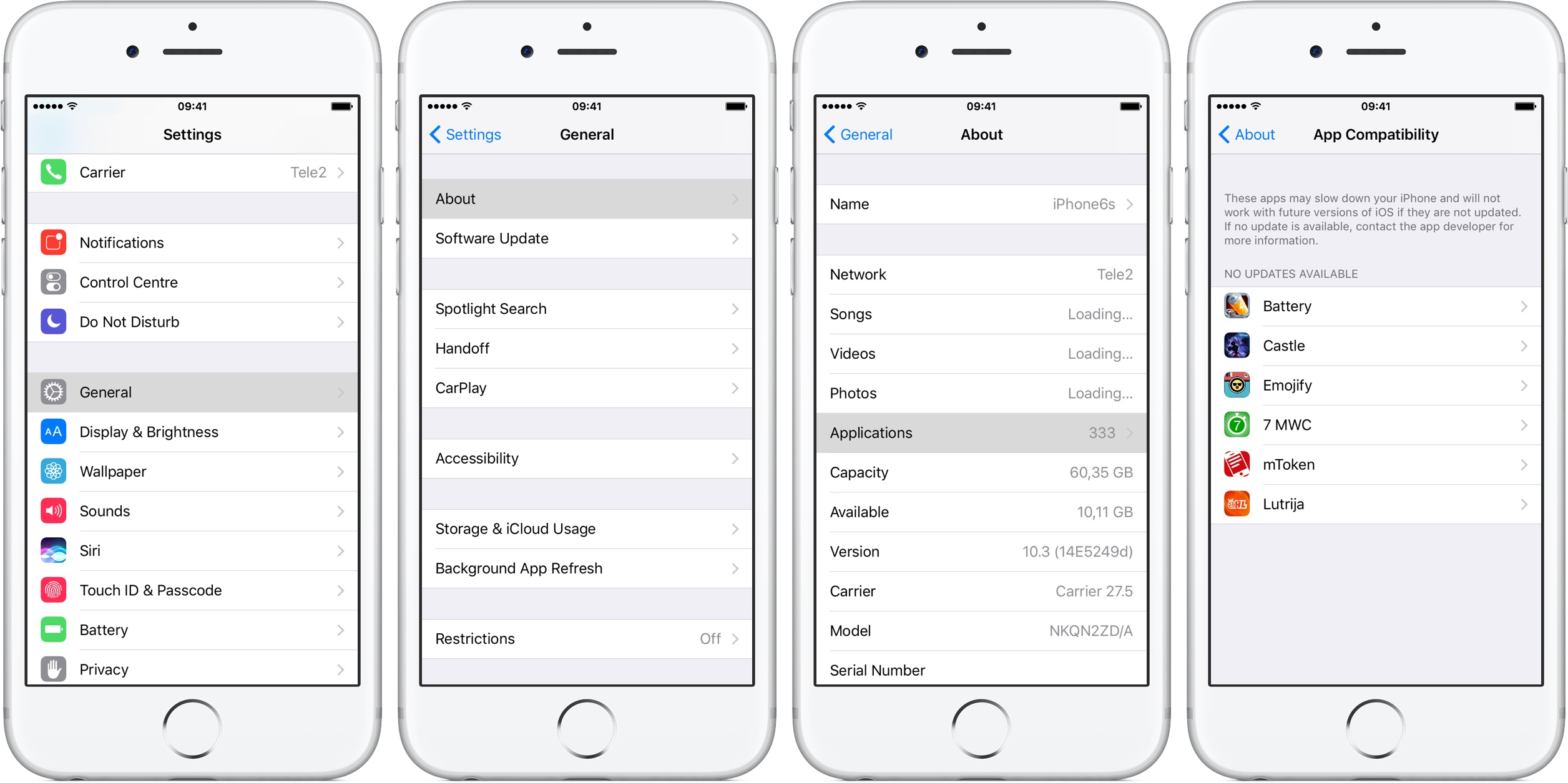
In the last photo there it looks like they simply standardize on the background being a different color from the list items. That does solve the border looking odd when it's white on white but can look tacky though when you have a simple input form and buttons.
body {
  background-color: lightgrey
}

I did however find an interesting photo in Apple's user interface guidelines that seems to show it being a border to the list again.

Testing that out in the sample code originally given with this issue looks like it might make the one longer one on the bottom a bit less awkward in a white list item white background style.
ion-list {
    margin: -1px 0px 24px;
    border-bottom: 8px solid lightgray;
    border-top: 8px solid lightgray;
}

Side by side I think it makes the reason for the line being longer more clear that it is a division / separator.

 Tiberriver256
on 24 Dec 2017
Tiberriver256
on 24 Dec 2017
Thanks for the issue! This issue is being locked to prevent comments that are not relevant to the original issue. If this is still an issue with the latest version of Ionic, please create a new issue and ensure the template is fully filled out.
![ionitron-bot[bot] picture](https://avatars1.githubusercontent.com/in/8640?v=4&s=40) ionitron-bot[bot]
on 1 Sep 2018
ionitron-bot[bot]
on 1 Sep 2018
Related issues
 SebastianGiro
·
3Comments
SebastianGiro
·
3Comments
 Nick-The-Uncharted
·
3Comments
Nick-The-Uncharted
·
3Comments
 alexbainbridge
·
3Comments
alexbainbridge
·
3Comments
 daveshirman
·
3Comments
daveshirman
·
3Comments
 fdnhkj
·
3Comments
fdnhkj
·
3Comments
Most helpful comment
I was also surprised by this, especially coming from Ionic 1 where lists are edge-to-edge by default. FWIW I'm using the following SASS to revert back to edge-to-edge behaviour.