Ionic-app-scripts: Code changes are not reflected after a live reload - ionic serve
Short description of the problem:
with ionic serve and chrome as browser, after saving the changes, live reload is triggered, code rebuilds, browser reloads but the changes are not reflected. i see the previous build. Have to save twice to make the changes updated in browser.
this problem does not happen every time though.
i dont know what causes this but it happens 1/3 of my saves.
What behavior are you expecting?
When saving the changes should be reflected.
Steps to reproduce:
- Run ionic serve then open chrome for localhost:8100
- Edit some file in the project and save
- If you see the changes be patient and go back to step 2
```
Which @ionic/app-scripts version are you using?
app-scripts version: 0.0.42
Cordova CLI: 6.1.1
Ionic CLI Version: 2.1.7
Ionic App Lib Version: 2.1.4
ios-deploy version: Not installed
ios-sim version: Not installed
OS: Windows 7
Node Version: v6.7.0
Xcode version: Not installed
 comfortme
All 127 comments
@comfortme,
When you see this happen, can you manually reload the page and verify if the expected code is there or not. Maybe this is a race condition with watches since sometimes watches fire before the file is fully written. Hmmmm.
I cannot recreate this on Windows 7.
Thanks,
Dan
 danbucholtz
on 11 Nov 2016
danbucholtz
on 11 Nov 2016
this happens in my home computer too which is windows 8.1
i am using vscode as an editor maybe related to that? i'll check and inform you. thanks.
comfortme
on 11 Nov 2016
@danbucholtz ,
i can verify that expected code is there.
i recreated the issue and reloaded page like you asked and the changes are reflected as expected.
tried it with notepad++ too still the same issue.
comfortme
on 11 Nov 2016
Thanks for validating. It sounds like a race condition, we'll investigate.
Thanks,
Dan
danbucholtz
on 11 Nov 2016
thank you,
weird notes from my observations,
1.change js file
2.live reload
3.view is not changed
4.reload manually
5.view is changed.
1.change html
2.live reload
3.view is changed
1.change js file
2.live reload
3.view is not changed
4.do not reload manually and change html now
5.live reload
6.view is changed but just html part.
7.reload manually
8.view is changed but just html part. js change is not reflected and code is not there anymore manually reloading does not work. you have to make another change in js.
comfortme
on 11 Nov 2016
FWIW I'm seeing the same behavior as @comfortme
 joshgarwood
on 12 Nov 2016
joshgarwood
on 12 Nov 2016
Okay, there is definitely something wrong, then. We'll figure it out and fix it. Windows 10, right? I have never seen that behavior on Mac OS or Windows 7/8.
Thanks,
Dan
danbucholtz
on 13 Nov 2016
Confirm that I see this on Windows 10, not sure if it happens every time but changing the JS sometimes needs another save for the change to be reflected, build output looks like this:
[13:35:19] build started ...
[13:35:19] transpile started ...
[13:35:23] transpile finished in 3.47 s
[13:35:23] webpack update started ...
[13:35:27] webpack update finished in 4.05 s
[13:35:27] build finished in 7.53 s
Bonus bug, the C in Cordova is missing when running 'ionic info'):
Your system information :
ordova CLI: 6.3.0
Ionic Framework Version: 2.0.0-rc.2
Ionic CLI Version: 2.1.7
Ionic App Lib Version: 2.1.4
Ionic App Scripts Version: 0.0.43
ios-deploy version: Not installed
ios-sim version: Not installed
OS: Windows 10
Node Version: v6.9.1
Xcode version: Not installed
 webprofusion-chrisc
on 14 Nov 2016
webprofusion-chrisc
on 14 Nov 2016
Yes, I'm on Windows 10 as well.
joshgarwood
on 14 Nov 2016
@joshgarwood, @webprofusion-chrisc,
Any idea what's causing this? I cannot recreate on Windows 10 or windows 7. Both are VMs - not sure if that would have any impact.
Any idea how I can recreate this? Is there anything unique about your set-up? Do you have SSDs? I am noticing the build times seem a little slow - wondering if the file watch isn't triggering at the correct time or something. I'm not sure.
Please let me know if you have any ideas.
Thanks,
Dan
danbucholtz
on 15 Nov 2016
Hey @danbucholtz .. Unfortunately I have no idea, ha. I can say that it happens most typically if I try to save multiple times in succession. So if I have 3 unsaved changes across 3 different files, and do Save All it seems to get confused. Also seems to happen randomly if I have an error in one of my templates (like calling a function that doesnt exist in my component).
It's still random overall, but your best chance at duping it (from my experience) is to make multiple saves in close succession.
Thanks again for looking into this; it'll definitely save me some pain and frustration once it's fixed, ha.
joshgarwood
on 15 Nov 2016
I am experiencing that same issue on Windows 10 with an SSD. I noticed that build times tend to get worse over time after a few builds. I am use Visual Studio Code.
ordova CLI: 6.4.0
Ionic Framework Version: 2.0.0-rc.2
Ionic CLI Version: 2.1.8
Ionic App Lib Version: 2.1.4
Ionic App Scripts Version: 0.0.43
ios-deploy version: Not installed
ios-sim version: Not installed
OS: Windows 10
Node Version: v6.9.1
Xcode version: Not installed
 arielfaur
on 15 Nov 2016
arielfaur
on 15 Nov 2016
I have an SSD as well.
joshgarwood
on 15 Nov 2016
@arielfaur,
Any thoughts on what it might be? Does it happen every time you save an individual file? Does it happen every time you save multiple files? Any info will help me track it down.
Thanks!
Dan
danbucholtz
on 15 Nov 2016
I'm also experiencing this issue
Firefox 49.0.2
Cordova CLI: 6.4.0
Ionic Framework Version: 2.0.0-rc.2
Ionic CLI Version: 2.1.8
Ionic App Lib Version: 2.1.4
Ionic App Scripts Version: 0.0.43
ios-deploy version: Not installed
ios-sim version: Not installed
OS: Windows 10
Node Version: v6.9.1
Xcode version: Not installed
 oyve
on 15 Nov 2016
oyve
on 15 Nov 2016
@danbucholtz I have been testing for a while and it looks like a race condition but I cannot seem to find a pattern. It looks as though sometimes the webpack update task is triggered before transpile has finished and therefore it does not see the newly generated js (but I am not certain about that either).
As you can see here it seems to be very random...

arielfaur
on 15 Nov 2016
As of Version 0.0.44 this Problem seems to be gone, at least for me
 waybackrider
on 16 Nov 2016
waybackrider
on 16 Nov 2016
yes it seems it's gone for me too with 0.0.44.
comfortme
on 16 Nov 2016
Unfortunately I keep seeing this issue with 0.0.44
arielfaur
on 16 Nov 2016
There is definitely an issue with updating templates that I am fixing today. It was a regression in a large refactor we did a week or so ago.
Have any of you seen instances where Typescript code changes don't get put into the bundle? I believe so, but I have never been able to recreate it.
Thanks,
Dan
danbucholtz
on 16 Nov 2016
@danbucholtz Yes, that is exactly what's happening I believe. Whenever I inspect the code with Chrome tools the changes are not there.
arielfaur
on 16 Nov 2016
@arielfaur, can you recreate this with the latest version of app-scripts?
npm install @ionic/app-scripts@nightly
Thanks,
Dan
danbucholtz
on 20 Nov 2016
@danbucholtz I created a brand new Ionic project and it all started working. It seems that dependencies were somehow messed up, even after wiping the node_modules and running npm install. So after creating a new project it worked fine and I also started seeing the new screen overlay that says "Building..."
arielfaur
on 20 Nov 2016
@danbucholtz
For what it's worth, I've got app-scripts working with webpack etc. But livereload just doesn't work for me at all. I just get an empty white screen with no console logging (My first line in my bootstrap class is a console.log (main.dev)). I do see this all the time:
16:15:23] build finished in 33 ms MEM: 349.4MB
Error: channel closed
at ChildProcess.target.send (internal/child_process.js:523:16)
at Object.send (/Users/mathijs/projects/eu.liquix.kruidvat/node_modules/awesome-typescript-loader/src/checker/send.ts:24:35)
at Checker.req (/Users/mathijs/projects/eu.liquix.kruidvat/node_modules/awesome-typescript-loader/src/checker/checker.ts:87:21)
at Checker.getFiles (/Users/mathijs/projects/eu.liquix.kruidvat/node_modules/awesome-typescript-loader/src/checker/checker.ts:133:21)
at Compiler.<anonymous> (/Users/mathijs/projects/eu.liquix.kruidvat/node_modules/awesome-typescript-loader/src/instance.ts:343:40)
at next (/Users/mathijs/projects/eu.liquix.kruidvat/node_modules/tapable/lib/Tapable.js:83:14)
at Compiler.<anonymous> (/Users/mathijs/projects/eu.liquix.kruidvat/node_modules/webpack/lib/CachePlugin.js:61:4)
at Compiler.applyPluginsAsync (/Users/mathijs/projects/eu.liquix.kruidvat/node_modules/tapable/lib/Tapable.js:85:13)
at /Users/mathijs/projects/eu.liquix.kruidvat/node_modules/webpack/lib/Compiler.js:476:10
at Compilation.applyPluginsAsync (/Users/mathijs/projects/eu.liquix.kruidvat/node_modules/tapable/lib/Tapable.js:73:70)
Error: channel closed
at ChildProcess.target.send (internal/child_process.js:523:16)
at send (/Users/mathijs/projects/eu.liquix.kruidvat/node_modules/awesome-typescript-loader/src/checker/send.ts:24:35)
at /Users/mathijs/projects/eu.liquix.kruidvat/node_modules/awesome-typescript-loader/src/checker/send.ts:35:47
at Array.forEach (native)
at /Users/mathijs/projects/eu.liquix.kruidvat/node_modules/awesome-typescript-loader/src/checker/send.ts:35:30
at _combinedTickCallback (internal/process/next_tick.js:71:11)
at process._tickCallback (internal/process/next_tick.js:98:9)
one out of like 20 runs, it actually does live-reload a few times. It's absolutely random for me and this error is always there after the initial build (live-reload).
Oh I'm not on windows:
OSX sierra
Macbook pro 2013 ish with pretty decent specs if that's relevant.
Serving in chrome, but errors occur in the node process
 msegers
on 30 Nov 2016
msegers
on 30 Nov 2016
@msegers,
Curious, I see awesome-typescript-loader in there but we don't use awesome-typescript-loader. What are you doing in your project?
Thanks,
Dan
danbucholtz
on 4 Dec 2016
@danbucholtz To be honest I don't know the difference, was just expecting Awesome loader to have more features. I didn't really think that through. I had a lot of troubles to get my project to compile and when it worked I just switched to awesome ts.
I'll report back after changing it to see if that causes problems.
msegers
on 5 Dec 2016
@danbucholtz It does recompile now it however seems to fail on cordova plugins like my fabric one, only on reload not on initial.
Maybe I can just fix that though. Thanks for the assist.
I don't think that plugin has ts in it anyway so I could probably exclude it somewhere.
Typescript Error
File '/Users/mathijs/projects/some.client.name/www/build/plugins/cordova-fabric-plugin/typings/cordova-fabric-plugin.d.ts' not found.
www/build/plugins/cordova-fabric-plugin/typings/cordova-fabric-plugin-tests.d.ts
declare var fabricApi: FabricPlugin.FabricPluginStatic;
declare var answersApi: FabricPlugin.Answers;
msegers
on 5 Dec 2016
@msegers,
Sorry, once your start customizing the build process, we cannot support you. I recommend undoing any of your changes and going back to @ionic/app-scripts default set-up which should work.
Thanks,
Dan
danbucholtz
on 5 Dec 2016
No worries I have gotten it working I had declarations set to true, and ts
loader created the d.ts files in www which caused latter problems. Might be
useful for someone
On Mon, 5 Dec 2016 at 17:50, Dan Bucholtz notifications@github.com wrote:
@msegers https://github.com/msegers,
Sorry, once your start customizing the build process, we cannot support
you. I recommend undoing any of your changes and going back to
@ionic/app-scripts default set-up which should work.Thanks,
Dan—
You are receiving this because you were mentioned.
Reply to this email directly, view it on GitHub
https://github.com/driftyco/ionic-app-scripts/issues/363#issuecomment-264907834,
or mute the thread
https://github.com/notifications/unsubscribe-auth/ADp7bz3KQ3vcXD8pUU4HtOvoURF8eC_6ks5rFEC-gaJpZM4Kvd9O
.
msegers
on 5 Dec 2016
Thanks for the loader tip
On Mon, 5 Dec 2016 at 18:17, Mathijs Segers mathijssegers@gmail.com wrote:
No worries I have gotten it working I had declarations set to true, and ts
loader created the d.ts files in www which caused latter problems. Might be
useful for someone
On Mon, 5 Dec 2016 at 17:50, Dan Bucholtz notifications@github.com
wrote:@msegers https://github.com/msegers,
Sorry, once your start customizing the build process, we cannot support
you. I recommend undoing any of your changes and going back to
@ionic/app-scripts default set-up which should work.Thanks,
Dan—
You are receiving this because you were mentioned.
Reply to this email directly, view it on GitHub
https://github.com/driftyco/ionic-app-scripts/issues/363#issuecomment-264907834,
or mute the thread
https://github.com/notifications/unsubscribe-auth/ADp7bz3KQ3vcXD8pUU4HtOvoURF8eC_6ks5rFEC-gaJpZM4Kvd9O
.
msegers
on 5 Dec 2016
Hi @msegers - the channel closed error usually occurs in awesome-typescript-loader when webpack --watch is run on a webpack config that exports an array (multiple concurrent builds). If your solution is related at all to awesome-typescript-loader, would you mind sharing your findings here?
 zspecza
on 10 Dec 2016
zspecza
on 10 Dec 2016
I'm sorry I did not check anything iT just started working when I switched
to ts loader
On Sat, 10 Dec 2016 at 20:15, Declan de Wet notifications@github.com
wrote:
Hi @msegers https://github.com/msegers - the channel closed error
usually occurs in awesome-typescript-loader when webpack --watch is run
on a webpack config that exports an array (multiple concurrent builds). If
your solution is related at all to awesome-typescript-loader, would you
mind sharing your findings here
https://github.com/s-panferov/awesome-typescript-loader/issues/287?—
You are receiving this because you were mentioned.
Reply to this email directly, view it on GitHub
https://github.com/driftyco/ionic-app-scripts/issues/363#issuecomment-266230821,
or mute the thread
https://github.com/notifications/unsubscribe-auth/ADp7b4QaMc8KfPb6LWdZ68HFwyKLMxnTks5rGvptgaJpZM4Kvd9O
.
msegers
on 10 Dec 2016
Hi all,
This is resolved in 0.0.48 which was just published.
Please let me know if you have any issues.
Thanks,
Dan
danbucholtz
on 19 Dec 2016
_Currently I am inside a vagrant and using livereload, as it turns out it is working. if I change any sass file in /src/home/home.scss it will realod the browser._
_But if I try to change either home.ts or home.html, it will not load._
_However, if I simply edit /src/index.html, it will reload my page._
_I was thinking perhaps the watcher is not accessing sub folders to it's level?_
EDIT: this was wrong.
If anyone is using a vagrant box, please ensure that ports are open in the vagrantfile
port_1: 8100
port_2: 35729
port_3: 53703
These are the default for ionic to work with live reload.
35729: I believe is for Sass only
53703: I believe is for TS and html files
hope this helps someone :)
 rip3rs
on 18 Jan 2017
rip3rs
on 18 Jan 2017
Try to clear application cache from Chrome Dev tools. Changes are reflecting for me post doing that. Not particularly sure why this is caused.
 RohinMohanadas
on 8 Mar 2017
RohinMohanadas
on 8 Mar 2017
@danbucholtz the issue exist in the latest appscript 1.3.0, please reopen this
 rashnk
on 12 Apr 2017
rashnk
on 12 Apr 2017
I have never been able to recreate this issue. If you can give me steps that will reproduce the issue every time, I will fix it.
Thanks,
Dan
danbucholtz
on 13 Apr 2017
@danbucholtz, i updated to latest 1.3.1, seems its ok now
rashnk
on 14 Apr 2017
I'm using appscript 1.3.3 and this problem is also happening in my project. The build process run without any errors:
[10:41:44] build started ...
[10:41:44] transpile started ...
[10:41:51] transpile finished in 7.37 s
[10:41:51] deeplinks update started ...
[10:41:51] deeplinks update finished in 53 ms
[10:41:51] rollup started ...
[10:42:05] build finished in 20.77 s
 dyegonery
on 18 Apr 2017
dyegonery
on 18 Apr 2017
I was also seeing this with ionic-app-scripts 1.3.4 and Chrome Version 58.0.3029.81 (64-bit) when calling ionic-app-scripts serve
The issue turned out to be the service worker I had enabled. It's the service worker created by the Ionic cli for the Blank template in src/service-worker.js. Presumably this is the same in all of the ionic cli templates.
I had enabled the service work by uncommenting the script tag for it in src/index.html without looking at what it does. Thought I just needed that to get the '_install to homescreen_' progressive web app functionality for chrome browsers.
Turns out service-worker.js caches key assets and they get picked up on rebuild instead of what ionic has just built. The size column shows main.js, where all the templates are compiled to, is coming from.

From service-worker.js:
// pre-cache our key assets
self.toolbox.precache(
[
'./build/main.js',
'./build/main.css',
'./build/polyfills.js',
'index.html',
'manifest.json'
]
);
If you've already had the same problem you need to unregister the service worker so it stops serving the pre-cached files.

My setup
Cordova CLI: 6.5.0
Ionic Framework Version: 3.0.1
Ionic CLI Version: 3.0.0-beta7
ios-deploy version: 1.9.1
ios-sim version: Not installed
OS: macOS Sierra
Node Version: v7.9.0
Xcode version: Xcode 8.2.1 Build version 8C1002
I don't have a solution for properly resolving this yet other than not using the service worker. I'll be looking into it further in the near future.
 jeffcressman
on 26 Apr 2017
jeffcressman
on 26 Apr 2017
you @jeffcressman have just saved my sanity. WHY DID I UNCOMMENT THAT PIECE OF CODE?!!!
A thousand "thank-you's".
 craigrouse
on 3 May 2017
craigrouse
on 3 May 2017
I'm using the Visual Studio Ionic template and have found that the livereload feature is not working. Windows 10 here also.
 ciaran036
on 13 May 2017
ciaran036
on 13 May 2017
@ciaran036 it's worth checking that you haven't got the service worker code enabled in the index.html file.
craigrouse
on 13 May 2017
Don't have the service worker code enabled and am having the same issue, using VS Code on Mac with the following environment:
global packages:
@ionic/cli-utils : 1.1.2
Ionic CLI : 3.1.2
local packages:
@ionic/app-scripts : 1.3.7
@ionic/cli-plugin-ionic-angular : 1.1.2
Ionic Framework : ionic-angular 3.2.1
System:
Node : v6.9.4
OS : macOS Sierra
Xcode : Xcode 8.3.2 Build version 8E2002
ios-deploy : 1.9.1
ios-sim : 5.0.13
 HeatherLemieux
on 22 May 2017
HeatherLemieux
on 22 May 2017
I had this problem when I had another node app running via "ng serve". When stopped the other app, the F.S. watch and the reload worked well.
 xavs
on 28 Jun 2017
xavs
on 28 Jun 2017
Only restarting ionic serve works for me. Hard refresh, clearing all app storage, nothing else seems to fix it. Happens every now and then, very strange.
ionic v3.4.0
node v6.9.5
macOS Sierra
 kevin-smets
on 6 Jul 2017
kevin-smets
on 6 Jul 2017
Downgrade app @ionic/app-scripts works for me
"@ionic/app-scripts": "1.3.12",
 prosenjit-manna
on 11 Jul 2017
prosenjit-manna
on 11 Jul 2017
Can anyone tell what exactly need to do. In my case changes done in code are not reflecting in App and on IONIC SERVE.
 PremkumarAgrawal
on 19 Jul 2017
PremkumarAgrawal
on 19 Jul 2017
Need to update @ionic/app-scripts to latest version. Check 3.5.2 upgrade instruction https://github.com/ionic-team/ionic/releases
prosenjit-manna
on 19 Jul 2017
same issue with me to adding google maps to my project
 atamjeet11
on 1 Aug 2017
atamjeet11
on 1 Aug 2017
I'm having this same issue as of today (there was a new CLI update). However, it only happens when i try to save a change to a html template. Changes to any typescript files seem to be reloading as expected.
 MattWlodarski
on 18 Aug 2017
MattWlodarski
on 18 Aug 2017
I am facing this issue again. First time save not updating the template. Next time I save without any changes then template updated. I have to save two times for any changes.
  @ionic/cli-utils  : 1.9.2
    ionic (Ionic CLI) : 3.9.2

global packages:

    Cordova CLI : 7.0.1

local packages:

    @ionic/app-scripts : 2.1.4
    Cordova Platforms  : android 6.2.3 ios 4.4.0
    Ionic Framework    : ionic-angular 3.6.0

System:

    ios-deploy : 1.8.6
    ios-sim    : 5.0.8
    Node       : v8.4.0
    npm        : 5.3.0
    OS         : macOS Sierra
    Xcode      : Xcode 8.0 Build version 8A218a
I just had this issue and it turns out that I was uglyifing my code in webpack. I turned off uglify and my updates are being reflected again.
 strictd
on 2 Sep 2017
strictd
on 2 Sep 2017
same issue here, dont even know where to start. stuck with reserving the app to move forward.
 chitwarnold
on 6 Sep 2017
chitwarnold
on 6 Sep 2017
I get this randomly too:
Mac OsX Sierra 10.12.6
Using Chrome 60.0.3112.113
VS Code: Version 1.16.0 (1.16.0)
ionic info:
cli packages: (/opt/IonicProjects/aews_official_rc_1.0.9/node_modules)
@ionic/cli-utils  : 1.9.2
ionic (Ionic CLI) : 3.9.2
global packages:
Cordova CLI : 7.0.1
local packages:
@ionic/app-scripts : 2.1.3
Cordova Platforms  : browser 4.1.0 ios 4.4.0
Ionic Framework    : ionic-angular 3.6.0
System:
Android SDK Tools : 25.2.5
Node              : v8.2.1
npm               : 5.3.0
OS                : macOS Sierra
Xcode             : Xcode 8.3.3 Build version 8E3004b
I removed button from a page and it did not refresh.
Only option was kill ionic serve and relaunch.
Did update prosenjit-itobuz recommends..
npm install @ionic/[email protected] --save-dev
yields...
npm WARN deprecated [email protected]: Please update to the latest object-keys
- @ionic/[email protected]
 jgfet
on 9 Sep 2017
jgfet
on 9 Sep 2017
I had this issue too, but i resolved it by clearing my browser cache by resetting chrome, i hope this helps someone.
 abbeyseto
on 13 Sep 2017
abbeyseto
on 13 Sep 2017
Thanks, @jeffcressman; what you described fits what was happening to me as well (though I was on Windows 10 with SSD).
I had enabled the service work by uncommenting the script tag for it in src/index.html without looking at what it does. Thought I just needed that to get the 'install to homescreen' progressive web app functionality for chrome browsers.
Turns out service-worker.js caches key assets and they get picked up on rebuild instead of what ionic has just built. The size column shows main.js, where all the templates are compiled to, is coming from.
This has me concerned and wondering about updating ionic pwa hosted on a web server.
Would we run into the same issue? In other words, if the service worker was already enabled, and then we push new changes (.ts and/or .html updates), are those updates going to be picked up by the end user, or is the running service worker going to prevent the end user from seeing the updates?
 mg1075
on 13 Sep 2017
mg1075
on 13 Sep 2017
hi i am using ionic 2 and editor is vs code and my OS is windows 8.1. i can create project and compile but every time if i change any type of file i have to use ionic serve to compile. if i don't compile again browser not showing the changes. could anyone help me to solve.
 uwu-lara
on 4 Oct 2017
uwu-lara
on 4 Oct 2017
This issue is still happening in ionic 3.12.0. I created a new app using the command
ionic start app super
Every time I make a change in an html template, I have to save it twice to see the changes. I'm using node 8.6.0 on Mac High Sierra.
I noticed that it only happened on the html template I modified. I changed the login.ts and login.html to include a formBuilder. When trying to change the label of the ion-label tag, the reload does not work.
 alexchuvand
on 5 Oct 2017
alexchuvand
on 5 Oct 2017
I had this issue, I created new project with ionic start myProject --super then I served it and it was working.
Later on I created another project ionic start myOtherProject , then after serving it, it was showing my previous project (myProject) and I tried to clear cash, clear localstorage and it's working now
 tomavic
on 5 Oct 2017
tomavic
on 5 Oct 2017
After clearing cache and local storage, it is still not working.
alexchuvand
on 6 Oct 2017
Same problem using current ionic version.
 webjoaoneto
on 8 Oct 2017
webjoaoneto
on 8 Oct 2017
Same for me...
node --version
v8.6.0
npm --version
5.4.2
ionic info

cli packages: (/home/taras/work/personal/ionic/postman/node_modules)

    @ionic/cli-utils  : 1.12.0
    ionic (Ionic CLI) : 3.12.0

global packages:

    cordova (Cordova CLI) : 7.0.1

local packages:

    @ionic/app-scripts : 1.3.12
    Cordova Platforms  : android 6.2.3
    Ionic Framework    : ionic-angular 3.5.0

System:

    Android SDK Tools : 26.1.0
    Node              : v8.6.0
    npm               : 5.4.2
    OS                : Linux 4.13
Trying many times to remove node_modules, clear cache, clear localstorage... Nothing.
Trying with app-scripts v2.1.4. Not works
Version 3.0 suspect many import fixes - old code base just not work
 airstep
on 9 Oct 2017
airstep
on 9 Oct 2017
Im in Win10 and Chrome too.
I figured out, that other broswer like Edge or Firefox didn't have this issue. So i reinstalled Chrome and it was fixed.
An other interesting fact: When in did ionic serve for "Project 1" Chrome showed it but didnt Change it after reload.
When I Close the cmd and use ionic serve for "Project 2" and anvigate with Chrome to localhost:8100 it still showed "Project 1" but other Browsers showed "Project 2"
 felix9607
on 13 Oct 2017
felix9607
on 13 Oct 2017
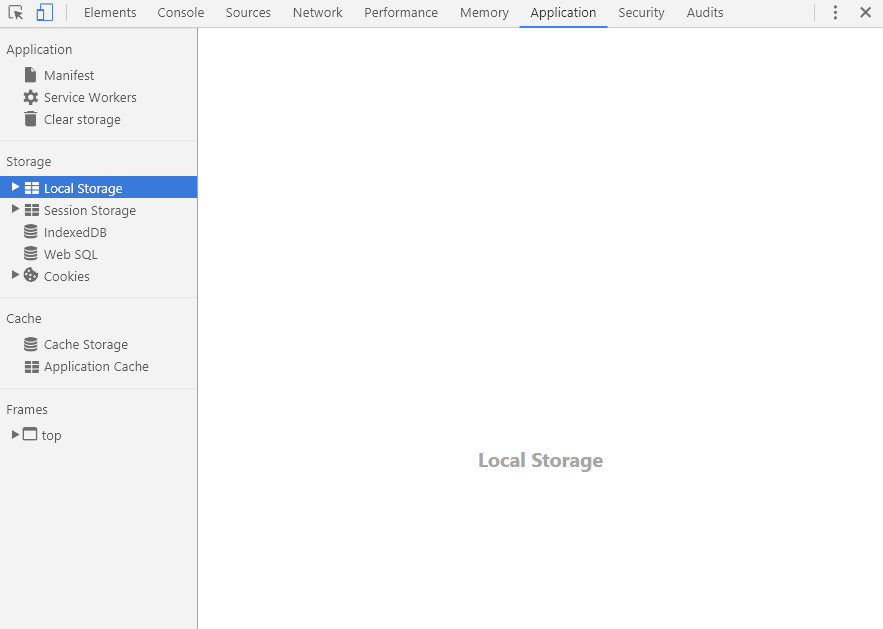
Guys, you need to clear localstorage, cashe , and everything that can be deleted. Then try again to serve
tomavic
on 15 Oct 2017
any solution, development become harder
rashnk
on 21 Oct 2017
same here, even some changes are reflected randomly, and others are old.
 ayaka209
on 21 Oct 2017
ayaka209
on 21 Oct 2017
this issue is caused by minify and/or uglify of the code components. It's impossible for ionic to fixup that compiled code when it's been minified without fully re-compiling the code.
I do not know of a way to disable this through the general ionic-app-scripts. I have my own scripts that webpack without uglify and that solved all my problems.
 gravity-addiction
on 21 Oct 2017
gravity-addiction
on 21 Oct 2017
problem with chrome only i think. im using vivaldi browser and seems its fine
rashnk
on 23 Oct 2017
Experiencing the same problem on Windows 10.
 ExSoax
on 23 Oct 2017
ExSoax
on 23 Oct 2017
+1
 otarazan
on 24 Oct 2017
otarazan
on 24 Oct 2017
+1
 chrismclarke
on 26 Oct 2017
chrismclarke
on 26 Oct 2017
Just realised my problem was with the latest version of ionic-cli (3.15.1), by default was running without livereload so had to add flag ionic serve --livereload
(see issue https://github.com/ionic-team/ionic-cli/issues/2832)
chrismclarke
on 26 Oct 2017
@tomavic's suggestion worked for me
 nncl
on 27 Oct 2017
nncl
on 27 Oct 2017
i had to look in javascript console to find an (the!) error. No message in build console, no error on browser screen.
 RalfViellieber
on 4 Nov 2017
RalfViellieber
on 4 Nov 2017
Who still have this issue?
tomavic
on 5 Nov 2017
Still having this issue
 wormling
on 5 Nov 2017
wormling
on 5 Nov 2017
Could you share your machine information or error log?
tomavic
on 5 Nov 2017
I use ionic serve -l and do not get changes unless I remove the cache and reload (In chrome it's under Application -> Cache Storage -> ionic-cache)
cli packages: (/usr/lib/node_modules)

    @ionic/cli-utils  : 1.16.0
    ionic (Ionic CLI) : 3.16.0

global packages:

    cordova (Cordova CLI) : 7.0.0

local packages:

    @ionic/app-scripts : 3.0.1
    Cordova Platforms  : browser 5.0.1
    Ionic Framework    : ionic-angular 3.8.0

System:

    Android SDK Tools : 26.0.2
    Node              : v8.8.1
    npm               : 5.5.1
    OS                : Linux 4.10

Environment Variables:

    ANDROID_HOME : /home/wormling/Android/Sdk

Misc:

    backend : pro
FWIW, I seem to have this problem with projects that use lazy loading (using the .module file inside pages rather than adding my pages to app.module). And also only with the template and css files, not the ts files.
cli packages: (/usr/local/lib/node_modules)
@ionic/cli-utils  : 1.18.0
ionic (Ionic CLI) : 3.18.0
local packages:
@ionic/app-scripts : 3.1.0
Ionic Framework    : ionic-angular 3.9.2
System:
Node : v6.9.5
npm  : 4.2.0
OS   : macOS High Sierra
Misc:
backend : legacy
 mserinjane
on 21 Nov 2017
mserinjane
on 21 Nov 2017
Same problem here. Sometimes (not always) some html file changes are not applied until I make some ts changes... Quite weird, and really making us lose time as sometimes it needs a few minutes to realize your changes are not applied... :(
I am using macOS 10.13
 HugoHeneault
on 21 Dec 2017
HugoHeneault
on 21 Dec 2017
I have the same issue and it is even more worse in the latest ionic version. I am using windows 10.
 karansharma27
on 21 Jan 2018
karansharma27
on 21 Jan 2018
Same issue here. @danbucholtz can we get this re-opened? Seems like a lot of people are suffering with this?
 joewoodhouse
on 25 Jan 2018
joewoodhouse
on 25 Jan 2018
+1.
Win10 | Chrome 63.0.3239.132 | node v9.3.0 | npm v5.6.0 | [email protected] | [email protected]
 ja0n
on 26 Jan 2018
ja0n
on 26 Jan 2018
Seems to be quite a few other open issues that are duplicates of this too e.g. #1132 #1370 #1239 #1139. @danbucholtz would be good to know if someone was investigating these. The developer experience for me is pretty horrible at the moment.
joewoodhouse
on 26 Jan 2018
Suffering with this horrid issue, makes the whole process very hard.
One bit of advice (if using chrome) that seems to help, though not really addressing this issue:
Use an incognito window
This would make me think something with caching...
 array-digital
on 26 Jan 2018
array-digital
on 26 Jan 2018
Make sure that you have caching disabled in chrome.
Another issue can be caused by changing a template that is referenced direct by app.component.ts. It appears that if you modify the dependent template the change is not picked up. If you then save app.component.ts the change is reflected.
 emgould
on 2 Feb 2018
emgould
on 2 Feb 2018
Same issue here. Does not seams to be a caching issue, since incognito window and turning off caching in dev tools (Chrome) did not made any difference for me. Only way to fix this, was to save the corresponding module.ts file. So this might have something to do, with lazy loading. This makes up a pretty slow development experience for now. Any update on this?
 funkeeflow
on 7 Feb 2018
funkeeflow
on 7 Feb 2018
When you're startint to save .ts files to make .html files changed appear, it might even become harder: sometimes .html modifications "disappears" when you save another ts file later.
Now when a change stop being reflected, we restart ionic serve. It's really painful but we didn't find anything better...
HugoHeneault
on 8 Feb 2018
Still having this frustrating issue. Can we get this reopened @danbucholtz. With Ionic's push towards better PWAs this has to be on the list of things they're going to fix right?? This makes developing that much more tedious.
I seem to have the same issues as @mserinjane in that changes don't propagate when I make changes to HTML files and only work after saving the matching module.ts file. Occasionally ionic even loads a past version of the page like, 3-4 saves ago.
Our app also uses lazy loading FWIW.
Here is the output for ionic info
cli packages:

    @ionic/cli-utils  : 1.19.1
    ionic (Ionic CLI) : 3.19.1

global packages:

    cordova (Cordova CLI) : 8.0.0

local packages:

    @ionic/app-scripts : 3.1.0
    Cordova Platforms  : android 6.3.0 ios 4.5.4
    Ionic Framework    : ionic-angular 3.9.2

System:

    ios-sim : 6.1.2
    Node    : v6.9.4
    npm     : 3.10.10
    OS      : macOS Sierra
    Xcode   : Xcode 9.2 Build version 9C40b

Environment Variables:

    ANDROID_HOME :

Misc:

    backend : pro
I have same issue, windows 10, when I stop and re run ionic serve it starts to pick up the changes.
 mohamedabozeid
on 11 Feb 2018
mohamedabozeid
on 11 Feb 2018
same for me.
What I tried:
- Cache in Chrome is disabled & emptied
- Saved module.ts, app.compenent.ts and the page's .ts file
- Changed html file
ionic info output:
cli packages: (C:\Users\LS\AppData\Roaming\npm\node_modules)

    @ionic/cli-utils  : 1.19.1
    ionic (Ionic CLI) : 3.19.1

global packages:

    cordova (Cordova CLI) : 7.1.0

local packages:

    @ionic/app-scripts : 3.1.8
    Cordova Platforms  : android 6.3.0 browser 5.0.3
    Ionic Framework    : ionic-angular 3.9.2

System:

    Android SDK Tools : 26.1.1
    Node              : v8.9.3
    npm               : 5.6.0
    OS                : Windows 10

Environment Variables:

    ANDROID_HOME : C:\Users\LS\AppData\Local\Android\Sdk

Misc:

    backend : pro
It never refreshes anything. I run this command:
cordova run android --device -l -c
 3cees
on 11 Feb 2018
3cees
on 11 Feb 2018
I solved it running sudo npm install --save @ionic/app-scripts
 Genarito
on 21 Feb 2018
Genarito
on 21 Feb 2018
OK,elfaur OK, so eventually I install WSL Ubuntu (and ran it from there. Its great in that is automatically maps your hardrive to /mnt/c AND works perfectly well with live reload.
Whilst this is not addressing the underlying issue/s it at least enables me to work without constant errors...
** UPDATE
Still has issues but nowhere near as bad as just using W10.
PLEASE IONIC / ANGULAR SORT THIS OUT!
array-digital
on 21 Feb 2018
On ArchLinux - there is no way to work normal - need to save source twice to make livereload apply changes. Tryed to use npm install @ionic/[email protected] (3.1.2, nightly, 3.1.8) clear local storage cache in browser etc. No one method help. Also very often there is 'call error':
TypeError: Cannot read property 'call' of undefined
TypeError: Cannot read property 'call' of undefined
    at __webpack_require__ (http://localhost:8100/build/vendor.js:55:30)
    at http://localhost:8100/build/main.js:78:10
airstep
on 5 Mar 2018
Same problem here. After building the app for browser, the whole update stopped working. Before, live update didn't work. But I could stop and restart the server to see the changes in templates, etc. Now, even that it's not working anymore. I have tried cleaning the cache in the browser, changing browser, removing all platform folders, reinstalling the ionic scripts and client, removing and adding again the plataforms, etc. Nothing.
There is one strange thing that makes me think there's a bug somewhere. When I run ionic serve -l, the ios mockup is updated with the latest changes, while the android it's not. In normal ionic serve, no updates are visible.
I am running Linux on Windows 10. Thanks for your help. It's a great dev platform, but this is certainly annoying.
 seliestel
on 8 Mar 2018
seliestel
on 8 Mar 2018
Hi all
If you still facing this issue , please try to run
npm install [email protected] --save-dev --save-exact
solution from #2921
tomavic
on 11 Mar 2018
thanks @tomavic with the latest ionic cli 3.20 the problem is still here. On Safari it works, on Chrome it's not.
After the ionic cli downgrade to 3.19.1 all works fine
 fdambrosio
on 16 Mar 2018
fdambrosio
on 16 Mar 2018
its too much irritating. sometimes the functions don't load, sometimes the providers doesn't load. Please let us know a solution.
Thanks
 warlockdn
on 20 Mar 2018
warlockdn
on 20 Mar 2018
Please, @danbucholtz, reopen this issue. It is still happening.
 leo-freitas
on 23 Mar 2018
leo-freitas
on 23 Mar 2018
yes still happening .show errors in old codes.sometimes i have to stop and serve again
 madhawa-se
on 25 Mar 2018
madhawa-se
on 25 Mar 2018
Know what?
I have provided two solutions above, although nowadays I am facing the issue that I have to refresh manually after ion scripts refresh. So changes are reflected after 2 refreshments !!
tomavic
on 29 Mar 2018
None of the above tips helped unfortunately, but what I've found is that there's something wrong with ionic-cache under Cache Storage.
Only after manually removing build/main.js from under Cache storage could I see the new version of a page.
After further digging I managed to short-term solve the problem by commenting out the assets cached in service-worker.js. Not an ideal solution, but at least I'm able to work now :)
 Nostrus
on 30 Mar 2018
Nostrus
on 30 Mar 2018
@tomavic Thanks, I solved this on linux by installing npm install [email protected] --save-dev --save-exact and when I ran ionic serve I got this message:
{ Error: watcher error: /home/joao/dev/ionic3/Planlink/home/joao/dev/ionic3/Planlink/src/**/*.(ts|html|s(c|a)ss): Error: watch /home/joao/dev/ionic3/Planlink/src/app ENOSPC
And finally solved this by running:
echo fs.inotify.max_user_watches=524288 | sudo tee -a /etc/sysctl.conf && sudo sysctl -p
Found this fix here: https://stackoverflow.com/questions/16748737/grunt-watch-error-waiting-fatal-error-watch-enospc
 joaofernandez
on 3 Apr 2018
joaofernandez
on 3 Apr 2018
me too facing same issue in mac operating system
https://github.com/ionic-team/ionic/issues/14431
 samir-kamble
on 11 May 2018
samir-kamble
on 11 May 2018
_Short description of the problem:_
i am facing an issue on Windows 10
- Where the app is unable to recognize my updated visual studio code
- Live Reloading is not happening
_What behavior are you expecting?_
When saving the changes should be reflected.
_Steps to reproduce:_
1.Run ionic serve then open chrome for localhost:8100
2.Edit some file in the project and save
_Build Version :_
$ ionic info
cli packages: (C:\Users**\AppData\Roaming\npmnode_modules)
@ionic/cli-utils  : 1.19.2
ionic (Ionic CLI) : 3.20.0
global packages:
cordova (Cordova CLI) : 8.0.0
local packages:
@ionic/app-scripts : 3.1.8
Cordova Platforms  : browser 5.0.3
Ionic Framework    : ionic-angular 3.9.2
System:
Node : v10.1.0
npm  : 6.0.1
OS   : Windows 10
Environment Variables:
ANDROID_HOME : not set
Misc:
backend : pro
_Some Errors:_
This was the error i got ->

It was saying that "support()" is not a function .
The "Black box "shows the code it refers to . I have removed any trace of the word "support()" in the code and yet it refers to the old code ......
I have added two more functions which the app still did not recognize .
_Note :_
The above issue persists despite
1. Refreshing the browser a lot of times
2. Saving the code a lot of times
3. Uninstalling and Re-installing the entire ionic, cordova, Visual Studio Code and other
softawares too
Any help would be Appreciated and Thanks in Advance ^-^
 SonGokuSSGSS5
on 14 May 2018
SonGokuSSGSS5
on 14 May 2018
I have found this happens most often (at least for me) in providers and global files, and much less so in pages.
 HeroCC
on 20 May 2018
HeroCC
on 20 May 2018
The only thing that works for me, after check out node/npm installs, was:

 ghost
on 3 Jun 2018
ghost
on 3 Jun 2018
Why is this issue closed? Issue still occurring, particularly when importing components into page modules, the component never updates on the first save, every save has to be done twice.
 IsaacSomething
on 28 Jun 2018
IsaacSomething
on 28 Jun 2018
You need to put your project files in directory that is completely writable by ionic.
Else, it will not work. I got mine working by moving projects to fully writable directory.
samir-kamble
on 29 Jun 2018
@tomavic -> Working With Me, Thanks
 nazzal88
on 3 Jul 2018
nazzal88
on 3 Jul 2018
This is the longest thread I have ever seen! and no one knows if it is a real problem with ionic or no !
At least any new comer should see a consistent solution or know what it's related to ?
tomavic
on 4 Jul 2018
Changes in components are not reflected, no matter how many times I save the file - only .scss file is reflected. I have to manually "ionic serve --no-open" everytime I make a small change inside components. It's annoying.
EDIT
Actually, what I found out is that, if I make a change in component's .ts file, changes are reflected, so now I end up inserting and deleting blank line when I am changing .html file. It's lame but still better than doing "ionic serve" over and over again.
 MaTToX3
on 31 Jul 2018
MaTToX3
on 31 Jul 2018
Well It is purely because of ionic not able to write in temp files while doing live reload. So it is becasue of file write permission issue.
I have resolved the problem by giving file permissions to 777.
samir-kamble
on 2 Aug 2018
Same here. Changing something in .html or .ts triggers new build, but the changes are not part of what Ionic serves. Even if I change both .ts and .html at the same time.
It makes no difference which browser I use. Also reloaded doesn't help. All proposed solutions didn't work either. I'm on Windows 10 Enterpris v1709 x64, Ionic 3.9.2, Ionic App Scripts 3.1.6, Angular Core 5.1.2 and Node 10.9.0
 0x00c
on 22 Aug 2018
0x00c
on 22 Aug 2018
Experiencing the same issue with Ionic 3.9.2 on Windows 10.
 gustavshf
on 29 Aug 2018
gustavshf
on 29 Aug 2018
Verified in windows 10 here is the details for my environment
    @ionic/cli-utils  : 1.19.1
    ionic (Ionic CLI) : 3.19.1

global packages:

    cordova (Cordova CLI) : 8.0.0

local packages:

    @ionic/app-scripts : 3.1.6
    Cordova Platforms  : android 7.0.0
    Ionic Framework    : ionic-angular 3.9.2

System:

    Android SDK Tools : 26.1.1
    Node              : v6.11.2
    npm               : 3.10.10
    OS                : Windows 10
 ikishanoza
on 7 Sep 2018
ikishanoza
on 7 Sep 2018
The same problem with a clean installation on ubuntu and ionic, solve it using this code:
echo fs.inotify.max_user_watches=524288 | sudo tee -a /etc/sysctl.conf && sudo sysctl -p
 alainm23
on 1 Oct 2018
alainm23
on 1 Oct 2018
How can that be done on windows?
Thanks
Craig Deeming
On 1 October 2018 at 16:08, Alain notifications@github.com wrote:
The same problem with a clean installation on ubuntu and ionic, solve it
using this code:
echo fs.inotify.max_user_watches=524288 | sudo tee -a /etc/sysctl.conf &&
sudo sysctl -p—
You are receiving this because you commented.
Reply to this email directly, view it on GitHub
https://github.com/ionic-team/ionic-app-scripts/issues/363#issuecomment-425942380,
or mute the thread
https://github.com/notifications/unsubscribe-auth/ABOJBNJ6kGqJ0eYARpDiqzJpHnqRdNvAks5ugi_YgaJpZM4Kvd9O
.
array-digital
on 1 Oct 2018
I have the exact same problem (2 years later...?): I save, the "quick build" starts, my page refreshes, but with the old code. I have to re-refresh the page to get the new code. This happens every time.
Is there maybe a way to delay the "watch", like nodemon's "delay" option?
Note that, for a brief period, I've had the same behavior with Node (another project, without Angular) when I switched to VS Code. It seems to have disappeared though.
MacOS 10.10.5, ionic-angular 3.9.2, VS Code, Chrome.
 nicothed
on 11 Oct 2018
nicothed
on 11 Oct 2018
i solve the problem using alainm23 comment, but changed the last -p to -a
echo fs.inotify.max_user_watches=524288 | sudo tee -a /etc/sysctl.conf && sudo sysctl -a
 lesgilles
on 26 Oct 2018
lesgilles
on 26 Oct 2018
I try to look into MacOS Sysctl to find where we can increase the number of event watch by a user as per @lesgilles comment but I cant find the one. Any idea?
 kgeoir
on 29 Oct 2018
kgeoir
on 29 Oct 2018
I was using ionic capacitor and re initialized capacitor with these steps - https://capacitor.ionicframework.com/docs/getting-started/with-ionic/
I then re ran npx cap copy and npx cap update and re ran electron in chromium and everything copied over.
 JohnGrisham
on 30 Nov 2018
JohnGrisham
on 30 Nov 2018
Same here. Changing something in .html or .ts triggers new build, but the changes are not part of what Ionic serves. Even if I change both .ts and .html at the same time.
It makes no difference which browser I use. Also reloaded doesn't help. All proposed solutions didn't work either. I'm on Windows 10 Enterpris v1709 x64, Ionic 3.9.2, Ionic App Scripts 3.1.6, Angular Core 5.1.2 and Node 10.9.0
hey did you find a solution??
 RohanBolusani
on 17 Feb 2019
RohanBolusani
on 17 Feb 2019
hey! did you find any solution please help!
RohanBolusani
on 17 Feb 2019
RohanBolusani This is a little embarrassing to admit but my issue was that I had made another copy of my project in another location and that I was editing the wrong copy so I couldn't see my edits. Try clearing your cache and service workers in whatever browser you use. Then rebuild your project ensure that the updated code was saved first and reserve your build after completing these steps. Let me know if you still have issues.
JohnGrisham
on 19 Feb 2019
omg! same thing! how could have i done that lol!
RohanBolusani
on 19 Feb 2019
Related issues
danbucholtz
·
4Comments
 barbsicle
·
3Comments
barbsicle
·
3Comments
 jgw96
·
4Comments
jgw96
·
4Comments
 azakusilo
·
4Comments
azakusilo
·
4Comments
 hermitdemschoenenleben
·
3Comments
hermitdemschoenenleben
·
3Comments
Most helpful comment
Only restarting ionic serve works for me. Hard refresh, clearing all app storage, nothing else seems to fix it. Happens every now and then, very strange.