Interact.js: Drag and drop, resize do not work in a Web Browser control aka MSHTML Control aka web viewer
Expected behavior
Drag and Drop Should Work
Actual behavior
Cursor is not changed, and drag/drop and resize events are not triggered.
System configuration
interact.js version: http://interactjs.io
Browser name and version: MSHTML 11
Operating System: Windows 10
 fuzzzerd
All 19 comments
Easy way to test this is to fire up a new Windows Forms application, add the web browser control and point it to http://interactjs.io and try to use the on-page samples. I'm hesitant to share binaries, but if there's interest I could write a quick sample.
fuzzzerd
on 1 Mar 2019
I've got the same issue happening in my custom application. One difference, is that in my app I'm using this header to force mshtml to use the latest version of IE available.
<meta http-equiv="X-UA-Compatible" content="IE=edge"> so it makes the web control test easy. Since the interactjs.io website doesn't have this header, you have to do some extra workarounds to get mshtml into IE11 mode (for whatever reason it defaults to IE7 mode unless it sees a header).
So I'd still be happy to provide a demo app; though it will probably require a registry edit to get it to a point that the issue with this library can be demonstrated.
fuzzzerd
on 1 Mar 2019
I have created a standalone sample that can demonstrate the problem. I've attached it here.
BrowserDemo.zip
Rename from BrowserDemo.zip to BrowserDemo.exe (github upload limitation).
Create this registry key to enable IE11 mode:
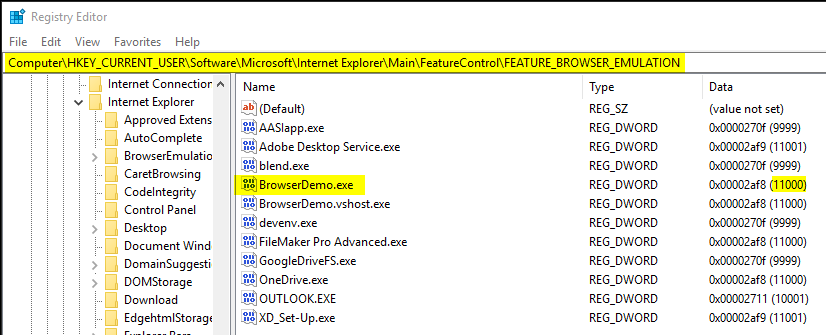
and then run the application and click through two script errors (note they are not related to interactjs, but the other content on the website).
Then notice that you are unable to interact with any of the samples:
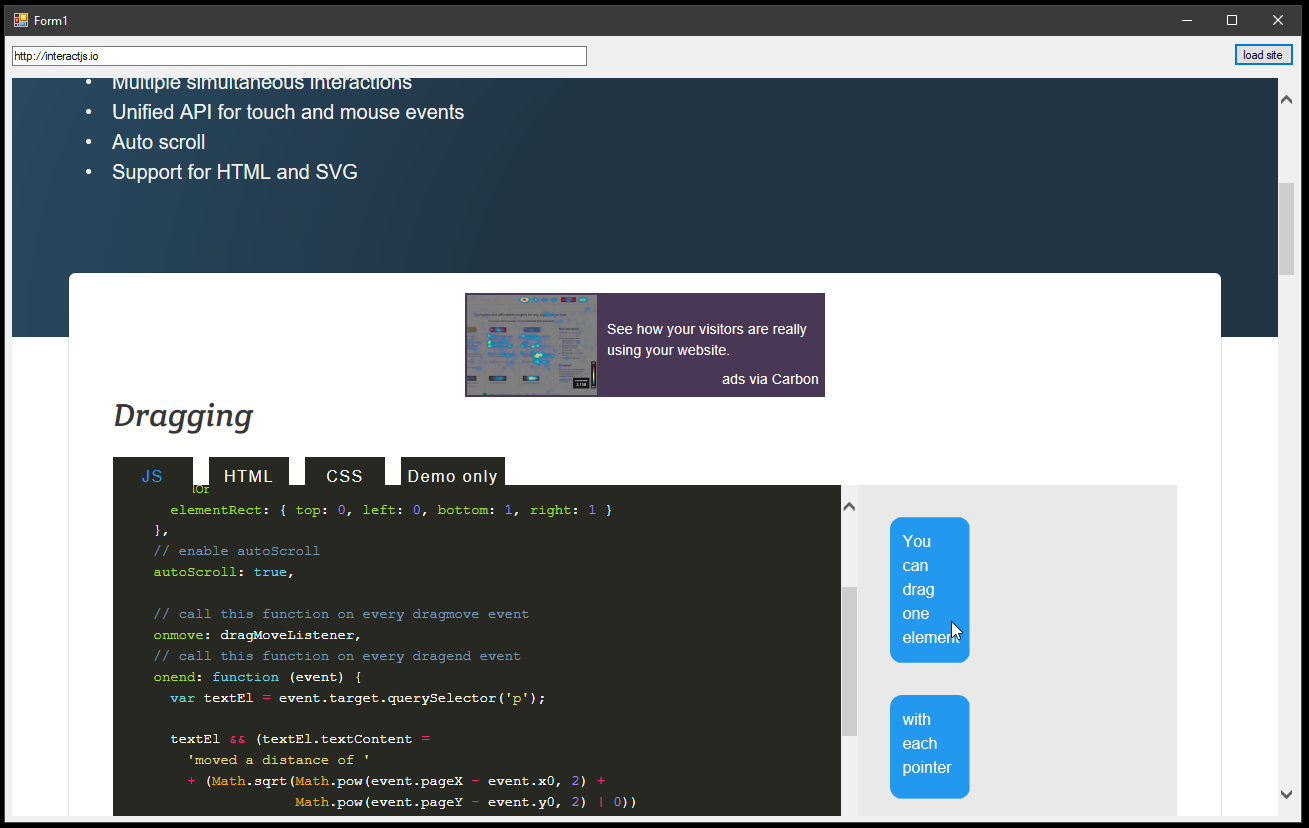
You can change the address that it loads content from to your local development environment and reproduce the same behavior with the built in samples the repository as well.
fuzzzerd
on 5 Mar 2019
Can you check if other drag and drop libraries have the same issue? For example https://shopify.github.io/draggable/ and https://bevacqua.github.io/dragula/.
 taye
on 8 Mar 2019
taye
on 8 Mar 2019
@taye thank you for responding.
I have tested a bunch of other drag/drop frameworks. I have not been able to identify a common thread to what works and what does not work.
Dragula works:
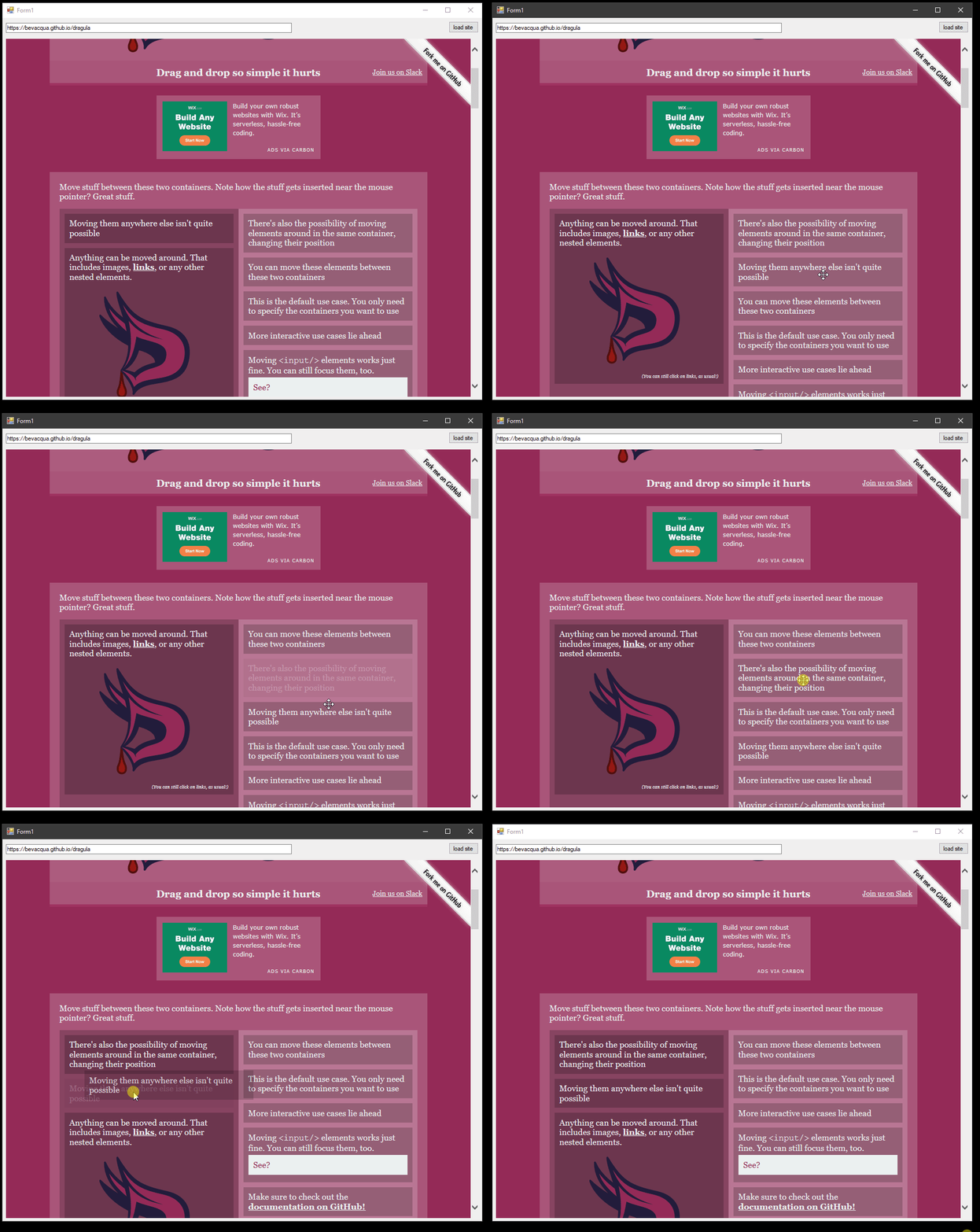
Shopify does not work:
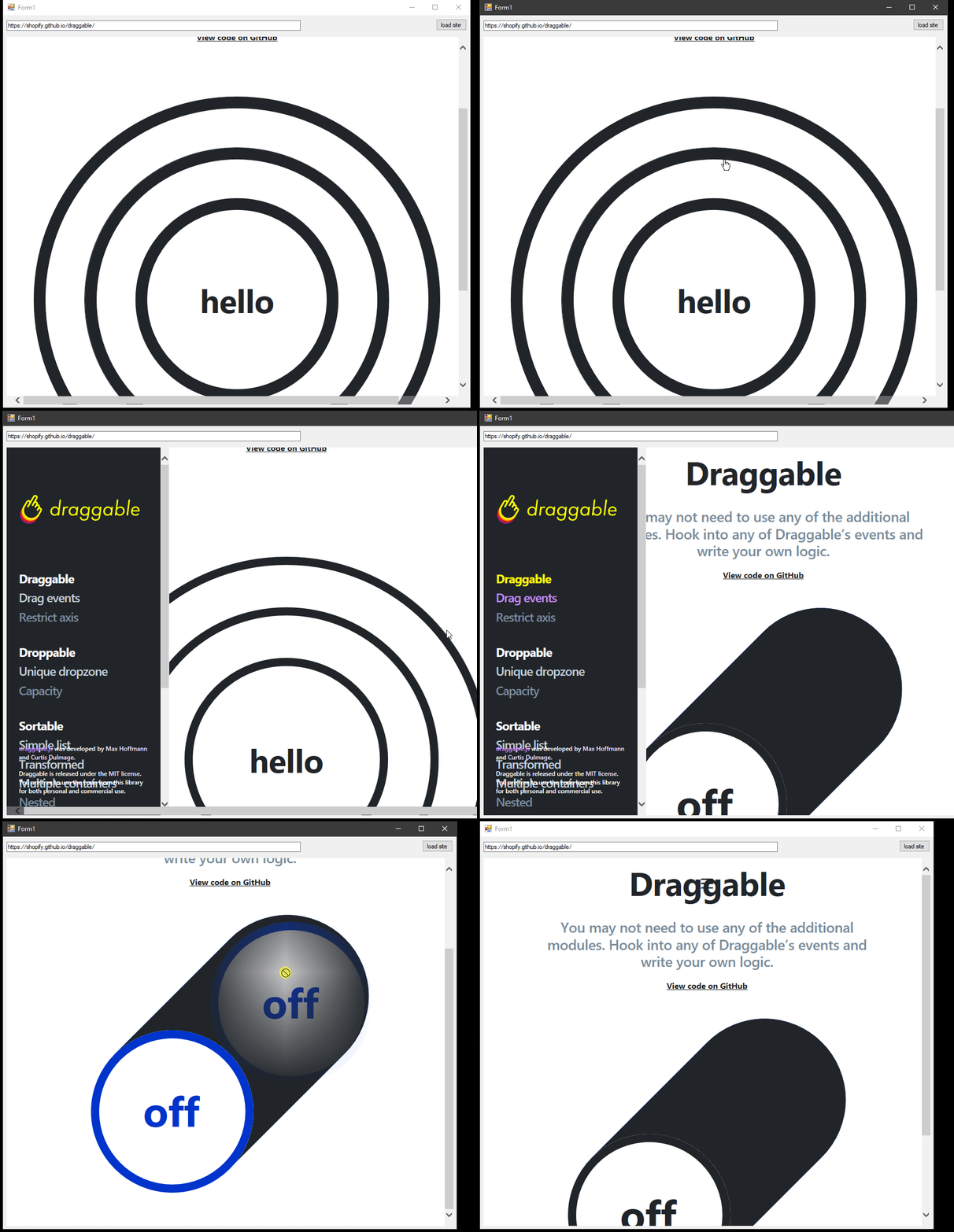
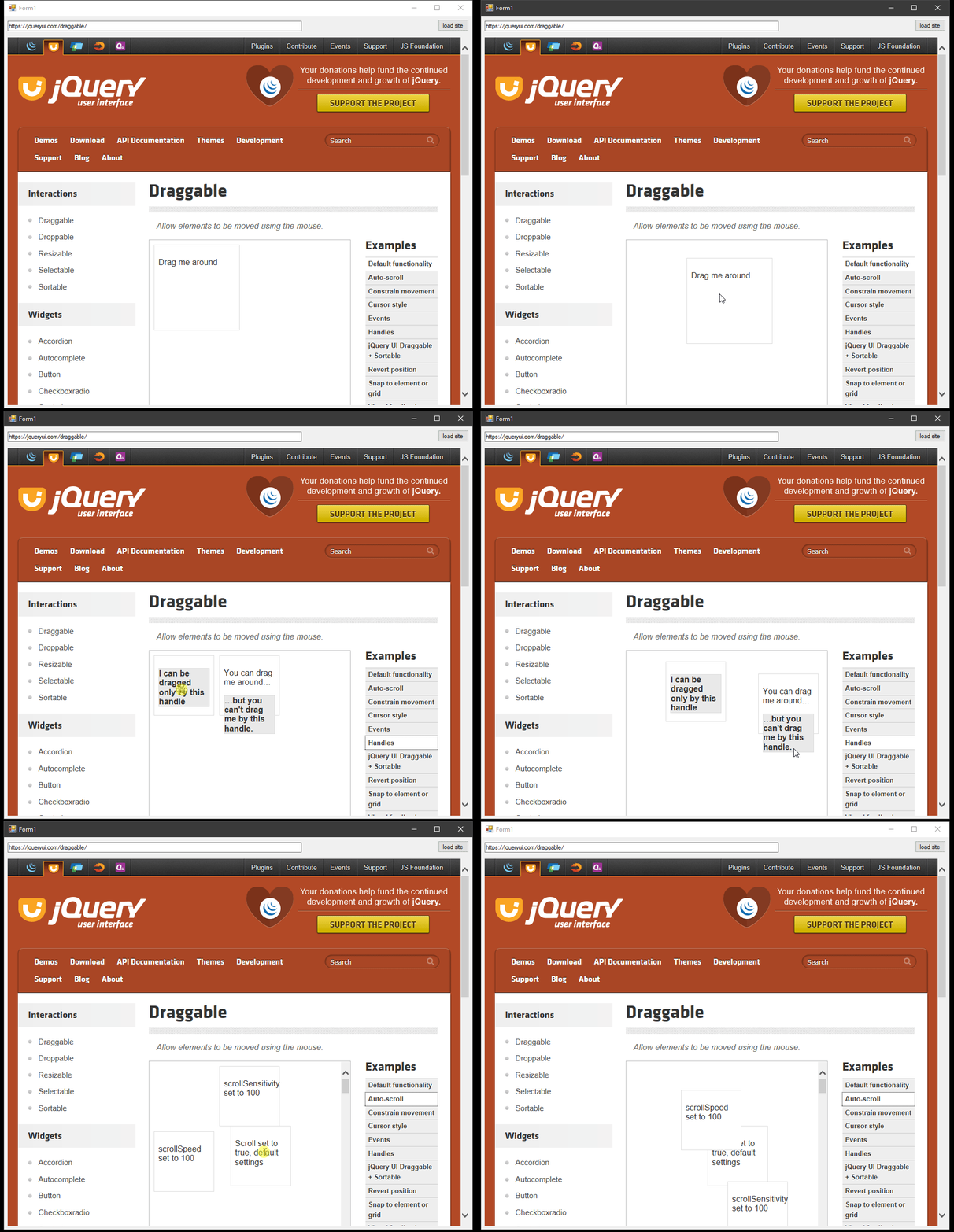
jquery-ui works:
fuzzzerd
on 8 Mar 2019
Here is a great post about getting the browser control to use IE11 mode: https://weblog.west-wind.com/posts/2011/May/21/Web-Browser-Control-Specifying-the-IE-Version.
Given that some of these frameworks work and some don't, it makes me wonder if its a failure of browser sniffing, could be a red herring, since I didn't see much in the way of agent sniffing going on in the repository.
fuzzzerd
on 8 Mar 2019
It might be because interact.js and Draggable both use PointerEvent. Can you try adding this to your page before any calls to the interact function:
window.PointerEvent = window.MSPointerEvent = null;
window.PointerEvent = window.MSPointerEvent = null;
That worked!
Followup question: is this due to the way the browser control expresses its support of pointer events or is this code working around the way interact handles pointer events?
Related: by disabling pointer events, what am I missing out on? Should I put this behind some kind of test for when the code is running inside the mshtml control?
fuzzzerd
on 8 Mar 2019
Nice!
I'm really not sure :/
Without PointerEvent support on IE you won't get multi-touch actions or any PointerEvent data like pen pressure or tilt.
Can you check if the interactions work if you remove only one of window.PointerEvent or window.MSPointerEvent?
taye
on 8 Mar 2019
It only seems to work if I set both MSPointerEvent and PointerEvent to null. Specifying one or the other does not work.
fuzzzerd
on 8 Mar 2019
How about this demo https://patrickhlauke.github.io/touch/gesture-touch/pointerevents.html And some of the other pointer event-related ones at https://patrickhlauke.github.io/touch/?
taye
on 8 Mar 2019
https://patrickhlauke.github.io/touch/gesture-touch/pointerevents.html
Does not work at all.
On the PointerEvent feature detect, this is what it shows:
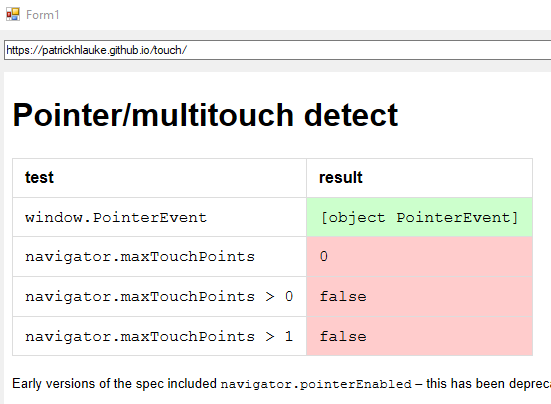
Let me know if you want me to try any of the other ones on that list.
fuzzzerd
on 8 Mar 2019
On the "event listener - all events, including timings (Main Test)" this is the result I got:
mousemove
mouseover (1ms)
pointerenter (0ms)
mouseenter (0ms)
mousemove (7ms)
mousemove (4ms)
mousemove (0ms)
mousemove (3ms)
mousemove (6ms)
mousemove (6ms)
mousemove (4ms)
mousemove (9ms)
mousemove (3ms)
mousemove (7ms)
mousemove (4ms)
mousemove (1ms)
mousemove (6ms)
mousemove (4ms)
mousemove (40ms)
mousedown (44ms)
focus (2ms)
mouseup (141ms)
click (0ms)
mousemove
mousemove (206ms)
mousemove (3ms)
mousemove (3ms)
mousemove (3ms)
mousemove (5ms)
mousemove (5ms)
mousemove (2ms)
mousemove (2ms)
mousemove (3ms)
mousemove (3ms)
mousemove (3ms)
mousemove (2ms)
mousemove (3ms)
mousemove (4ms)
mousemove (3ms)
mousemove (1ms)
mousemove (1ms)
mousemove (3ms)
mousemove (3ms)
mousemove (1ms)
mousemove (2ms)
mousemove (2ms)
mousemove (3ms)
mousemove (2ms)
mousemove (1ms)
mousemove (1ms)
mousemove (2ms)
mousemove (3ms)
mousemove (3ms)
mousemove (25ms)
mousemove (2ms)
mousemove (1ms)
mousemove (2ms)
mouseout (210ms)
pointerleave (0ms)
mouseleave (0ms)
mousemove (202ms)
mouseover (1ms)
pointerenter (0ms)
mouseenter (0ms)
mousemove (15ms)
mousemove (7ms)
mousemove (21ms)
mousemove (4ms)
mousemove (2ms)
mousemove (3ms)
mousemove (6ms)
mousemove (1ms)
mousemove (2ms)
mousemove (3ms)
mousemove (2ms)
mousemove (1ms)
mousemove (4ms)
mousemove (114ms)
mousemove (6ms)
mousemove (189ms)
mousedown (2ms)
mouseup (4ms)
click (0ms)
mousemove
mousemove (67ms)
mousemove (6ms)
mousemove (2ms)
mousemove (2ms)
mousemove (2ms)
mouseout (88ms)
pointerleave (0ms)
mouseleave (0ms)
mousemove (147ms)
mouseover (0ms)
pointerenter (1ms)
mouseenter (0ms)
mousemove (3ms)
mousemove (3ms)
mousemove (1ms)
mousemove (2ms)
mousemove (7ms)
mousemove (1ms)
mousemove (3ms)
mousemove (6ms)
mousemove (7ms)
mousemove (4ms)
mousemove (8ms)
mousemove (3ms)
mousemove (2ms)
mousemove (8ms)
mousemove (3ms)
mousemove (2ms)
mousemove (4ms)
mousemove (5ms)
mousemove (32ms)
mousemove (2ms)
mousemove (2ms)
mousemove (13ms)
mousemove (1ms)
mousemove (0ms)
mousemove (594ms)
mousemove (4ms)
mousemove (2ms)
mousemove (2ms)
mousemove (1ms)
mousemove (2ms)
mousemove (6ms)
mousemove (2ms)
mousemove (2ms)
mouseout (0ms)
pointerleave (0ms)
mouseleave (0ms)
mousemove (524ms)
mouseover (1ms)
pointerenter (0ms)
mouseenter (0ms)
mousemove (6ms)
mouseout (16ms)
pointerleave (0ms)
mouseleave (0ms)
mousemove (312ms)
mouseover (0ms)
pointerenter (0ms)
mouseenter (0ms)
mousedown (57ms)
mouseup (177ms)
click (1ms)
mousemove
mousemove (11ms)
mousemove (4ms)
mousemove (2ms)
mousemove (2ms)
mousemove (1ms)
mousemove (5ms)
mousemove (3ms)
mousemove (2ms)
mousemove (2ms)
mousemove (2ms)
mousemove (2ms)
mousemove (1ms)
mouseout (3ms)
pointerleave (0ms)
mouseleave (0ms)
blur (1883ms)
fuzzzerd
on 8 Mar 2019
Since @taye pointed me on the PointerEvent direction, I found some other people that have noted that the Microsoft MSHTML Control reports pointer-events but does not fire them.
I found this discussion on how to feature detect it: https://github.com/dojo/dojo/commit/17ed3d6c61a787906ddae07176119508ef25cbac#commitcomment-14347450 which might be useful here?
fuzzzerd
on 8 Mar 2019
window.PointerEvent = window.MSPointerEvent = null;That worked!
It turns out this causes problems for non-mshtml-control situations. For example, with this enabled FireFox reports 89 errors still trying to use PointerEvents.

I am trying to determine when its appropriate to use that call. Going to try out what's in the link I posted previously.
fuzzzerd
on 8 Mar 2019
Using the example from dojo in conjunction with @taye 's original suggestion produces a page that works on IE11, modern browsers, and the web browser control!
if(("pointerEnabled" in window.navigator ? window.navigator.pointerEnabled : "PointerEvent" in window) == false ) {
    window.PointerEvent = window.MSPointerEvent = null;
}
That being said, it'd be great if this check could be pushed up into interactjs. I'd be happy to try to submit a PR for this, if you can provide some guidance where it should be.
fuzzzerd
on 8 Mar 2019
Thanks for your help. I've added a check for navigator.maxTouchPoints in the 1.4.0-beta. You can install it with npm install interactjs@next.
taye
on 10 Mar 2019
While that will clearly fix my environment; it looks like that will disable pointerevents anywhere there is no touch screen?
It seems like since the web control is correctly setting the deprecated pointerEnabled checking for its existence and value might be a more robust way to detect if pointerevents will work?
("pointerEnabled" in window.navigator ? window.navigator.pointerEnabled : "PointerEvent" in window) == false
This checks if pointerevents are enabled and supported (the enabled property is an pointer events spec that IE and the web control support and report correctly) because it is possible that PointerEvents are available but for some reason they are disabled which is what originally tripped up interact.
I found some extra documentation from Microsoft about this, its something called Legacy Input Model for the web browser control, and not disabling "Legacy Input Mode" disables pointer events and some other more modern APIs.
https://docs.microsoft.com/en-us/previous-versions/windows/internet-explorer/ie-developer/general-info/ee330732(v=vs.85)#legacy-input-model
fuzzzerd
on 11 Mar 2019
I changed it to navigator.pointerEnabled !== false.
taye
on 14 Mar 2019
Related issues
 brunolm
·
8Comments
brunolm
·
8Comments
 jbaartman
·
4Comments
jbaartman
·
4Comments
 rbozan
·
9Comments
rbozan
·
9Comments
 sualko
·
9Comments
sualko
·
9Comments
 aoloe
·
8Comments
aoloe
·
8Comments
Most helpful comment
It might be because interact.js and Draggable both use
PointerEvent. Can you try adding this to your page before any calls to theinteractfunction: