Instapy: Follow_liker Couldn't find liked counter button
I’m having issue with instapy. I’m using follow_likers action. I was using this action without any problem. Yesterday I’ve tried to run the bot with the same settings however I’m receiving “couldn’t get liked counter button. May be a video. Move on” here are the things that I’ve done.
- updated commenters_util.py file with the edited one that @uluQulu shared.
- created a new quickstart.py
- tried different usernames to follow
Here is my code:
imports
from instapy import InstaPy
from instapy import smart_run
login credentials
insta_username = '00000000'
insta_password = '00000000'
get an InstaPy session!
set headless_browser=True to run InstaPy in the background
session = InstaPy(username=insta_username,
password=insta_password,
headless_browser=True,
multi_logs=True)
let's go! :>
with smart_run(session):
# general settings
bypass_suspicious_attempt=False
session.set_action_delays(enabled=True, follow=5.8, randomize=True, random_range=(80, 150), unfollow=5.8)
session.set_skip_users(skip_private=False,
skip_no_profile_pic=False,
no_profile_pic_percentage=100,
skip_business=False,
skip_non_business=False,
business_percentage=100,
skip_business_categories=[],
dont_skip_business_categories=[])
session.follow_likers(['modestudio_sa'], photos_grab_amount = 1, follow_likers_per_photo = 100, randomize=False,
sleep_delay=450, interact=False)
session.unfollow_users(amount=800, allFollowing=True, style="FIFO", unfollow_after=16060, sleep_delay=450)
Joining Engagement Pods
session.join_pods()
 muygd
muygd
All 3 comments
Salam @muygd
- Which modification have you used I shared earlier?
>updated commenters_util.py file with the edited one that @uluQulu shared.
It can be deprecated, or even merged to master already. It is best to understand it well before using my old codes shared throughout GitHub 😑
- I tried on the same user you have given in example;
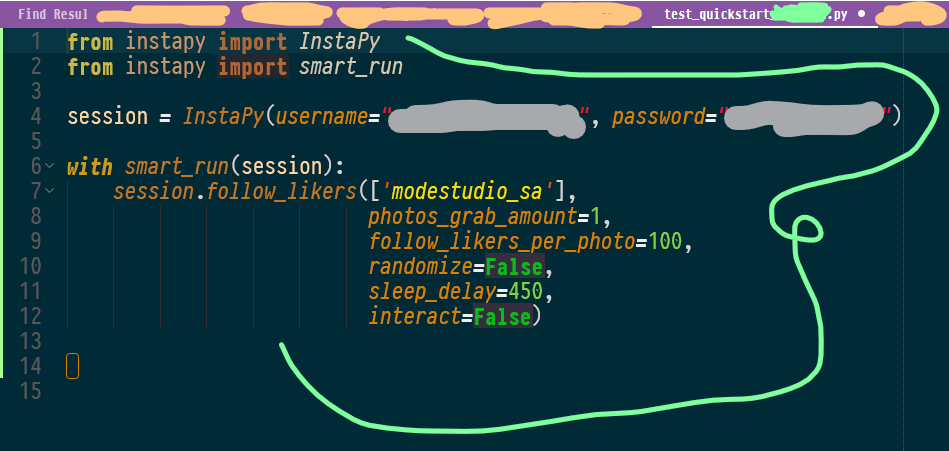
It worked normally - Grabbed 39 users from 52 existing out of 100 desired amount and then followed pretty good.
- Give me the exact username on which that issue happens. And in particular, the post on which that occur;

Also, tell a bit about how frequently it happens.
A bit technical,
Your code crashes at,

That is the 3rd conditional statement to look for inside likers_from_photo() function which is the state of unexpected result having non of the 2 pre-stored XPath elements found in the page that triggers the likers dialog box in order to grab likers requested by the feature you have used- follow_likers()...
It can be due to several reasons- affected by a beta update in your side or code is not up to the job.
I remember, lots of situations were handled for that likers button but currently, for that job, only two states is being expected. Well, your answer will determine the issue. Let's see.
Cheers 😁
 uluQulu
on 3 Aug 2019
uluQulu
on 3 Aug 2019
@muygd
Also, I assume you are using the latest release of the instapy library from PyPI or you have pulled the current state of the master from git or _GitHub Desktop_.
If you are not using instapy lib installed by pip and also not using git or _GitHub Desktop_ to update _InstaPy_. Then just download the current repo as a zip and replace its files with the existing ones you have in your computer (just backup your useful data before replacing).
Good luck ☕
uluQulu
on 3 Aug 2019
Thank you soooo much 😁😁 The problem is gone and now I’ve started the automation and it follows without any error 👍 I appreciate your support
muygd
on 4 Aug 2019
Related issues
 n0sw34r
·
3Comments
n0sw34r
·
3Comments
 ghost
·
3Comments
ghost
·
3Comments
 seuraltimez
·
3Comments
seuraltimez
·
3Comments
 v77v
·
3Comments
v77v
·
3Comments
 Spyd3r0us
·
3Comments
Spyd3r0us
·
3Comments
Most helpful comment
Salam @muygd
>updated commenters_util.py file with the edited one that @uluQulu shared.
It can be deprecated, or even merged to master already. It is best to understand it well before using my old codes shared throughout GitHub 😑
It worked normally - Grabbed 39 users from 52 existing out of 100 desired amount and then followed pretty good.
Also, tell a bit about how frequently it happens.
A bit technical,

Your code crashes at,
That is the 3rd conditional statement to look for inside likers_from_photo() function which is the state of unexpected result having non of the 2 pre-stored XPath elements found in the page that triggers the likers dialog box in order to grab likers requested by the feature you have used- follow_likers()...
It can be due to several reasons- affected by a beta update in your side or code is not up to the job.
I remember, lots of situations were handled for that likers button but currently, for that job, only two states is being expected. Well, your answer will determine the issue. Let's see.
Cheers 😁