Hello Everyone. I just got instaPy semi working. I cant get it past the initial login screen. Instead of clicking "Log in" in the bottom of the screen it is defaulting to the signup form and then glitching. I guess instagram changed their home screen. Is there something i need to setup in chrome first? It is opening a new chrome window where none of my sign ins or cookies exist. or is there a code change to get it to the proper login screen? the only thing i changed in the instapy.py script was "#from .clarifai_util import check_image" as the instructions indicated. Then python wanted like 20 to be indented. Those are the only changes I have made.
Thanks in advance.
Ryan
Expected Behavior
Current Behavior
Possible Solution (optional)
InstaPy configuration
 callahanryang
All 10 comments
Hi Ryan,
That is how the program is set to run; it opens a new session (new browser instance on your device), navigates to Instagram, then logs in using the credentials you specified. The default screen is the signup form, but the program's written to navigate to the signup from there. Have you let the program do a full run before closing?
 jeremycjang
on 27 Jan 2018
jeremycjang
on 27 Jan 2018
I suspect not. Does the login process usually take a few minutes?
callahanryang
on 27 Jan 2018
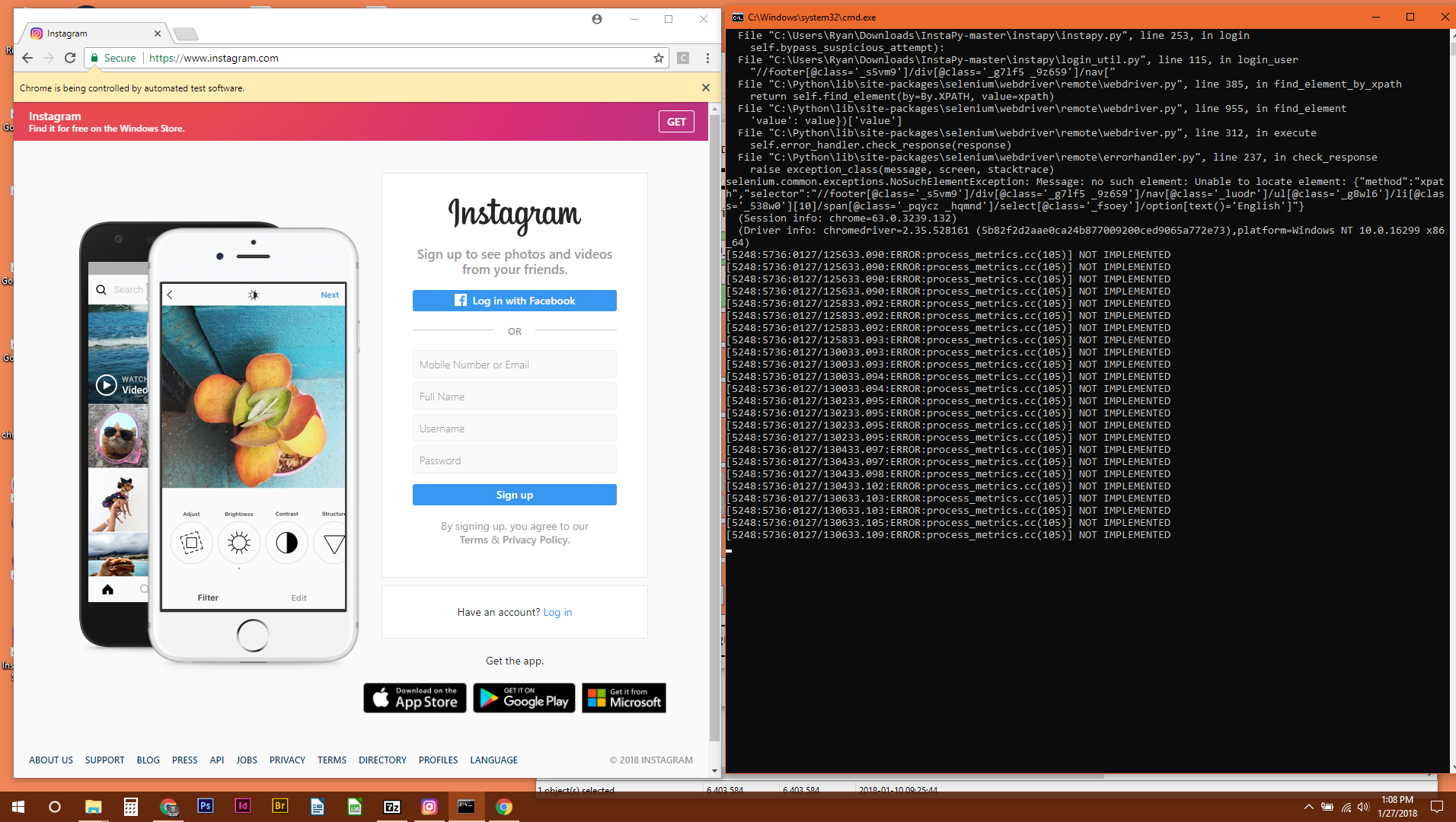
Heres the screen shot of whats happening...
callahanryang
on 27 Jan 2018
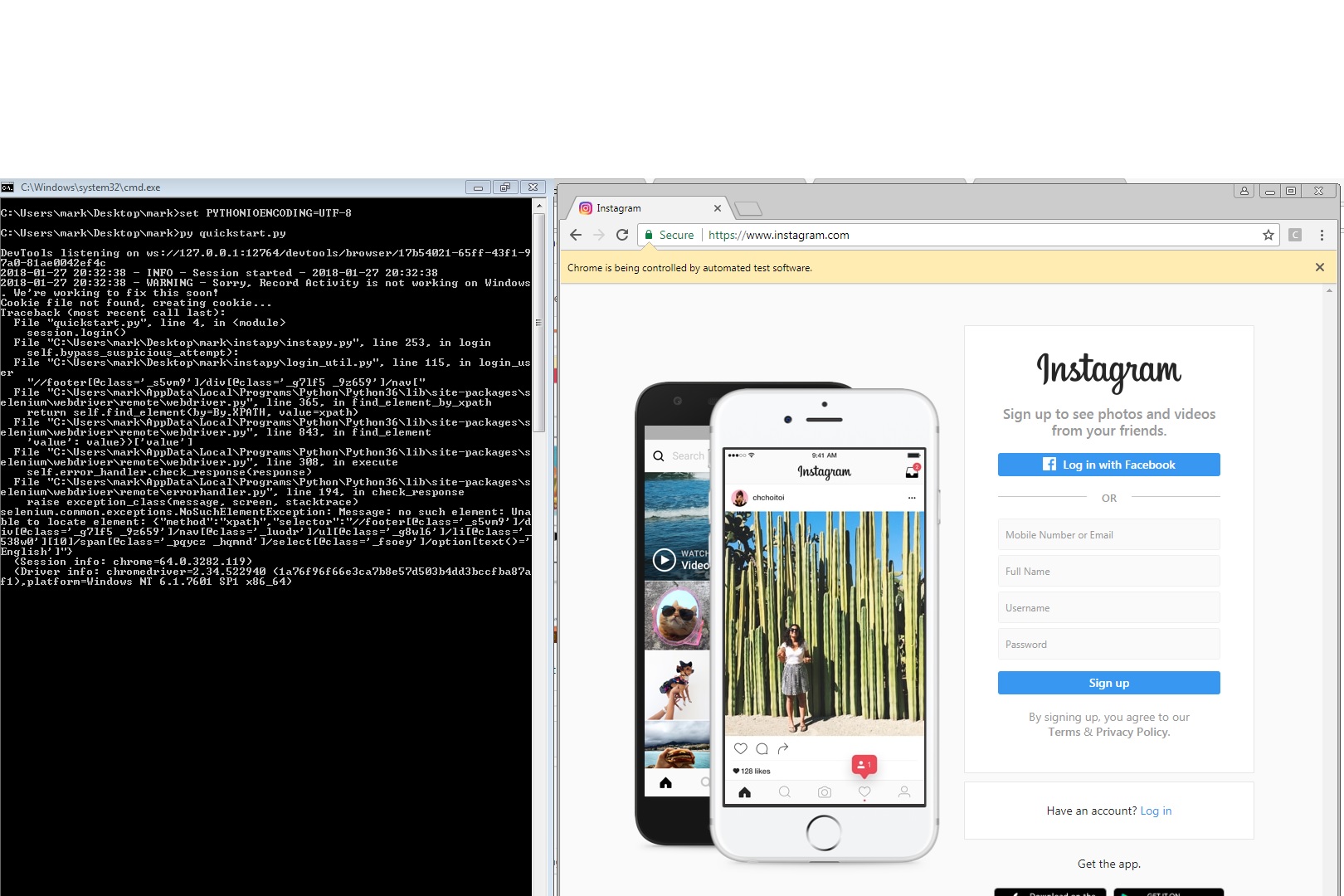
 mark9009
on 27 Jan 2018
mark9009
on 27 Jan 2018
I have fixed my issue.
Go into instapy\login_util.py Change lines 113 - 118 to comments (ie add # infront of the text) and it will login with no issues. My browser was set to English by default and this code tripped it up. :-)
callahanryang
on 27 Jan 2018
Also if you really need to have english set //*[@id="react-root"]/section/footer/div/nav/ul/li[11]/span/select/option[6] selector did the tick for me
 andrewshatnyy
on 28 Jan 2018
andrewshatnyy
on 28 Jan 2018
fixed thank you
browser.find_element_by_xpath("//footer[@class='_s5vm9']/div[@class='_g7lf5 _9z659']/nav["
#                                 "@class='_luodr']/ul[@class='_g8wl6']/li[@class='_538w0'][10]/"
#                                  "span[@class='_pqycz _hqmnd']/select[@class='_fsoey']/option"
#                                  "[text()='English']").click()
If the problem is solved, you can close the issue
 luigifaticoso
on 28 Jan 2018
luigifaticoso
on 28 Jan 2018
I have the same issue but had InstaPy running well for a while so Instagram must have changed something?
Not sure what you mean by this:
Go into instapy\login_util.py Change lines 113 - 118 to comments (ie add # infront of the text).
How do I do that?
(Big time beginner speaking here) Thank you for your help!
 obviousdonkey
on 29 Jan 2018
obviousdonkey
on 29 Jan 2018
Obvious, it's inside of the actual program files. Folder: instapy-master(next folder)instapy\login_util.py (that's the name of the file. Right click to edit. When to document opens scroll down to line 113 highlights to 118 and hit delete. Save the file and you're good to go
callahanryang
on 29 Jan 2018
Related issues
 harrypython
·
3Comments
harrypython
·
3Comments
 46960
·
3Comments
46960
·
3Comments
 thisishotdog
·
3Comments
thisishotdog
·
3Comments
 tibor
·
3Comments
tibor
·
3Comments
 drcyber975
·
3Comments
drcyber975
·
3Comments
Most helpful comment
I have fixed my issue.
Go into instapy\login_util.py Change lines 113 - 118 to comments (ie add # infront of the text) and it will login with no issues. My browser was set to English by default and this code tripped it up. :-)