Instapy: Limits of following 4000 people?
I'm trying to set up a bot to follow 4000 people that somebody else is following. It managed to do 1000 but now every time I try to run it again it just cuts out.
I'm using the following code;
from instapy import InstaPy
session = InstaPy(username='xxxxxxxx', password='xxxxxxxx')
session.login()
session.follow_user_following(['xxxxxxxx',], amount=2000, randomize=False, sleep_delay=200)
session.end()
And here's the message I get before chrome quits;
INFO - Session started - 2018-01-03 09:59:59
INFO - Logged in successfully!
WARNING - xxxxxxxx -> Less users to follow than requested.
INFO - --> Total people followed : 0
INFO - Session ended - 2018-01-03 10:01:51
INFO - --------------------
 misterscraper
All 23 comments
- Aren't you hitting the 7500 following limit?
- Have you tried the "times" parameter? Maybe you followed them before.
- Maybe inappropriate content?
 rzfzr
on 4 Jan 2018
rzfzr
on 4 Jan 2018
I'm only following 1200 people so far, every time I re-run the bot I see it scrolls in chrome only so far the quits. What do you mean by "times" parameter"?
misterscraper
on 4 Jan 2018
from the readme:
default enabled=False, follows ~ 10% of the users from the images, times=1
(only follows a user once (if unfollowed again))
rzfzr
on 4 Jan 2018
So you're suggesting that if I input the following
times=1
This will correct the problems I'm getting? I started to wonder maybe the bot couldn't deal with scrolling so far through the following list or couldn't deal with scrolling through the same list again that it already previously followed 6-800 users.
misterscraper
on 4 Jan 2018
I'd suggest trying a higher number
With headless_browser=True does it go further?
rzfzr
on 4 Jan 2018
I'm not using the headless browser. I'm running the following code for the bot to follow somebody else's following (they follow 4600 people)
`from instapy import InstaPy
session = InstaPy(username='xxxxxxxx', password='xxxxxxxx')
session.login()
session.follow_user_following(['xxxxxxxx',], amount=2000, randomize=False, sleep_delay=200)
session.end()`
misterscraper
on 4 Jan 2018
When i run the following code:
from instapy import InstaPy
insta_username = 'xxxxxxxx'
insta_password = 'xxxxxxxx'set headless_browser=True if you want to run InstaPy on a server
try:
session = InstaPy(username=insta_username,
password=insta_password,
headless_browser=True)
session.login()# settings session.set_do_follow(enabled=True, percentage=100, times=10) session.follow_user_following(['cheadsmagazine'], amount=7504, randomize=False, sleep_delay=200) # actionsfinally:
# end the bot session
session.end()
Python lags for a little bit and just gives me the following;
INFO - Session started - 2018-01-04 17:34:33
INFO - Logged in successfully!
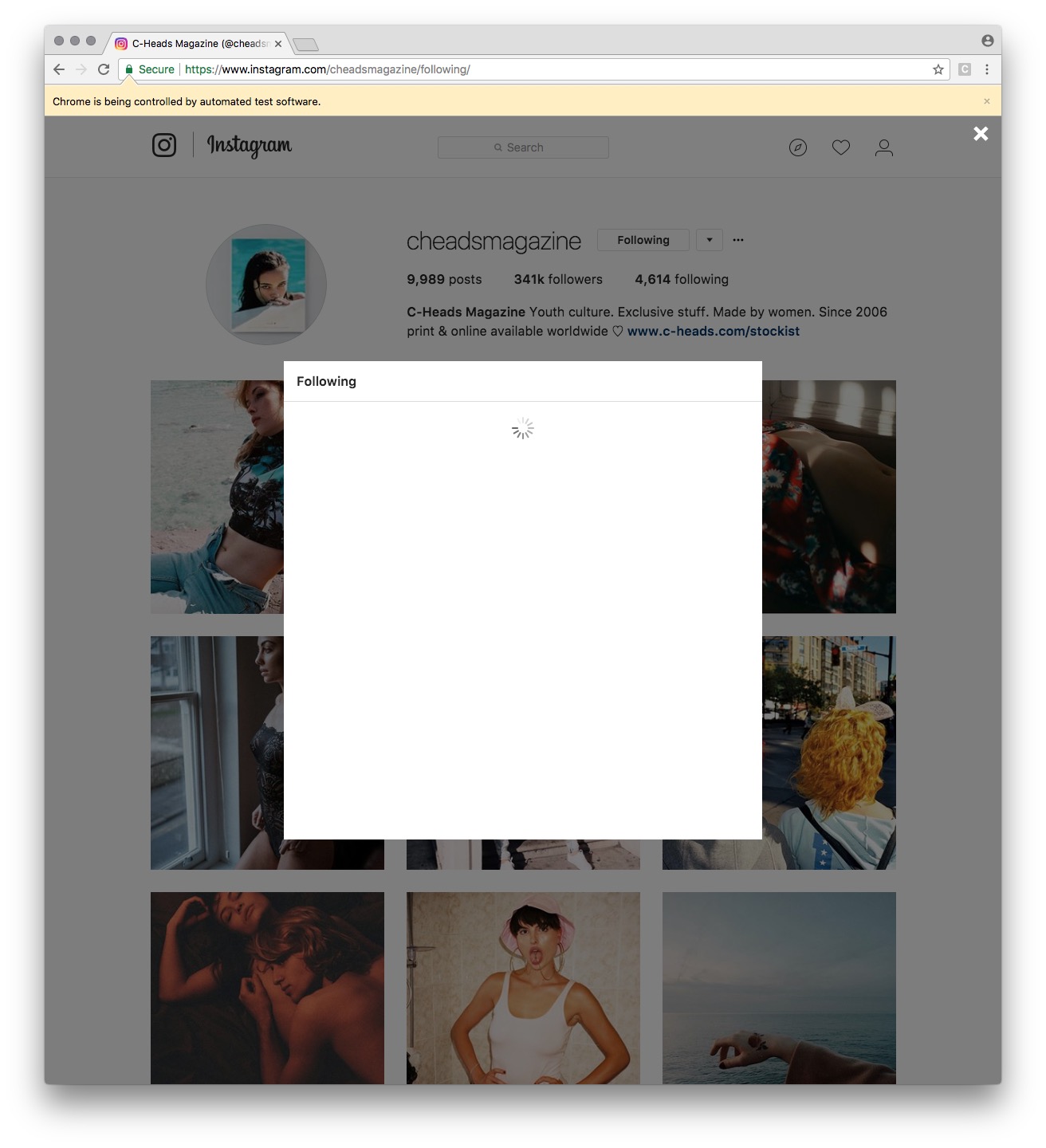
WARNING - cheadsmagazine -> Less users to follow than requested.
INFO - --> Total people followed : 0
INFO - Session ended - 2018-01-04 17:36:27
INFO - --------------------
misterscraper
on 4 Jan 2018
High five, @nicktography !
Back while digging the follow given user following's structure saw the error you keep getting: "Less users to follow than requested."
Interestingly, once randomize=True, that method in design takes your given amount and multiplies by three and compares it with the number of "Follow" buttons found on it's scroll. If it is less than button count, _returns the Error you are getting_, above. And continues to follow those usernames it took with 'Follow' label from the scrolled page. It's just a "warning" error.
But your problem is really related to the scrolling activity. Cos, after that warning it should keep follow but it is not doing it. The problem is, it cannot find any user to follow, because you already followed them (around 1000). Why 1000? the reason is, yes:
there is a limit brought to the scroll activity, due to the long time it takes while scrolling some big pages with huge following count (mostly followers' count is huge*, though).
Generally, you can solve your need by going to the .util and editing scroll_bottom() definition with _removing or commenting out_ these lines:
    if range_int > 51:
        range_int = 50
_then in following line it is divided by two in "range (int(range_int/2)) " to lower the scrolling time number (from 50 to 25)_
This code setting means if the username's following count is more than 51, your bot will scroll down only maximum 50/2 times (25 times). Well, I checked out by hand in MS Edge, each unique scroll down on Instagram shows initially 20 users visible, then goes by around 10 by 10, anyways.
*Rather than removing those lines, changing that 50 to some bigger number (e.g. ... range_int=150) can be better, _cos removing it all_ will make bot scroll so many times or even, when given amount is so high, it would scroll to the far down of the page which may consume enarmously big time.
Also, even if you disabled randomize, once the amount you mentioned is bigger than the number of 'Follow' buttons found will bring out that same warning Error. (e.g.: when you rerun bot with the amount of 4000, where you already followed 1000, there remains only 3000 unique 'Follow' buttons, which brings the warning Error again) - it's just a warning, skip it, this time.
This setting, particularly, the scroll and the warning, should be revised again,. _I am new in programming_. If I wrote something that is wrong, please apologize. Hope it helps! :-)
 uluQulu
on 12 Jan 2018
uluQulu
on 12 Jan 2018
@uluQulu do you think there is a better long term solution for this issue? I'm still running into this. I bandaged the situation temporarily by increasing range_int as you said, but we should probably figure out a fix.
 spacewaffle
on 22 Jan 2018
spacewaffle
on 22 Jan 2018
Hi @spacewaffle ,
Currently scrolling procedure is static and remains the same at all methods it is called from. But what we need is a dynamic scroller which is flexible enough to auto-guess how many pages to scroll out of the current call. Having known that one scroll-down opens up about 10 to 19 people, we could pick some 2 more lines for accuracy and if randomizer enabled, pick some double-amount scroll-down.. Right now I am working on another feature, after finishing it, I will try to have a look at scroller again.
uluQulu
on 23 Jan 2018
@uluQulu saw you were looking at this before as well; was wondering if you might have found a better way to code it? I believe Instagram desktop may have a set limit of scroll downs allowed on a user, at least previously I had tried doing so manually to load all my own followers and eventually hit a point where the loading wheel never stopped spinning and ceased loading new users.
 jeremycjang
on 17 Feb 2018
jeremycjang
on 17 Feb 2018
yes @jeremyccheung recently I worked on a smart scroller which happens to know when hits bottom, so no any unneeded requests will be spent! I also noticed at the time that currently, it's available to send 140 scroll requests in 7 minute (can be around ~10 min)
regarding it, i separated long time sleeps into small momentary seconds' sleep and currently I send scroll down per 4.27 seconds and as a result, now it neither stops scrolling, nor gives ERROR 429 : Too Many Requests!
i coded it for get_active_users() function, now it gets full list of active users, previously only it took top ones
you can apply it for your use, similarly
uluQulu
on 17 Feb 2018
@uluQulu Awesome! Was it already merged to the master/in the latest commit or would it require some local repo modification?
jeremycjang
on 17 Feb 2018
@jeremyccheung
currently i already got a PR so couldn't pull another request
but you can still get it from my repo, just pushed it to Instapy-with-QS
see, get_active_users() function at util.py in there, it has a new design
feel free to ask any thing regarding changes
uluQulu
on 17 Feb 2018
@uluQulu Looks solid! To apply your smart scroll code to follow_user_followers aka get_given_user_followers, would I need to remove the range_int code from def scroll_bottom and replace it with your scroll_it code,
or modify the section in unfollow_util.py that references scroll_bottom altogether?
jeremycjang
on 18 Feb 2018
thanks @jeremyccheung
I think smart scroll is efficient for full bottom scrolls and you don't need to scroll to deep buttom for follow_user_followers...
you should also know that, as of today, scroll_bottom() is not suitable to use, you need to scroll + grab links + scroll (until got sufficient links) _sth like_ _this_
I will look for the same feature soon in request of Nguyen from Slack channel
uluQulu
on 18 Feb 2018
@uluQulu I've been continuing to test the program and have confirmed that scroll_bottom( ) still works with a modified range_int in the legacy state, at least for the follow_user_followers function. Is this change still necessary to keep other functions working?
also I was previously taking the approach of following one user's followers. Without a smart scroll in follower_user_followers there is still a finite amount of users one can follow while also setting blacklist enabled=true regardless of how large their following is.
jeremycjang
on 19 Feb 2018
@jeremyccheung great, i should say, the problem with scroll_bottom() is pre-defined max range_int and it doesn't work for some features that has a temporary scope, except that, the method it uses to scroll is amazing and works great "arguments[0].scrollTop = arguments[0].scrollHeight", element)
but I didn't get the second part, also do you have problems with follow_user_followers() that getting less amount of users than desired? yesterday I was looking into that problem but none of my accaunts is affected by this situation, so couldn't troubleshoot, can you provide some troubleshoot information?
also, smart scroll helps us save unneeded server calls, it doesn't send any extra scroll request, cos when hits bottom it detects, but scroll_bottom() sends some relative amount which sometimes is less or more...
uluQulu
on 19 Feb 2018
@uluQulu Got it. In that case, I think your new code could solve the situation as well.
I'll elaborate: my program originally was set to target one specific user's followers (I'll call him user1) to follow with a blacklist set up for that one specific user. Since range_int sets a limited number of scroll downs as you said and since when a user is added to a blacklist they won't be interacted with again, running the follow program enough times resulted in the program following less than the amount of desired users by virtue of most of the users on the scrolled page already being on the blacklist. I tried solving this by increasing the scroll size of range_int, but it did not do so successfully. I definitely did not follow all of this users followers as they have over 80,000, so it had to be a result of the scroll limitation.
As soon as I switched my targeting to another user (user2) leaving the same blacklist on, the program was following the full amount of users again because there were enough users that had not already been added to the blacklist that also followed user2 to be followed.
jeremycjang
on 20 Feb 2018
it's clear @jeremyccheung you wanna make sure that you will follow n users regardless of case
why don't you restart process again until it follows same amount
e.g. you can do it even from quickstart script
currently_followed = session.followed
my_desired_follow1 = 440
while (session.followed-currently_followed) < my_desired_follow1 :
    session.follow_user_followers(foo, bar)   #this process will finish and if desired follow amount not filled, it will restart
but this should be solved from the source, somehow...
do you know, i thought the problem with you was loading less users to follow than desired, you know, amount=300, it gives 50 users in return... I'm trying to inspect this problem happened to some guys
uluQulu
on 20 Feb 2018
@uluQulu
do you know, i thought the problem with you was loading less users to follow than desired, you know, amount=300, it gives 50 users in return... I'm trying to inspect this problem happened to some guys
That is indeed the problem that I'm seeing, though I believe it is because of my blacklist
That code looks great! so if that while statement is set, should I still define parameters inside the follow_user_followers function or somewhere else? It looks like the amount parameter would no longer need to be defined, but what about the others?
jeremycjang
on 20 Feb 2018
Fine @jeremyccheung let's troubleshoot it, have you got Slack, we can run some quick tests
Although that while loop will work, I don't recommend it for general use, cos we can fix it after finding out problem
uluQulu
on 20 Feb 2018
This issue has been automatically marked as stale because it has not had recent activity. It will be closed if no further activity occurs. Thank you for your contributions.
If this problem still occurs, please open a new issue
![stale[bot] picture](https://avatars3.githubusercontent.com/in/1724?v=4&s=40) stale[bot]
on 15 Nov 2018
stale[bot]
on 15 Nov 2018
Related issues
 CharlesCCC
·
3Comments
CharlesCCC
·
3Comments
 thisishotdog
·
3Comments
thisishotdog
·
3Comments
 neomh
·
3Comments
neomh
·
3Comments
 Spyd3r0us
·
3Comments
Spyd3r0us
·
3Comments
 harrypython
·
3Comments
harrypython
·
3Comments
Most helpful comment
yes @jeremyccheung recently I worked on a smart scroller which happens to know when hits bottom, so no any unneeded requests will be spent! I also noticed at the time that currently, it's available to send
140scroll requests in 7 minute (can be around ~10 min)regarding it, i separated long time sleeps into small momentary seconds' sleep and currently I send scroll down per 4.27 seconds and as a result, now it neither stops scrolling, nor gives
ERROR 429:Too Many Requests!i coded it for
get_active_users()function, now it gets full list of active users, previously only it took top onesyou can apply it for your use, similarly