Instapy: Not able to run nogui=True
Hi, I need help, when trying to run nogui=True i get an error.
Im testing in localhost because I would like to run it in AWS but i couldnt because of this error.
How can I solve it?
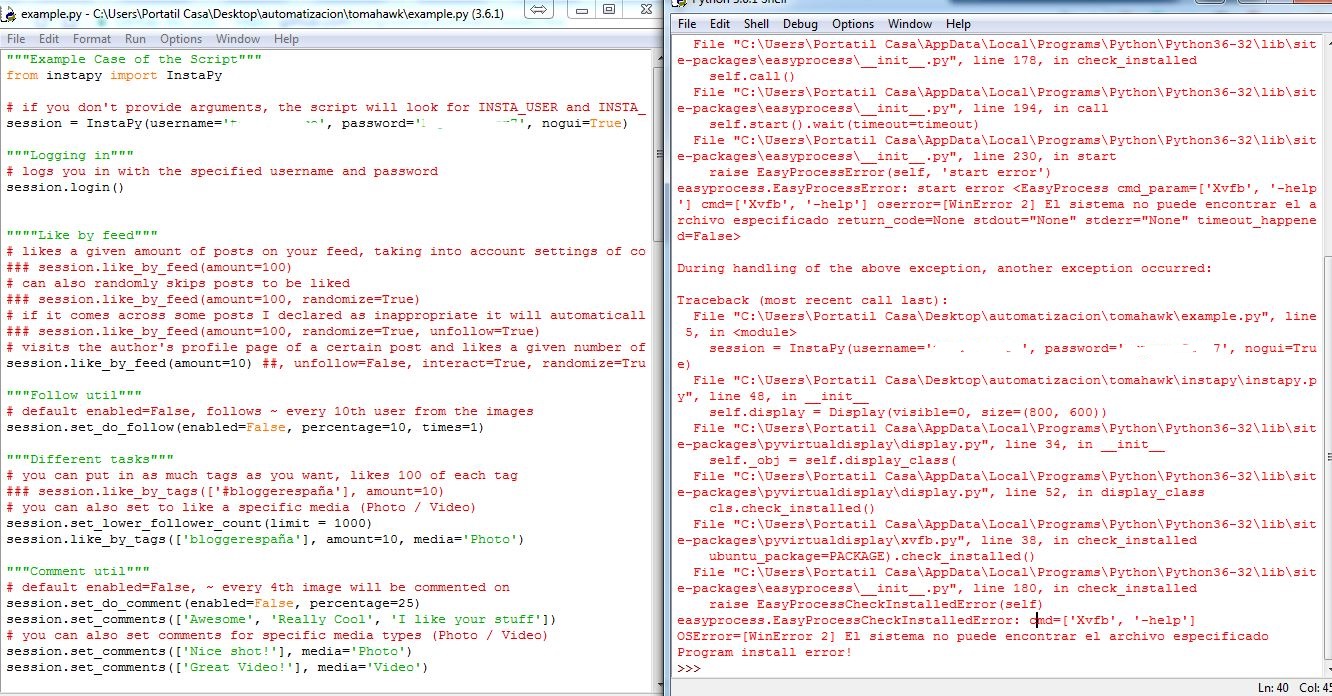
Traceback (most recent call last):
File "C:\Users\Portatil Casa\AppData\Local\Programs\Python\Python36-32\lib\site-packages\easyprocess__init__.py", line 225, in start
env=self.env,
File "C:\Users\Portatil Casa\AppData\Local\Programs\Python\Python36-32\lib\subprocess.py", line 707, in __init__
restore_signals, start_new_session)
File "C:\Users\Portatil Casa\AppData\Local\Programs\Python\Python36-32\lib\subprocess.py", line 990, in _execute_child
startupinfo)
FileNotFoundError: [WinError 2] El sistema no puede encontrar el archivo especificado
During handling of the above exception, another exception occurred:
Traceback (most recent call last):
File "C:\Users\Portatil Casa\AppData\Local\Programs\Python\Python36-32\lib\site-packages\easyprocess__init__.py", line 178, in check_installed
self.call()
File "C:\Users\Portatil Casa\AppData\Local\Programs\Python\Python36-32\lib\site-packages\easyprocess__init__.py", line 194, in call
self.start().wait(timeout=timeout)
File "C:\Users\Portatil Casa\AppData\Local\Programs\Python\Python36-32\lib\site-packages\easyprocess__init__.py", line 230, in start
raise EasyProcessError(self, 'start error')
easyprocess.EasyProcessError: start error
During handling of the above exception, another exception occurred:
Traceback (most recent call last):
File "C:\Users\Portatil Casa\Desktop\automatizacion\tomahawk\example.py", line 5, in
session = InstaPy(username=----------', password='--------, nogui=True)
File "C:\Users\Portatil Casa\Desktop\automatizacion\tomahawk\instapy\instapy.py", line 48, in __init__
self.display = Display(visible=0, size=(800, 600))
File "C:\Users\Portatil Casa\AppData\Local\Programs\Python\Python36-32\lib\site-packages\pyvirtualdisplay\display.py", line 34, in __init__
self._obj = self.display_class(
File "C:\Users\Portatil Casa\AppData\Local\Programs\Python\Python36-32\lib\site-packages\pyvirtualdisplay\display.py", line 52, in display_class
cls.check_installed()
File "C:\Users\Portatil Casa\AppData\Local\Programs\Python\Python36-32\lib\site-packages\pyvirtualdisplay\xvfb.py", line 38, in check_installed
ubuntu_package=PACKAGE).check_installed()
File "C:\Users\Portatil Casa\AppData\Local\Programs\Python\Python36-32\lib\site-packages\easyprocess__init__.py", line 180, in check_installed
raise EasyProcessCheckInstalledError(self)
easyprocess.EasyProcessCheckInstalledError: cmd=['Xvfb', '-help']
OSError=[WinError 2] El sistema no puede encontrar el archivo especificado
Program install error!
 alberto11651
All 12 comments
Check which version of python you have installed, I don't remember if the 2.x or the 3.x is somehow provoking this issue.
 Unreal89
on 20 Sep 2017
Unreal89
on 20 Sep 2017
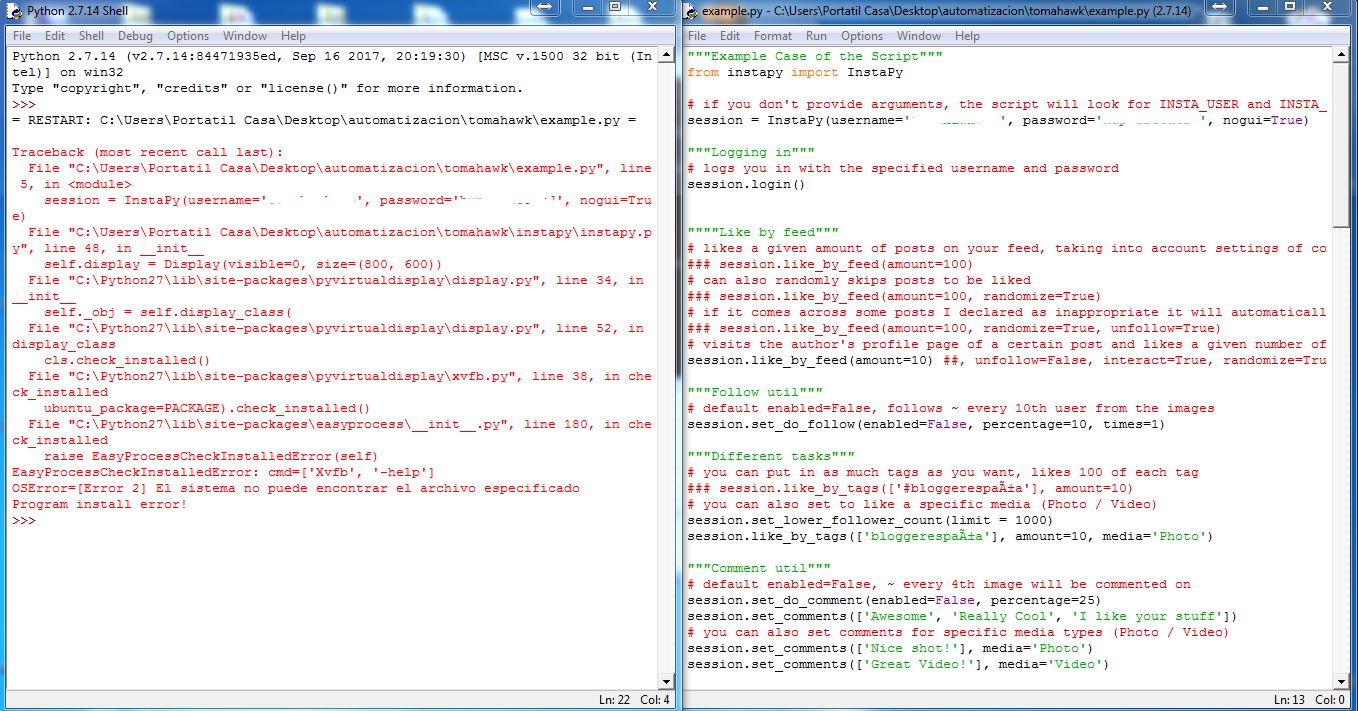
Same error with 2.7 and 3.x
alberto11651
on 21 Sep 2017
Could someone, who got it working, tell me how does it run?
alberto11651
on 23 Sep 2017
Getting this error too, on both Python 2 and 3.
I'll update if I get anywhere. This may be a clue: https://stackoverflow.com/questions/32173839/easyprocess-easyprocesscheckinstallederror-cmd-xvfb-help-oserror-errno
 staringispolite
on 12 Oct 2017
staringispolite
on 12 Oct 2017
So, the root exception in this stack trace is the shell not finding Xvfb (X virtual frame buffer) for headless operation, because OS X doesn't use X anymore. Do a
> Xvfb
to see if your system has Xvfb. If you get command not found then you may have the same problem I did.
installing XQuartz (which comes with Xvfb) worked for me on OS X 10.11.
If you already have Xvfb installed, it may just not be in your path
staringispolite
on 12 Oct 2017
hey @alberto11651 , did you solve this issue ?
 converge
on 31 Oct 2017
converge
on 31 Oct 2017
Unfortunately I gave up :(
alberto11651
on 9 Nov 2017
@alberto11651 you just need to setup nogui=False
did it fix the issue ?
converge
on 18 Nov 2017
@converge No, check out the stack trace, he already used nogui=True, and it’s saying the code can’t find Xvfb. He had the same problem as I did.
@alberto11651 I included instructions for a fix above, if you want to try again
staringispolite
on 18 Nov 2017
hi @staringispolite , nogui=True means the system will try to use a framebuffer to do it, as Windows doesn't have it, it will throw this error. As I said before nogui=False means: don't use xvfb
converge
on 18 Nov 2017
Oh you’re right, Xvfb doesn’t have a build for Windows! Did you try
anything like Docker or a virtual machine to get a Linux or Mac environment?
On Fri, Nov 17, 2017 at 6:36 PM João Paulo Vanzuita <
[email protected]> wrote:
hi @staringispolite https://github.com/staringispolite , nogui=True
means the system will try to use a framebuffer to do it, as Windows doesn't
have it, it will throw this error. As I said before nogui=False means:
don't use xvfb—
You are receiving this because you were mentioned.Reply to this email directly, view it on GitHub
https://github.com/timgrossmann/InstaPy/issues/673#issuecomment-345412404,
or mute the thread
https://github.com/notifications/unsubscribe-auth/AAJQRDRcDUt4HsNCRkGNVnPLHkAH1hbrks5s3kKkgaJpZM4PckJM
.
staringispolite
on 18 Nov 2017
There is no interaction for a long time, please reopen it if you still need some help.
converge
on 2 Dec 2017
Related issues
 n0sw34r
·
3Comments
n0sw34r
·
3Comments
 wyvers
·
3Comments
converge
·
3Comments
wyvers
·
3Comments
converge
·
3Comments
 harrypython
·
3Comments
harrypython
·
3Comments
 CodeMaster1
·
3Comments
CodeMaster1
·
3Comments
Most helpful comment
hi @staringispolite , nogui=True means the system will try to use a framebuffer to do it, as Windows doesn't have it, it will throw this error. As I said before
nogui=Falsemeans: don't use xvfb