Instapy: Errors always! (pip install)
I can not install "instapy".
What I do?
(TUTORIAL)
- For a start you need:
To have Python 2.7 or 3.6 installed.
Setted up path for PY command.
Installed Selenium and pyvirtualdriver.
(ME)
- open terminal
- download Python (2.x and 3.x)
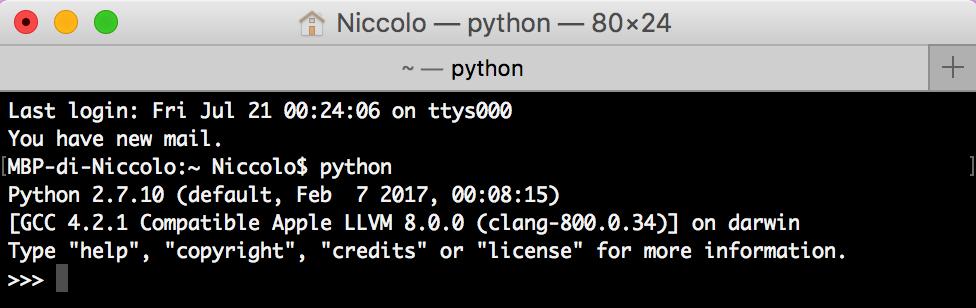
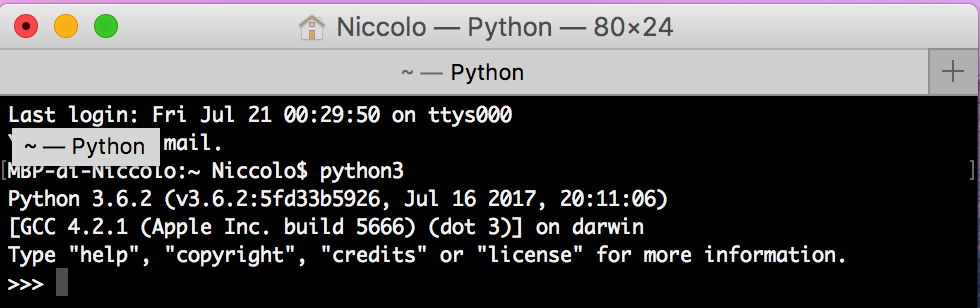
- Setted up path for PY command.
- I go to "Selenium site" (http://selenium-python.readthedocs.io/installation.html)
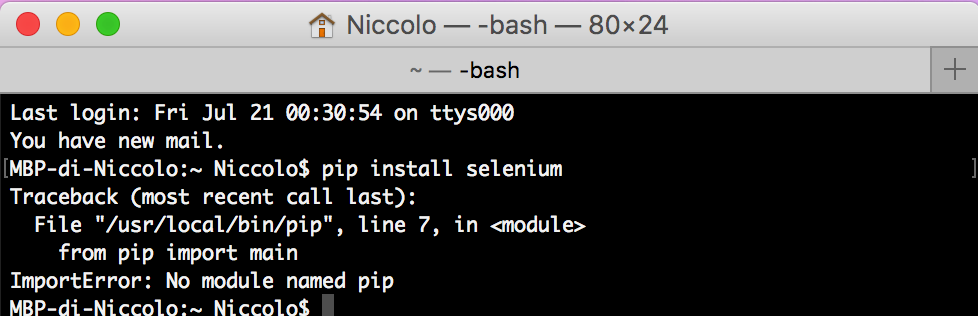
- Paste in terminal "pip install selenium"
[ERROR!]
Last login: Fri Jul 21 00:30:54 on ttys000
You have new mail.
MBP-di-Niccolo:~ Niccolo$ pip install selenium
Traceback (most recent call last):
  File "/usr/local/bin/pip", line 7, in <module>
    from pip import main
ImportError: No module named pip
MBP-di-Niccolo:~ Niccolo$
Let's fix this for the moment...
Thank you! =)
 imsilenzi
All 5 comments
Install pip first.
sudo easy_install pip
 kushpvo
on 21 Jul 2017
kushpvo
on 21 Jul 2017
👍1
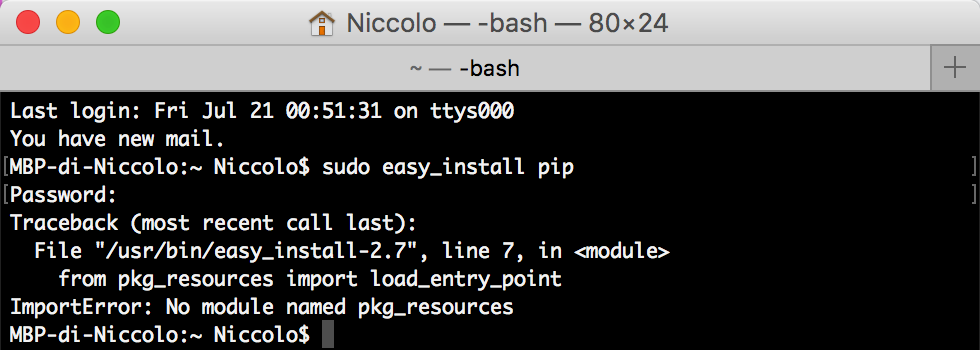
If I write sudo easy_install pip
imsilenzi
on 21 Jul 2017
You need to install pip.
Download this file and save it as get-pip.py. Then in your terminal, in the same folder where you downloaded the file type in: python get-pip.py.
 commit-master
on 26 Jul 2017
commit-master
on 26 Jul 2017
👍1
Just run this to install pip.
wget https://bootstrap.pypa.io/get-pip.py
python get-pip.py
 NewyorkDev
on 30 Jul 2017
NewyorkDev
on 30 Jul 2017
👍1
Sorry...Im really clueless and a novice,how do we run a URL...do we nave to save it on a certain type of file of format...I mean the other things which were installed and run in Scripts were apps...
 CheapInMadrid
on 4 Feb 2018
CheapInMadrid
on 4 Feb 2018
Was this page helpful?
0 / 5 - 0 ratings
Related issues
 deronsizemore
·
3Comments
deronsizemore
·
3Comments
 46960
·
3Comments
46960
·
3Comments
 wyvers
·
3Comments
wyvers
·
3Comments
 tibor
·
3Comments
tibor
·
3Comments
 ingorichter
·
3Comments
ingorichter
·
3Comments