the script run... but not open chromedriver :-(
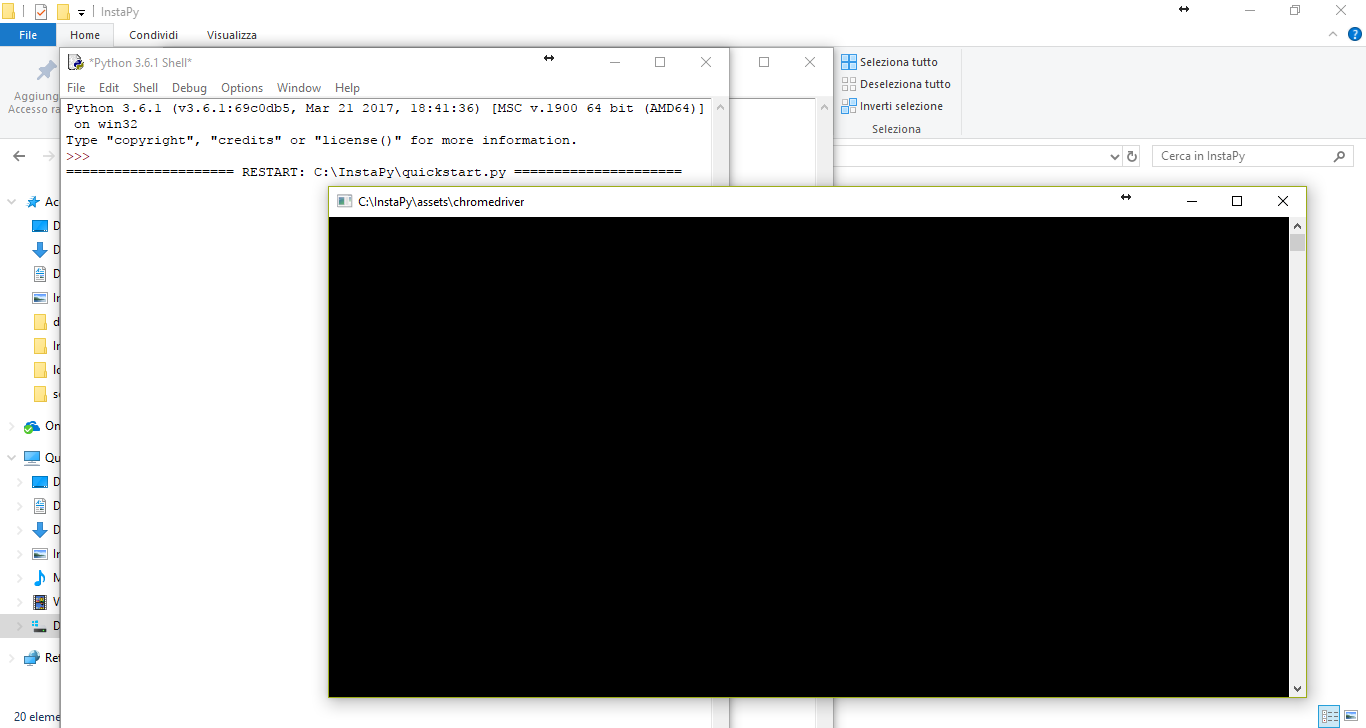
and after many time... i have this error:
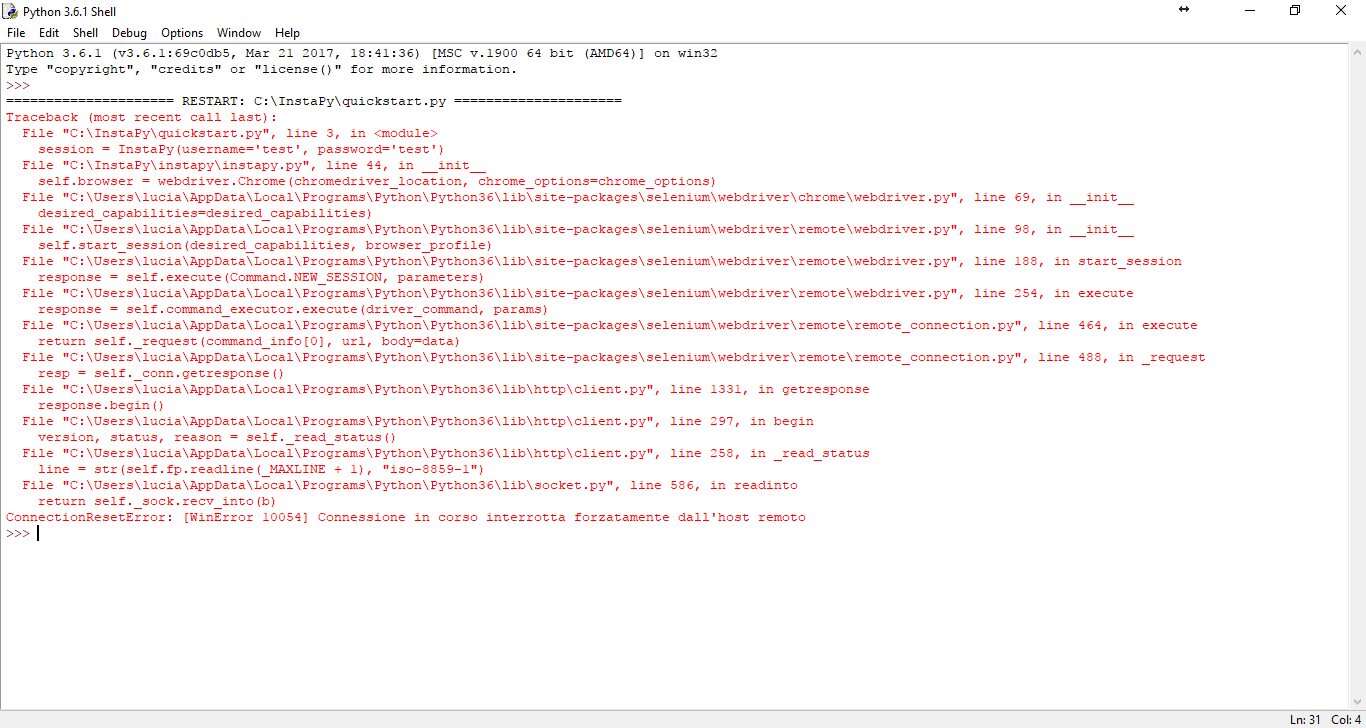
Up to 2 days it worked all ... :-(
 TheXeon81
All 6 comments
@TheXeon81 Your issue is different than #386 .
You are getting 10054 Error(""). I don't have enough knowledge to suggest the solution, but it looks like you are getting a rejection from the remote server. Perhaps your IP got banned?
Can you log into Instagram manually?
Also, on the second screenshot Username and Password are listed as "test'. Can you double check that you are passing correct credentials, please?
 anton-shablyko
on 10 Jul 2017
anton-shablyko
on 10 Jul 2017
in chrome login and navigate on my instagram profile!
I changed my username and password to make screenshots
TheXeon81
on 10 Jul 2017
@TheXeon81
What is your process on executing the script?
You have to "move" to the InstaPy folder in your terminal and then simply do a python3 quickstart.py you don't need to do anything with the python REPL...
 timgrossmann
on 11 Jul 2017
timgrossmann
on 11 Jul 2017
i open my directory in c:\instapy and execute InstaPy-GUI
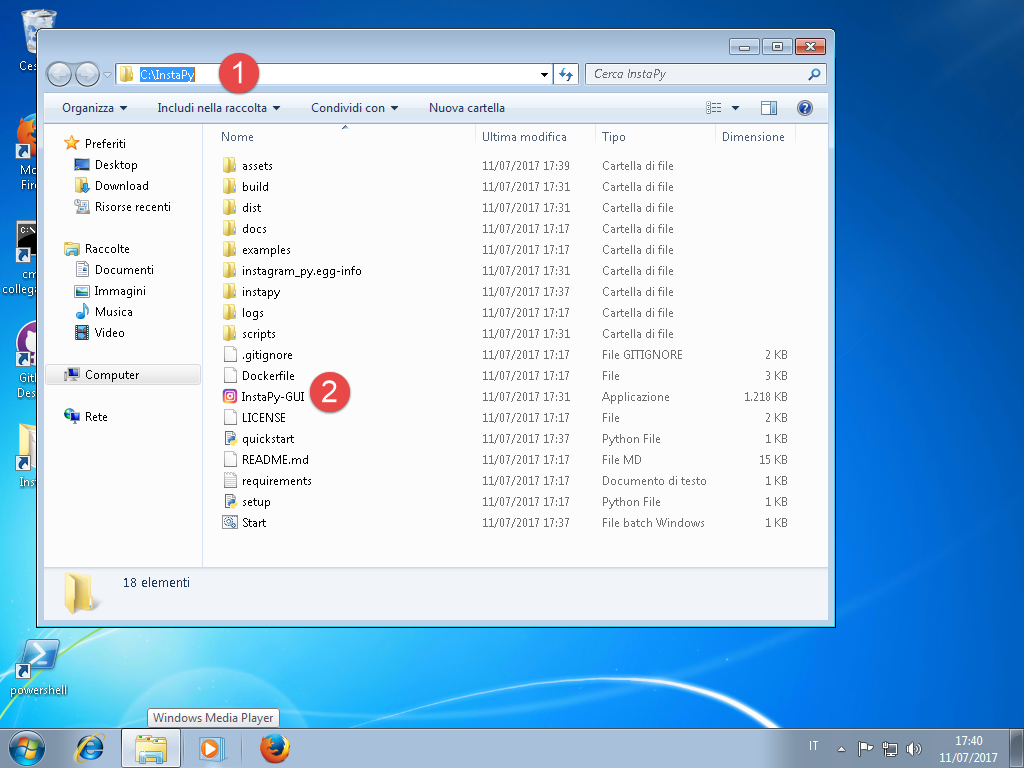
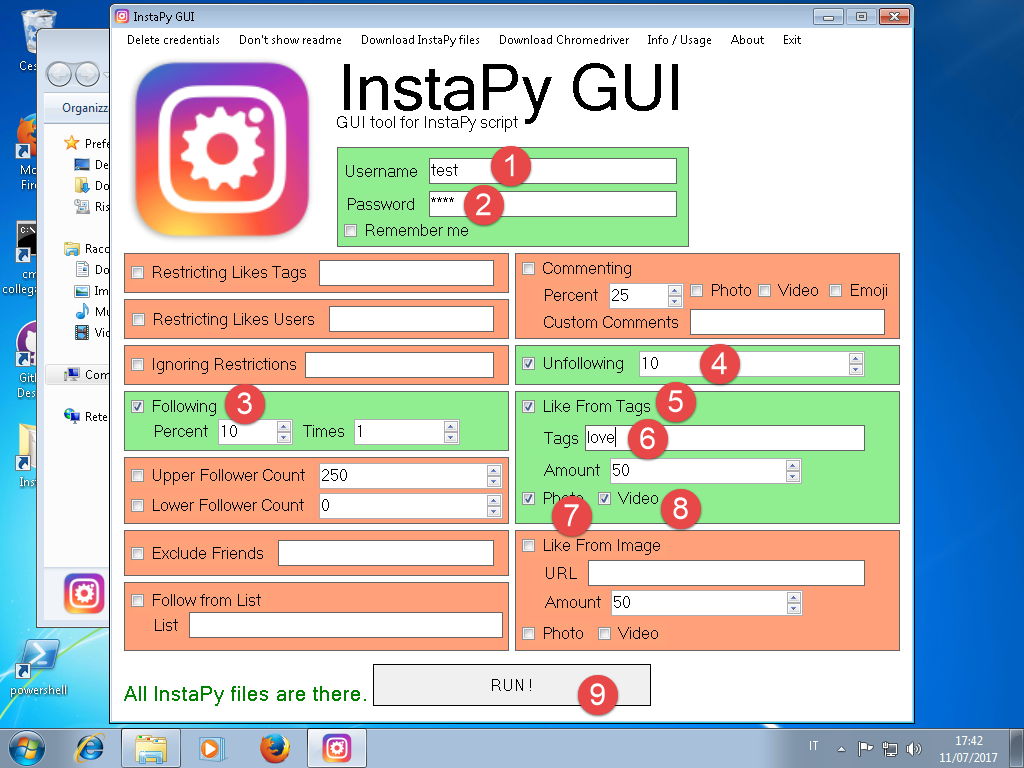
after i insert:
- my username
- my password
- check following box
- check unfollowing box
- check like from tags
- add the tags
- check photo
- check video
- press run to execute!!!
when running open a command window...
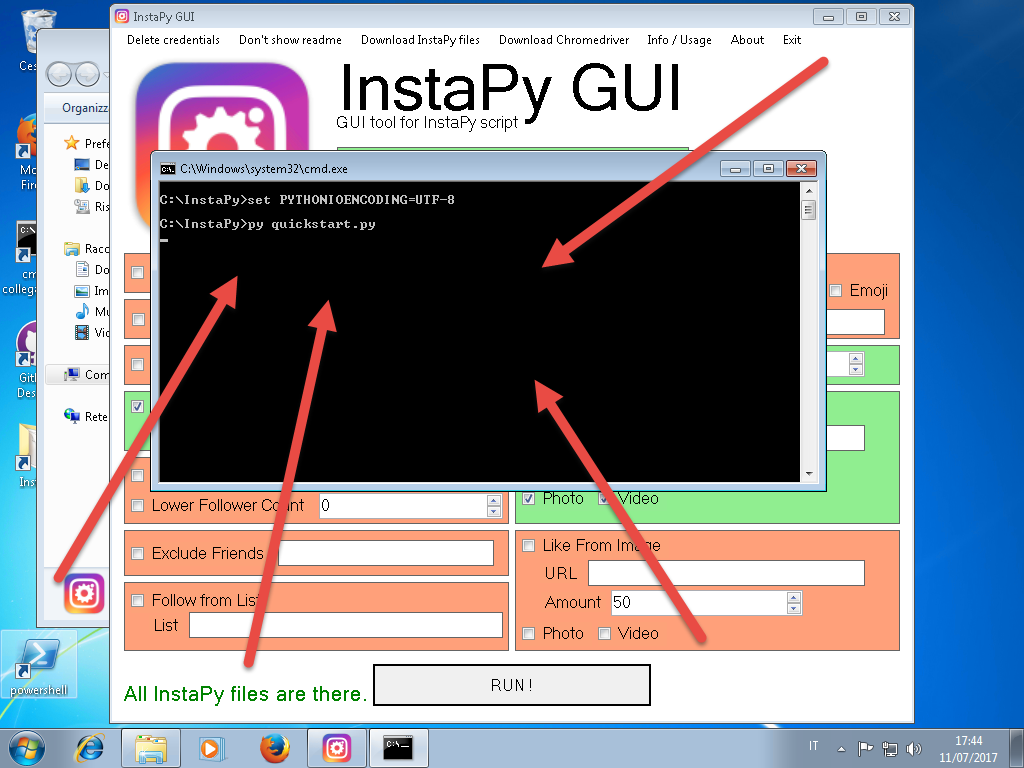
At this point it stops ...
Same problem on 3 pcs
pc1 = windows 10 creator update version
pc2 = windows 10
pc3 = windows 7
All the pc worked a few days ago
TheXeon81
on 11 Jul 2017
Try to run with new docker micro services. It completely solves all chromedriver problems.
 onyxim
on 11 Jul 2017
onyxim
on 11 Jul 2017
@onyxim ok!!! in a docker now works!!!!!
my question: ... but the sequence is not too fast ????
TheXeon81
on 12 Jul 2017
Related issues
 Naramsim
·
3Comments
Naramsim
·
3Comments
 converge
·
3Comments
converge
·
3Comments
 CharlesCCC
·
3Comments
CharlesCCC
·
3Comments
 46960
·
3Comments
46960
·
3Comments
 neomh
·
3Comments
neomh
·
3Comments