Instantsearch.js: showParentLevel for hierarchicalMenu doesn't do anything.
What is the showParentLevel property for the hierarchicalMenu widget supposed to do?
I do not see any visual difference between true, or false.
Also why is the property a string when its settings are true/false?
 Giovanni-Mattucci
All 8 comments
Where do you see it documented as a string? All references seem to be boolean to me 🤔
EDIT: found it
 Haroenv
on 19 Oct 2017
Haroenv
on 19 Oct 2017
Cool, but on another note, what exactly does showParentLevel do?
Giovanni-Mattucci
on 20 Oct 2017
@Giovanni-Mattucci It's very subtle to use actually. Even I had to test it :)
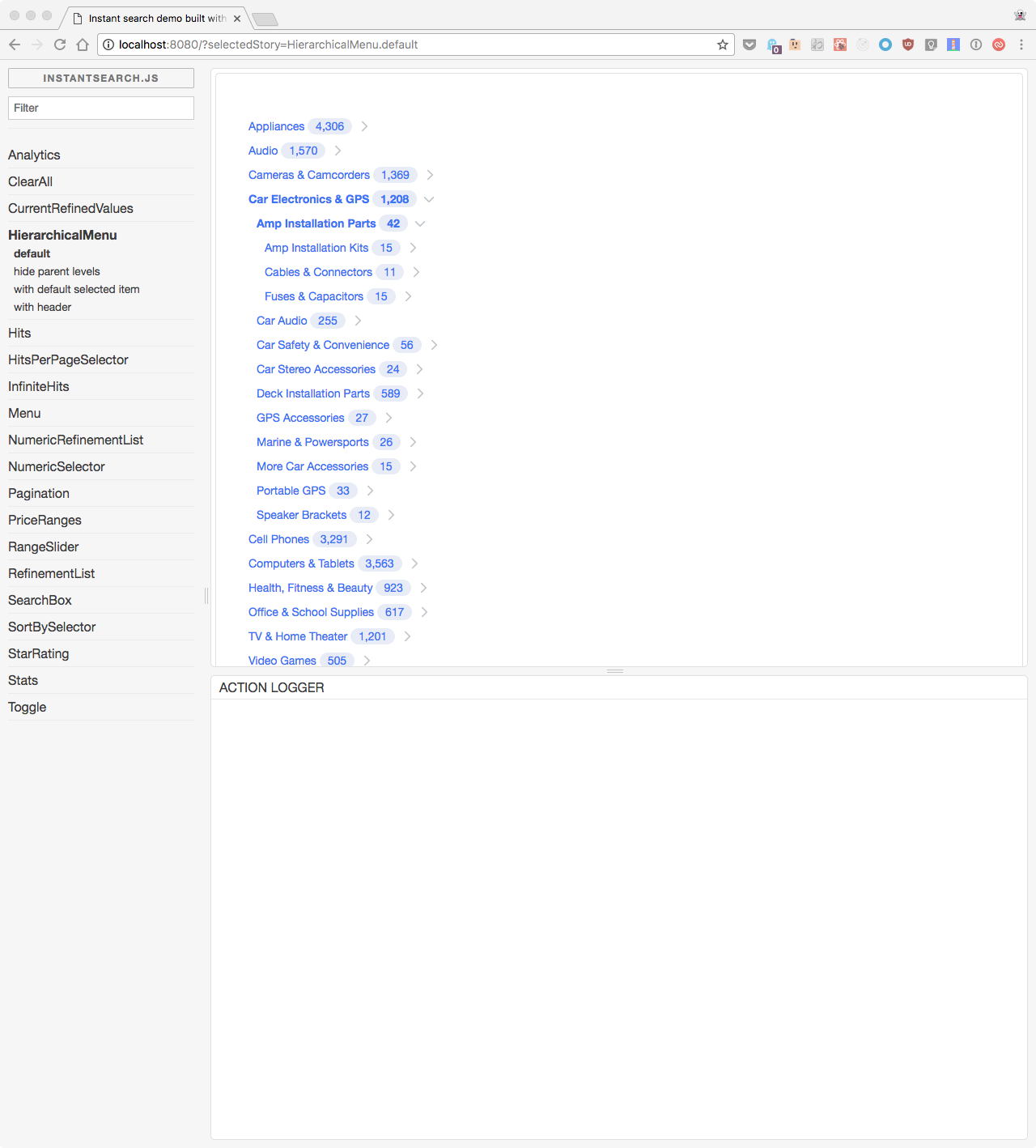
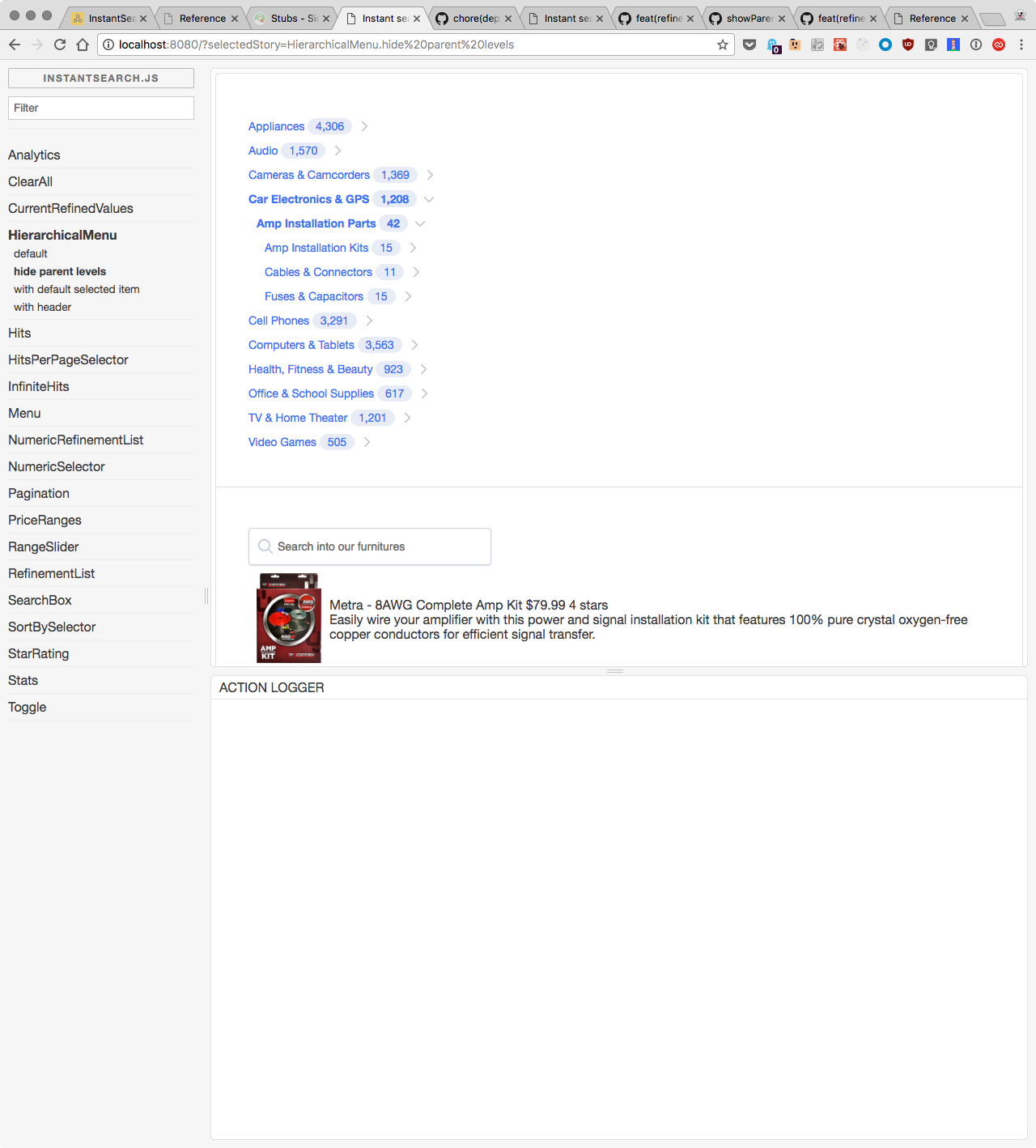
When set to true, it displays the siblings of the selected values. Also it doesn't change the behavior of the root level. Here is an example:
showParentLevel=true:
showParentLevel=false:
 bobylito
on 20 Oct 2017
bobylito
on 20 Oct 2017
@bobylito ahh I see! Thank you, that visual helps. I didn't have a data set with multiple levels to see its effect.
Giovanni-Mattucci
on 20 Oct 2017
I tried to give a better description of the behaviour of this parameter here. Can you tell me @Giovanni-Mattucci if it's clearer? Or maybe suggest something that could better help understand it?
bobylito
on 21 Oct 2017
@bobylito that is a bit more clear, but change "levels" to "level" since you can't select more than one parent hierarchical facet:
Show the siblings of the selected parent level of the current refined value. This does not impact the root level. :)
In documentation if you could visually illustrate it with some text, that would be good too:
- Parent lvl0
- lvl 1
- lvl 2
- lvl 2
- lvl 2
- lvl 1
- lvl 1
- Parent lvl0
- Parent lvl0
vs.
- Parent lvl 0
- lvl 1
- lvl 2
- Parent lvl 0
- Parent lvl 0
Not sure how best to illustrate, but I think your description is an improvement.
Giovanni-Mattucci
on 24 Oct 2017
I like your schema. I will add it to the content of the doc, if you don't mind :)
bobylito
on 24 Oct 2017
Of course I don't mind haha :)
Giovanni-Mattucci
on 24 Oct 2017
Related issues
 zeke
·
3Comments
zeke
·
3Comments
 vvo
·
4Comments
vvo
·
4Comments
 egyprotech
·
3Comments
bobylito
·
3Comments
egyprotech
·
3Comments
bobylito
·
3Comments
 anthonyBertrant
·
3Comments
anthonyBertrant
·
3Comments
Most helpful comment
@bobylito ahh I see! Thank you, that visual helps. I didn't have a data set with multiple levels to see its effect.