Instantsearch.js: rangeSlider is hidden when only one value possible
I have a range slider for filtering on years. I also have facetting on tags and authors. It seems that when I do a facetting on tags and authors that results in only one year, the whole slider disappear.

^ Here, it's the last one, "Année".
You can see it live here
I would suggest displaying the only possible value, in textual format instead of not displaying anything.
 pixelastic
All 12 comments
I would suggest displaying the only possible value, in textual format instead of not displaying anything.
Works for me. This is also where we are gonna go by default for most widgets: do not hide contextual information even if no action doable by the user (but clear the refinement).
For example a toggle that would lead to no results if clicked or the same set of results should be displayed as disabled/grayed out instead of hidden (https://github.com/algolia/instantsearch.js/pull/1197#issuecomment-241666223).
 vvo
on 5 Sep 2016
vvo
on 5 Sep 2016
Yep, I think it makes more sense. I will not be able to submit a PR anytime soon, though.
pixelastic
on 5 Sep 2016
👍 seems like an interesting UX / behavior improvement.
 bobylito
on 6 Sep 2016
bobylito
on 6 Sep 2016
This is low priority for @pixelastic, I propose this moves to v2.
bobylito
on 8 Sep 2016
In v1, autoHideContainer was not working correctly: you couldn't disable the automatic hiding behaviour. However I test with your app in v2 and you get the following:
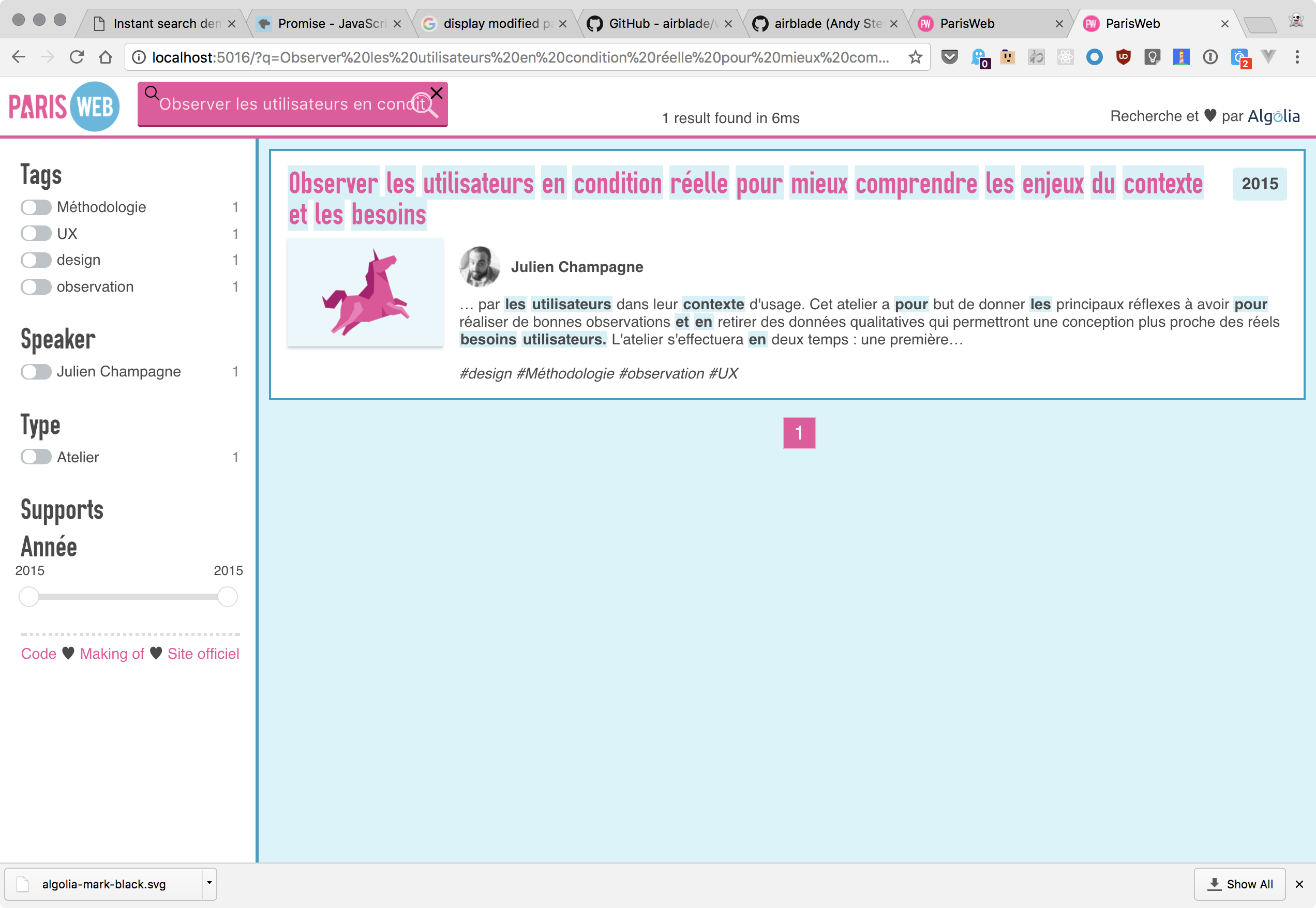
Do you think it's OK @pixelastic?
bobylito
on 29 Dec 2017
Also after checking the code, the condition for hiding is when we have the max value equal to the min. I don't know what could be another condition, thoughts?
bobylito
on 29 Dec 2017
I think it's good enough in term of behavior. Maybe it could be improved by greying out the element (adding a class to the element when it's "disabled" like this?).
pixelastic
on 29 Dec 2017
I think it's good enough in term of behavior. Maybe it could be improved by greying out the element (adding a class to the element when it's "disabled" like this?).
The slider is actually completely disabled when that happens \o/ I think we're on the same page then, closing the issue.
bobylito
on 29 Dec 2017
I understand it is disabled, but is there a custom CSS class added to it so I, as the website owner, can style it differently to clearly show it's disabled (putting it all grayscale or whatever). Or do I have to add the class myself from my template?
pixelastic
on 29 Dec 2017
you can style it with whatever[disabled] I guess
 Haroenv
on 29 Dec 2017
Haroenv
on 29 Dec 2017
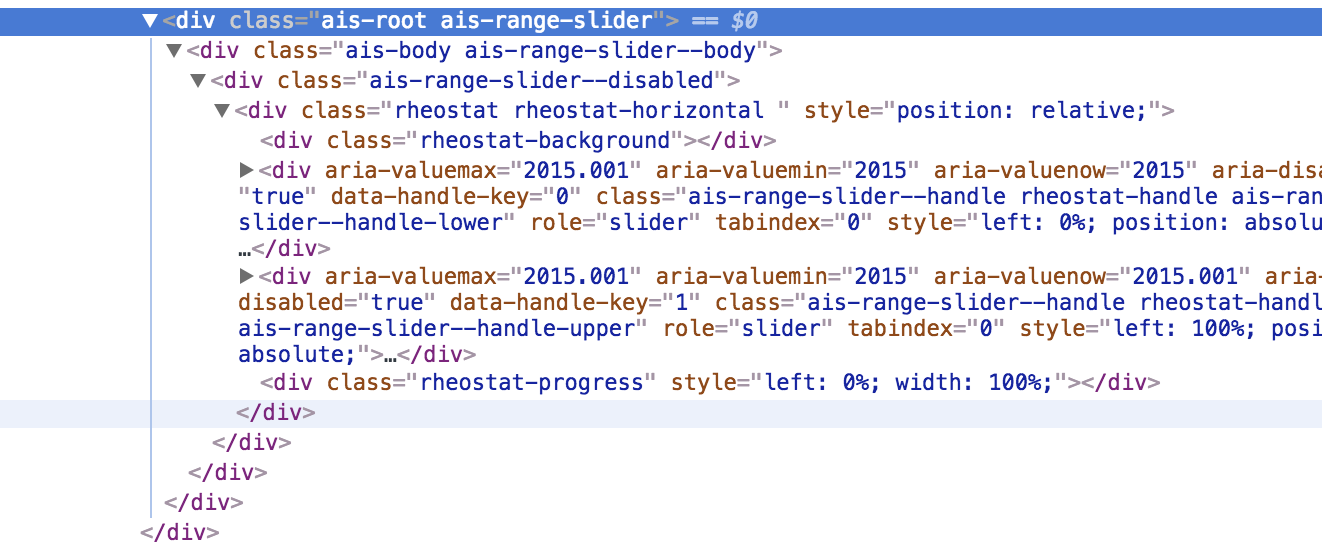
In v2, we use ais-range-slider--disabled as way to detect that a slider is disabled.
bobylito
on 29 Dec 2017
That's perfect! :+1:
pixelastic
on 3 Jan 2018
Related issues
bobylito
·
3Comments
 jvreeken
·
3Comments
jvreeken
·
3Comments
 ChristopherDosin
·
4Comments
ChristopherDosin
·
4Comments
 timkelty
·
3Comments
timkelty
·
3Comments
 proudlygeek
·
4Comments
proudlygeek
·
4Comments
Most helpful comment
In v1, autoHideContainer was not working correctly: you couldn't disable the automatic hiding behaviour. However I test with your app in v2 and you get the following:
Do you think it's OK @pixelastic?