Insomnia: Wrong window icon for Insomnia Core on Windows
Describe the bug
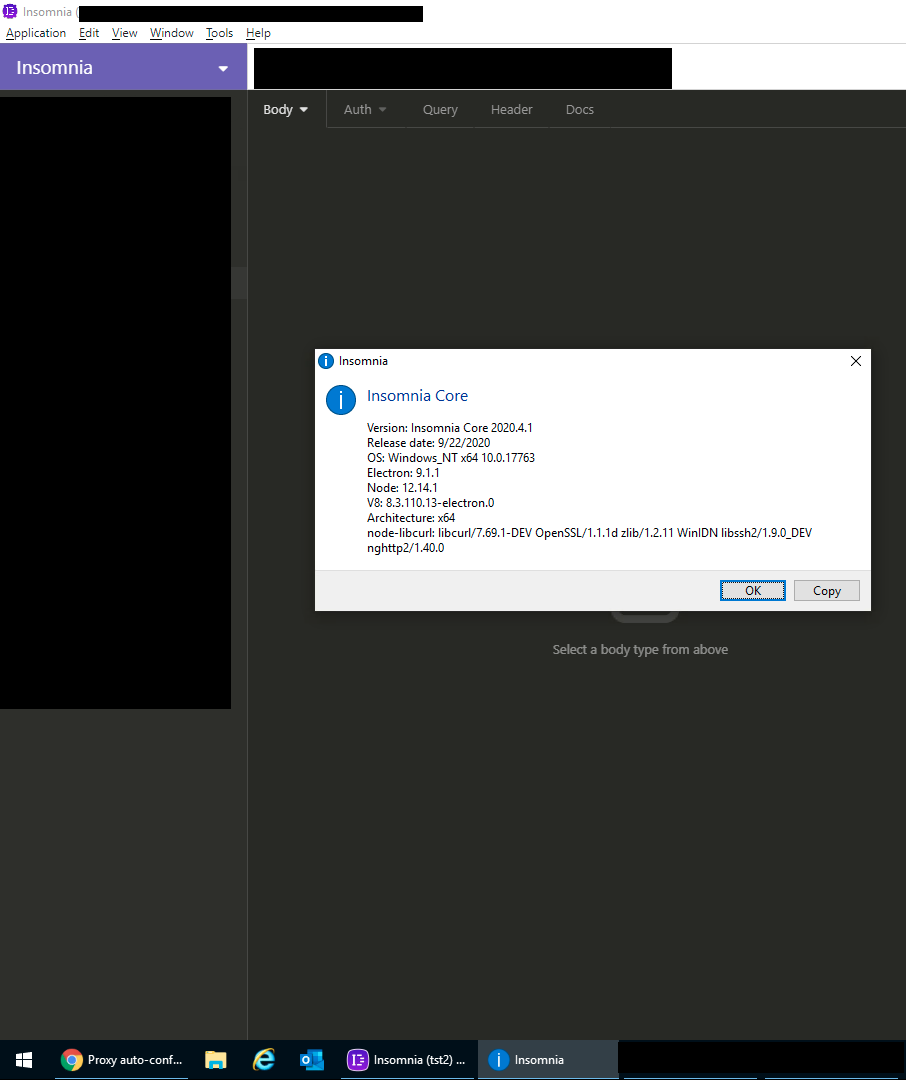
Window icon for Insomnia Core is from Insomnia Designer, however the taskbar and start menu icon is correct.
When switching between windows it is confusing and takes time to find the write window, especially for visuals (as myself).
To Reproduce
Steps to reproduce the behavior:
- Run Insomnia core
- Look at the window icon
- Try to switch windows with Alt + Tab
- See error
Expected behavior
The icon should be the same as the one in task bar or start menu.
Screenshots
Invalid icon:

Correct one:

Desktop (please complete the following information):
- Version: Insomnia Core 2020.4.1
- Release date: 23/09/2020
- OS: Windows_NT x64 10.0.19041
- Electron: 9.1.1
- Node: 12.14.1
- V8: 8.3.110.13-electron.0
- Architecture: x64
- node-libcurl: libcurl/7.69.1-DEV OpenSSL/1.1.1d zlib/1.2.11 WinIDN libssh2/1.9.0_DEV nghttp2/1.40.0
Additional context
N/A
 kwielo
All 4 comments
Thank you for reporting this! INS-80.
 develohpanda
on 29 Sep 2020
develohpanda
on 29 Sep 2020
That's odd, I see the right icon on both window and taskbar (Also on Alt+Tab which I can't screenshot):
 emelendez89
on 29 Sep 2020
emelendez89
on 29 Sep 2020
@emelendez89 you're seeing an icon consistently, but it's the wrong one. You've got Insomnia Core, but the icon you see is the Designer one 😅
develohpanda
on 29 Sep 2020
@develohpanda I see, I thought it was a new design, so yeah, I guess I supported evidence to the issue then. (I didn't even knew about Insomnia Designer, I might use it from now on)
emelendez89
on 29 Sep 2020
Related issues
 slashsbin
·
4Comments
slashsbin
·
4Comments
 meixger
·
3Comments
meixger
·
3Comments
 claratorres
·
3Comments
claratorres
·
3Comments
 shadeglare
·
3Comments
shadeglare
·
3Comments
 tmaiaroto
·
4Comments
tmaiaroto
·
4Comments
Most helpful comment
@develohpanda I see, I thought it was a new design, so yeah, I guess I supported evidence to the issue then. (I didn't even knew about Insomnia Designer, I might use it from now on)