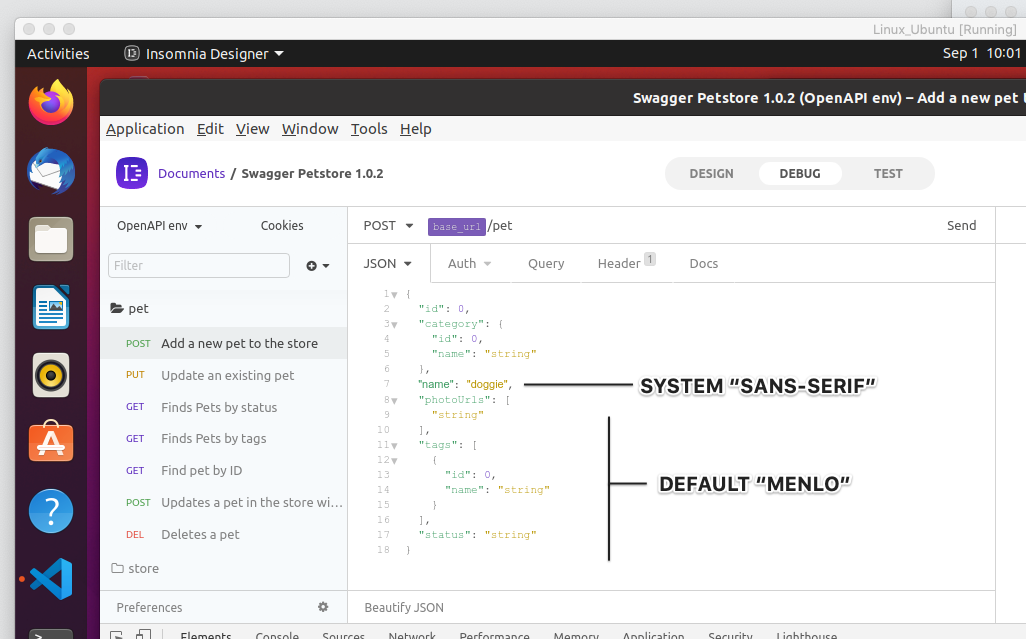
In both designer and core the typography (especially within the editor mode) is extremely muted and hard to visually parse. I checked preferences and they are identical to my OSX settings. The in Ubuntu however, is "Menlo". A switch to Mono or default system sans-serif may be more appropriate, see bottom screenshot.
Muted display in both light & dark themes
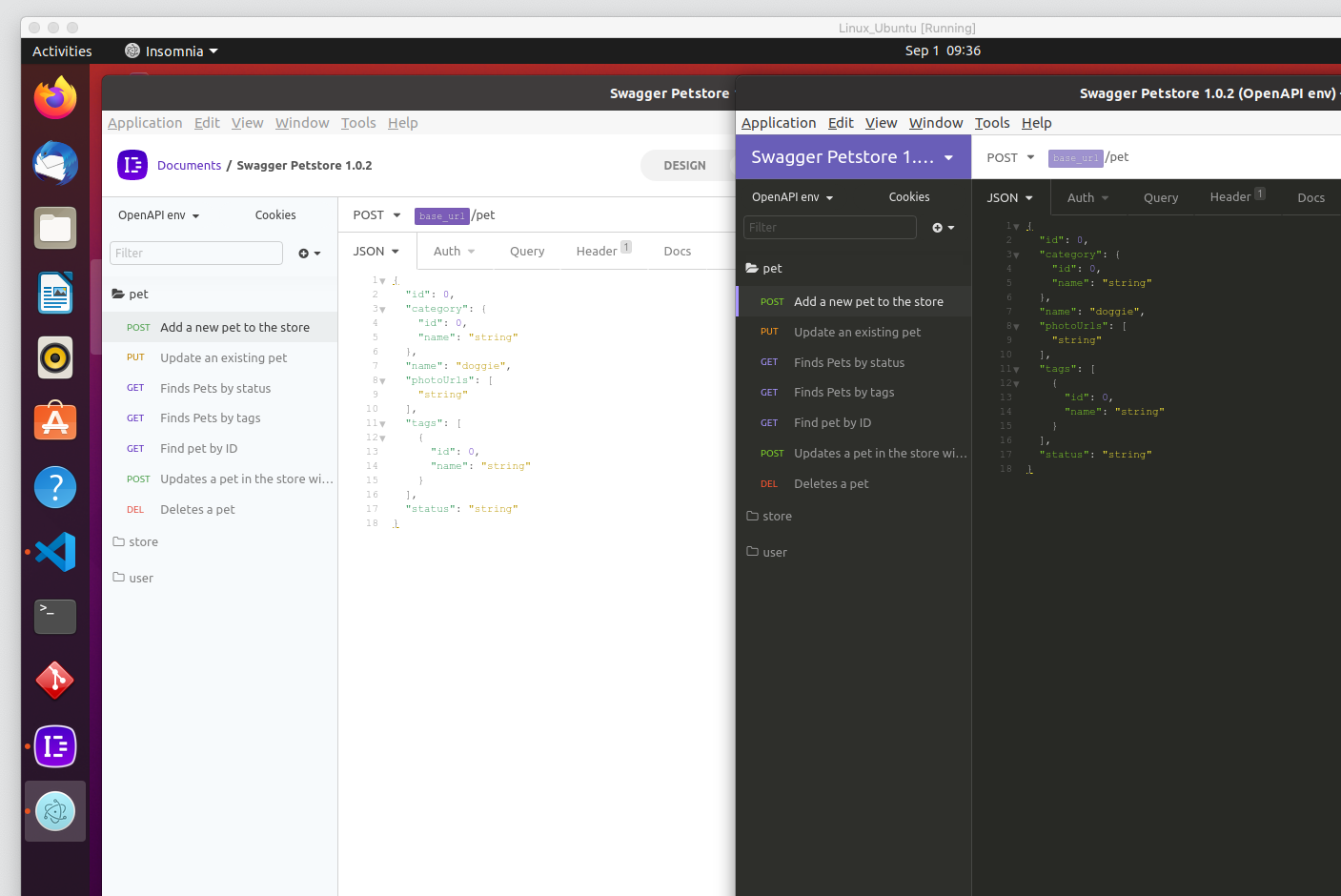
Quick test to see how default sans-serif compares
 sonicyeti
All 5 comments
I'll test this on a fresh VM as well. There was a number of font management and support provisioning needed to run a branch locally. Something might have been thrown.
sonicyeti
on 1 Sep 2020
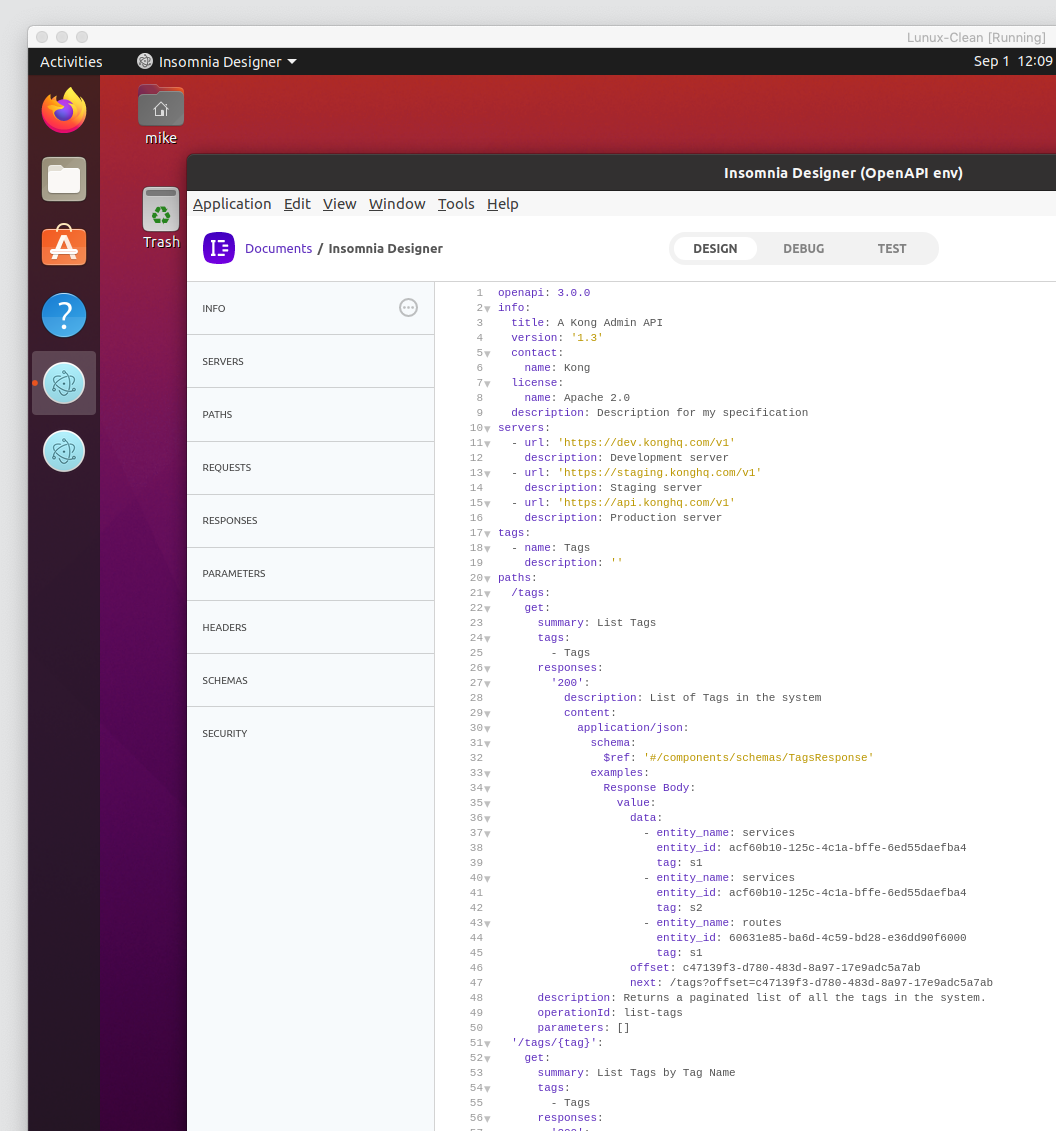
Quick follow-up, it appears that this happens only when the environment is provisioned to develop where font-manager etc. come into play.
Everything looks fine, spanning multiple themes, on a fresh instance of Ubuntu.
sonicyeti
on 1 Sep 2020
I'm having the exact same issue with Insomnia Core, but I'm using Kubuntu. @sonicyeti i didn't undestand your solution, can explain it more please?
 vitorpedeo
on 8 Jan 2021
vitorpedeo
on 8 Jan 2021
@vitorpedeo I'm grabbing Kubuntu 20.04.1 LTS now to see if the issue is present on a fresh instance running off the Core installer.
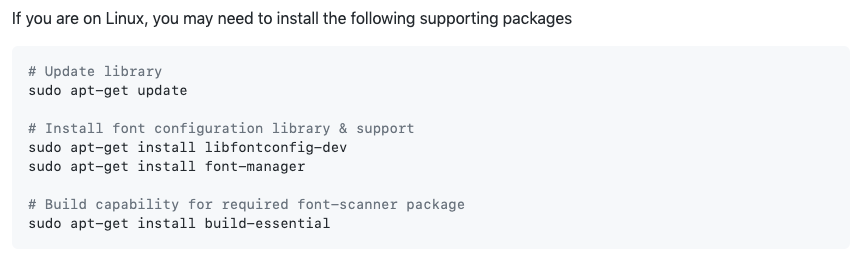
Assuming you're working from source, did you perform the following steps during setup?
sonicyeti
on 8 Jan 2021
@sonicyeti didn't know about these steps. After I finished to perform them, all the fonts are looking normal. Thanks for the help!
vitorpedeo
on 8 Jan 2021
Related issues
 rootext
·
3Comments
rootext
·
3Comments
 Fyb3roptik
·
4Comments
Fyb3roptik
·
4Comments
 artoodeeto
·
4Comments
artoodeeto
·
4Comments
 isobit
·
4Comments
isobit
·
4Comments
 wimdecorte
·
3Comments
wimdecorte
·
3Comments