Describe the bug
When opening Git Sync Respository Settings (described as [ga] Event Modals, Show, GitRepositorySettingsModal in the Developer Console) the app seems to crash (white screen) and there is no way to recover without restarting the app.
To Reproduce
Steps to reproduce the behavior:
- Click on "Setup Git Sync".

- Click on "Respository Settings".
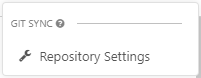
- The "Configure Respository" popup appears.
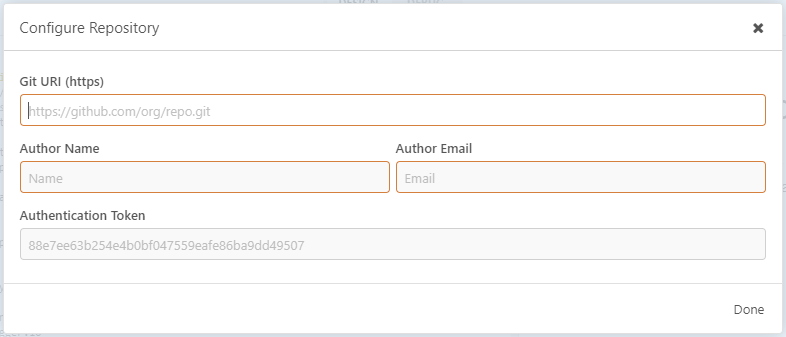
- However when moving the mouse onto one of the yellow highlighted text boxes (Git URI, Author Name or Author Email), the app crashes. Moving the mouse anywhere else does not cause this behaviour. Clicking outside of the 'Configure Respository' popup or the close button on the 'Configure Respository' screen closes the popup and the app continues to function as expected.
Expected behavior
When hovering/clicking on the Git URI, Author Name or Author Email text boxes I would expect to be able to type in them.
Screenshots
If applicable, add screenshots to help explain your problem.
See above for screenshots of the steps taken. See below for the final result:
Desktop (please complete the following information):
- OS: Windows 10 x64 (Education) 1909 (OS Build 18363.778)
- Installation Method: Installer found at https://updates.insomnia.rest/downloads/windows/latest?app=com.insomnia.designer
- App Version:
Version 2020.1.0
ShellL 3.1.13
Node 10.2.0
V8 6.6.346.32
Architecture x64
libcurl/7.57.0-DEV OpenSSL/1.0.2o zlib/1.2.11 libssh2/1.7.0_DEV
(Note: Adding a "copy to clipboard" button on the Help->About screen would be very useful for bug reports!)
Additional context
N/A
 Natfan
All 3 comments
Thanks for reporting this! We'll take a look
 gschier
on 29 Apr 2020
gschier
on 29 Apr 2020
Having trouble replicating this, is it possible to replicate with the developer console open to see if there are any errors that can be captured?
Here I am able to enter values, and hover over:
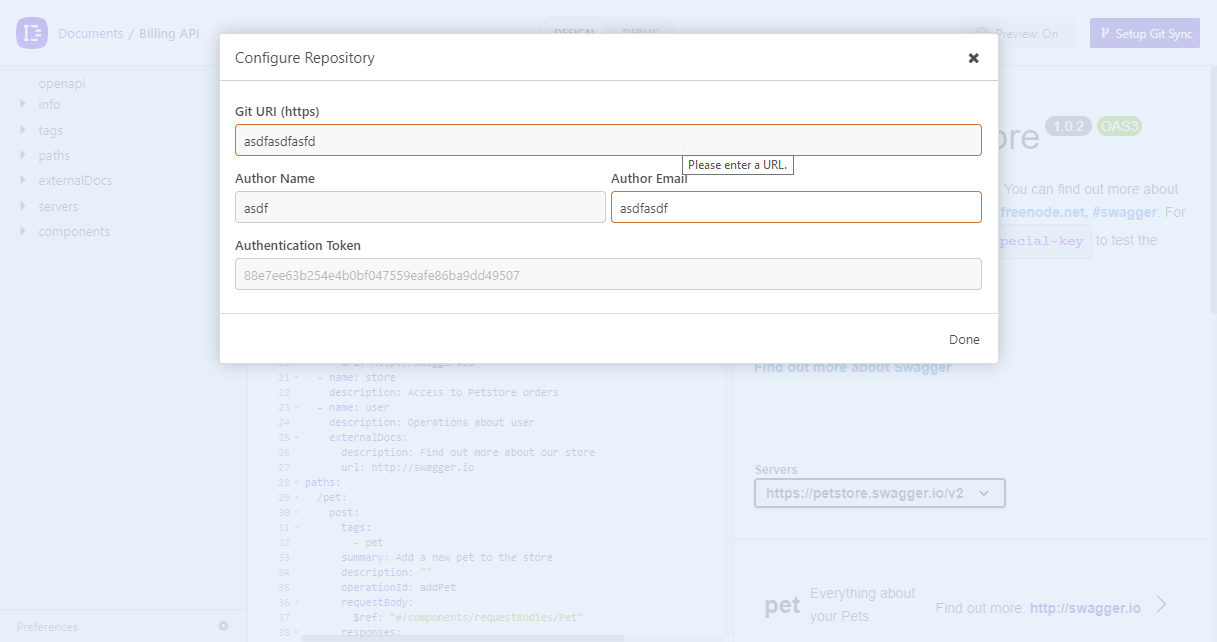
I am running version 2020.1.2
 nijikokun
on 30 Apr 2020
nijikokun
on 30 Apr 2020
Looks like this was fixed when I reinstalled? Might have just been some lingering issues caused by #2073?
Currently on 2020.1.3, and am no longer getting the error.
Natfan
on 30 Apr 2020
Related issues
 wimdecorte
·
3Comments
wimdecorte
·
3Comments
 slashsbin
·
4Comments
slashsbin
·
4Comments
 chrisvis
·
4Comments
chrisvis
·
4Comments
 rootext
·
3Comments
rootext
·
3Comments
 dextermb
·
3Comments
dextermb
·
3Comments
Most helpful comment
Looks like this was fixed when I reinstalled? Might have just been some lingering issues caused by #2073?
Currently on 2020.1.3, and am no longer getting the error.