Insomnia: [Bug]Click Preference, then Insomnia show a white page
- Insomnia Version: 6.4.1
- Operating System: Win7 64
Details
Click Preference, then Insomnia show a white page.
And the only way is close Insomnia and restart it. I can't open Preference.

 317174106
All 22 comments
👋 Thanks for opening your first issue! If you're reporting a 🐞 bug, please make sure
you include steps to reproduce it. If you're requesting a feature 🎁, please provide real
use cases that would benefit. 👪
To help make this a smooth process, please be sure you have first read the
contributing guidelines.
![welcome[bot] picture](https://avatars0.githubusercontent.com/in/4141?v=4&s=40) welcome[bot]
on 24 Apr 2019
welcome[bot]
on 24 Apr 2019
Can you check View > Toggle DevTools > Console to see if any errors come up when you do this?
Sent with GitHawk
 gschier
on 24 Apr 2019
gschier
on 24 Apr 2019
Can you check View > Toggle DevTools > Console to see if any errors come up when you do this?
Sent with GitHawk
First I open dev tools , then I click Perference, the dev tools was disconnected as below.
I tried to uninstall Insomnia, delete AppData, then reinstall it, but the problem still exists.

317174106
on 24 Apr 2019
Having the same issue, but on macOS.
Insomnia 6.4.1.2725
macOS 10.14.4
Screen recording: https://www.dropbox.com/s/6vx8t9jse2w49b6/insomnia-bug.mov?dl=0
Edit: It seems like it's a bug with the General pane specifically, as if I choose Import/Export in the Workspace menu, it opens to the Data pane, which has no render issues. I can switch to any of the other preference panes except General without experiencing the render issue.
 runofthemill
on 24 Apr 2019
runofthemill
on 24 Apr 2019
That's so strange that DevTools would disconnect when opening preferences.
@317174106 does Help > About work for you?
@runofthemill do you also see the same DevTools disconnect error?
gschier
on 24 Apr 2019
Yep - you can see it disconnecting at the end of the clip I uploaded!
runofthemill
on 24 Apr 2019
Wow, sorry I didn't even notice your screen recording link (long day 🤪)
I've only ever seen the DevTools disconnect when there has been a problem linking the native libcurl module. Can you try running the following command from within the console to see if it triggers the same issue?
require('insomnia-libcurl').Curl.getVersion()
@gschier Help --> About is ok, and the command won't trigger the same issue.

317174106
on 25 Apr 2019
Experiencing the same problem with Insomnia 6.4.1.2725 on macOS 10.14.4. DevTools keep disconnecting when the Preferences page flips to white, so I cannot begin to debug the issue.
 leweohlsen
on 25 Apr 2019
leweohlsen
on 25 Apr 2019
Okay, one more thing to try:
In View > Toggle DevTools > Console, can you try running the following?
require('font-manager');
And, if that works, take it one step further:
require('font-manager').getAvailableFonts(f => console.log('FONTS', f));
No problem with the libcurl command!
require('font-manager');
works without a problem.
require('font-manager').getAvailableFonts(f => console.log('FONTS', f));
causes a crash:

runofthemill
on 26 Apr 2019
Dang, it looks like we're going to have to make the font manager only available when it's supported. I'm not quite sure why it wouldn't work on Mac since it works on my Mac and Mac is a fairly stable platform. Anyway...
Since I can't reproduce it over here, can you look at the module and see if there's any way to conditionally check if it's going to crash without actually crashing it? ie. figure out a way to hide the feature if it's not supported. I assume a simple try/catch would not work in this case
gschier
on 26 Apr 2019
@gschier the second command causes a crash. But I am on win7
317174106
on 26 Apr 2019
Any solution?
317174106
on 26 Apr 2019
As I have a number of custom fonts installed, it seems likely it's the same issue noted here: https://github.com/foliojs/font-manager/issues/20
I'm not versed in TS dev, but as a test I dropped in https://www.npmjs.com/package/font-scanner linked from https://github.com/foliojs/font-manager/issues/20#issuecomment-445905519, created packages/insomnia-app/flow-typed/font-scanner.js with the following content:
// @flow

declare module 'font-scanner' {
  declare module.exports: *;
}
and updated the import in packages/insomnia-app/app/ui/components/settings/general.js. The preferences pane loaded and did not crash, but no fonts showed as available under Interface Font or Text EditorFont - just the option "-- System Default --", and the console log returned null:

runofthemill
on 26 Apr 2019
You saved the day @runofthemill! That's all I needed.
gschier
on 26 Apr 2019
Hi, I still have this issue if I download from https://insomnia.rest/download/ or brew cask install insomnia (mac)
 ylvare
on 29 Apr 2019
ylvare
on 29 Apr 2019
The fix is not released yet
Sent with GitHawk
gschier
on 29 Apr 2019
I understand. Any idea on when it will be?
ylvare
on 29 Apr 2019
Out now!
Sent with GitHawk
gschier
on 30 Apr 2019
:)
Den tis 30 apr. 2019 00:00Gregory Schier notifications@github.com skrev:
Out now!
Sent with GitHawk http://githawk.com
—
You are receiving this because you commented.
Reply to this email directly, view it on GitHub
https://github.com/getinsomnia/insomnia/issues/1453#issuecomment-487759395,
or mute the thread
https://github.com/notifications/unsubscribe-auth/AIAA7LRNPGHGTXOJWJ4OO4LPS5VXTANCNFSM4HIADCSA
.
ylvare
on 30 Apr 2019
Hi!
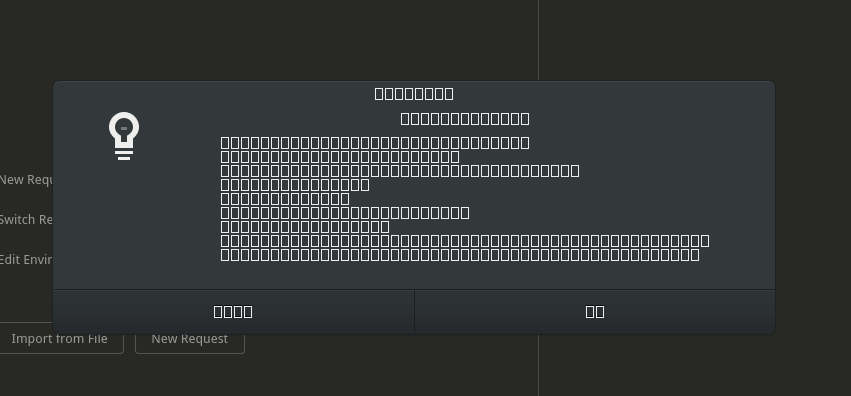
I just installed Insomnia on Fedore with Snap and I'm having same problem.
This is the About screen
 alannaidon
on 27 Nov 2020
alannaidon
on 27 Nov 2020
Related issues
 rafaelrenanpacheco
·
27Comments
rafaelrenanpacheco
·
27Comments
 xinshangshangxin
·
70Comments
xinshangshangxin
·
70Comments
 nathanwaldman
·
22Comments
nathanwaldman
·
22Comments
 hadisfr
·
23Comments
gschier
·
42Comments
hadisfr
·
23Comments
gschier
·
42Comments
Most helpful comment
You saved the day @runofthemill! That's all I needed.