Incubator-superset: Dashboard not scroll up when user moving chart
Dashboard not scroll up when user moving chart, or adding a new chart at the bottom of long dashboard.
Expected results
Be able to scroll so that chart can go to the place user wants.
Actual results
Doesn't scroll.
How to reproduce the bug
- open a large dashboard and start Edit mode
- move chart from the bottom of page to dashboard top area
- See dashbaord doesn't scroll
Environment
(please complete the following information):
- superset version:
master
Screenshots

Checklist
Make sure to follow these steps before submitting your issue - thank you!
- [x] I have checked the superset logs for python stacktraces and included it here as text if there are any.
- [x] I have reproduced the issue with at least the latest released version of superset.
- [x] I have checked the issue tracker for the same issue and I haven't found one similar.
Additional context
This is regression - it was previously possible to scroll.
 zuzana-vej
All 10 comments
@zuzana-vej is there a gif?
 junlincc
on 3 Dec 2020
junlincc
on 3 Dec 2020
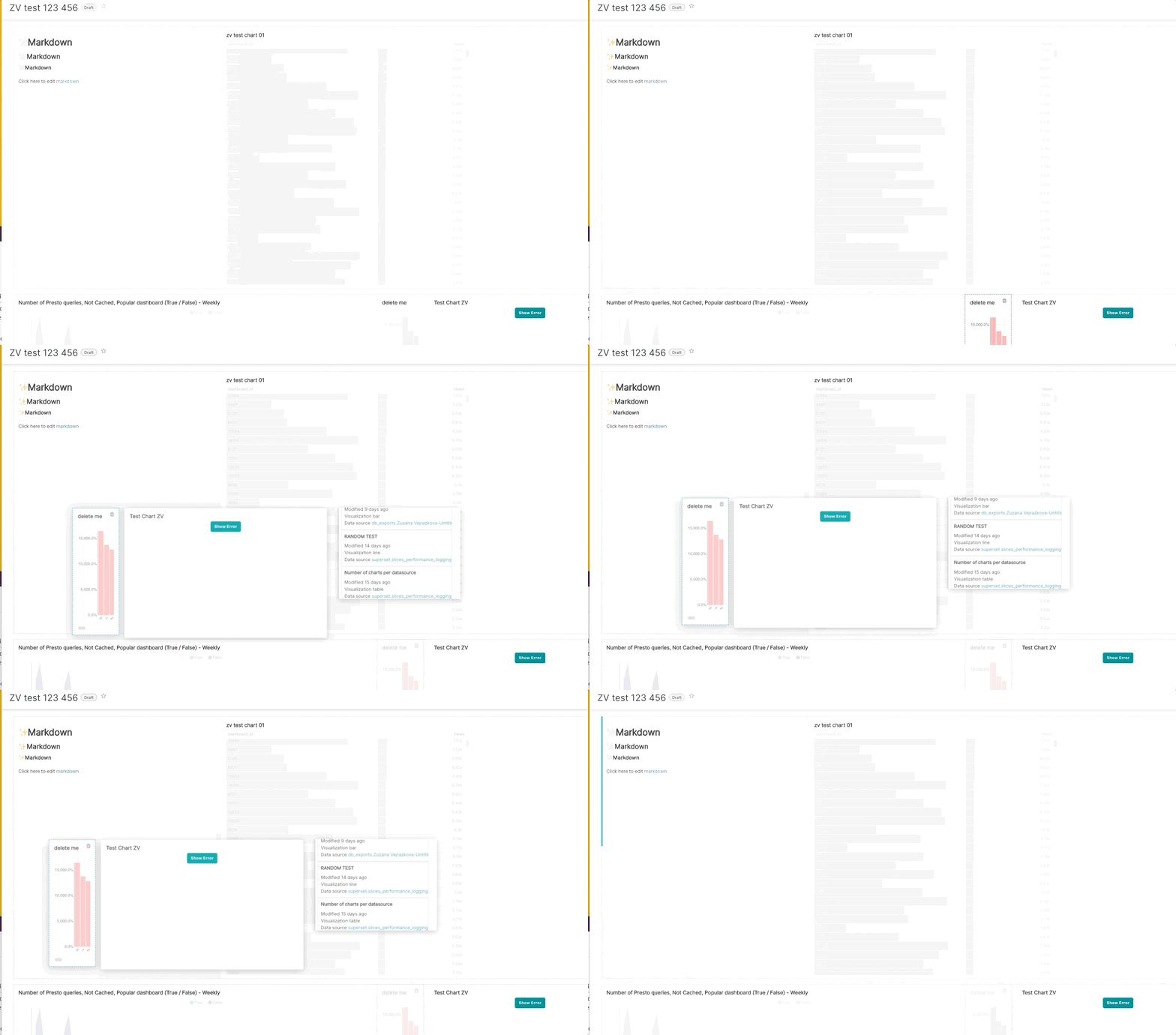
Added one into the description. There is also another weird thing when grabbing a single chart also grabs the chart next to it and section of the charts on the side. Attaching gif here. (note - there was no space on the dashboard so it didn't get moved, which is expected; but grabbing the whole section not just the chart is not expected)
zuzana-vej
on 3 Dec 2020
@zuzana-vej thanks for reporting both with gif! i consider both are pretty bad ux issues. and we should prioritize them.
@kkucharc Kasia, since you are already familiar with this area, do you mind taking it on? maybe in between of your back end tasks? lmk, thanks!
junlincc
on 3 Dec 2020
Sure @junlincc - I will take a look
 kkucharc
on 4 Dec 2020
kkucharc
on 4 Dec 2020
Added one into the description. There is also another weird thing when grabbing a single chart also grabs the chart next to it and section of the charts on the side. Attaching gif here. (note - there was no space on the dashboard so it didn't get moved, which is expected; but grabbing the whole section not just the chart is not expected)
@zuzana-vej does it still happen? I have troubles to reproduce it. Maybe you could share some details about browser? Or maybe it was happening on some specific order of charts? Or those charts are in the tab?
kkucharc
on 4 Dec 2020
Latest version of Chrome. Single tab dashboard. @graceguo-supercat reported this as well.
zuzana-vej
on 4 Dec 2020
the first issue can be easily reproduced, the second one. no luck i tried really hard.
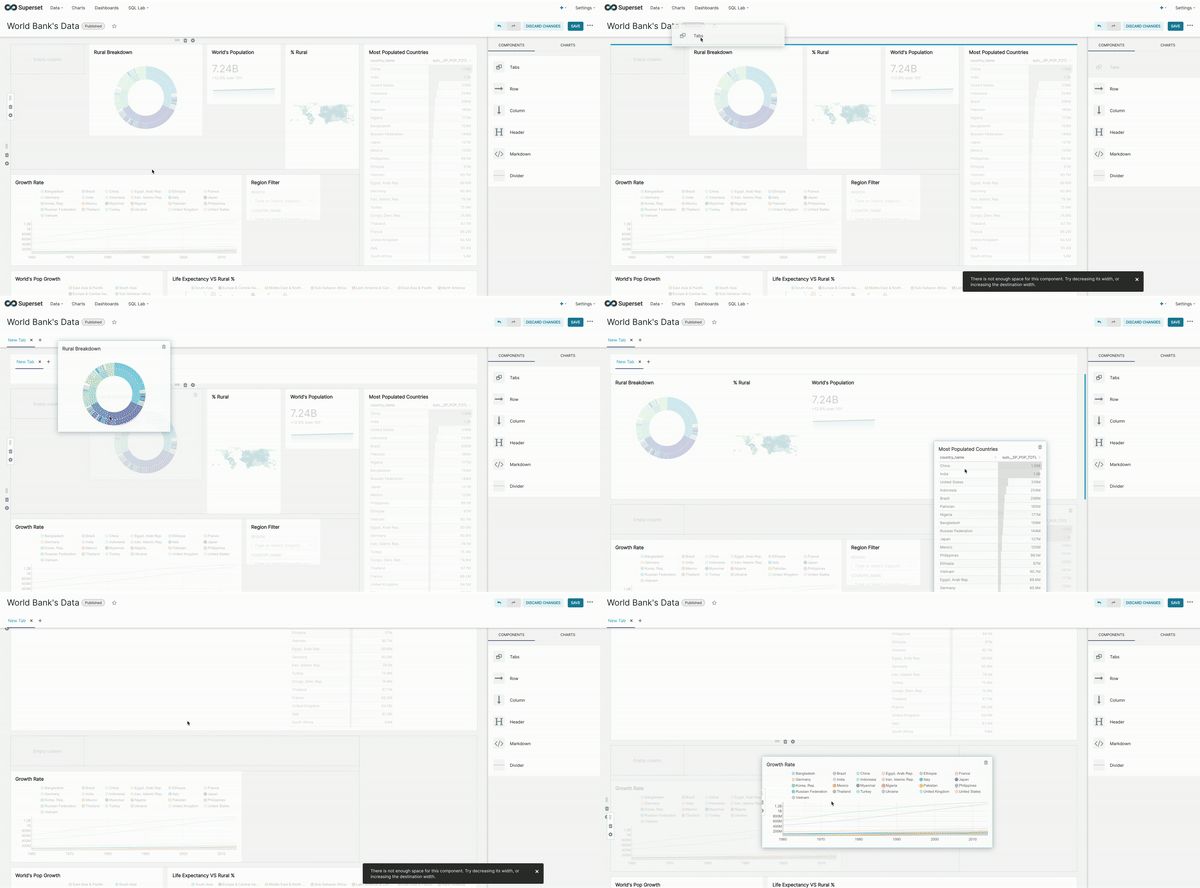
.. hm, @kkucharc is on the first one, the PR should come soon, is alright we open a different issue next week if we still sees it? @graceguo-supercat @zuzana-vej 🙏
junlincc
on 4 Dec 2020
Yes I just reproduced the 1st issue as well. Couldn't repro the 2nd one today either (so I think we should just close off this bug once the 1st issue is fixed). The layout of my dashboard is here in a screenshot. It has 3 rows, and the top row still has space for another chart. I am trying to move the bottom chart to the top and it won't move.

zuzana-vej
on 4 Dec 2020
I found 2nd issue. It happens when a chart has horizontal scroll (some svg inside are wider than chart box), I'm currently looking for solution.
kkucharc
on 8 Dec 2020
I had to move to another issue due to some priority change. To sum up what I managed to discover:
General issue: the scroll area is hidden under the dashboard's header (z-index and position=relative of the header disables scroll). The best thing here would be to somehow move detecting scroll to top level, but I am not sure if it's possible. The other option is to use dnd component and detect that we are hovering header and then scroll top on hover.
Second issue: some charts and tables have scroll when the window is too narrow. When we drag an element, the preview of dragged element is as wide as table/chart inside this element. After my debugging nothing seemed helping:
width: 100%oroverflow: hiddenfor divs, svg, table. What I may suggest is to disable scroll while editing or pass width as HTML attribute directly to svg or table.
kkucharc
on 15 Dec 2020
Related issues
 deity-bram
·
3Comments
deity-bram
·
3Comments
 eliab
·
3Comments
eliab
·
3Comments
 kalimuthu123
·
3Comments
kalimuthu123
·
3Comments
 amien90
·
3Comments
amien90
·
3Comments
 sashank
·
3Comments
sashank
·
3Comments
Most helpful comment
Yes I just reproduced the 1st issue as well. Couldn't repro the 2nd one today either (so I think we should just close off this bug once the 1st issue is fixed). The layout of my dashboard is here in a screenshot. It has 3 rows, and the top row still has space for another chart. I am trying to move the bottom chart to the top and it won't move.