Incubator-superset: [dashboard filter indicator] Dashboard does not apply filter
A clear and concise description of what the bug is.
How to reproduce the bug
- create dashboard with filters
- open dashboard
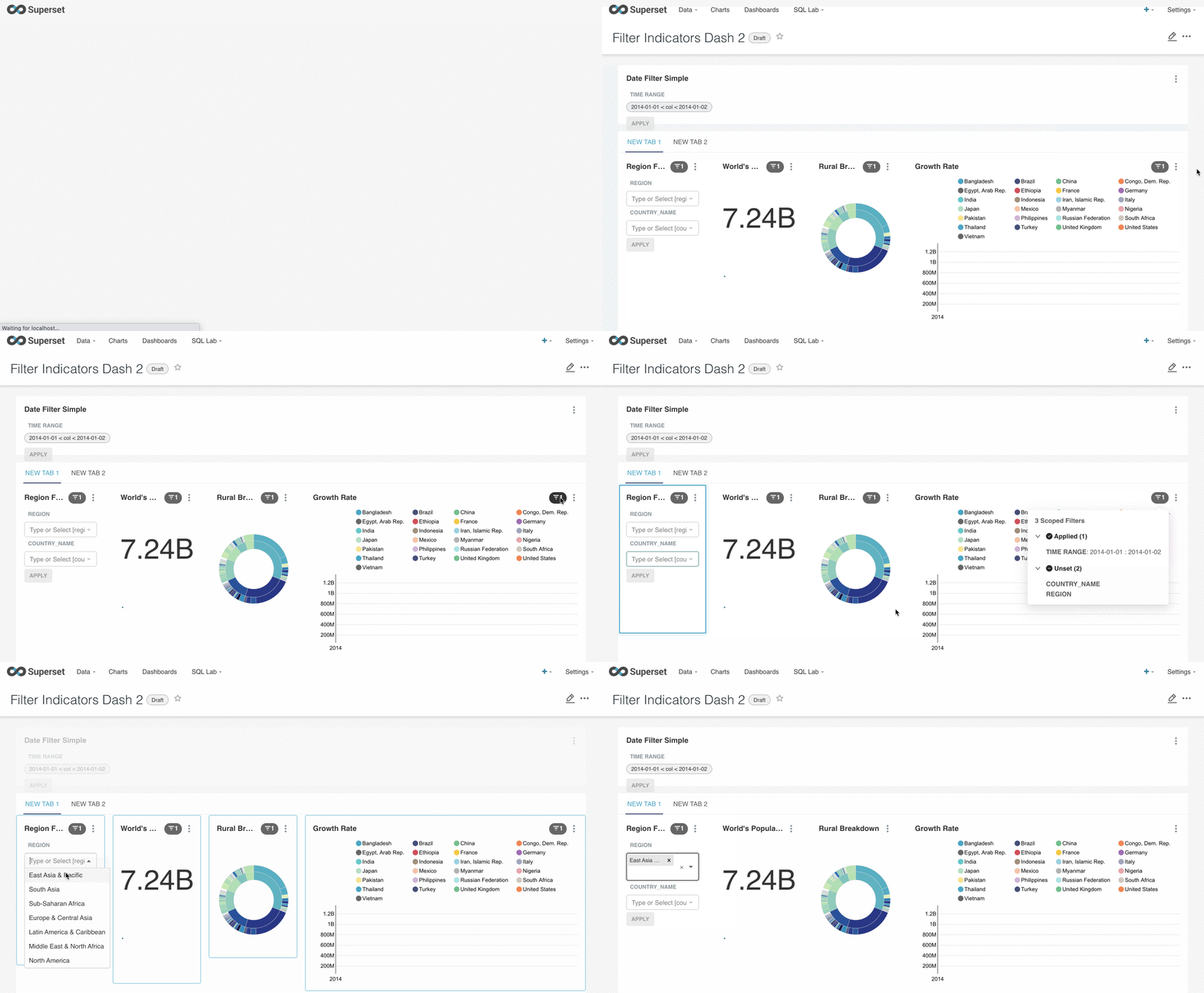
- open filter status, click on one of the filter field and dashboard will focus on that filter_box
- choose a value from filter_box and click Apply
Actual results
- Filter status disappeared
- Dashboard does not apply the selected filter
Screenshots
Environment
lastest master
Checklist
Make sure to follow these steps before submitting your issue - thank you!
- [x] I have checked the superset logs for python stacktraces and included it here as text if there are any.
- [x] I have reproduced the issue with at least the latest released version of superset.
- [x] I have checked the issue tracker for the same issue and I haven't found one similar.
cc @junlincc @suddjian
 graceguo-supercat
All 6 comments
Issue-Label Bot is automatically applying the label #bug to this issue, with a confidence of 0.88. Please mark this comment with :thumbsup: or :thumbsdown: to give our bot feedback!
Links: app homepage, dashboard and code for this bot.
![issue-label-bot[bot] picture](https://avatars2.githubusercontent.com/in/27079?v=4&s=40) issue-label-bot[bot]
on 4 Nov 2020
issue-label-bot[bot]
on 4 Nov 2020
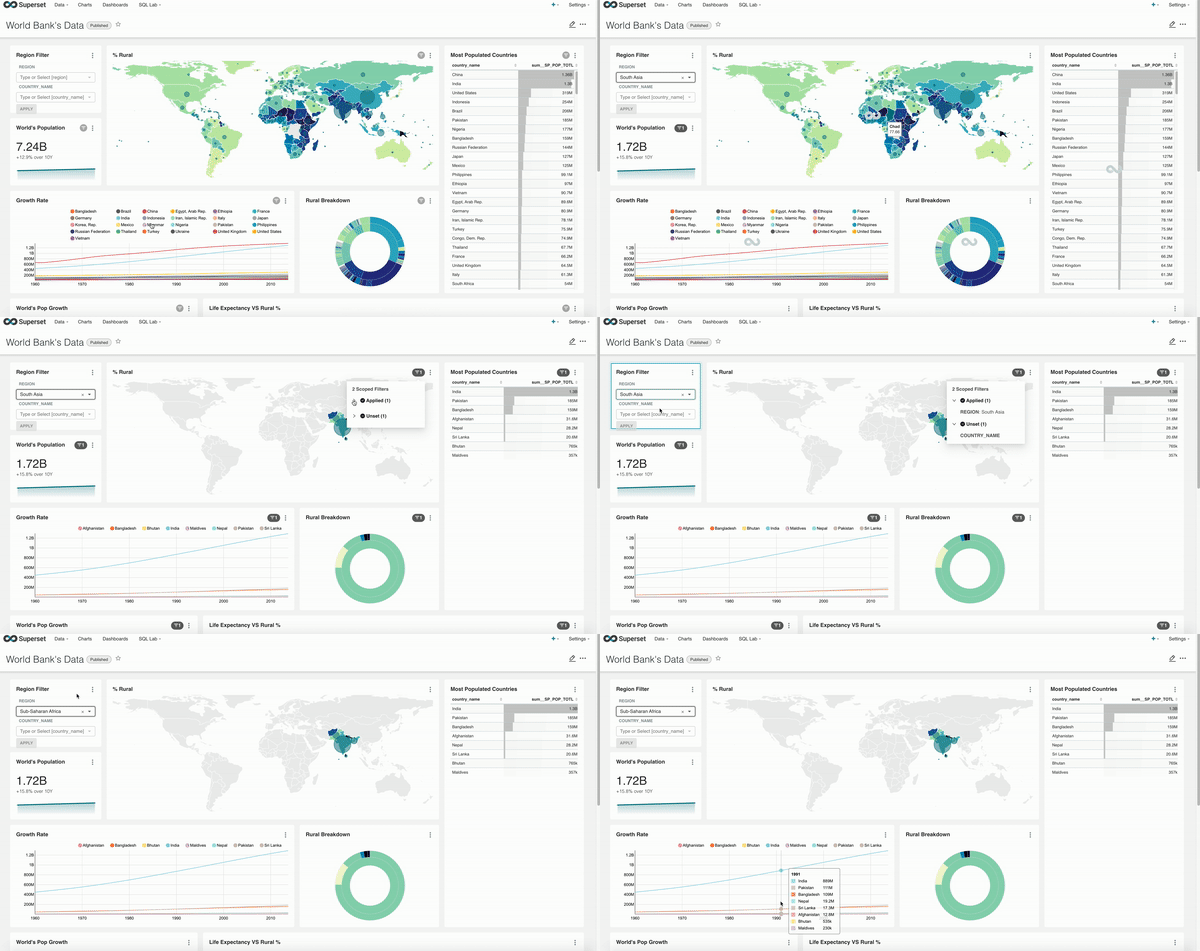
I'm seeing the same behavior. @suddjian please give a quick fix, thanks!
 junlincc
on 4 Nov 2020
junlincc
on 4 Nov 2020
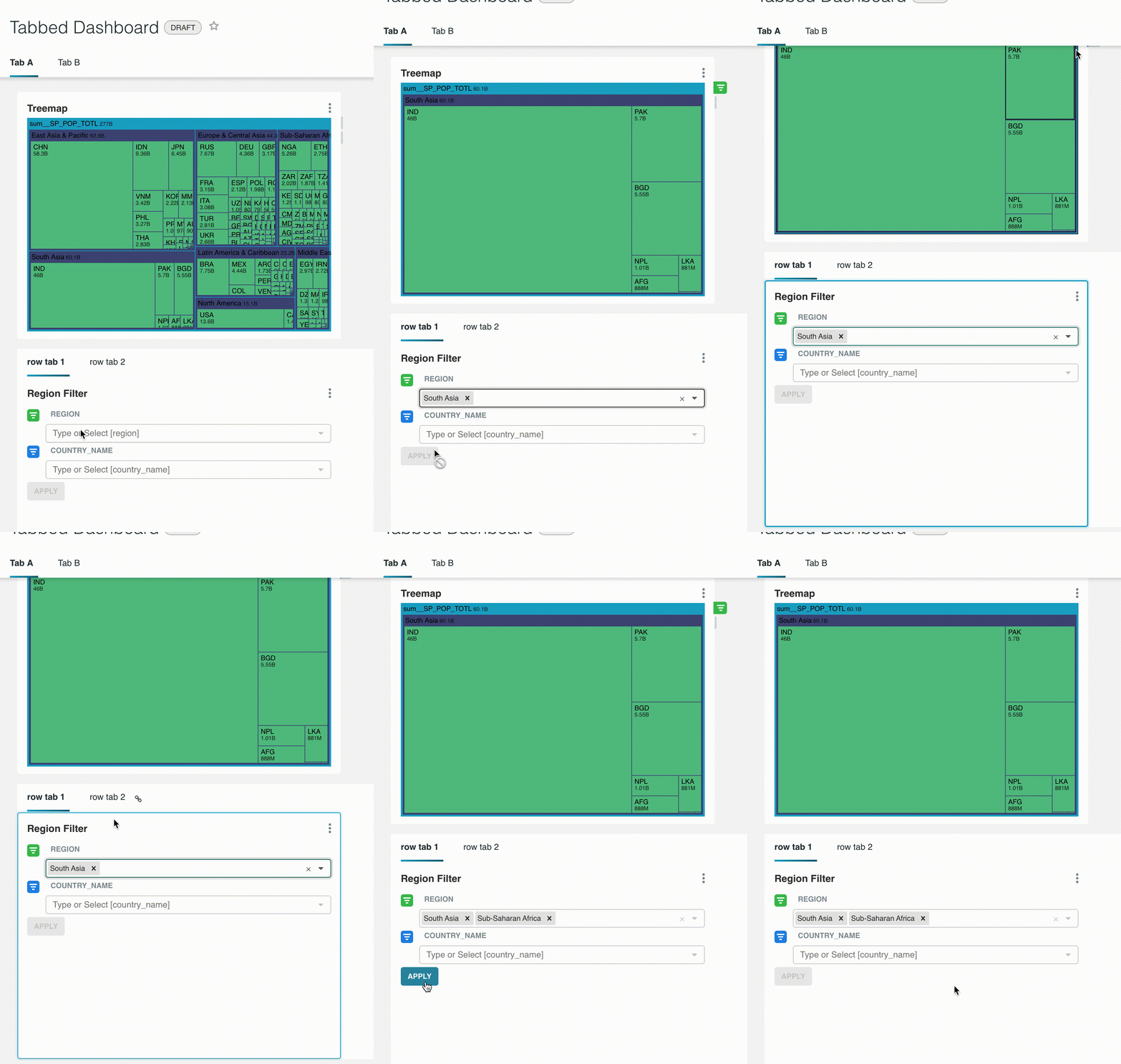
I am still working to find the source of this issue, but so far I have confirmed that it was not introduced with the new filter indicators. See recording:
 suddjian
on 4 Nov 2020
suddjian
on 4 Nov 2020
The TRIGGER_QUERY action is firing correctly, but componentDidUpdate of Chart.jsx is not firing for some reason.
suddjian
on 4 Nov 2020
I haven't fully diagnosed this yet, but if you delete the shouldComponentUpdate in /src/dashboard/components/gridComponents/Chart.jsx (or just return true at the top, the problem is gone.
 rusackas
on 4 Nov 2020
rusackas
on 4 Nov 2020
Nice! To narrow this down a little more, if you remove the this check from shouldComponentUpdate, it works
if (nextProps.mountedParent === null) {
  return false;
}
It looks like the code responsible for focusing the filter when you click on it in the indicator is the source of the problem. dashboardState.mountedTab in redux is being set to null when it shouldn't be.
suddjian
on 4 Nov 2020
Related issues
 thoralf-gutierrez
·
3Comments
thoralf-gutierrez
·
3Comments
 gbrian
·
3Comments
gbrian
·
3Comments
 tmccartan
·
3Comments
tmccartan
·
3Comments
 ghost
·
3Comments
ghost
·
3Comments
 vylc
·
3Comments
vylc
·
3Comments
Most helpful comment
Nice! To narrow this down a little more, if you remove the this check from
shouldComponentUpdate, it worksIt looks like the code responsible for focusing the filter when you click on it in the indicator is the source of the problem.
dashboardState.mountedTabin redux is being set tonullwhen it shouldn't be.