Incubator-superset: npm run build has WARNING
Make sure these boxes are checked before submitting your issue - thank you!
- [ ] I have checked the superset logs for python stacktraces and included it here as text if there are any.
- [✅ ] I have reproduced the issue with at least the latest released version of superset.
- [ ] I have checked the issue tracker for the same issue and I haven't found one similar.
Superset version
0.999.0dev
Expected results
- I clone the latest project.
- yarn install
- npm run build
Actual results
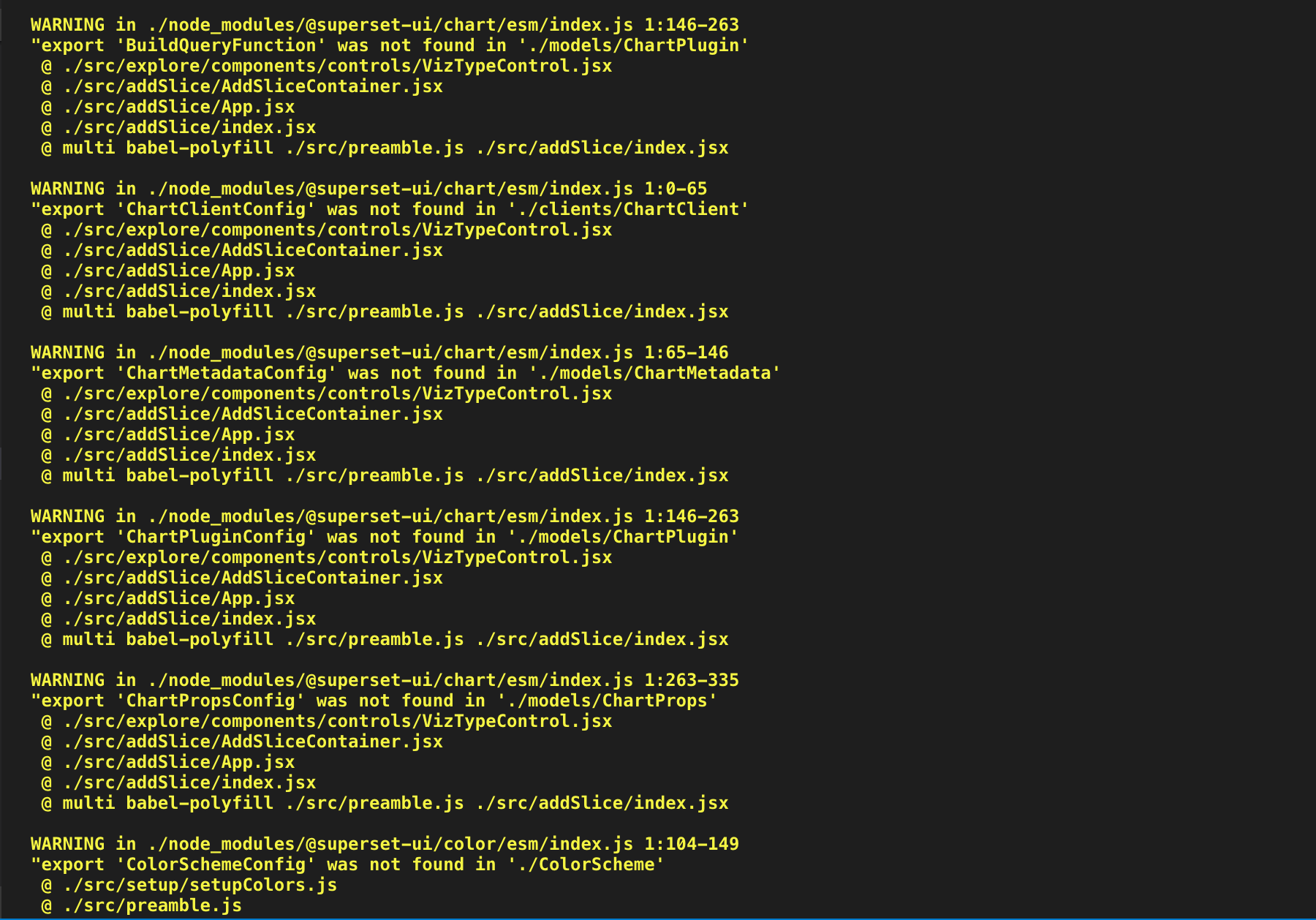
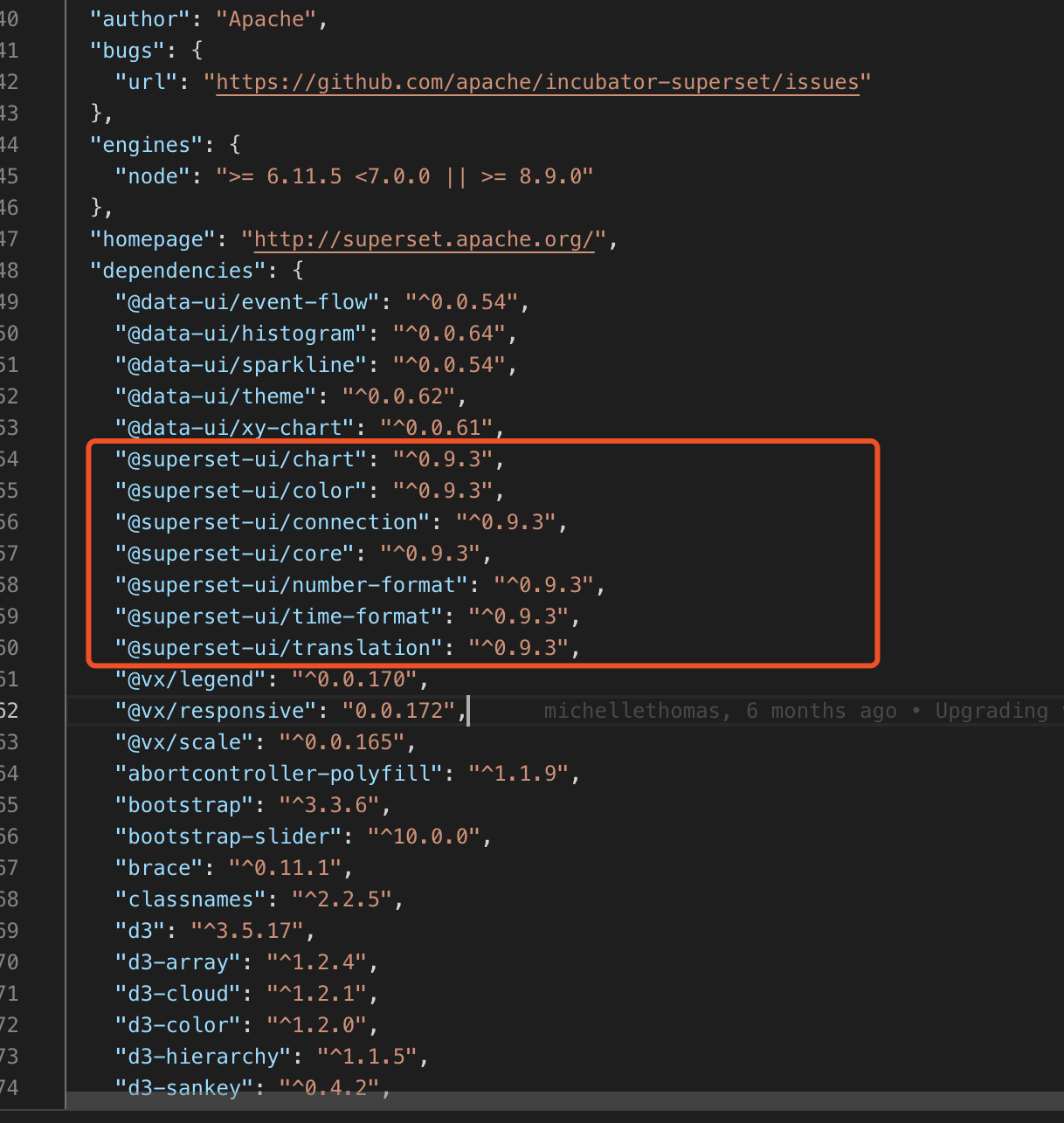
Steps to reproduce
I followed the instructions in page "Contributing", section "Setup Local Environment for Development".
In the process some steps failed
 wqf1992wqf
All 12 comments
@kristw @williaster
 mistercrunch
on 12 Feb 2019
mistercrunch
on 12 Feb 2019
I think @kristw flagged this already (not sure if there's an issue or not). I think this is this the type warnings right Krist? I think we have a solution planned in @superset-ui.
 williaster
on 12 Feb 2019
williaster
on 12 Feb 2019
Thanks for reporting the issue. This is related to https://github.com/apache-superset/superset-ui/issues/94
- First of all, these warnings are annoying, yes, but they do not affect the correctness of how Superset function so no need to panic. Don't make them scapegoats 🐐 for unexplainable bugs 🐞. Totally red herring 🐟 .
- I agree that we should get rid of them for peace of mind 🕊 , but given a few more bigger things on the plate such as migrating visualization code to plugins and deleting 200k lines from this repo 💣 , I think this one can wait a bit.
 kristw
on 12 Feb 2019
kristw
on 12 Feb 2019
totally agree 👍
williaster
on 12 Feb 2019
When I started the latest version of the project, I also encountered the problem of homepage static resource loss, which I think may be caused by ~

My steps
git clone https://github.com/apache/incubator-superset/
cd incubator-superset/contrib/docker
docker-compose run --rm superset ./docker-init.sh
docker-compose up
I'm sorry that my English is poor.
wqf1992wqf
on 12 Feb 2019
@wqf1992wqf The issue in your screenshot is not related to the warnings.
Please see https://github.com/apache/incubator-superset/issues/6694
kristw
on 12 Feb 2019
I've read this issues,but I can't solve this problem.
mistercrunch say:
Everyone, to be clear when you see a CSS-free page like this, it means that you have failed at building the javascript. A successful npm run build or npm run dev would fix this.
I think is right,but I built it successfully, except for these warnings.
I downloaded a version in October 2018, when the docker build was directly available. Later, I found that the docker startup steps of the official website had changed, so I downloaded the latest code.
I haven't changed the latest version of the code, but I found it unavailable to start the page with docker.
@kristw
wqf1992wqf
on 12 Feb 2019
How did you build? npm run build or npm run dev-server. If you use dev-server, go to port 9000.
kristw
on 12 Feb 2019
Both have been tried.

@kristw
wqf1992wqf
on 12 Feb 2019
I suspect it is something to do with docker, which I know too little about. Again, this is not related to the warnings above. And you said you could npm run build successfully so it is also not about front-end code.
kristw
on 12 Feb 2019
Thank you. I'll find out why.
wqf1992wqf
on 12 Feb 2019
@wqf1992wqf Please post if you find the solution - I'm having the same issue (as well as the superset-ui npm build errors in the top post)
 lukexyz
on 13 Feb 2019
lukexyz
on 13 Feb 2019
Related issues
 eliab
·
3Comments
eliab
·
3Comments
 joshuacano
·
3Comments
joshuacano
·
3Comments
 fly-high-bj
·
3Comments
fly-high-bj
·
3Comments
 john-bodley
·
3Comments
john-bodley
·
3Comments
 kalimuthu123
·
3Comments
kalimuthu123
·
3Comments
Most helpful comment
Thanks for reporting the issue. This is related to https://github.com/apache-superset/superset-ui/issues/94